
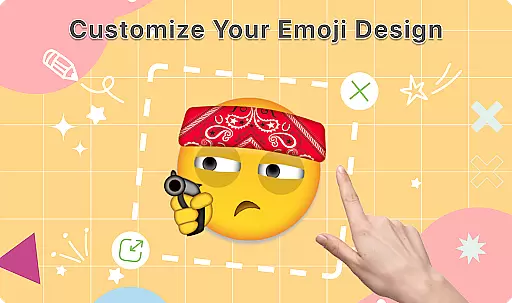
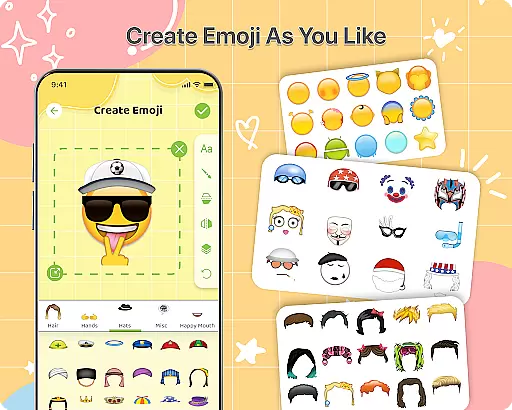
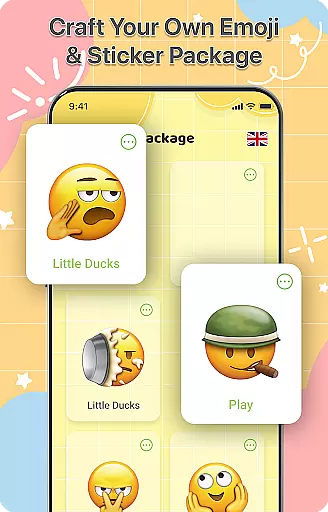
DIY Emoji is a creative personalization app that allows users to design their own unique emojis. With over 500 accessories including eyes, mouths, hats, and glasses, the app offers endless customization possibilities. Users can flip elements, draw details, add text with various fonts, and layer components for perfect emoji designs.
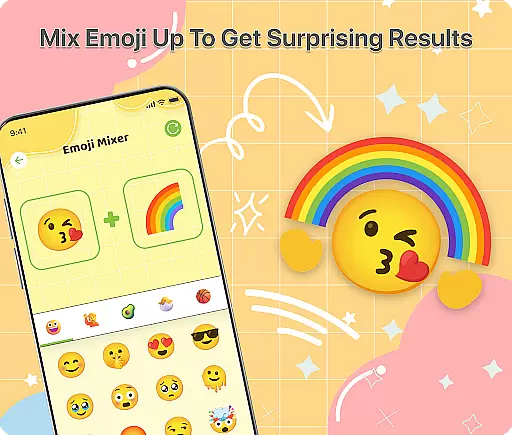
In addition to creating individual emojis, the app features an innovative Emoji Mixer that lets users combine any two emojis into funny and unique combinations. The built-in Emoji Library helps users store, manage, and quickly access all their creations. Regular updates bring new accessories and emotes, ensuring continuous engagement and creativity.
This app is perfect for anyone looking to add a personal touch to their digital conversations. Whether you want to express specific emotions or simply have fun, DIY Emoji provides the tools to make your chats more engaging and entertaining.
DIY Emoji stands out with its comprehensive set of features designed to maximize user creativity. The Emoji Maker tool includes a vast selection of customizable elements such as eyes, mouths, hats, glasses, and more. Users can manipulate these elements by flipping them, drawing additional details, adding text with different fonts and colors, and layering components for complex designs.
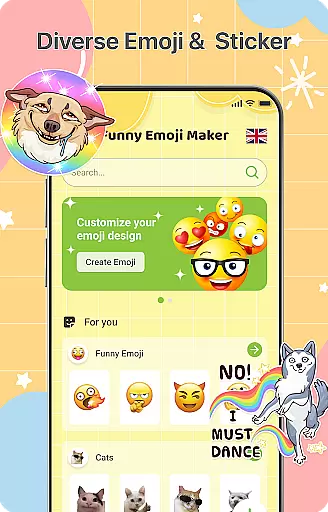
The Emoji Mixer feature takes creativity to another level by allowing users to combine any two emojis into unique and often hilarious combinations. This opens up unlimited possibilities for personal expression. The app also includes an Emoji Library where users can store and organize their creations, complete with a quick search function for easy access.
Regular updates ensure that users always have fresh content to work with, including new accessories and emote options. These frequent additions keep the app exciting and encourage continued use. The intuitive interface makes it easy for users of all ages to create and share their custom emojis, enhancing their digital communication experience.
DIY Emoji offers an extensive range of customization options that allow users to express their creativity and individuality. With over 500 accessories available, including eyes, mouths, hats, glasses, and more, the possibilities are virtually endless.
The app's intuitive design lets users flip elements for unique effects, draw details with fun tools, add text with cool fonts and colors, and layer elements to create the perfect emoji designs. This level of detail ensures that each emoji can be as unique as its creator.
By providing such a wide array of customization features, DIY Emoji empowers users to personalize their chats with custom emoticons that truly represent their personality and mood. Whether you're looking to make your conversations more engaging or simply want to have some fun, this app delivers on all fronts.
Theme compatibility is at the heart of DIY Emoji's user experience, ensuring that every emoji created is not only visually appealing but also works seamlessly across various messaging platforms. The app supports a diverse set of themes, allowing emojis to maintain their charm and character no matter where they are used.
Users can rest assured that their creations will look great and retain their intended meaning, whether shared on social media, in private messages, or even in professional communication settings. This versatility makes it easy to integrate custom emojis into any conversation without worrying about formatting issues or loss of quality.
With DIY Emoji, the assurance of theme compatibility means that users can focus on being creative and having fun, knowing that their personalized emojis will enhance their chats just as envisioned. This feature underscores the app's commitment to delivering a smooth and enjoyable user experience.
User-friendly interface
Extensive customization options
Unique Emoji Mixer feature
Regular content updates
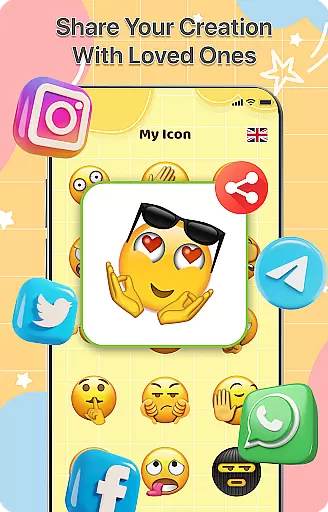
Easy sharing capabilities
Limited free accessories
Some features require purchase
Occasional ads in free version
Advanced tools need learning
Storage space required

Classic analogue watch face. For wear os devices.
 4.60
4.60
Winter's Journey: digital watch face for Galaxy Watch & Wear OS
4.80
Add cute Shimeji pets to screen, interact with them and relax with cute motions
4.60
Romantic Kiss Stickers App. Start romantic messaging now!
4.30
Zip lock screen with magic wallpaper to decorate your phone with fun zipper lock
4.60 4.50
4.50
Enjoy a variety of amazing live wallpapers and colorful EDGE lighting borders!
4.80
Fast SMS & group chat - use GIFs and emojis from your home screen launcher.
4.50
Transform your phone with stylish zipper lock themes and 4D live wallpaper
4.10
Dark icon pack based on One 8
4.80
A launcher for Samsung Good Lock and Good Guardians modules without ads
4.70
Bring adorable pets to life on your screen. Playful, interactive and full of fun
4.60
Unleash Your Creativity and Connect with Loved Ones with Lockscreen Drawing!
4.20
Magic fluids wallpaper 4D: Relax with stunning fluid simulation wallpaper app
4.20
More than 3000+ themes and 9000+ wallpapers for everybody!
4.10
Customize glowing edges, wallpapers, and caller screen with EdgeAura.
3.50 3.50
3.50
Interactive Miniature Painting Catalogue
3.30
⭐ OneUI inspired Fluffy Icon Pack – Soft. Stylish. Standout. ⭐
4.3


User Reviews