
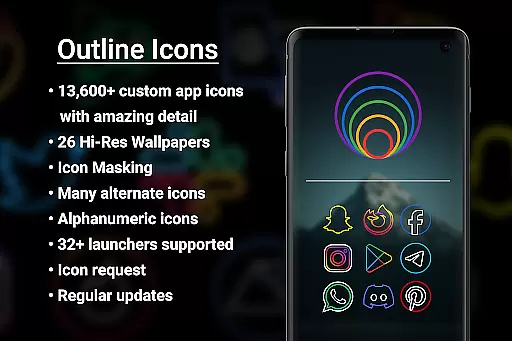

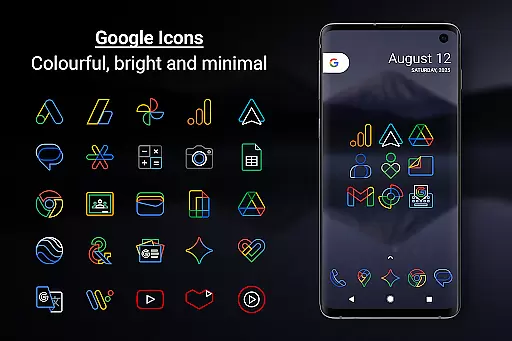
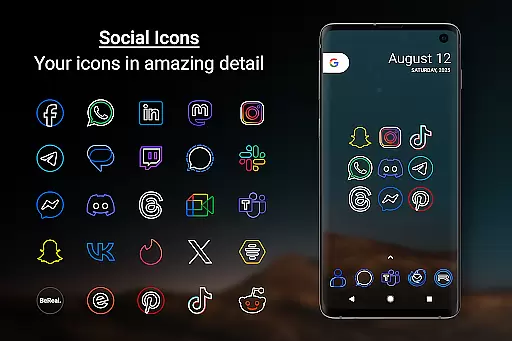
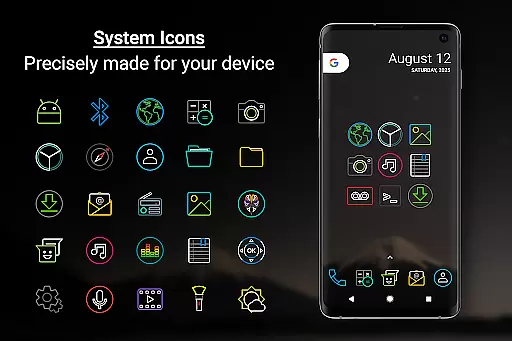
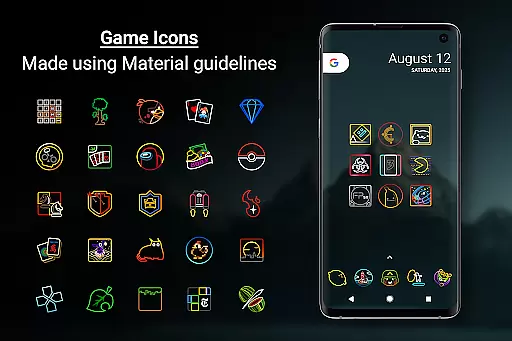
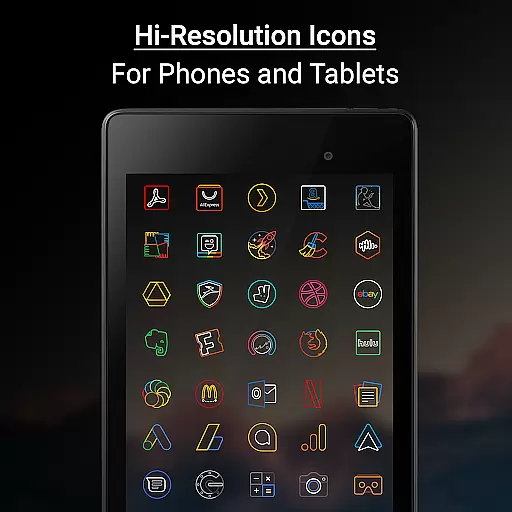

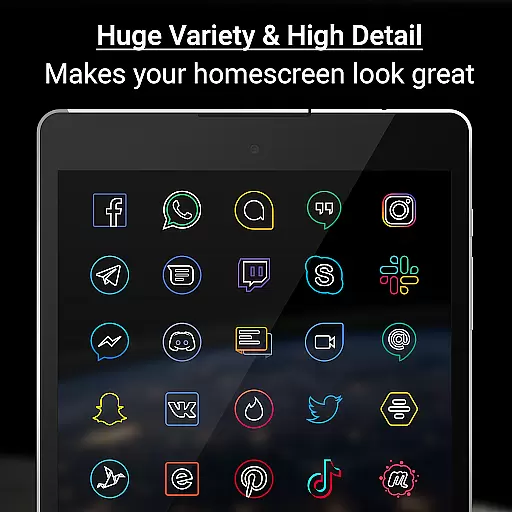
Outline Icons is a premium icon pack that transforms your device's home screen with a unique outline design. Featuring over 13,600 handcrafted HD icons in bright colors and precise details, it meets material design standards while offering compatibility with more than 32 launchers. The pack includes dynamic calendar support, icon masking for unthemed icons, and 26 high-resolution wallpapers that complement the minimal style.
This icon pack stands out through its meticulous attention to detail, providing 192x192 pixel resolution icons suitable for both phones and tablets. Users can enjoy regular updates with new icons and wallpapers, alternate color options for system icons, and an intuitive icon request feature. Whether you're using Nova Launcher, Samsung devices with OneUI, or other supported launchers, Outline Icons delivers a consistent and visually appealing experience across platforms.
Outline Icons offers an impressive array of features designed to enhance your device's aesthetics. With over 13,600 handcrafted HD icons, each meticulously created at xxxhdpi quality, users can expect sharp and detailed visuals on any screen size. The inclusion of icon masking ensures even unthemed icons maintain visual consistency, while dynamic calendar support caters to various calendar apps including Google, Samsung, and others.
The pack also provides 26 royalty-free high-resolution wallpapers that perfectly match the minimalistic icon style. Additional features include category folders in multiple colors, alphanumeric icons in ten different colors, and compatibility with over 32 launchers. Regular updates ensure the library stays fresh, while premium icon requests offer expedited processing for users who need specific icons quickly.
Outline Icons supports popular launchers like Nova Launcher, Lawnchair, and Samsung's OneUI through the Theme Park app. It also works with many other launchers such as Action Launcher, Apex Launcher, and Microsoft Launcher. For launchers not directly supported in the apply section, users can still manually apply the icon pack through their launcher settings. This versatility makes Outline Icons one of the most comprehensive and adaptable icon packs available.
Outline Icons offers an extensive range of customization options that cater to personal preferences and device aesthetics. With over 13,600 hand-crafted HD icons, users can transform their home screens into a visually cohesive space. Each icon is meticulously designed in an outline style at the highest quality (xxxhdpi), ensuring sharpness and detail on any screen size.
The icon pack supports more than 32 launchers, providing flexibility for users across different devices and platforms. This compatibility ensures that whether you are using Nova Launcher, Action Launcher, or even Samsung's OneUI, Outline Icons integrates seamlessly with your launcher of choice. Additionally, features like Icon Masking help maintain visual consistency by styling unthemed icons to match the outline aesthetic.
Users also benefit from dynamic calendar support, category folders in various colors, and alphanumeric icons available in ten distinct colors. These elements allow for a personalized touch, making each user's experience unique. The inclusion of high-resolution wallpapers further enhances the overall look, complementing the minimalistic design language of the icons.
Theme compatibility is a crucial aspect of Outline Icons, ensuring that it works harmoniously across a wide array of launchers and devices. Supporting over 32 launchers including popular ones such as Nova Launcher, Niagara Launcher, and Lawnchair Launcher, this icon pack guarantees a smooth integration regardless of your preferred interface. For Samsung users running OneUI 4.0 or newer, the Samsung Theme Park app facilitates easy application of these themes without needing an alternative launcher.
Outline Icons adheres to material design standards, which means its bright colors and precise designs stand out while maintaining a professional appearance. Whether you're operating on a phone or tablet, the 192 x 192 pixel dimensions ensure clarity and vibrancy. Moreover, alternate color options for system icons offer versatility, allowing users to tailor their setups according to mood or functional needs.
To apply the theme, users simply need to install a supported launcher, open Outline Icons, navigate to the Apply section, and select their launcher. Even if your specific launcher isn't listed but supports icon packs, applying the theme through launcher settings is straightforward. This ease of use extends to troubleshooting too; the FAQ section within the app provides additional guidance, ensuring users can maximize their customization potential effortlessly.
High-quality icons
Wide launcher support
Regular updates
Vibrant color options
No advertisements
Premium requests cost extra
Limited free wallpapers
Manual application needed
Not all launchers supported
Occasional update delays

Ultra realistic gold analog watch face with lots of customization options.
 4.50
4.50
A retro cartoon style watch face and a punch right in the face of the copyright
4.60
Shimeji adds cute animated characters to your screen, lively and fun.
4.70
Customize your home screen with stunning themes, blur, widgets & icons.
4.60
Launcher OS™ Pro without ads help make your phone simple and pretty
4.30
HappyLighting is a Bluetooth lamp control software.
3.40
Your go to Weather App & Home Screen. Get your weather at a swipe of a finger!
3.80
Struggling to find apps? Use this app to locate and open any app on your phone!
2.20
Magic fluids wallpaper 4D: Relax with stunning fluid simulation wallpaper app
4.20
Vertically oriented rectangular icons
4.70
Make your phone look simple & luxury, like iDevice
4.60
300+ Beautifully crafted widgets inspired by OneUI.
4.60
Customizable screen pets that play, climb, and keep you company.
4.50 4.50
4.50
A light in the dark, a unique style and an andless cutomization!
4.30
The definitive Icon pack maker and editor
4.30
Crystal-clear, square icon provides a sleek and sophisticated visual upgrade
4.00
Design your screen with unique, vibrant clocks
3.80
Transform your phone with stunning video wallpapers and a unique, personal touch
3.80


User Reviews