
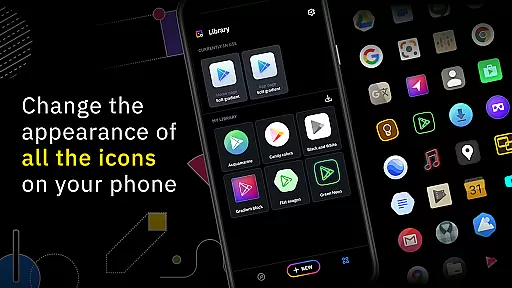
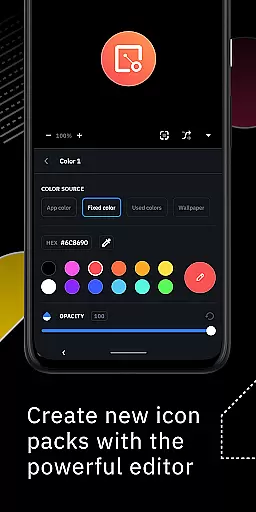
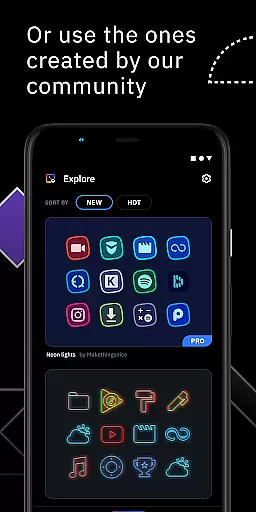
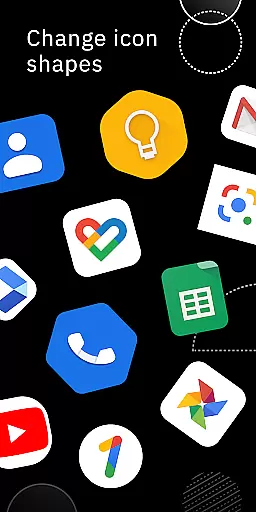
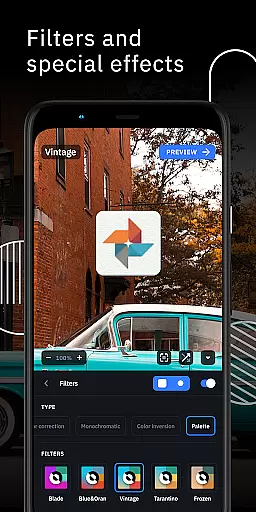
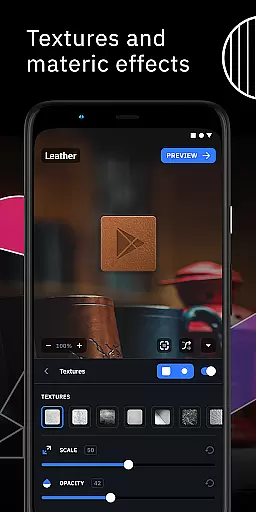
Icon Pack Studio is a unique personalization app that allows users to create their own custom icon packs from scratch. With an intuitive interface and advanced editing tools, you can resize, move, and apply various filters like lights, shadows, textures, and bezels to craft the perfect icons for your home screen.
This app stands out by offering the ability not only to create new icon packs but also to import and tweak existing ones installed on your device. The icon packs created with IPS cover any app on your device, ensuring unparalleled customization possibilities. Compatible with most popular launchers, this tool provides both flexibility and extensive creative control for personalizing your smartphone experience.
One of the standout features of Icon Pack Studio is its advanced editor, which gives users precise control over every element of their custom icons. You can easily adjust sizes, positions, and apply special effects such as lighting and shadows to achieve the desired look.
Additionally, starting from version 2, the app supports importing and tweaking any installed icon pack, expanding its utility beyond just creation. This feature ensures that no matter what launcher you use, you can customize it to fit your style perfectly. The app's compatibility with a wide range of launchers makes it versatile and accessible to many users, enhancing its appeal as a comprehensive personalization tool.
Icon Pack Studio offers an extensive range of customization options that allow users to create personalized icon packs from scratch. The app provides the tools necessary for designing icons that perfectly fit your home screen's aesthetics.
The advanced editor in IPS is a standout feature, enabling users to resize and reposition any element within their custom icons. Special filters such as lights, shadows, textures, and bezels offer additional personalization, ensuring each icon pack is unique to its creator's style and preferences.
Moreover, starting from version 2, users can import and tweak any icon pack already installed on their device. This means you're not limited to creating new designs but can also modify existing ones, providing unparalleled flexibility in personalization.
With just a few taps, you can apply your newly crafted icon pack to a compatible launcher, making it easy to refresh your deviceu2019s look whenever desired. This level of customization empowers users to express individuality through their smartphone's interface like never before.
Theme compatibility is a crucial aspect of Icon Pack Studio, ensuring that the icon packs you create will work seamlessly across various launchers. It is specifically designed to integrate with Smart Launcher but extends its compatibility to almost any launcher available.
Icon Pack Studio has been tested and proven to work well with popular launchers such as Nova Launcher, Action Launcher, Lawnchair Launcher, and many others. This wide-ranging compatibility ensures that no matter which launcher you prefer, your personalized icon pack will likely be supported.
However, it's important to note that some launchers are unsupported, including Xperia Home Launcher, Pixel Launcher, and Samsung One UI Home among others. Despite this, the vast majority of users will find their preferred launcher is compatible with IPS.
This broad theme compatibility allows users to switch between different launchers without losing the ability to use their custom icon pack, offering both flexibility and peace of mind when personalizing your deviceu2019s appearance.
User-friendly interface
Advanced editing tools
Wide launcher compatibility
Customizable icon packs
Active community support
Limited to supported launchers
Advanced features may overwhelm beginners
Some functionalities require specific launchers
Premium features come at a cost
Occasional bugs reported

Transform your phone with Launcher iOS 26 - Smooth & elegant iOS experience
 4.50
4.50
A launcher for Samsung Good Lock and Good Guardians modules without ads
4.70
Romantic Kiss Stickers App. Start romantic messaging now!
4.30
App Icon Changer & Shortcut Creator. Customize your icons without any watermarks
4.30
⭐ OneUI inspired Fluffy Icon Pack – Soft. Stylish. Standout. ⭐
4.4
Vibrant Adaptive Icons with Material You and Enhanced Monet Colors.
4.50
HappyLighting is a Bluetooth lamp control software.
3.40
Crystal-clear, square icon provides a sleek and sophisticated visual upgrade
4.00
set a new experience for the Android mobile phone
4.20
Only for Wear OS devices!
4.90
Dark icon pack based on One 8
4.80
One 8 icons glass color version
4.80
A minimalist productivity launcher. One-hand-friendly. Zero ads.
4.70
Embrace the Night. Unleash the power of darkness with Raven Dark Icon Pack
4.60
Aesthetic Widgets, HD Wallpapers, Themes in Mico Widget for Home and Lock Screen
4.50 4.50
4.50
Color phone with cool effects for call screen, flash alert & ringtones music
4.50
Yandex Browser — stylish and secure, with voice search and data compression
4.40
Customize glowing edges, wallpapers, and caller screen with EdgeAura.
3.50


User Reviews