
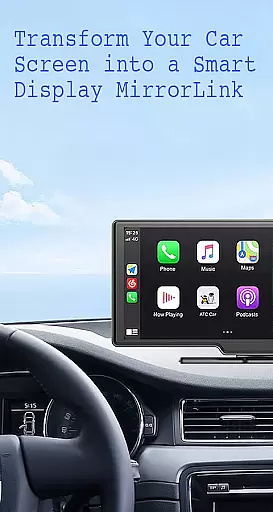
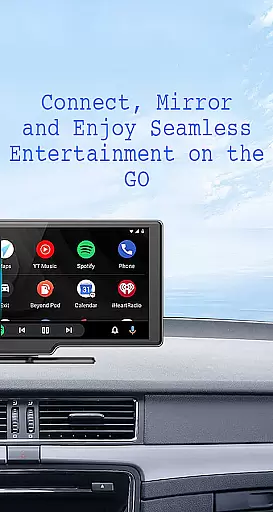
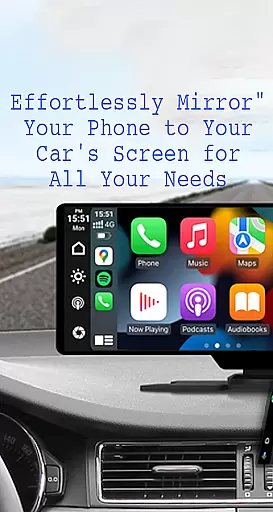
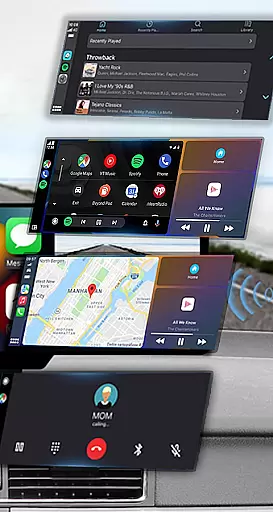
Mirror Link is a cutting-edge application designed to seamlessly connect your smartphone to your car's display system. This app enables users to project their phone's screen onto the car's larger display, enhancing accessibility and convenience while driving. With both wireless and USB connection options, it ensures compatibility with various devices and car models.
The app offers a comprehensive suite of features including static screen sharing, multimedia access, and automation capabilities. Users can enjoy music, videos, maps, and even hands-free calling directly through their car's touchscreen interface. Mirror Link also supports Apple CarPlay and Android Auto, making it an essential tool for modern drivers seeking safer and smarter driving experiences.
Mirror Link stands out with its robust feature set tailored for enhanced driving safety and convenience. The app's static screen sharing allows for stable projection of your smartphone's display onto your car's screen. It supports both wireless connectivity and traditional USB connections, catering to different user preferences and device compatibilities.
One of the key highlights is its seamless integration with multimedia functions. Users can listen to music, watch videos, send texts, make calls, and navigate using maps directly from their car's display. The app also includes smart automation features that automatically play or pause media when connected to the car display. Additionally, Mirror Link's universal compatibility ensures it works with all car brands and devices equipped with web browsers, providing a versatile solution for various vehicles.
Functionality completeness in Mirror Link ensures that users can seamlessly connect their smartphones to car displays, providing a comprehensive solution for screen sharing and multimedia access. This app covers essential features such as static screen sharing, wireless and USB connections, and full mirror link capabilities.
The app's broad compatibility with all car brands and devices with built-in web browsers showcases its extensive coverage. Whether you have an older or newer car model, Mirror Link is designed to work efficiently, offering users the convenience of accessing phone features directly from their car's touchscreen.
By integrating with systems like Mirror Link CarPlay and Android Auto, the app enhances user experience by allowing hands-free calling, navigation maps, and music streaming. This integration highlights the app's commitment to providing a complete solution for drivers who seek both entertainment and safety while on the road.
Ultimately, Mirror Link's functionality completeness empowers users to transform their car's display into a convenient control panel. With easy access to various applications, drivers can focus more on the road while still enjoying the benefits of their smartphone's features, making each journey safer and more enjoyable.
Usability in Mirror Link is demonstrated through its user-friendly interface and straightforward connection process. By simply turning on the Miracast function in the car's dashboard and selecting 'Connect Car' within the app, users can effortlessly mirror their phone screen to the car display, ensuring a smooth operational experience.
The app offers quick and stable screen sharing, which is crucial for maintaining operational fluidity. Whether connecting wirelessly or via USB, Mirror Link provides a reliable and uninterrupted connection, enabling users to enjoy multimedia content such as music, movies, and maps without any hassle.
Mirror Link also includes automation features that enhance usability. For instance, music playback can automatically pause and resume based on the connection status with the car display. These smart functionalities ensure that users enjoy a seamless transition between their phone and car screen without manual intervention.
Overall, Mirror Link prioritizes operational smoothness to improve driving safety and convenience. By minimizing distractions and providing intuitive controls, the app allows drivers to keep their focus on the road while still benefiting from their smartphone's capabilities, resulting in a safer and more enjoyable driving experience.
User-friendly interface
Wireless and USB connectivity
Enhanced driving safety
Universal compatibility
Automation features
Limited to compatible devices
Requires Miracast support
Potential connectivity issues
No offline documentation
Third-party dependencies

Game Booster GFX for smoother gaming experience. Enjoy 120 FPS and 4x Game Space
 4.20
4.20
Collection of high-quality, trendy skins and outfits!
4.2
Tune your game graphics with our GFX optimizer for optimal gaming experience
4.50
Connect your phone to any endoscope camera, USB camera, or borescope with ease.
3.70
Identify securely online
3.10
Mirror Link Car Display to share your screen with car dashboard wirelessly
4.4
MirrorLink for connecting your Android phone to your car’s infotainment screen.
4.50
Endoscope camera an app to connect with endoscope cam or any device
3.30
Now Available on Android ™
3.40
An essential GFX utility developed for specific FPS mobile games
4.50
Barcode scanning made simple!
4.40
Enjoy Minecraft Mod Scary Neighbor Granny for Minecraft PE.
4.30
Recite Quran Majeed القران with special 16 line real Kuran page in hand
4.30
charging your phone by other phone easly
4.00
With Endoscope Camera Connector you can connect your phone with endoscope cam
3.70
Mirror phone to TV effortlessly! Stream, share & connect with Airplay ease.
3.60
Mobs maker Minecraft help MCPE creators make their own mob by using Blockbench
3.50
Record with Double Camera Video Recording using Dual Camera Front and Back Video
3.00
If you are looking for melon playground mod that fun you deffinitely try our app
2.70


User Reviews