
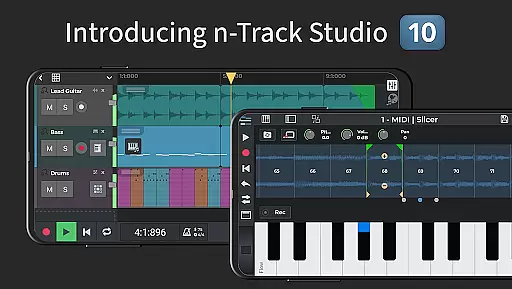
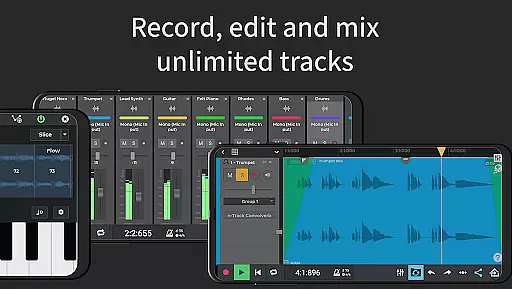
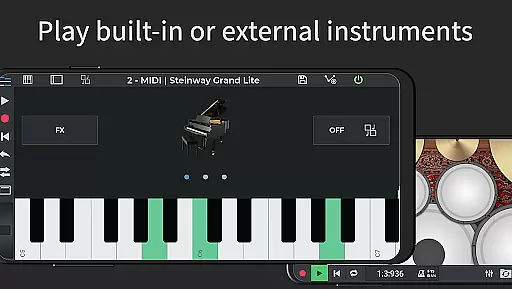
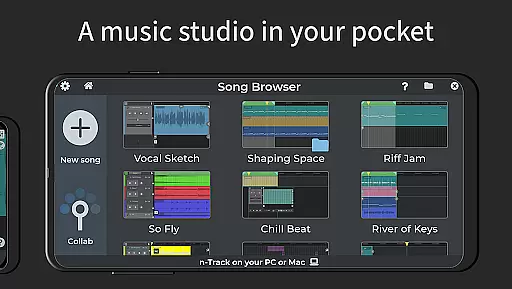
n-Track Studio Pro is a comprehensive music production app that transforms your Android device into a fully functional recording studio. The application allows users to record, edit, and mix an unlimited number of audio, MIDI, and drum tracks, making it ideal for both amateur enthusiasts and professional musicians.
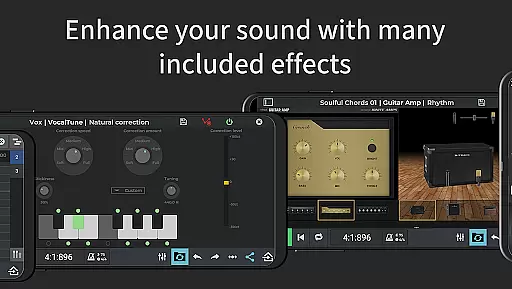
With its wide array of features including built-in effects like Guitar Amps, VocalTune, and Reverb, n-Track Studio Pro offers a complete suite of tools necessary for music creation. Its compatibility with external audio interfaces and support for high-quality audio formats up to 192 kHz ensures that the app meets industry standards, providing a seamless experience across various devices.
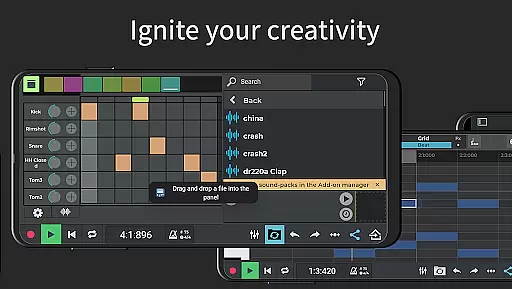
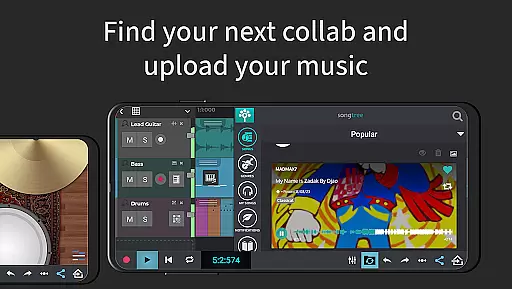
The app's intuitive interface supports creative workflows such as step sequencing for beat making, piano-roll MIDI editing, and real-time collaboration through the Songtree community. Whether you're composing melodies, laying down beats, or fine-tuning mixes, n-Track Studio Pro delivers the power and flexibility needed to produce high-quality music on the go.
n-Track Studio Pro stands out with its extensive feature set tailored for music creators. The app includes advanced functionalities such as a 64-bit double precision floating point audio engine, which ensures pristine audio quality throughout the production process. Users can take advantage of the virtually unlimited number of tracks, group and aux channels, and automation capabilities to craft complex compositions with ease.
In addition to its robust recording capabilities, the app provides a rich selection of built-in effects and virtual instruments. From EQ with 2D & 3D spectrum analyzers to pitch correction via VocalTune, users have access to professional-grade tools right at their fingertips. The inclusion of guitar and bass amp plugins, alongside effects like reverb, echo, and chorus, empowers musicians to shape their sound precisely as envisioned.
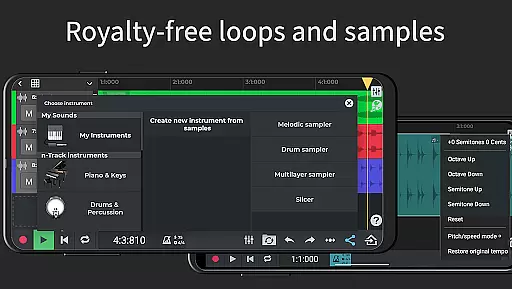
Collaboration is made simple with integrated features that allow sharing and collaborating on projects within the Songtree community. Moreover, the app supports multiple languages and offers in-app purchases for additional content such as royalty-free loops and sample instruments, enhancing the creative possibilities for users worldwide.
When it comes to music production applications like n-Track Studio Pro, the size and authenticity of the music library are crucial factors. A comprehensive library ensures that users have access to a wide variety of sounds and samples needed for creating rich and diverse compositions. n-Track Studio Pro offers an extensive collection of royalty-free sample packs and loops, which can be seamlessly integrated into your projects.
The app provides virtually unlimited audio and MIDI tracks, empowering musicians to build complex arrangements without limitations. The built-in synths and virtual instruments further expand the sonic palette, while the ability to import existing tracks adds another layer of versatility. This vast array of resources is not only impressive in quantity but also adheres to copyright standards, ensuring that all materials are safe to use without legal concerns.
For users, this means they can focus on their creative process without worrying about infringing on intellectual property rights. The assurance of copyright authenticity allows artists to share and collaborate with confidence, knowing that their work is built on legally sound foundations. This feature significantly enhances the value proposition of n-Track Studio Pro as a professional-grade music production tool.
Audio quality is paramount in music production, and n-Track Studio Pro excels in providing top-notch audio processing capabilities. The application supports high-resolution audio formats, allowing users to export files in 16, 24, or 32-bit depth. Additionally, the sampling frequency can be set up to 192 kHz, although frequencies above 48 kHz require an external audio device. This flexibility ensures that producers can achieve studio-quality sound regardless of their project requirements.
The app's 64-bit double precision floating point audio engine is a standout feature, delivering unparalleled clarity and dynamic range. This advanced architecture minimizes digital distortion and preserves the integrity of audio signals throughout the production process. Furthermore, the inclusion of various effects such as reverb, echo, chorus, flanger, tremolo, pitch shift, phaser, tube amp simulation, and compression enables detailed sound shaping and enhancement.
Users benefit from these sophisticated audio quality options by having the tools necessary to produce polished, professional-sounding tracks. Whether you're recording live instruments, programming virtual ones, or mixing down your final piece, n-Track Studio Pro provides the precision and control needed to bring your musical vision to life with exceptional fidelity.
User-friendly interface
High-quality audio processing
Versatile track management
Extensive effect library
Active user community
Steep learning curve
Resource-intensive operation
Limited free content
Occasional bugs reported
Premium features costly

Simply convert wav to mp3. Clear. Reliable. Safe.
 4.3
4.3
Make music anywhere. Turn your device into an instrument.
4.5
Most Advanced AI Song Generator and Music Creator. Rap, Pop, Rock, Gospel & more
4.70
Play your hearts out on TouchTunes jukeboxes & connect with fellow music lovers.
4.80
Offline Music Player&MP3 Player with themes, equalizer, lyrics, music play mode
4.60
Manage your Sonos system directly from your home-screen!
4.40
MilkDrop for Android TV
3.00
Sing, record, and create music together — enhanced by smart voice tools.
4.00
One-tap booster for max volume - enjoy powerful sound with this audio booster
4.50
Your song collections with lyrics and chords on Android smartphones and tablets.
4.80
More downloads than any other metronome. Includes drum machine & tempo trainer.
4.80
Pay Once, no monthly payment
4.60
Visualize the guitar fretboard, master scales & play through changes like a pro!
4.50
Master Salsa Rhythm quickly and with a lot of fun!
4.30
A High-Precision Audio Spectrum Analysis App
4.20
Turn your phone into a musical instrument from the future!
3.90
The ultimate media player for Android devices
3.90
USB audio recording and playback finally possible on Android 3.1 or higher!
3.90
Powerful beat maker & DJ mixer to remix tracks, make music, & perform DJ mix
3.70


User Reviews