
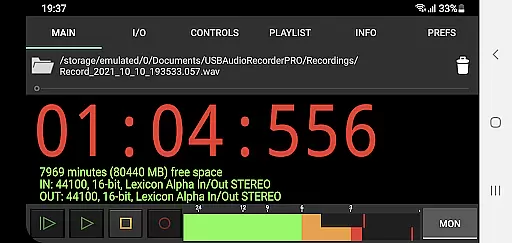
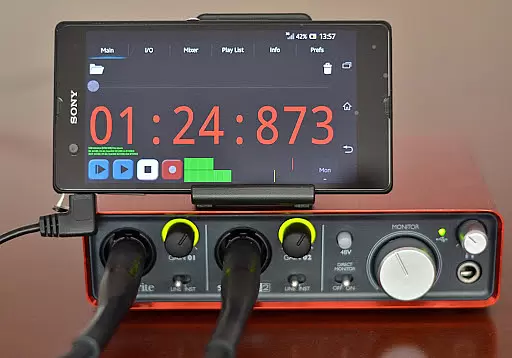
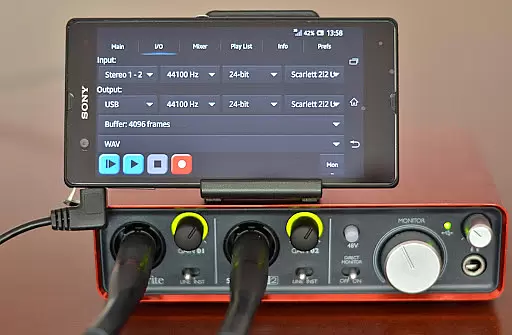
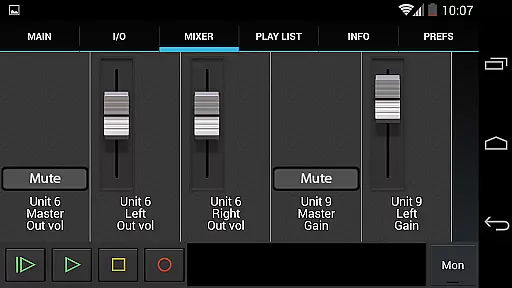
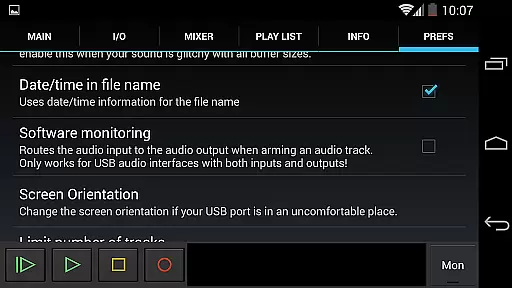
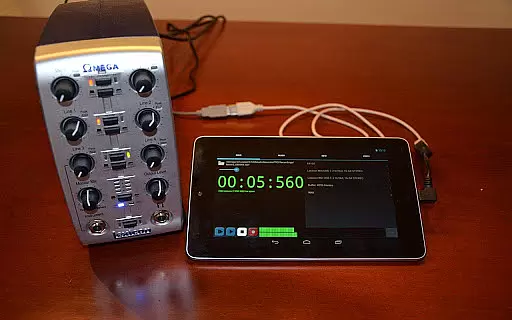
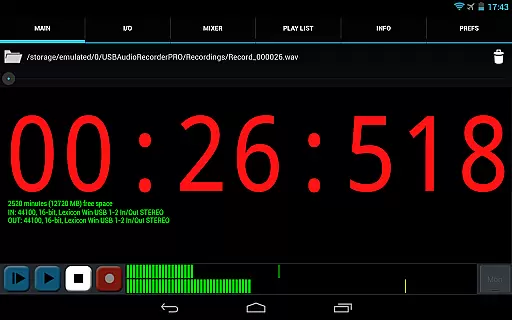
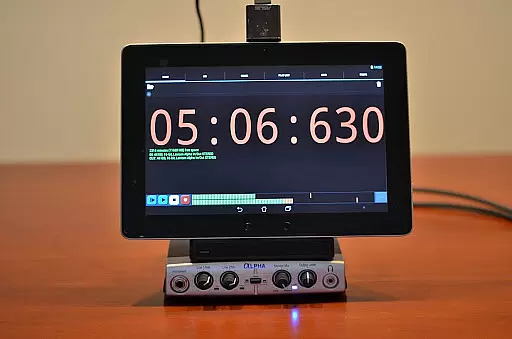
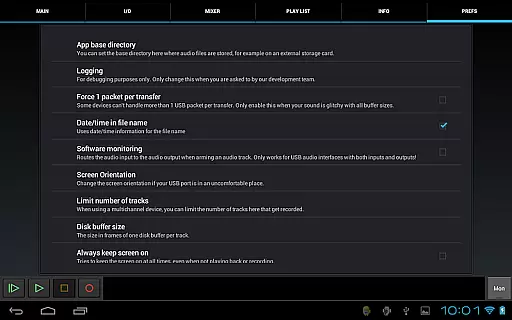
USB Audio Recorder PRO is a specialized application designed for high-quality audio recording and playback directly through USB audio interfaces on Android devices. Unlike generic audio apps, this tool requires the use of its custom driver to enable functionality, meaning your USB audio device will only work within this app. The software supports class-compliant USB 1.1 and USB 2.0 devices and offers extensive configuration options such as mono, stereo, and multichannel recording, with support for high sample rates up to 384 kHz depending on your hardware.
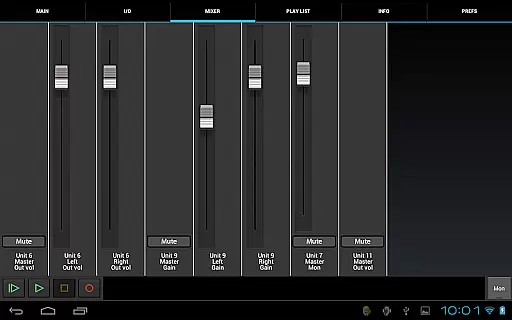
This app is particularly useful for musicians, podcasters, or audio engineers who need reliable direct digital audio conversion without compromising quality. By providing an array of professional features like level meters, input/output selection, and various file format options (WAV, FLAC, OGG, AIFF), it ensures users can achieve studio-grade recordings on the go. Additionally, the app allows integration with external mixers and powered hubs, making it versatile for different types of audio setups.
USB Audio Recorder PRO stands out due to its comprehensive feature set tailored for audiophiles and professionals alike. One of its key highlights is the ability to record in multiple formats including WAV, FLAC, OGG, and AIFF, while supporting resolutions from 16-bit up to 32-bit and sampling rates as high as 384 kHz, depending on the connected device's capabilities. This flexibility makes it suitable for both casual recordings and professional-grade projects.
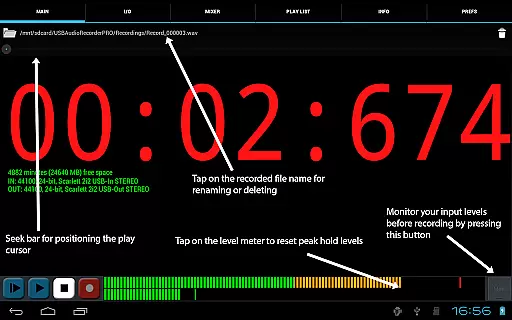
The app also includes advanced functionalities such as buffer size adjustments (ranging from 1024 to 16384 frames), real-time level monitoring with peak hold, and even basic playlist functionality for directory-based playback. Users can further customize their experience by selecting specific folders for saving files, renaming or deleting recordings, and sharing them via platforms like SoundCloud or Gmail. These features collectively ensure that users have full control over their audio workflow while maintaining exceptional sound fidelity.
USB Audio Recorder PRO offers a unique approach to managing audio content by allowing users to record and playback high-quality audio directly from a USB audio interface. While it doesn't provide a traditional music library, the app enables the creation of an extensive personal audio collection through its robust recording capabilities.
The application supports various file formats including WAV, FLAC, OGG, and AIFF, ensuring that users can store their recordings in formats that maintain high audio fidelity. This flexibility in format selection guarantees that the audio quality is preserved according to the user's preferences and needs.
In terms of copyright authenticity, the app respects intellectual property by not supporting patented formats like MP3. Instead, it encourages the use of open formats such as OGG, which offer similar quality and compression benefits without infringing on proprietary rights.
By focusing on class-compliant USB audio devices, the app ensures compatibility with a wide range of equipment, allowing users to expand their audio libraries with confidence. The ability to connect external USB microphones or audio interfaces further enhances the potential for creating a diverse and legally sound audio collection.
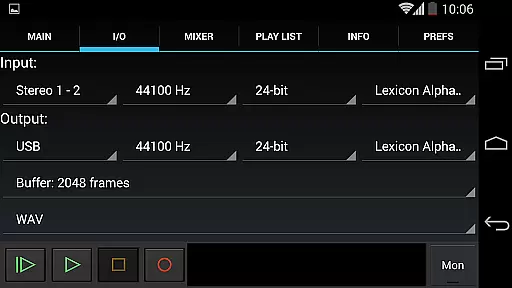
One of the standout features of USB Audio Recorder PRO is its exceptional audio quality options, making it a top choice for audiophiles and professionals alike. The app supports bit depths of 16-, 24-, and 32-bit, depending on the connected device, allowing users to capture audio with incredible precision and clarity.
Sample rates of up to 384 kHz are supported, providing users with the flexibility to record at industry-standard rates or push the boundaries with ultra-high-resolution audio. This level of detail ensures that every nuance of the original performance is faithfully captured, from subtle ambient sounds to complex musical arrangements.
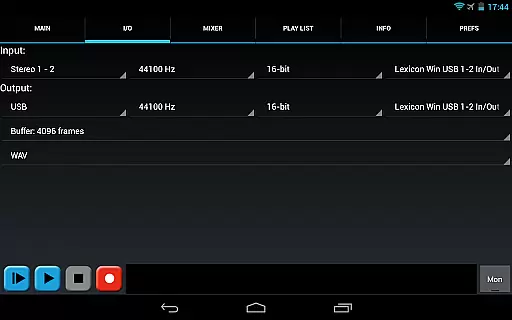
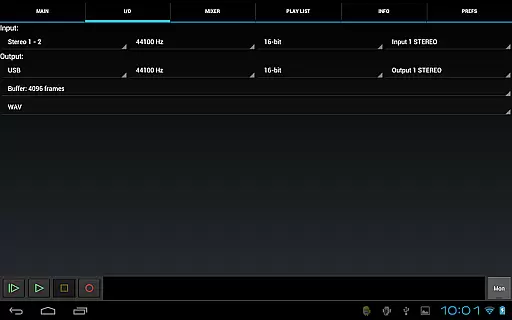
The app also offers comprehensive control over input and output settings, enabling users to fine-tune their recording environment. With buffer size selection ranging from 1024 to 16384 frames, users can optimize their setup for low-latency monitoring or maximum processing power, depending on their specific requirements.
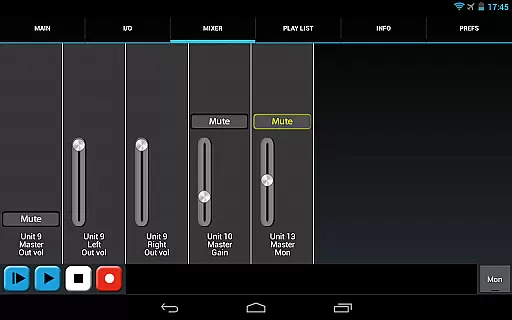
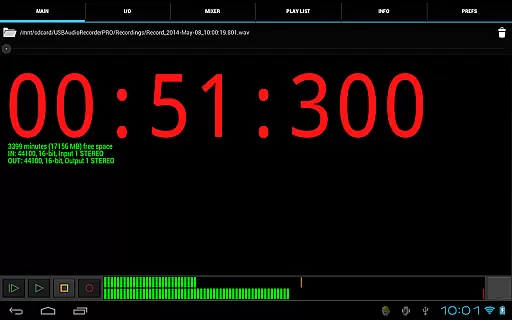
Additionally, the inclusion of level meters with peak hold functionality allows users to monitor their recordings in real-time, ensuring optimal levels and preventing distortion. These professional-grade features make USB Audio Recorder PRO an indispensable tool for anyone seeking uncompromising audio quality in their recordings.
High-quality audio recording
Supports multiple formats
Customizable settings
No rooting required
Professional level meters
Device compatibility issues
No MP3 support
Requires OTG cable
Limited to this app
Basic UI design

Equalizer, Bass Booster and Volume Booster (Eq & Bass) improve sound quality
 4.30
4.30
Offline and always ad-free - stream in the highest quality available.
4.10
Performance-Synthesizer & Multi-Track-Sequencer, polyphonic + multi timbral!
4.70
JBL PartyBox APP works with 110/310/710/120/320/520/Encore/Encore 2/Encore Ess 2
4.80
The only true audiophile music player with Hi-Fi audio rendering and DSP engine
3.90
Bass Booster & Volume Equalizer Pro improves your music and video sound quality
4.60
Voice recorder - Audio recorder. Best recorder for recording
4.90
Sing, record, and create music together — enhanced by smart voice tools.
4.00
Melody Beat: Great for travel, workouts, offline vibes, play your tunes anytime.
4.10
Music, News & Sports Radio Tuner App. Tune in Live FM & AM Radio Stations.
4.80 4.70
4.70
Record, Mix & Master with all n-Track effects, 64-bit audio and Stem Separation.
4.70
Unleash your creativity! Turn simple prompts into full fledged songs.
4.70
Listen radio AM / FM Stations. Live AM / FM Radio App Station. Radio Com.
4.70
Let your Android device with the sound effects you want
4.50
Help you quickly get started with Shokz headphones
4.40
Bass Booster Pro takes auto-equalizing to the next level!
4.30
Powerful 10-Band equalizer pro with sound booster improves Android audio quality
4.30
A sleek, no-frills player designed for true music lovers.
4.20


User Reviews