
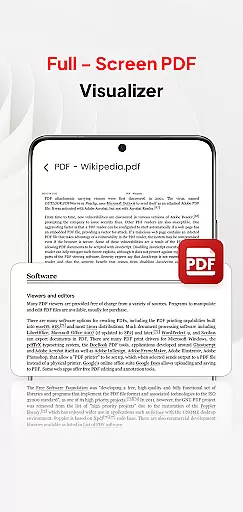
PDF Pro-View PDF is a comprehensive business application designed to streamline PDF management for professionals and casual users alike. This app offers instant access to PDF files with a single click, ensuring a seamless reading experience without any waiting time. Its sleek and intuitive interface makes file navigation effortless, while its powerful organizational features keep all your PDF documents neatly arranged in one place.
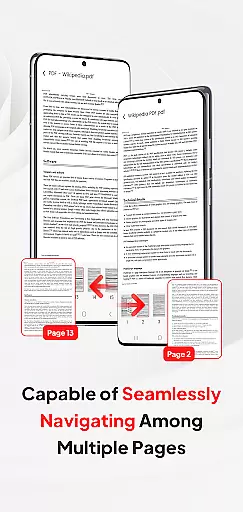
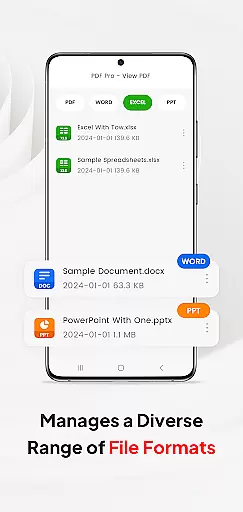
Beyond basic viewing, the app supports multiple document formats including Doc, PPT, and Excel, allowing users to manage various file types within a single platform. The smooth page navigation enhances readability, making it ideal for business presentations, research reviews, or casual reading. Whether you're working on-the-go or from the office, PDF Pro-View PDF ensures that all your important documents are easily accessible, providing significant value to users who regularly handle PDF files.
PDF Pro-View PDF stands out with its robust feature set tailored for efficient document handling. The app provides instant PDF access, enabling users to open and view files with just one click. This eliminates frustrating loading times and allows for immediate document review. Additionally, the complete file accessibility feature organizes all PDFs stored on your device in a single, easy-to-navigate interface, saving valuable time when searching for specific documents.
The app's multiple document compatibility is another key advantage, supporting not only PDFs but also other essential formats like Doc, PPT, and Excel. This versatility enables users to share and manage different file types through one unified platform. The smooth page navigation feature further enhances usability by allowing rapid page flipping, making document review more efficient. These carefully designed features collectively create a powerful tool that significantly improves productivity for business professionals and students alike.
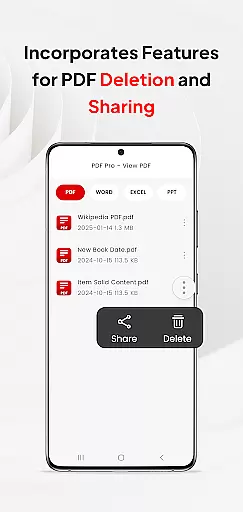
In today's interconnected work environments, the ability to collaborate effectively is paramount. PDF Pro-View PDF addresses this need by offering features that support team-based workflows. The application allows users to share PDF files effortlessly with colleagues and collaborators, regardless of their location.
One of the standout collaborative features is its compatibility with multiple document types. In addition to handling PDFs, the app supports Doc, PPT, and Excel formats. This versatility ensures that teams can manage various file types within a single platform, streamlining their workflow and reducing the need for multiple applications.
The app also facilitates seamless communication by enabling quick sharing of documents. Whether you're sending a report for review or distributing meeting notes, PDF Pro-View PDF makes it easy to disseminate information. This capability not only saves time but also enhances productivity by keeping all team members on the same page.
By integrating these collaborative work features, PDF Pro-View PDF empowers businesses to operate more efficiently. Teams can focus on their core tasks without worrying about the complexities of document management, ultimately leading to better outcomes and streamlined operations.
Effective task management is crucial for maintaining productivity in any business setting. PDF Pro-View PDF offers robust tools that help users organize and prioritize their document-related tasks efficiently. With its intuitive interface, users can easily access all their PDF files from a centralized location, eliminating the need to search through multiple directories.
The app provides instant access to PDF documents, ensuring that users can begin reading or editing without delay. This feature is particularly beneficial for professionals who need to quickly review documents or make timely updates. Additionally, the app's smooth page navigation allows users to flip through pages rapidly, enhancing the overall reading experience.
Another key aspect of task management in PDF Pro-View PDF is its ability to handle various document types. Users can manage not only PDFs but also other formats such as Doc, PPT, and Excel. This flexibility enables users to maintain an organized workspace, where all relevant files are accessible within a single application.
By incorporating these task management features, PDF Pro-View PDF helps businesses optimize their document handling processes. Users can focus on completing their tasks efficiently, knowing that their documents are well-organized and readily available whenever needed.
User-friendly interface
Instant PDF loading
Multi-format support
Efficient file organization
Seamless sharing options
Requires special permissions
Limited offline functionality
Premium features locked
Occasional performance lag
Storage-intensive app

Find flexible, hourly jobs hiring near you in restaurant, retail & hospitality!
 4.00
4.00
Create curriculum vitae, a professional cover letter creator and resume designer
4.80
Convert Your Lovable.dev Website into a Mobile App Instantly!
4.4
TurboScan turns your phone into a full-featured PDF document scanner.
4.80
Windows App allows you to connect to remote PCs and virtual apps.
3.70
Manage work life on the go
4.50
Recover what matters — quickly and easily.
4.70
Say hello to the mobile work experience built to help you thrive at work.
4.30
We help people get jobs
4.70
GoTo Mobile is a simple & secure calling, messaging & meetings solution
4.80
BuildCalc - the easiest AND the most advanced construction calculator app.
4.80
Earn free swag, G-Cards & food • Enter sweepstakes • Find stores • So much more.
4.70
Access to Paylocity, empowering employees with information they need 24/7.
4.70
AI-powered document scanner with auto enhance for perfect PDFs.
4.60
Master crypto trading with real-time simulations and exciting challenges!
4.50
On the go? Take FedEx with you.
4.00
Zoom built for Chrome OS
3.90
Quickly open and manage PDF files on your device.
3.80
Roadie connects people with stuff to send with drivers already going that way.
3.50


User Reviews