
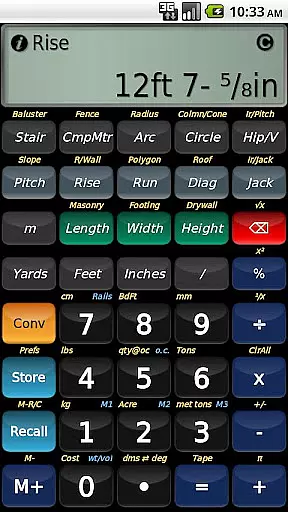
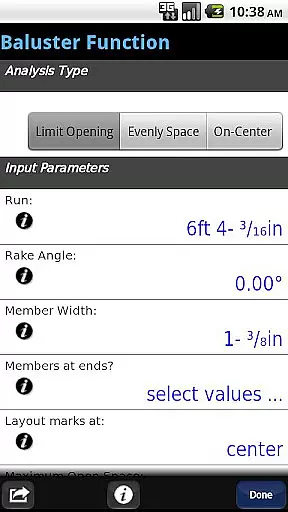
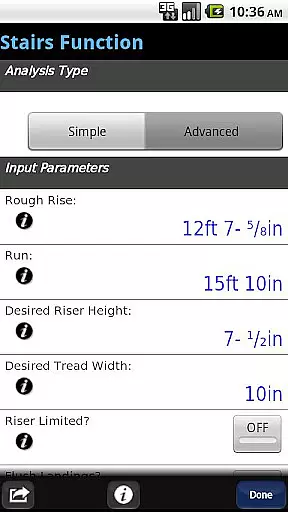
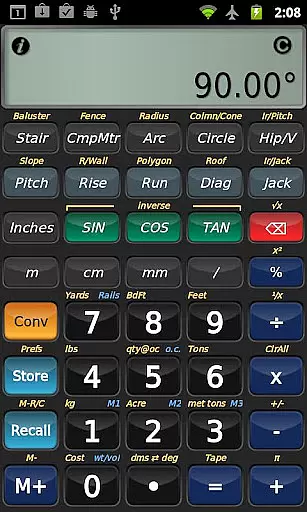
BuildCalc is a comprehensive construction calculator app designed to simplify complex calculations for professionals in the building industry. With advanced features like the Baluster Function, Stair Layouts, and Fence Function, it provides precise measurements and layouts with minimal guesswork. The app also offers interactive functions that automatically update results when input values change, ensuring accuracy and saving time.
In addition to its robust functionality, BuildCalc allows users to customize their experience by storing custom sizes for various materials, making it adaptable to unique project requirements. Its user-friendly interface eliminates unnecessary button presses and arcane key sequences, offering quick access to results and the ability to save them for future reference. Whether you're calculating sheathing angles or planning drywall installation, BuildCalc streamlines the process, allowing professionals to focus on their work with confidence.
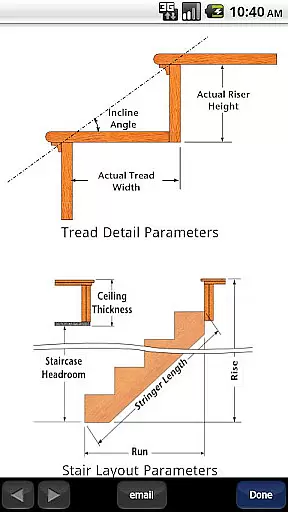
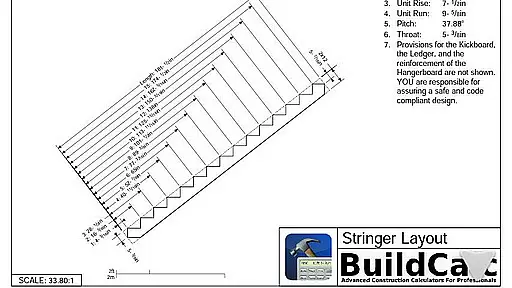
BuildCalc stands out with its array of specialized features tailored for construction professionals. The Advanced Baluster Function simplifies railing and staircase baluster layouts, while the Stair function provides dimensioned drawings for professional results. Users can email PDFs of these drawings directly from the app, enhancing collaboration and documentation.
The app's interactive functions, including Compound Miter and Hip/Valley calculations, adapt to user inputs in real-time, reducing errors and confusion. A Full Daylight Visibility Mode ensures usability in various lighting conditions. Additionally, BuildCalc's emulation of Construction Master® Pro functionality offers familiarity to seasoned users, despite no affiliation with Calculated Industries. These features collectively deliver a powerful tool that enhances productivity on the job site.
In the realm of construction, collaboration is key to successful project completion. BuildCalc understands this and offers features that enhance team cooperation significantly. The app provides interactive functions such as Stair, Baluster, Compound Miter, Diagonal, and Hip/Valley calculations which are fully interactive.
These features allow teams to make changes to input values on the fly, switch between different types of roof analysis, or adjust the Run without needing to remember complex key sequences. This seamless interaction ensures that all team members are on the same page, reducing errors and miscommunication.
Moreover, users can save their results from these advanced functions, allowing for easy sharing and future reference. This means that whether you're working on-site or remotely, your data can be accessed and reviewed by other team members, ensuring continuity and coherence in your projects.
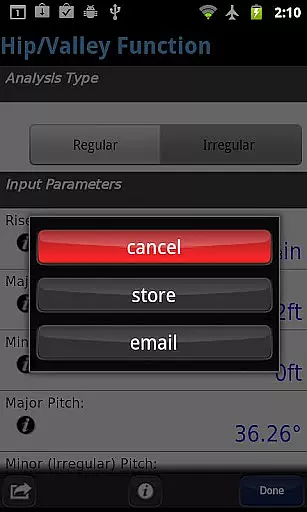
The ability to email a PDF of detailed drawings right from the app further streamlines communication among stakeholders. By providing comprehensive and easily distributable documentation, BuildCalc facilitates an environment where collaborative efforts lead to professional results efficiently and effectively.
Effective task management is crucial in the construction industry, and BuildCalc excels in providing tools that simplify this process. With its advanced functionality, the app reduces complexity and hassle traditionally associated with construction calculators.
For instance, the app's Full Daylight Visibility Mode ensures that tasks can be managed even in challenging lighting conditions, thus maintaining productivity throughout the day. Additionally, the app eliminates the need for repetitive button presses to obtain calculation results, presenting all necessary information in list form with just one or two taps.
BuildCalc also includes a 'Room Mode' for Drywall and Masonry calculations, which automatically computes requirements for walls, ceilings, and floors based on stored room dimensions. This feature saves time and effort, allowing users to focus on more critical aspects of task management.
Furthermore, the app offers on-the-spot help and checklists for inputs, guiding users through complex calculations like Hip Rafter or Stair calculations. This support system minimizes errors and enhances task accuracy, making BuildCalc an indispensable tool for managing construction projects efficiently.
User-friendly interface
Customizable material sizes
Interactive calculation updates
Advanced drawing capabilities
Comprehensive help resources
May have a learning curve
Requires device space
Premium cost for full features
Limited offline support
Dependent on device performance

viewing and sharing of PDFs
 3.60
3.60
The All-in-One File Manager for Phone, TV, Watch, Cars, XR / VR, Chromebook
4.10
Simple, Fast & Lightweight
3.90
A secure, all-in-one team collaboration app
4.30
Job search app that finds jobs for you! Takes the work out of looking for a job!
4.90
Make invoices, bills, receipts & estimates on the go with Invoice Generator.
4.70
Ship, Track, Find a Location or Get a Quote with UPS. Anytime. Anywhere.
4.60
Chat, meet, and collaborate to achieve more together, all in one place on Teams
4.60
Work happy with AI Companion
4.10
FaxCover - Create fax cover pages. Works with any app or fax machine.
4.90
Recover what matters — quickly and easily.
4.70
Use Generative Summary to understand your rental or insurance docs in seconds.
4.70
Finance, Investing, Stocks, Trading and Stock news
4.60
Drive and earn extra money
4.50
Say hello to the mobile work experience built to help you thrive at work.
4.30
Build a store in minutes with our full suite of AI tools. Start for free!
4.20
Smarter career moves start here. AI job alerts, insights & the right tools.
4.20
On the go? Take FedEx with you.
4.00
Windows App allows you to connect to remote PCs and virtual apps.
3.70


User Reviews