
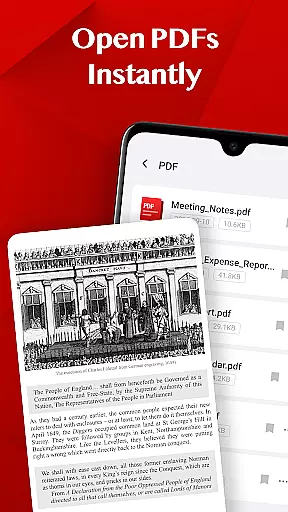
Turbo PDF is a lightweight and practical PDF reader designed for Android devices. It offers an intuitive interface with essential tools that make reading and organizing PDF documents simple and efficient. With features like instant PDF opening, smooth scrolling, zooming, and bookmarking, it ensures a seamless document management experience.
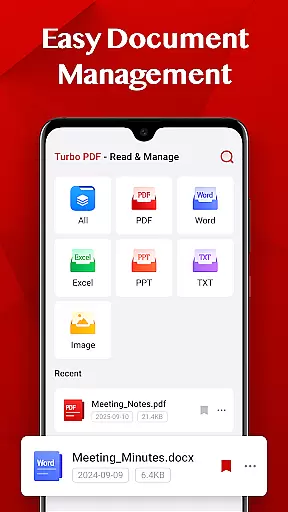
This app is ideal for professionals and students who need quick access to PDF files while on the go. Its easy document management system allows users to share or delete files, keeping their library well-organized. Turbo PDF's permission requirement for accessing external storage ensures secure handling of your documents, making it a reliable choice for managing PDFs on Android devices.
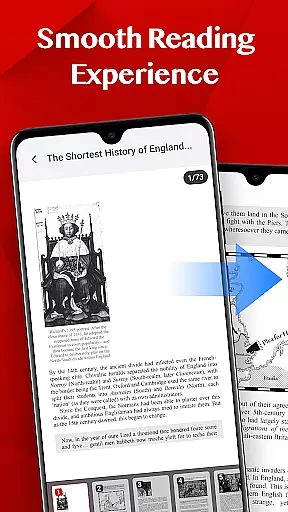
Turbo PDF stands out with its comprehensive set of features tailored for efficient PDF management. The app opens PDF files instantly, eliminating wait times and providing a smooth reading experience through fluid scrolling and responsive page navigation.
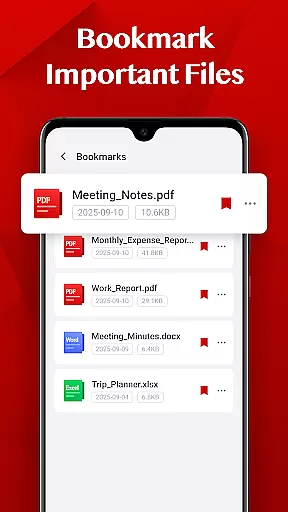
One of its key strengths is the easy document management system, which allows users to share or delete files effortlessly. Additionally, the bookmark feature enables users to mark important documents for quick retrieval anytime. These capabilities ensure that users can maintain an organized and accessible PDF library, enhancing productivity on Android phones and tablets.
Collaborative work features are essential for modern business applications, enabling teams to work together efficiently regardless of location. Turbo PDF offers a streamlined approach to collaboration by allowing users to share PDF documents directly from the app. This ensures that all team members have access to the most up-to-date files without the need for cumbersome email chains or external file-sharing services.
The app's interface is designed to make document sharing intuitive and straightforward. With just a few taps, users can distribute PDFs to colleagues, who can then view and manage these files using their own devices. This seamless sharing capability enhances productivity by reducing the time spent on coordinating file exchanges and ensuring everyone is on the same page.
Turbo PDF also supports bookmarking important files, which is particularly useful in collaborative environments. Team members can quickly return to key documents, making it easier to reference critical information during meetings or while working on joint projects. This feature not only saves time but also helps maintain focus on the task at hand.
By integrating easy document management with efficient sharing options, Turbo PDF facilitates smoother workflows and better communication among team members. The ability to delete unnecessary files further aids in maintaining an organized digital workspace, which is crucial for effective collaboration.
Task management is a cornerstone of productivity in any business setting, and Turbo PDF excels in this area by providing tools that help users organize and prioritize their PDF documents effectively. The app allows users to manage their files with ease, offering functionalities such as instant opening and smooth navigation, which are vital when dealing with multiple tasks simultaneously.
One of the standout features of Turbo PDF is its bookmarking capability, which enables users to mark important documents for quick access later. This function is invaluable for task management, as it allows users to keep track of essential files without sifting through numerous documents. By having key resources readily available, users can focus more on completing their tasks rather than searching for information.
In addition to bookmarking, Turbo PDF provides a clean and responsive layout that enhances the overall reading experience. Smooth scrolling and zooming capabilities ensure that users can navigate through lengthy documents effortlessly, which is particularly beneficial when reviewing detailed reports or complex data sets. These features contribute to a more efficient workflow, allowing users to complete their tasks with greater speed and accuracy.
Furthermore, the app's easy document management system supports task prioritization by enabling users to share or delete files as needed. This flexibility ensures that only relevant documents remain accessible, reducing clutter and helping users maintain an organized digital environment conducive to productivity.
User-friendly interface
Instant PDF loading
Smooth navigation
Easy file management
Bookmark functionality
Limited advanced features
No cloud integration
Basic design
Few customization options
Android only

Find jobs and make money fast with JobStack.
 4.60
4.60
Earn crypto with secure cloud mining. Monitor, track & withdraw easily
4.40
TurboScan turns your phone into a full-featured PDF document scanner.
4.80
Windows App allows you to connect to remote PCs and virtual apps.
3.70
Your employer must have UKG Ready software configured for Mobile.
4.60
Manage Your Shop
4.70
Amazon A to Z is the place to manage your work-life at Amazon.
4.50
Employee Management Made Easy
4.80
Access to Paylocity, empowering employees with information they need 24/7.
4.70
Create curriculum vitae, a professional cover letter creator and resume designer
4.80
BuildCalc - the easiest AND the most advanced construction calculator app.
4.80
Find the right fit, faster.
4.70
Use Generative Summary to understand your rental or insurance docs in seconds.
4.70
Paychex Flex - Save Time and Stay Connected
4.60
Manage work life on the go
4.50
One marketplace. Hundreds of services. Unlimited possibilities. All on Fiverr.
4.40
Find flexible, hourly jobs hiring near you in restaurant, retail & hospitality!
4.00
All document reader, pdf viewer app, read docs & excel files
3.80
Access All PDF Files
3.40


User Reviews