



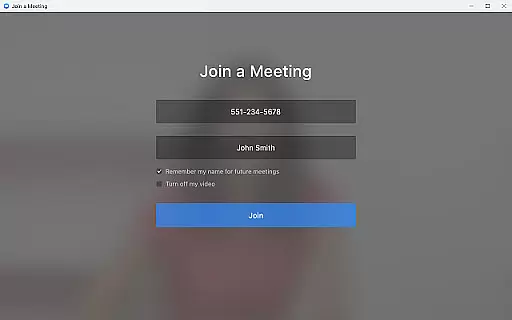

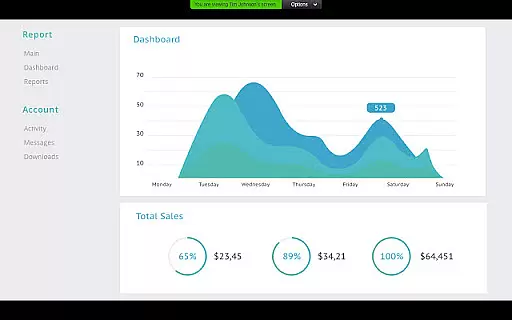
Zoom for Chromebook is a comprehensive business communication tool that combines team chat, video meetings, phone capabilities, and collaborative whiteboards into a single web application. Designed specifically for Chromebook users, it enables seamless remote work from any location. The app offers key productivity features such as one-tap meeting scheduling, AI-generated meeting summaries, and virtual whiteboard brainstorming sessions. With its automatic updates and centralized admin controls, Zoom ensures both ease of use and enterprise-grade security.
The platform supports professional communication through public or private channels, SMS messaging, and polished virtual backgrounds during video calls. It is optimized for Chrome OS 91+ and integrates with paid Zoom One subscriptions to unlock advanced functionalities like AI Companion. Whether you're managing internal teams or collaborating with external partners, Zoom for Chromebook provides an efficient and reliable solution tailored for modern business environments.
Zoom for Chromebook stands out with its robust feature set designed to enhance remote collaboration. Users can schedule or join video meetings instantly with a single tap, streamlining the workflow process. The AI Companion feature automatically generates detailed meeting summaries, saving time for busy professionals. Additionally, the app's virtual whiteboard functionality allows teams to brainstorm ideas in real-time, fostering creativity and innovation.
Administrators benefit from advanced deployment options, including remote installation and centralized configuration tools. The app ensures consistent performance through automatic updates, keeping users on the latest version without manual intervention. Paid subscribers gain access to premium features like SMS messaging and phone call capabilities. With support for virtual backgrounds and secure communication channels, Zoom for Chromebook delivers a polished and professional experience for all business communication needs.
Collaborative work features are essential for modern business applications, enabling teams to work together efficiently regardless of location. Zoom for Chromebook excels in this area by integrating team chat, video meetings, and virtual whiteboards into a single platform.
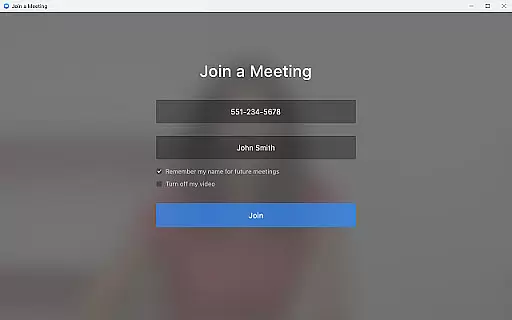
The application allows users to schedule or join video meetings with a single tap, streamlining the process of connecting with colleagues. Its chat functionality supports communication in both public and private channels, catering to different collaboration needs. Additionally, the virtual whiteboard feature provides a space for brainstorming sessions, enhancing creative collaboration.
One of the standout collaborative features is the AI Companion, which delivers automated meeting summaries. This ensures that all team members, regardless of attendance, can stay informed about meeting outcomes and action items. The combination of these features makes Zoom for Chromebook a powerful tool for businesses looking to enhance their collaborative capabilities.
Effective task management is crucial for maintaining productivity in a business environment. While Zoom for Chromebook is primarily known for its communication features, it also offers functionalities that contribute to task management efficiency.
The app's integration with phone and SMS capabilities allows users to place calls and send text messages directly from the platform. This unified communication approach helps streamline task delegation and follow-ups, ensuring that important messages are not missed. Furthermore, the ability to receive automated meeting summaries through the AI Companion aids in tracking tasks discussed during meetings.
Administrators benefit from remote install options, allowing them to configure and secure the application across multiple devices centrally. This feature ensures that all team members have access to the tools they need to manage their tasks effectively. By combining these features with its core communication capabilities, Zoom for Chromebook provides a comprehensive solution for managing both communication and tasks within a business setting.
Seamless integration
User-friendly interface
Robust admin controls
AI-powered summaries
Real-time collaboration
Paid features limited
Chrome OS dependent
Requires subscription
Basic free version
Regional restrictions

GoTo Mobile is a simple & secure calling, messaging & meetings solution
 4.80
4.80
Windows App allows you to connect to remote PCs and virtual apps.
3.70
Earn free swag, G-Cards & food • Enter sweepstakes • Find stores • So much more.
4.70
One marketplace. Hundreds of services. Unlimited possibilities. All on Fiverr.
4.40
Deliver and earn money
4.30
Mobile POS for any business: sales, invoices, retail, restaurants & appointments
4.60
Access to Paylocity, empowering employees with information they need 24/7.
4.70
No more passwords, easier sign-in, and greater protection for your accounts.
4.60
Work happy with AI Companion
4.10
Manage Your Shop
4.70
Finance, Investing, Stocks, Trading and Stock news
4.60
Smarter career moves start here. AI job alerts, insights & the right tools.
4.20
The Penny Puss app with DG penny finder
4.10
VSD Viewer - Visio Drawings Viewer for Android Preview VSD, VDX, VSDX drawings
4.10
Find flexible, hourly jobs hiring near you in restaurant, retail & hospitality!
4.00
Simple, Fast & Lightweight
3.90
Get your benefits on-the-go.
3.80
view, manage, and share every PDF file you have
3.60
Find part-time earning opportunities near you that pay within days.
3.20


User Reviews