

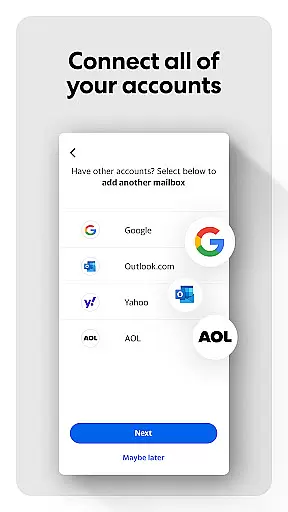
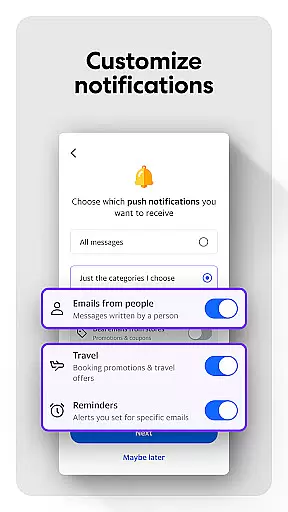
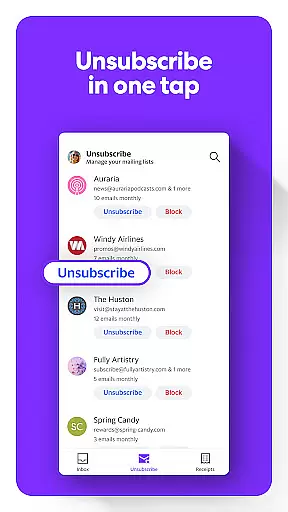
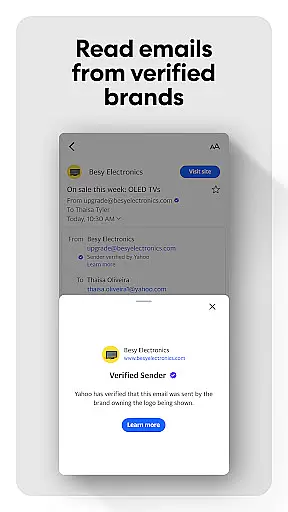
Yahoo Mail is a communication app designed to simplify email management. It offers advanced features like gamified inbox cleanup, one-tap unsubscribe, and package tracking. The app ensures top-notch security with warnings for suspicious emails and supports multiple account integration including Gmail and Outlook.
With accessibility options like high contrast themes and VoiceOver compatibility, Yahoo Mail ensures an inclusive experience. The premium Yahoo Mail+ subscription provides ad-free interface, enhanced privacy features, and priority tech support, making it a complete email solution for all users.
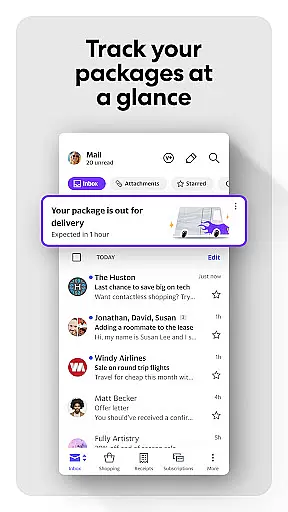
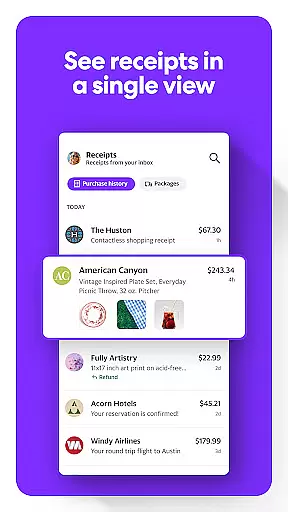
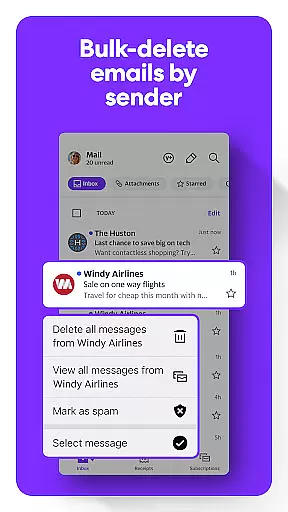
Yahoo Mail stands out with its innovative features that enhance user experience. The app's gamified email sorting allows quick cleanup of unread messages, while the instant declutter tools help manage unwanted emails efficiently. Its ability to track packages and organize receipts directly in the inbox adds practical utility.
Security is prioritized with advanced protection against phishing and spam. Users can consolidate all their email accounts in one place, enjoying seamless cross-platform synchronization. The optional Yahoo Mail+ subscription removes ads and unlocks additional organizational tools, providing a premium email experience across mobile devices.
Real-time messaging speed is crucial for effective communication in today's fast-paced world. Yahoo Mail ensures that your messages are delivered instantly, providing you with the confidence that your communications will reach their destination without delay.
The app employs advanced synchronization techniques to maintain a reliable connection between your device and Yahoo's servers. This guarantees that new emails appear in your inbox as soon as they are sent, keeping you updated at all times.
With Yahoo Mail, users can trust that their conversations will flow smoothly, allowing them to respond promptly and stay connected with friends, family, and colleagues. The speed and reliability of message delivery enhance the overall user experience, making email communication more dynamic and efficient.
In an era where sharing multimedia is part of our daily communication, Yahoo Mail excels by offering robust media sharing support. Users can seamlessly attach photos, videos, and documents to their emails, knowing that the recipients will receive them in high quality and in a format that's easy to access.
The app supports a wide range of file formats, ensuring compatibility across different devices and platforms. Whether it's a professional presentation or cherished memories captured in photos, Yahoo Mail handles large attachments with ease, thanks to its powerful infrastructure.
Moreover, the integration of media sharing within the email client streamlines the process, eliminating the need for third-party services. This convenience not only saves time but also enhances privacy, as sensitive files don't have to leave the secure environment of your email.
Advanced security features
Multi-account integration
Accessible design elements
Premium subscription benefits
Efficient inbox management
Premium features are paid
Occasional syncing issues
Limited customization options
Subscription auto-renews
Some features need improvement

 3.90
3.90
Save 10% automatically on your first international mobile top up.
4.60
Messenger for SMS - texting message app, faster, simpler & safer, for you.
4.70
Manage BoostMobile Account
4.60
Create a secure hotspot on-the-go with Portable WiFi - Mobile hotspot.
4.40
Caller ID App! Add names & photos to unknown calls & Call Recording
4.40
Read OBD2 data and DTCs Create custom dashboards Enhanced diagnostics available
4.70
BE PRIVATE
Anonymous. No Trace. Fast.
4.20
Share the moment!
4.10
فیلتر شکن قوی پرسرعت کلید جدید برای اندرویدسریع ترین وی پی ان برای همه اپراتورها
4.70
Build your web browser around you with private search, and more.
4.60
Our Black Friday sale is here. Unlock special discounts on Proton Mail now.
4.30
BiP is a fast, secure, free messaging and HD video calling app!
4.10
Messages: Fast, simple SMS app with scheduling and smart features.
4.00
Telegram is a messaging app with a focus on speed and security.
4.00
Call Forwarding is easy and simple application to use.
3.80
SMS Messenger ensures that communication become effortless and accessible.
3.80
Chat on the Jabber network (XMPP protocol); support for SMS and other gateways
2.10
Enables Plus features of Quick Search.
4.0


User Reviews