
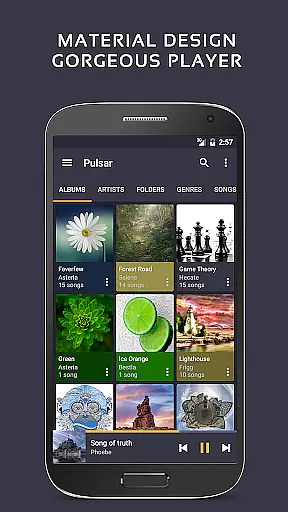
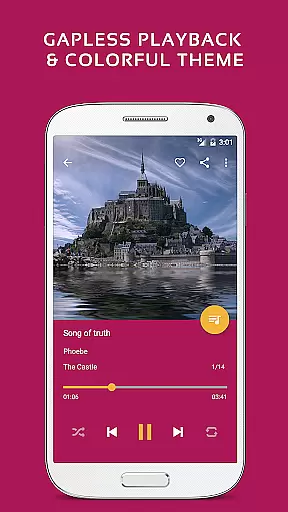
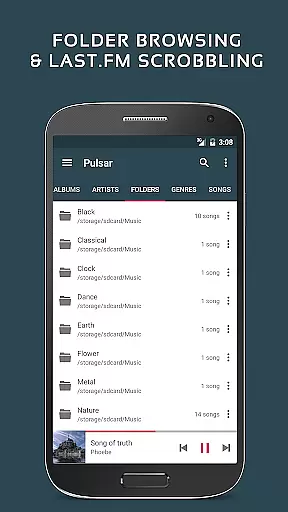
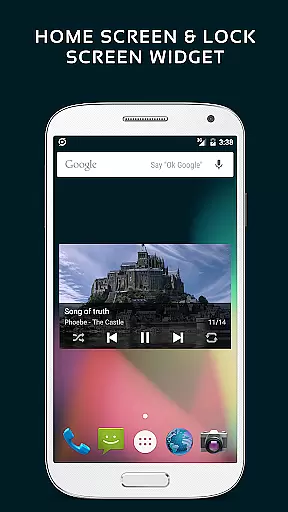
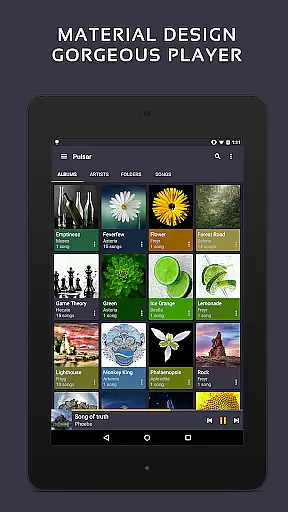
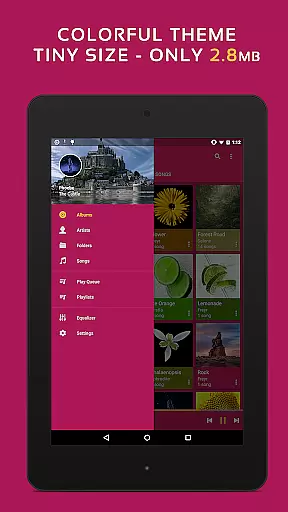
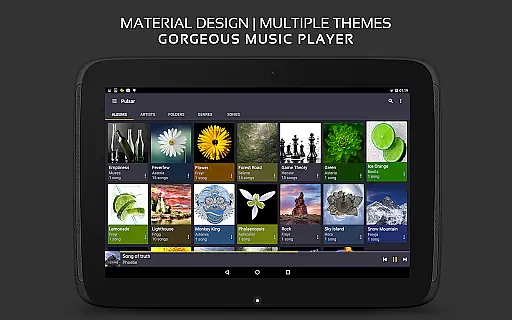
Pulsar Music Player Pro is a premium offline audio player designed for Android users who appreciate high-quality music playback without interruptions from advertisements. The app embraces material design principles, offering a visually appealing interface with smooth animations and customizable themes.
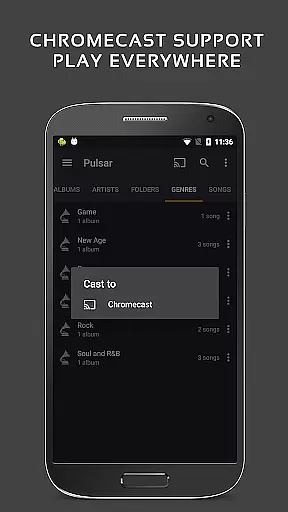
Key features include gapless playback, crossfade support, lyrics display, and advanced audio controls such as play speed adjustment and equalizer presets. Pulsar also supports Chromecast, Android Auto, Last.fm scrobbling, and music visualizations, making it a versatile choice for audiophiles. With functionalities like tag editing, ReplayGain, and voice commands, it caters to both casual listeners and music enthusiasts.
Whether you're at home or on the go, Pulsar Music Player Pro provides a seamless experience for managing and enjoying your music library across albums, artists, genres, and folders.
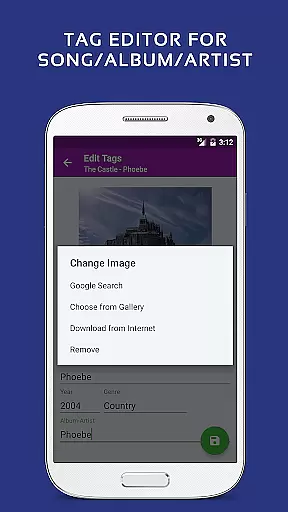
Pulsar Music Player Pro stands out with its comprehensive set of features tailored to enhance music playback. The app supports high-quality audio formats like MP3, FLAC, AAC, and more, ensuring compatibility with various music libraries. Its gapless playback and crossfade capabilities deliver uninterrupted listening sessions, while the built-in tag editor allows users to manage metadata efficiently.
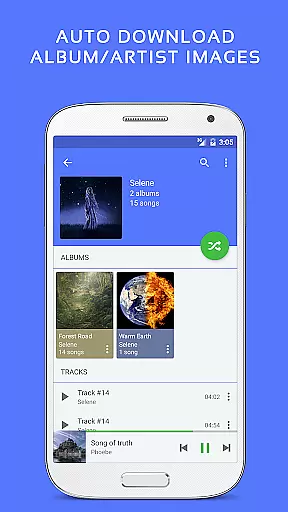
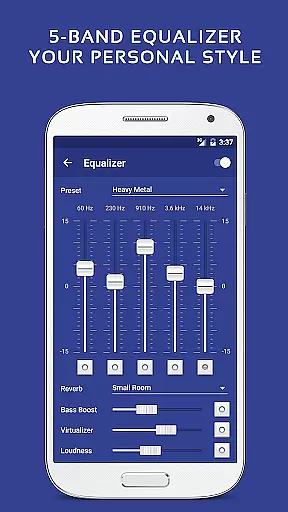
For those who enjoy personalization, Pulsar offers 16 additional themes and theme customization options exclusive to the Pro version. The 5-band equalizer with 9 pre-built presets, bass boost, and reverb effects provide granular control over sound output. Advanced functionalities such as sleep timers, automatic album art syncing, and smart playlists based on listening habits further enrich the user experience.
With support for Chromecast, Android Auto, and Last.fm integration, Pulsar ensures that users can enjoy their music ecosystem across multiple devices seamlessly.
Pulsar Music Player Pro offers an extensive music library that supports a wide range of audio file formats including MP3, AAC, FLAC, OGG, and WAV. This ensures users can enjoy their music collection without compatibility issues.
The application emphasizes copyright authenticity by allowing users to manage and play their legally acquired music files. It provides features like tag editing for MP3 and other formats, ensuring accurate metadata for better organization and searchability.
With support for offline playback and no advertisements, Pulsar respects both the user's listening experience and legal music ownership. The app also integrates with services like Last.fm for scrobbling, enhancing the music discovery process while maintaining content legitimacy.
Pulsar Music Player Pro stands out in its ability to deliver high-quality audio playback. It includes advanced features such as gapless playback, crossfade support, and ReplayGain volume normalization, which collectively ensure an uninterrupted and balanced listening experience.
The built-in 5-band equalizer controller with 9 pre-built presets allows users to customize their sound output according to personal preferences or audio equipment capabilities. Additional audio effects like bass boost and reverb enhance the depth and richness of the music.
For audiophiles, Pulsar offers play speed adjustment and sound balance controls, catering to those who demand precise audio output settings. These features make it a versatile choice for users seeking both convenience and high-fidelity sound reproduction.
Gapless playback
No ads
Equalizer presets
Theme customization
Chromecast support
Paid version only
Complex for beginners
Heavy on storage
Limited free features
Occasional bugs

Your HD audio recorder on the go for music, meetings, ambience, animal sounds…
 4.30
4.30
Control your MIDI USB or Bluetooth devices in app and avoid some trampling
3.30
Performance-Synthesizer & Multi-Track-Sequencer, polyphonic + multi timbral!
4.70
Enhance the sound quality of your devices, listen to what you want
4.50
Bass Booster & Volume Equalizer Pro improves your music and video sound quality
4.60
Let your Android device with the sound effects you want
4.50
Turn your Android phone into a professional audio analyser with up to 120 bands.
4.00
Learn the notes on the guitar fretboard fast with this easy and fun app
4.60
Reverse your voice & songs instantly! Fun singing challenge with cool effects.
4.60
Offline Music Player & MP3 Player.Powerful equalizer, Lyrics, Themes, Tag Editor
4.80
Simple & Intuitive Metronome
4.70
SqueezePlayer turns your Android phone or tablet into a SqueezeBox on its own!
4.60
A complete sound package for the sound engineer or enthusiast
4.60
Equalizer, Bass Booster and Volume Booster (Eq & Bass) improve sound quality
4.30
Bass Booster Pro takes auto-equalizing to the next level!
4.30
Master Salsa Rhythm quickly and with a lot of fun!
4.30
A sleek, no-frills player designed for true music lovers.
4.20
PowerAudio is a powerful offline music player.
4.20
Next generation modular control surface
4.10


User Reviews