
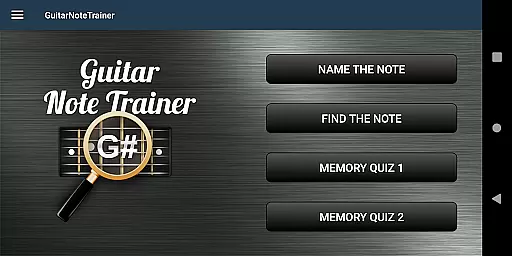

Guitar Fretboard Note Trainer is an innovative app designed to help guitarists master the essential skill of learning notes on the fretboard. The app offers four interactive training modes, including Name The Note, Find A Note, and two Memory Quiz options, which progressively challenge users to identify notes across all six strings.
With customizable difficulty levels and an audio feature that lets you hear each note as you select it, this app caters to both beginners and advanced players. Whether practicing during a commute or at home, Guitar Fretboard Note Trainer provides a fun and engaging way to improve your musical knowledge and technique.
This app is ideal for guitarists who want to progress beyond basic chords and develop a deeper understanding of their instrument. By incorporating game-like elements into practice sessions, it transforms what can often be a tedious task into an enjoyable learning experience.
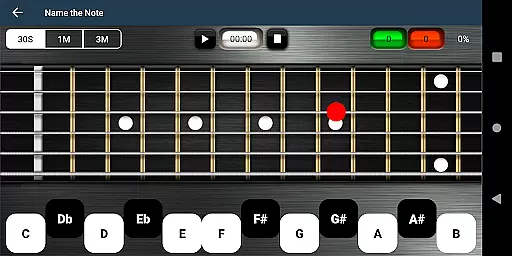
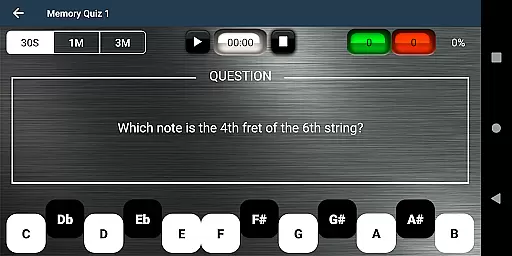
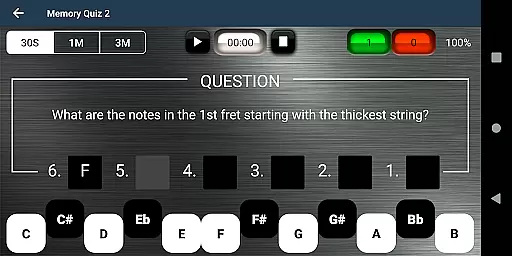
The app's standout feature is its four distinct training modes, each targeting different aspects of fretboard mastery. In Name The Note mode, users identify notes displayed on the fretboard, while Find A Note challenges them to locate specific notes across all positions. The two Memory Quiz modes test recall ability, with one focusing on single-note identification and the other requiring knowledge of entire frets.
Additional features include 'Easy' options for beginners, which limit the range of possible answers, and an audio playback function that allows users to hear each note they select. A unique 'cheat' option lets users swipe diagonally across the fretboard to reveal all notes temporarily.
These features work together to create a comprehensive learning tool that adapts to various skill levels. The combination of visual, auditory, and interactive elements makes this app particularly effective for diverse learning styles.
When it comes to music learning applications, the size and authenticity of the music library are crucial. The Justin Guitar Fretboard Note Trainer offers a comprehensive selection of notes and training modes that cater to guitarists at different skill levels. With four distinct training modes, users can progressively enhance their knowledge of the fretboard.
The app provides various interactive games such as 'Name The Note', 'Find A Note', and two types of 'Memory Quiz'. These games ensure that users engage with copyrighted content that is legitimate and designed for educational purposes. This approach not only enriches the learning experience but also aligns with legal standards, offering peace of mind while you learn.
Furthermore, the inclusion of audio options for each note allows users to hear the sounds as they interact with the fretboard, reinforcing auditory learning alongside visual recognition. This dual approach aids in memorizing the position and sound of each note, which is essential for any progressing guitarist.
Audio quality is paramount when training your ear to recognize different notes on a guitar. The Justin Guitar Fretboard Note Trainer ensures high-quality audio output so that each note's sound is clear and true to the actual instrument. This attention to audio detail supports accurate learning and helps develop a keen sense of pitch.
In addition to superior audio quality, the app includes customizable options tailored to individual learning preferences. Users can activate 'Easy' settings to limit the range of answers, making it more accessible for beginners without feeling overwhelmed. Such features provide a personalized learning curve that adapts as the user becomes more proficient.
Moreover, the ability to swipe across the fretboard to reveal all notes serves both as an emergency aid and a learning tool. It encourages users to attempt recalling notes independently before resorting to this feature. By integrating these elements, the application delivers an immersive and effective musical education experience.
User-friendly interface
Progressive difficulty levels
Interactive learning games
Audio feedback for notes
Customizable practice options
Limited to fretboard notes
No advanced music theory
Basic visual design
Occasional performance issues
Android-only availability

Equalizer, Bass Booster and Volume Booster (Eq & Bass) improve sound quality
 4.30
4.30
Offline and always ad-free - stream in the highest quality available.
4.10
A High-Precision Audio Spectrum Analysis App
4.20
Bass Booster & Volume Equalizer Pro improves your music and video sound quality
4.60
The alternative folder based music player.
4.20
No wifi music app. Mp3 offline. Tuner radio, young radio music. Music downloader
4.20
Music, News & Sports Radio Tuner App. Tune in Live FM & AM Radio Stations.
4.80
The Minimalistic Premium Music Player. Handmade with passion for music
2.20
Full featured mp3 and audio player with Chromecast and Android Auto support.
4.40
Voice recorder - Audio recorder. Best recorder for recording
4.90
JBL PartyBox APP works with 110/310/710/120/320/520/Encore/Encore 2/Encore Ess 2
4.80
Make songs with AI! Any genre, custom lyric, song generator for music creation!
4.80
Simple & Intuitive Metronome
4.70
Manage your Sonos system directly from your home-screen!
4.40
Your HD audio recorder on the go for music, meetings, ambience, animal sounds…
4.30
Permanently backup Now Playing. Maps, filters & listening stats.
4.00
The ultimate media player for Android devices
3.90
Simply convert wav to mp3. Clear. Reliable. Safe.
4.3
Make music anywhere. Turn your device into an instrument.
4.2


User Reviews