
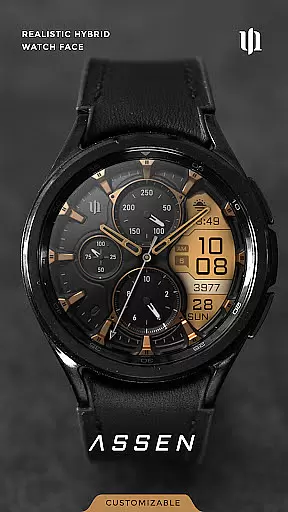
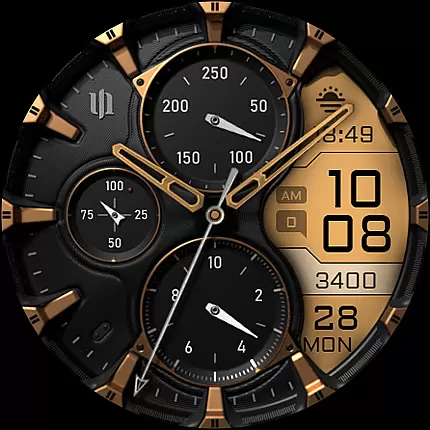
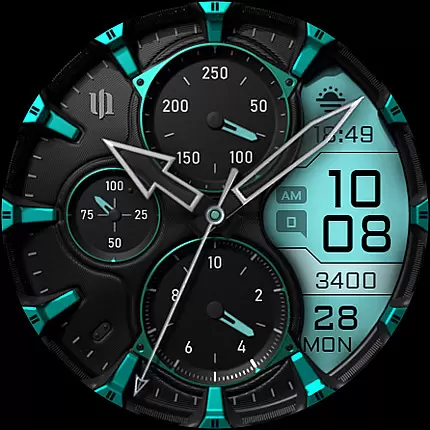
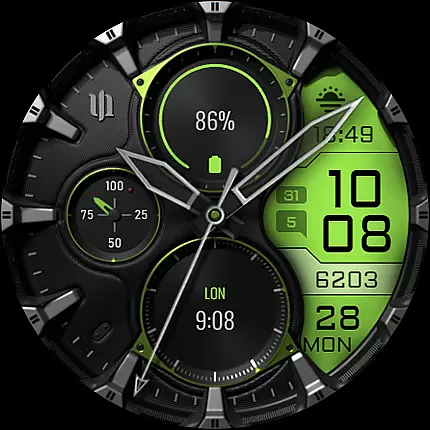
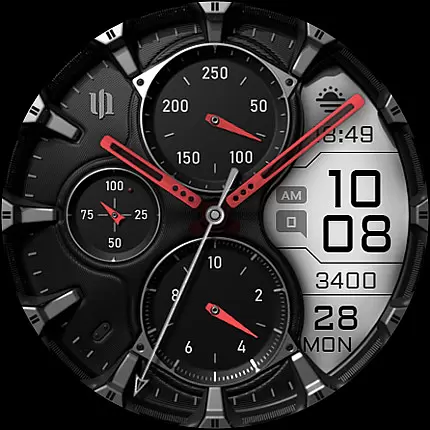
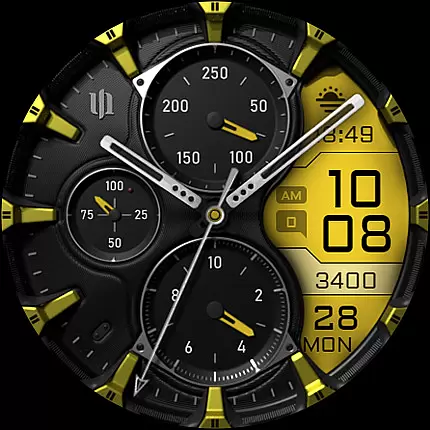
S4U Assen is a premium Wear OS watch face that combines realistic analog design with a functional LCD display. This hybrid watch face offers both aesthetic appeal and practical utility, featuring customizable colors, hands, complications, and shortcuts. Designed for smartwatches running Wear OS 4 or higher, it supports devices like Samsung Galaxy Watch series and Google Pixel Watch.
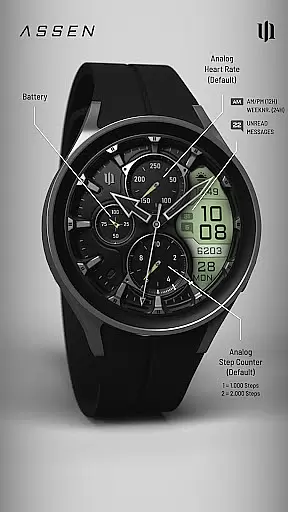
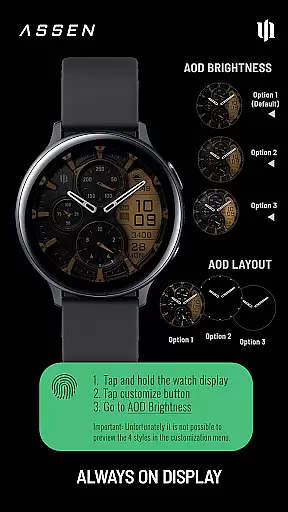
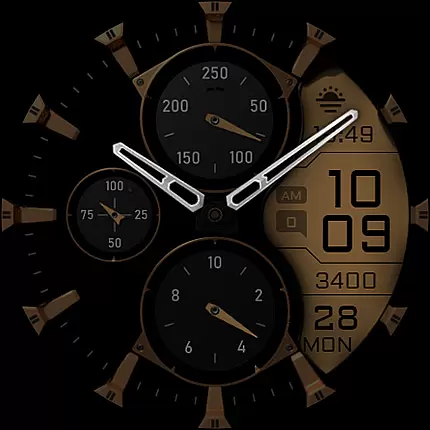
The watch face displays essential information including time, steps, heart rate, calendar details, unread messages, and two custom complications. With its Always-On Display (AOD) functionality and multiple customization options, users can personalize their experience while maintaining visibility throughout the day. The AOD feature includes adjustable brightness levels and minimal layout options, ensuring optimal battery usage.
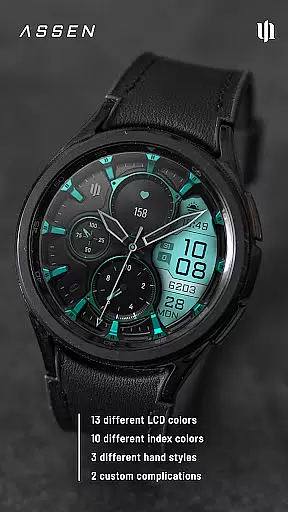
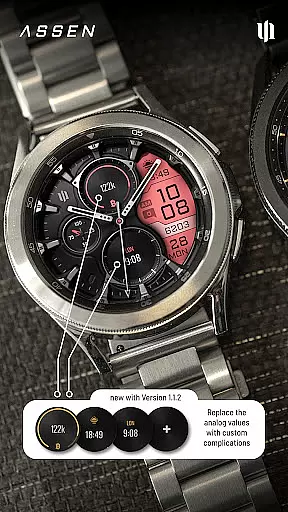
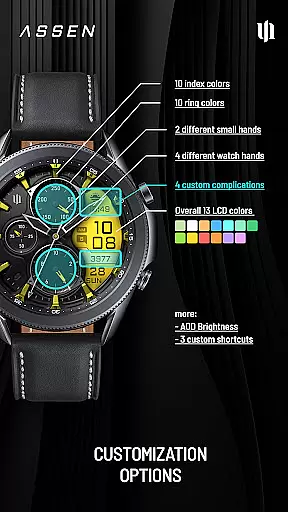
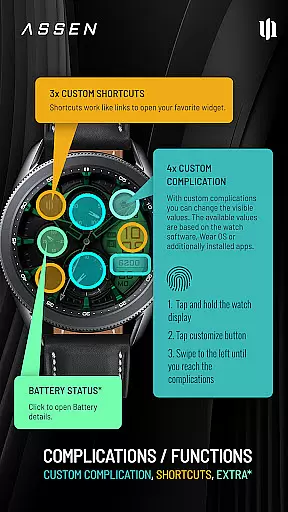
S4U Assen stands out with its extensive customization capabilities. Users can choose from 13 LCD colors, 10 index colors, and various hand styles to create a personalized look. The watch face supports four custom complications and three app shortcuts, allowing users to display relevant data and access favorite widgets quickly.
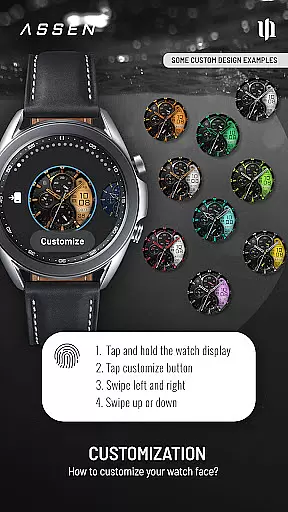
Additional features include an innovative tap-to-open battery details function (device-dependent), three AOD brightness levels, and synchronized color schemes between normal and AOD modes. The intuitive customization menu makes it easy to adjust settings by swiping and tapping on the watch display. These comprehensive features ensure both visual appeal and functional versatility, making S4U Assen suitable for various user preferences and needs.
Companion app integration is a crucial feature for Wear OS applications like S4U Assen. This functionality ensures seamless synchronization between the smartwatch and its companion app on your smartphone.
The S4U Assen watch face provides users with a dedicated companion app that simplifies the installation process and resolves potential issues. Through this companion app, users can access the Install/Issues section, which offers step-by-step guidance for proper setup and troubleshooting.
This integration enables users to customize their watch face conveniently from their mobile device. The companion app serves as a control center where users can adjust various settings, including color schemes, complications, and shortcuts, ensuring a personalized experience tailored to individual preferences.
Moreover, the companion app acts as a support channel, providing users with direct access to customer assistance. If any challenges arise, users can easily reach out to wear@s4u-watches.com for prompt support, making the overall user experience more reliable and user-friendly.
Device compatibility is a fundamental aspect of any Wear OS application, determining which smartwatches can effectively run the software. S4U Assen is designed specifically for Wear OS 4 and above (Wear OS API 33+), ensuring optimal performance on supported devices.
This watch face is compatible with popular smartwatches such as Samsung Galaxy Watch series (4, 5, 6, 7, 7 Ultra) and Google Pixel Watch models (1-3). By targeting these modern devices, S4U Assen can leverage advanced hardware capabilities to deliver a realistic analog-digital hybrid experience.
The application's strict compatibility requirements guarantee that users will enjoy all features without performance issues. This includes sophisticated functionalities like Always-On Display (AOD) with customizable brightness levels and extensive personalization options through complications and shortcuts.
By focusing on newer Wear OS versions, the application ensures better integration with the latest operating system features while maintaining stability and reliability across different devices, providing users with a consistent and high-quality experience.
Highly customizable
User-friendly interface
Wide device compatibility
Always-On Display option
Comprehensive support resources
Wear OS 4+ required
Battery consumption
Complex setup process
Limited AOD functionality
Premium price point

Calming & relaxing sounds for sleeping and stress relief. Stay focused all day!
 4.20
4.20
Highly customizable hybrid watch face for Wear OS, perfect for everyday use.
4.60
Animated Watch Face and Customizable with 24 Backgrounds. Perfect for Christmas!
3.90
The most customizable minimal watch face. For Wear OS 5.0, API 34+ and later
4.70
Stay in touch with your friends and family using LINE!
3.40
Retro digital watch face with customizable colors and a unique lighting effect
4.60
Connect, create, and collaborate with Gmail, part of Google Workspace.
4.10
Want to take charge of your health? Let Google Fit help you reach your goals.
3.50
Toyota app currently supports 2010 or newer vehicles (2018 or newer for Hawaii).
4.50
Beautiful, colorful and practical watch face. For Wear OS devices.
5.00
Diet tracker for weight loss - track calories, food and macros. Simple and easy!
4.70
Gym & home workout plans with strength training, exercise tracking, HIIT & more.
4.60
Stylish, Energizing and Modern Watch Face crafted by Dominus Mathias.
4.50
Bold, Modern Hybrid Watch Face for Wear OS. 10 Colors, Rich Info Display.
4.30
Let's celebrate Thanksgiving - Wear Os watch face
4.20
Embrace the festive spirit with our Christmas Countdown watchface for Wear OS
4.10
Your local weather forecast, storm tracker, radar maps & live weather news
3.40
A watch face that fuses motorsport precision with contemporary smartwatch design
4.4
Funny animated watch face for Thanksgiving
4.1


User Reviews