
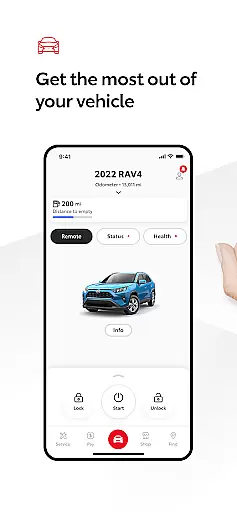
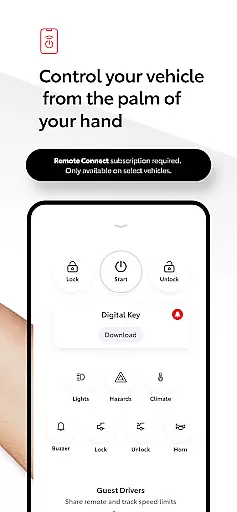
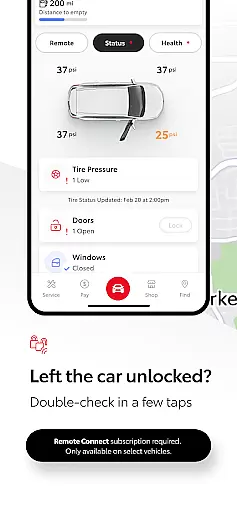
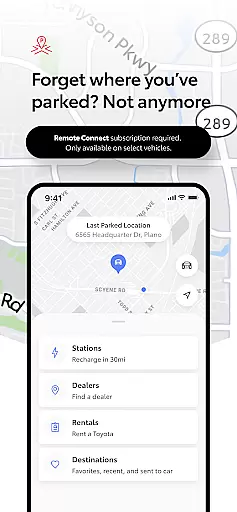
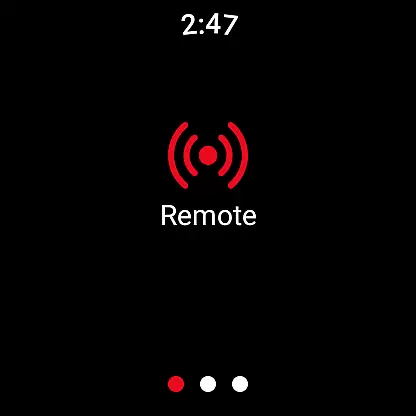
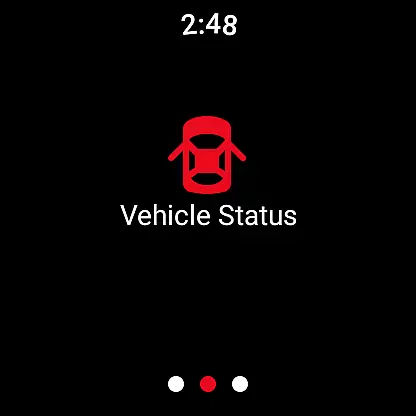
The Toyota app is a comprehensive vehicle management solution designed specifically for Toyota owners. It allows users to stay connected to their vehicles through a range of remote services and features. Key functionalities include Remote Connect, which enables engine start/stop, door lock/unlock, and provides access to Digital Key and Last Parked Location.
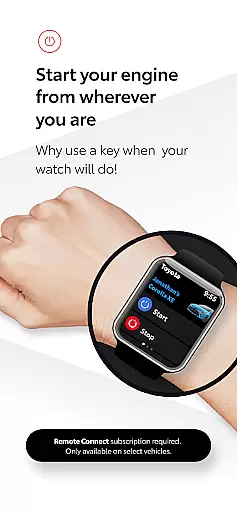
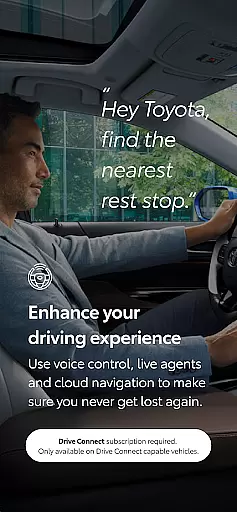
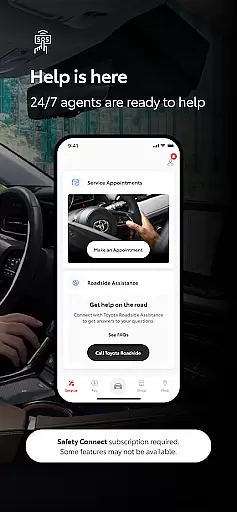
Additionally, the app offers Service Connect for scheduling dealer maintenance, Drive Connect with cloud navigation and voice commands, and Safety Connect with roadside assistance. Owner Resources provide easy access to manuals and warranty information. The app also supports Wear OS, extending key functionalities to smartwatches.
This application is particularly valuable for modern drivers who want to maintain control over their vehicle's status and maintenance needs while on the go. The integration of multiple services into a single platform delivers convenience and peace of mind for Toyota vehicle owners.
The Toyota app stands out through its diverse range of innovative features that cater to various aspects of vehicle ownership. Remote Connect is one of the standout capabilities, allowing users to perform essential functions such as starting or stopping the engine and locking or unlocking doors remotely. The inclusion of Digital Key technology represents a significant advancement in vehicle access solutions.
Service Connect simplifies vehicle maintenance by enabling users to schedule service appointments directly through the app while tracking their vehicle's health status. Drive Connect enhances navigation through cloud-based mapping and voice command functionality, making hands-free operation safer and more convenient. Safety Connect provides crucial emergency support features including roadside assistance and an SOS button.
What sets this app apart is its seamless integration with Wear OS devices, allowing users to operate key remote services from their smartwatches. This multi-platform approach, combined with comprehensive owner resources and trial subscriptions for connected services, demonstrates Toyota's commitment to delivering value through technological innovation in vehicle management.
Companion app integration is a crucial feature for modern vehicle owners who want seamless connectivity between their smartphones and cars. The Toyota app excels in this area by offering a comprehensive suite of Connected Services that work in harmony with its Wear OS application.
This integration allows users to access Remote Services directly from their smartwatches, providing unparalleled convenience. Whether you need to lock or unlock your doors, start the engine, or locate where you last parked, these functions are available right on your wrist.
The real value lies in the synchronization of data and functionality across devices. When you make changes via the Wear OS app, they are instantly reflected in the main Toyota app and vice versa. This ensures that all your devices show the most up-to-date information about your vehicle.
By maintaining consistent functionality and data sharing between the smartphone app and wearable devices, Toyota enhances user experience through improved accessibility and control, making it easier than ever to stay connected to your vehicle anytime, anywhere.
Device compatibility is essential for ensuring that users can fully utilize the features offered by automotive apps like Toyota's. With robust support for Wear OS, the Toyota app guarantees that a wide range of smartwatch users can enjoy its benefits without worrying about technical limitations.
The app supports various Wear OS devices, allowing users to operate key vehicle functions directly from their wrists. This includes starting or stopping the engine, locking or unlocking doors, and accessing the Last Parked Location feature. Such broad compatibility ensures that more drivers can take advantage of these convenient tools.
Moreover, Toyota has designed its Wear OS app with system compatibility in mind. It leverages the latest advancements in wearable technology to deliver an intuitive and responsive user interface. Users will find that the app operates smoothly on their devices, providing quick access to important vehicle controls.
Ultimately, Toyota's commitment to Wear OS compatibility demonstrates its dedication to creating a cohesive ecosystem where users can seamlessly interact with their vehicles using their preferred devices, enhancing both convenience and peace of mind.
User-friendly interface
Comprehensive vehicle control
Multi-platform support
Advanced safety features
Convenient maintenance tracking
Limited vehicle compatibility
Network dependency issues
Subscription fees apply
Complex setup process
Feature availability varies

Calming & relaxing sounds for sleeping and stress relief. Stay focused all day!
 4.20
4.20
A customizable Christmas watch face for Wear OS with a countdown.
4.20
Watch face designed for Thanksgiving Day. 7 Background Styles included.
3.20
Authentic military-tactical design with ZULU time! Realistic and functional!
3.80
Connect to your Bluelink equipped Hyundai vehicle from your smartphone.
4.50
Funny animated watch face for Thanksgiving
4.4
Retro digital watch face with customizable colors and a unique lighting effect
4.60
Hybrid watch face for Wear OS with customizable complications by Matteo Dini MD
4.70
Fast and smart typing with Emojis, GIFs, and more
4.50
A modern hybrid informative watch face for Wear OS designed by BALLOZI
4.80
Walking app for weight loss: walk & step tracker, pedometer, indoor treadmill
4.60
A digital watch face that celebrates Christmas.
4.00
Viewer for Wyze/Yi/Eufy/Arlo/ONVIF/RTSP/P2P IP cams w/ adv. features & DIY DVR
4.00
Wear Os Watch Face - Animated Snow Effect & Christmas Lights
4.1
Christmas is near, let's count together the days left until Santa comes
4.2
A heartwarming Christmas scene featuring a cute image of Santa and Rudolf
4.2
Contemporary digital watch face with five complications
4.1
Simple Analog-Digital Watchface For Wear OS 3.0 and Up Smartwatches
4.1
Hybrid Vibrant Health Watch Face for Wear OS
4.2


User Reviews