
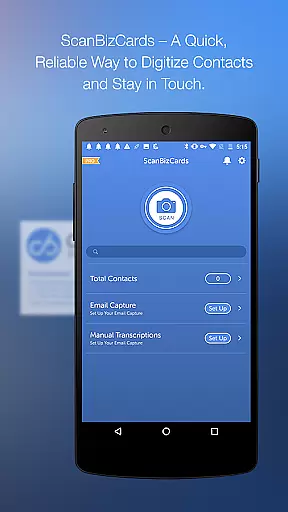
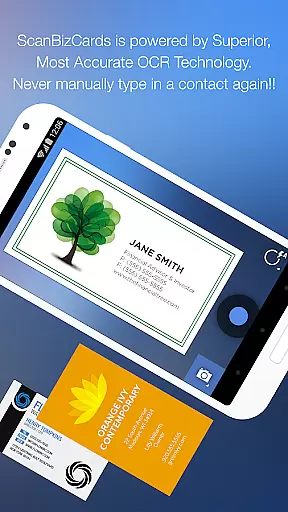
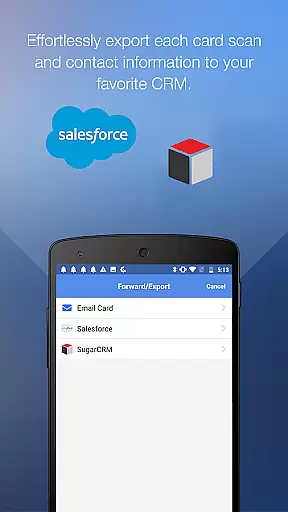
ScanBizCards Premium is a versatile business card management app for Android, designed to streamline contact organization and CRM integration. The app allows users to scan business cards directly using their phone camera or submit them for 100%-accurate human transcription. With features like batch scanning, email signature capture, and direct export to platforms like Salesforce and SugarCRM, it caters to sales professionals who rely on efficient lead management.
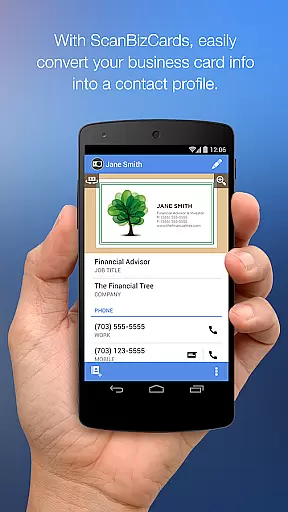
The app also supports scanning conference badges, making it ideal for trade shows and networking events. Users can convert scanned cards into contacts in just four easy steps, ensuring seamless integration with existing address books. Additionally, ScanBizCards offers advanced OCR technology, supporting 22 languages and delivering faster, more accurate results. This makes the app an essential tool for businesses operating in multilingual environments.
ScanBizCards Premium stands out with its robust feature set tailored for professional use. One of its key capabilities is the ability to scan and process multiple business cards quickly through batch scanning, which significantly reduces time spent on manual entry. The app's upgraded OCR engine ensures 5x faster scanning compared to previous versions, while maintaining high accuracy across 22 supported languages.
Another notable feature is the email signature capture functionality, which automatically extracts contact information from incoming emails and updates the user’s address book. This feature is particularly useful for U.S. users who can now enjoy unlimited exports to Salesforce CRM after connecting their email accounts. Additionally, the app provides tools for organizing scanned cards with custom folders, adding personal notes, and utilizing a 3D gallery view mode for easy navigation.
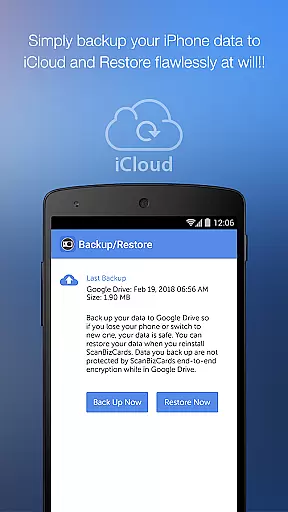
Users can also benefit from the Quick Intro email feature, which sends their contact details along with a picture, enhancing professional communication. The app ensures data security by offering backup and restore options via Google Drive, while also allowing sharing of business cards via email. These comprehensive features make ScanBizCards Premium a complete solution for managing professional contacts efficiently.
In today's interconnected business environment, collaborative work features are essential for effective team coordination. ScanBizCards Premium recognizes this need and offers seamless integration with major CRM platforms like Salesforce and SugarCRM.
The app allows sales teams to export scanned business cards directly to their preferred CRM system. With the latest update, users can now enjoy unlimited exports to Salesforce, a significant improvement from the previous limit of seven cards per month.
What sets ScanBizCards apart is its innovative email signature capture feature. By connecting their email accounts, users can automatically extract contact information from incoming emails and sync these details with their CRM systems.
This functionality not only saves time but also ensures that all team members have access to the most up-to-date contact information, facilitating better collaboration across departments and geographical locations.
Effective task management is crucial for maintaining an organized workflow, especially when dealing with numerous business contacts. ScanBizCards Premium excels in this area by providing robust tools for managing contact information efficiently.
The app enables users to scan multiple business cards in quick succession through its batch scanning feature. This capability significantly reduces the time required to digitize physical cards, allowing professionals to focus on more critical tasks.
Additionally, ScanBizCards offers advanced organizational features such as custom folder creation and personal notes for each card. These tools help users categorize and annotate their contacts, making it easier to retrieve specific information when needed.
Furthermore, the app's ability to merge new contacts with existing entries prevents duplication and maintains a clean, streamlined address book. This comprehensive approach to task management ensures that users can maintain an efficient and well-organized contact database.
Fast batch scanning
Accurate OCR technology
Unlimited CRM exports
Email signature capture
Multilingual support
Premium version costly
Limited free features
Occasional OCR errors
Heavy app size
Learning curve

Create curriculum vitae, a professional cover letter creator and resume designer
 4.80
4.80
Manage work life on the go
4.50
Take the stress out of storage with the all-in-one app to manage your space.
3.70
Use Generative Summary to understand your rental or insurance docs in seconds.
4.70
Deliver and earn money
4.30
Delivery Track App - Tracking with Fedex, USPS, UPS, DHL. Monitor your Orders.
3.20
All your team communication in one place
4.70
Start earning fast. Apply Today.
4.80
No more passwords, easier sign-in, and greater protection for your accounts.
4.60
GoTo Mobile is a simple & secure calling, messaging & meetings solution
4.80
Employee Management Made Easy
4.80
Manage Your Shop
4.70
Ask Accio anything about business. Alibaba-backed, built by experts, not just AI
4.60
Ship, Track, Find a Location or Get a Quote with UPS. Anytime. Anywhere.
4.60
Earn money with the driver & delivery partner app for Uber, UberEats & Postmates
4.60
Smarter career moves start here. AI job alerts, insights & the right tools.
4.20
All document reader, pdf viewer app, read docs & excel files
3.80
Roadie connects people with stuff to send with drivers already going that way.
3.50
Access All PDF Files
3.40


User Reviews