
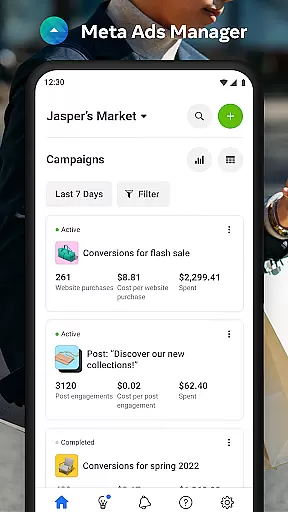

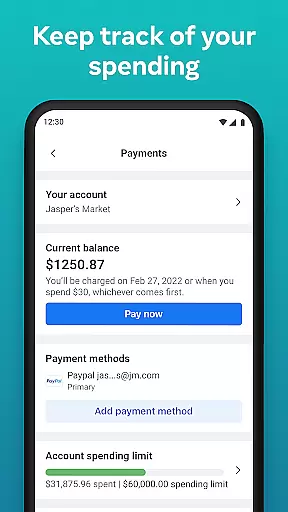
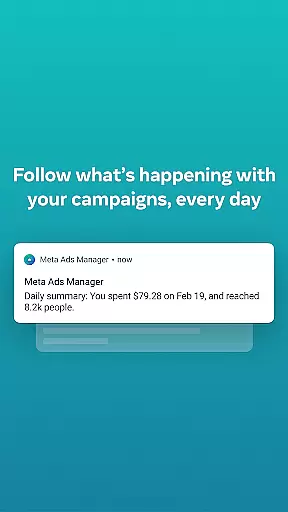
Meta Ads Manager is a comprehensive business tool that allows marketers to efficiently manage their advertising campaigns across Meta's suite of platforms, including Facebook, Instagram, Messenger, and WhatsApp. The app provides real-time insights into campaign performance, enabling users to make data-driven decisions on the go.
With its intuitive interface, advertisers can create and edit ad content, toggle campaigns on or off, and receive instant alerts about significant changes in their ad performance. Its cross-platform compatibility ensures seamless access to all essential advertising tools from mobile devices, empowering businesses to stay agile in their marketing efforts.
This application is particularly beneficial for digital marketers who need to monitor multiple campaigns simultaneously while traveling or working remotely. By offering detailed analytics and customizable views, Meta Ads Manager helps optimize ad spend and maximize ROI, making it an indispensable asset for modern advertising strategies.
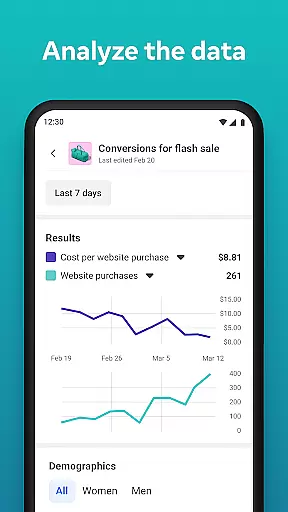
Meta Ads Manager stands out with its robust feature set designed to streamline ad management processes. One of its key capabilities is providing detailed real-time insights into all active campaigns, allowing users to track metrics such as impressions, clicks, and conversions instantly. This empowers marketers to quickly identify trends and adjust strategies accordingly.
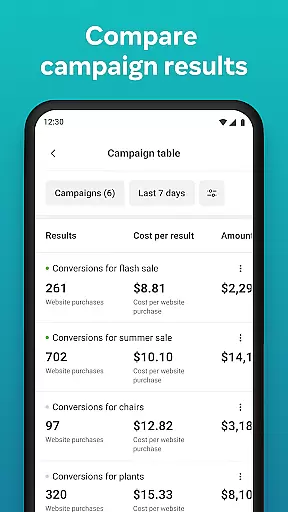
The app also supports side-by-side comparisons of different campaigns and ad sets, facilitating easier analysis of what works best. Users can conveniently turn campaigns on and off based on performance indicators without needing to log into a desktop platform. Additionally, quick alerts keep advertisers informed about critical changes or opportunities within their accounts.
Another notable feature is the ability to switch between managing different Pages and ad accounts effortlessly. This flexibility ensures that agencies handling multiple clients or brands with several social media presences can maintain efficiency and organization in their workflows.
Collaborative work features are essential for modern business applications, enabling teams to work together efficiently regardless of location. Meta Ads Manager excels in this area by providing a centralized platform where marketing teams can manage campaigns across multiple Meta technologies, including Facebook, Instagram, and WhatsApp.
The app allows users to create and edit ad campaigns seamlessly, ensuring that all team members have access to the most up-to-date information. With real-time insights and side-by-side comparison tools, teams can make informed decisions quickly and adjust strategies as needed. This level of collaboration ensures that everyone is on the same page, reducing miscommunication and increasing productivity.
Additionally, quick alerts keep all team members informed about the status of their ads, allowing them to respond promptly to any changes or issues. The ability to switch between different Pages and ad accounts further enhances collaboration by providing a comprehensive view of all ongoing campaigns.
Effective task management is crucial for overseeing multiple advertising campaigns, and Meta Ads Manager offers robust tools to help users stay organized. The app provides detailed real-time insights into all campaigns, allowing users to monitor performance metrics and make data-driven decisions.
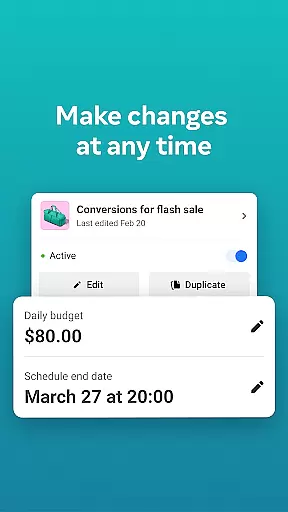
One of the standout features is the ability to turn campaigns on and off directly from the app, giving users immediate control over their advertising efforts. This functionality is particularly useful for managing budgets and optimizing campaign performance based on real-time data.
Moreover, the app's side-by-side view enables users to compare different campaigns and ad sets easily, identifying which strategies are most effective. With these task management capabilities, users can streamline their workflow, ensuring that every campaign is running smoothly and achieving its intended goals.
User-friendly interface
Real-time campaign insights
Cross-platform compatibility
Efficient account management
Actionable performance alerts
Limited advanced editing options
Occasional syncing delays
Basic reporting features
No offline functionality
Dependent on internet connection

AI-powered document scanner with auto enhance for perfect PDFs.
 4.60
4.60
GoTo Mobile is a simple & secure calling, messaging & meetings solution
4.80
Completed Course Lectures on how to use IBM Maximo in Maintenance issues
4.1
BuildCalc - the easiest AND the most advanced construction calculator app.
4.80
TurboScan turns your phone into a full-featured PDF document scanner.
4.80
Manage work life on the go
4.50
We are a dynamic team of creatives people of design, marketing, web & apps
3.00
Earn money with the driver & delivery partner app for Uber, UberEats & Postmates
4.60
Work happy with AI Companion
4.10 4.70
4.70
Access to Paylocity, empowering employees with information they need 24/7.
4.70
Finance, Investing, Stocks, Trading and Stock news
4.60
Earn crypto with secure cloud mining. Monitor, track & withdraw easily
4.40
Find work, shifts and gigs near you. Jobs lasting a few hours to a few months.
4.30
Say hello to the mobile work experience built to help you thrive at work.
4.30
Find flexible, hourly jobs hiring near you in restaurant, retail & hospitality!
4.00
On the go? Take FedEx with you.
4.00
Take the stress out of storage with the all-in-one app to manage your space.
3.70
Delivery Track App - Tracking with Fedex, USPS, UPS, DHL. Monitor your Orders.
3.20


User Reviews