

Shell App is a comprehensive automotive service application designed to enhance your experience at Shell stations. The app integrates the Shell® Fuel Rewards® Program, allowing users to save on fuel purchases while tracking their loyalty transaction history. With additional features like mobile payment options, users can pay securely through various methods including PayPal and Apple Pay without needing to swipe a card.
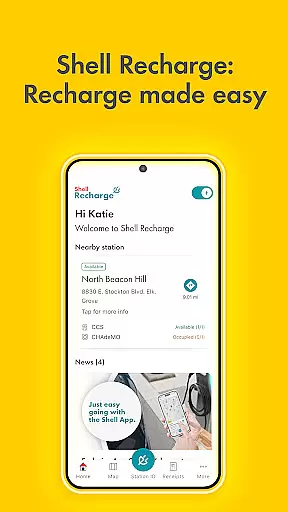
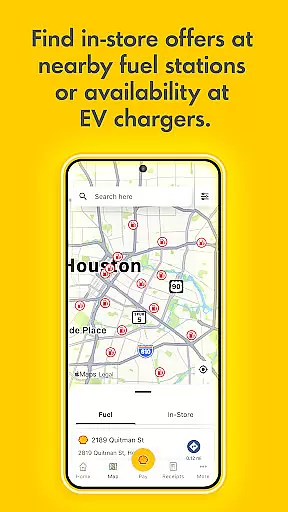
The app also provides practical tools such as locating nearby Shell stations, viewing in-store offers, and managing eGift cards. For electric vehicle owners, Shell Recharge functionality offers access to over 4,000 EV charging stations across the U.S., enabling users to find, activate, and pay for charging sessions directly through the app. This makes Shell App an all-in-one solution for both traditional fuel and electric vehicle drivers.
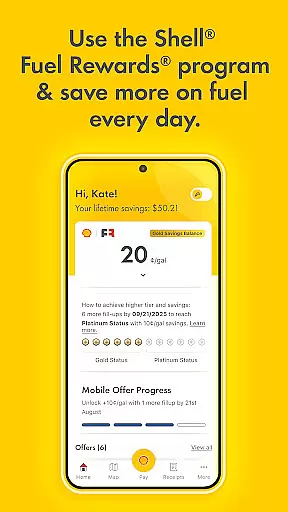
Shell App stands out with its robust combination of rewards programs and payment convenience. The Shell® Fuel Rewards® Program not only helps users save money but also incentivizes frequent visits by offering tiered savings, such as Platinum Status members receiving 10c/gallon discounts. Users can easily monitor their fuel savings, in-store offers, and transaction history within the app.
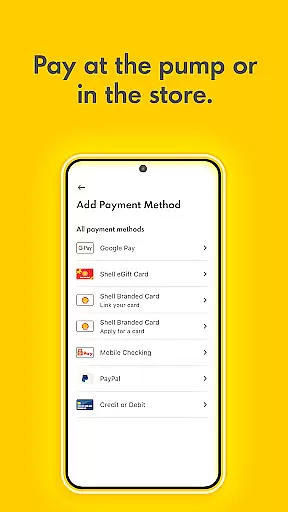
Another key feature is the secure mobile payment system that supports multiple payment platforms including Shell branded credit cards, PayPal, and major credit cards. The app consolidates receipts, rewards, and available promotions in one place, simplifying financial management. Additionally, the Shell Recharge network provides electric vehicle owners with seamless access to thousands of charging stations nationwide, making it easier than ever to manage EV charging needs.
When it comes to managing your vehicle's fuel consumption and savings, the Shell App provides detailed insights that enhance your experience. The app is designed not just for payments but also for maximizing your savings through its loyalty program.
Through the Shellu00ae Fuel Rewardsu00ae Program, users can monitor their fuel savings and earn additional rewards by using mobile payment options directly within the app. This feature allows Platinum Status members to save up to 10 cents per gallon, ensuring that frequent users are rewarded for their loyalty.
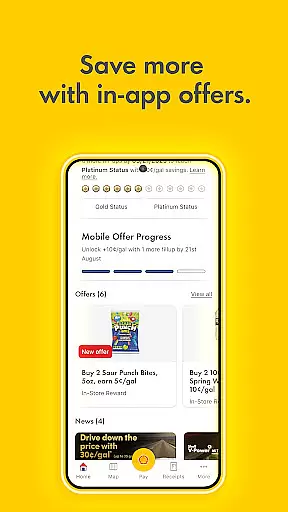
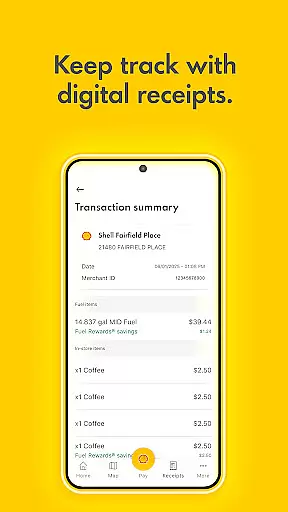
The app also offers a comprehensive view of all transactions, including fuel purchases and in-store offers. This transparency helps users track their spending habits and optimize their savings over time, making it an essential tool for anyone looking to manage their vehicle expenses effectively.
One of the standout features of the Shell App is its commitment to price transparency, ensuring users have all the necessary information at their fingertips. Whether you're paying at the pump or in-store, the app provides clear details about costs and savings.
Users can access various payment methods such as Shell branded credit cards, PayPal, Apple Pay, Google Pay, and more. This flexibility ensures that users can choose the most cost-effective option for their needs without any hidden fees or surprises.
In addition to payment transparency, the app displays all available fuel and in-store offers, allowing users to take full advantage of discounts. By presenting a complete transaction history, the Shell App empowers users to make informed decisions about their purchases, enhancing their overall experience with clear, accessible pricing information.
User-friendly interface
Comprehensive rewards program
Multiple payment options
EV charging support
Integrated receipt management
Limited to Shell stations
Requires account setup
Occasional bugs reported
In-app ads present
Geographic restrictions

Ultimate OBD2 Car Scanner: Diagnostics, Service and Modification Tool
 4.30
4.30
ODB2 based monitoring application for the Chevy Bolt (2017-2021)
4.00
App Mirroring for Tesla Car's Browser
2.80
* This app needs an adapter cable and a certain OBD2 adapter to work *
4.20
Play what you want through Android Auto
4.90
The Texaco App allows you to pay for fuel from the comfort of your car!
4.80
AI Powered - Automotive Mechanic Assistant
4.30
Your Path to Driving Licensing Success Begins Here! Develop your driving skills.
4.40
Trip computer+car diagnostic tool with widest variety of features and dashboard!
4.70
The ExtraMile App allows you to pay for fuel from the comfort of your car!
4.70
Listings of Tesla's with FSD - Included package
4.60
CVT diagnostics with ELM327 for Nissan-based vehicles
4.40
Secure mobile payments & fuel savings at Phillips 66®, Conoco® and 76® stations
4.40
A smarter way to park and reserve your spot ahead of time.
4.40
Monitor your behind-the-wheel behavior to become a safer driver and save.
4.10
Available in select states.
4.00
Mobile Phone Parking - So easy to park
3.70
Better fuel to help keep you on the road
3.20
Ferrari inspired analog & digital watch face with quick access and premium style
4.1


User Reviews