
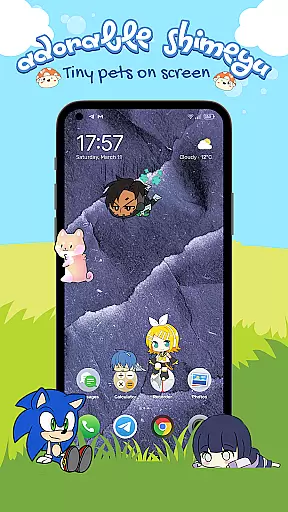
Shimeyu is a delightful personalization app that transforms your mobile screen into a playful world of animated pets and characters. With its unique screen pet functionality, the app allows users to add charming mascots that interact with their phone's interface in real-time.
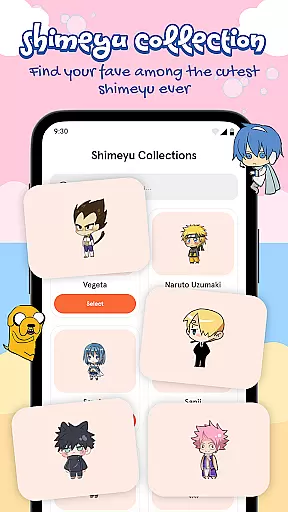
The app features an extensive collection of cute, anime-inspired characters and seasonal themes, providing endless customization options. Whether you're a fan of chibi animals or fantasy creatures, Shimeyu brings personality and joy to your everyday device usage.
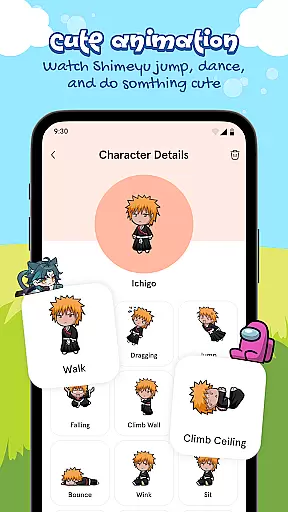
Shimeyu stands out with its interactive touch controls, letting users engage with their digital pets through taps and gestures. Each pet displays fun, expressive reactions, creating a truly immersive experience.
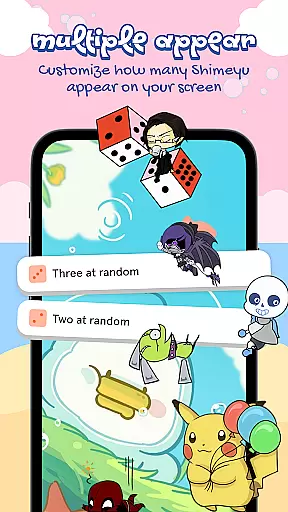
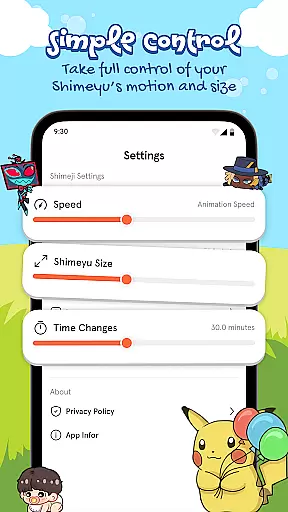
The app supports multi-pet mode, enabling multiple characters to coexist on screen simultaneously. Users can customize their pets' size and speed while watching them play together or roam independently across their home screen.
Additional features include easy integration through screen overlay/widget mode and regular updates with new character additions, ensuring a continuously fresh and engaging experience for users seeking to personalize their mobile devices.
Shimeyu offers a rich array of customization options that allow users to personalize their screen pets according to their preferences. The app provides adjustable settings for size and speed, ensuring that each pet can be tailored to fit the user's lifestyle and aesthetic.
The huge collection of cute characters, including kawaii mascots, anime-inspired buddies, and fantasy creatures, adds another layer of personalization. Users can collect and switch between different themes, making their screen a dynamic and ever-changing space.
Interactive touch controls further enhance the customization experience. By tapping, dragging, and tossing the pets, users can enjoy fun and expressive responses, creating a unique interaction with their digital companions.
With Multi-Pet Mode, users can have more than one Shimeyu on screen at the same time, watching them play together or individually. This feature not only increases the entertainment value but also allows for a more personalized and lively screen environment.
Theme compatibility is a crucial aspect of Shimeyu, ensuring that the adorable pets integrate seamlessly with various screen setups. Whether you have a specific wallpaper or icon arrangement, Shimeyu's pets are designed to interact naturally with your existing screen elements.
The app supports seasonal themes, allowing users to celebrate holidays and special occasions with themed pets. This compatibility ensures that your screen remains fresh and relevant throughout the year, enhancing both aesthetics and user engagement.
Moreover, Shimeyu respects the original creators of all characters by using them with proper permissions. This commitment to authenticity extends to theme compatibility, where licensed and authorized content is used to maintain high standards of quality and legality.
By enabling screen overlay or widget mode, users can ensure that their Shimeyu pets roam freely across different themes and backgrounds. This flexibility in theme compatibility makes Shimeyu a versatile tool for personalizing your device while maintaining visual harmony.
User-friendly interface
Highly customizable settings
Variety of adorable characters
Interactive multi-pet functionality
Regular content updates
May impact device performance
Limited free content available
Some features require premium purchase
Overlay permission needed
Potential battery consumption

Fingerprint Lock Screen & Live Animations with 4K Wallpapers as Live Wallpaper
 4.40
4.40
Make your phone look simple & luxury, like iDevice
4.60
More than 3000+ themes and 9000+ wallpapers for everybody!
4.10 4.50
4.50
Vibrant Adaptive Icons with Material You and Enhanced Monet Colors.
4.50
Transform your device in a game console
4.40
350+ widgets with a premium glass-style finish, perfect for home & lock screens.
4.70
Customize phone with anime themes, 3D icons, aesthetic widgets & wallpapers
4.80
Cool custom fonts & keyboard themes! Symbols & font changer for Instagram
4.50
Customize your home screen with stunning themes, blur, widgets & icons.
4.60
Stylish Pink Cute Hippo keyboard with 10000+ customized keyboard themes!
4.60
300+ widgets inspired by Material You and Material 3 expressive design.
4.60
Turn text & photos into stunning AI videos, art, and creative visual stories.
4.50 4.50
4.50
Themes - Widget & Wallpaper: Customize home screen, icon changer w unique themes
4.30
Magic fluids wallpaper 4D: Relax with stunning fluid simulation wallpaper app
4.20
Run multiple accounts of the same app on a single device
4.10
Transfer your live wallpapers from Windows to Android using Wallpaper Engine!
4.00
⭐ OneUI inspired Fluffy Icon Pack – Soft. Stylish. Standout. ⭐
4.4


User Reviews