
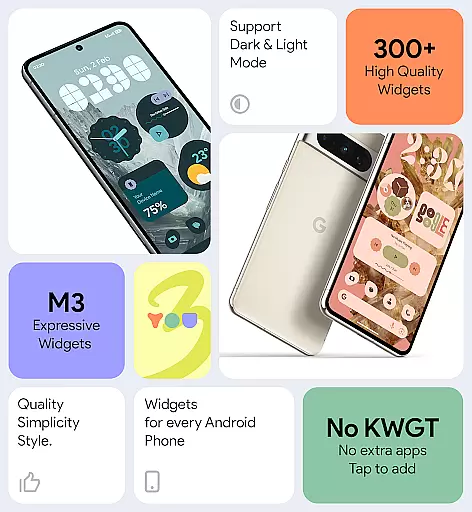
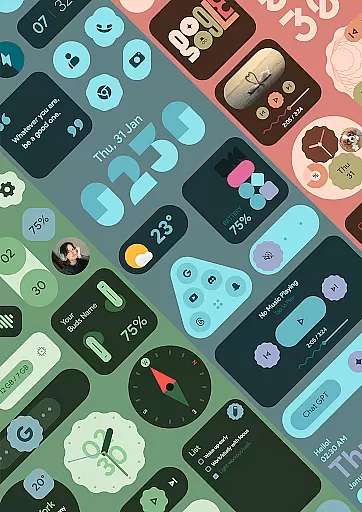
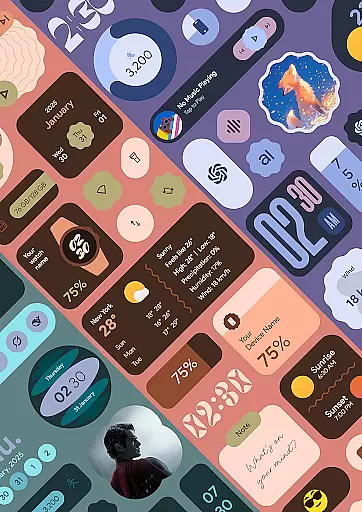
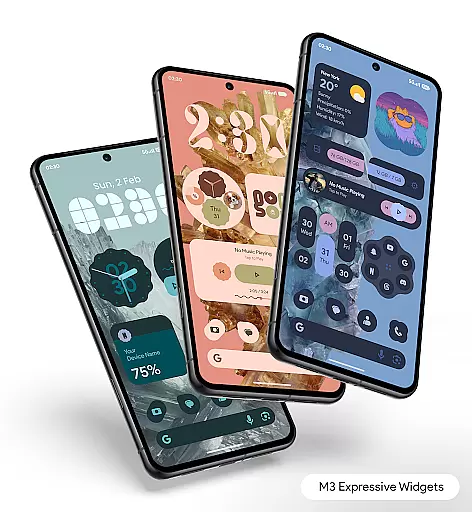
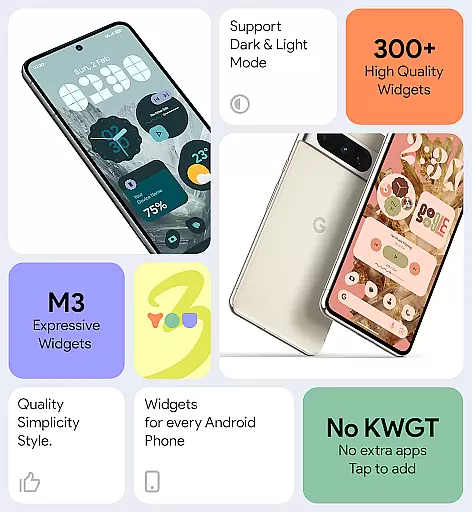
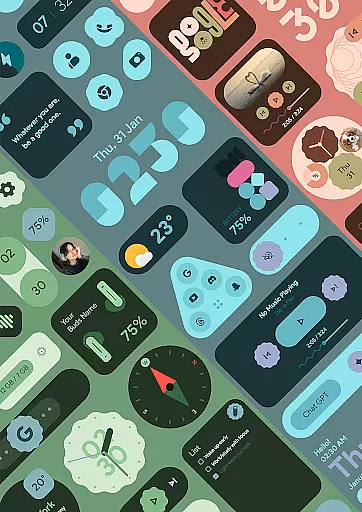
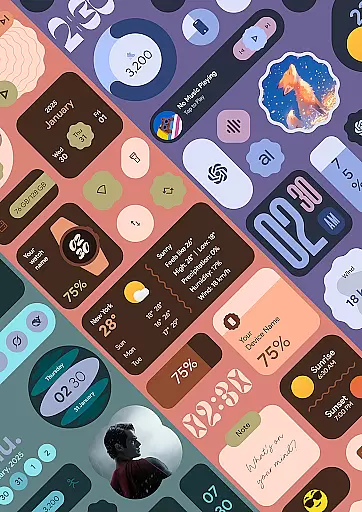
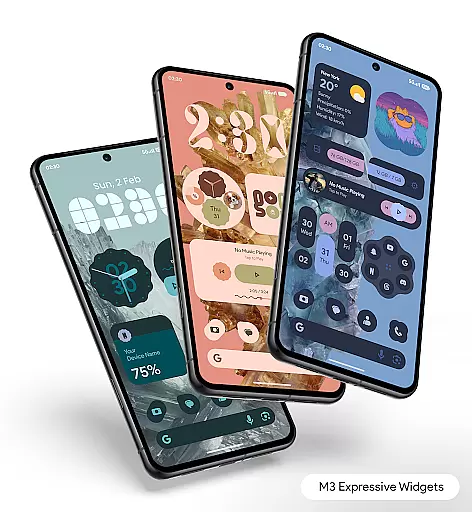
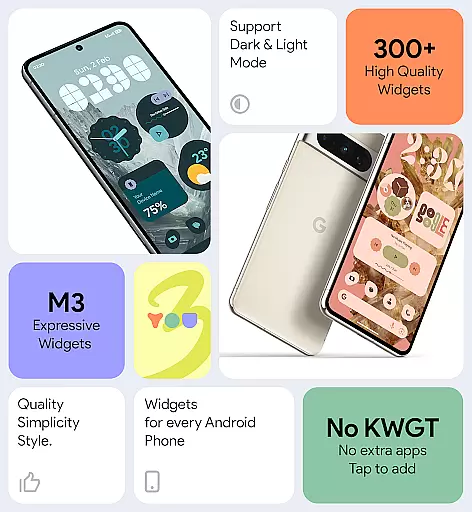

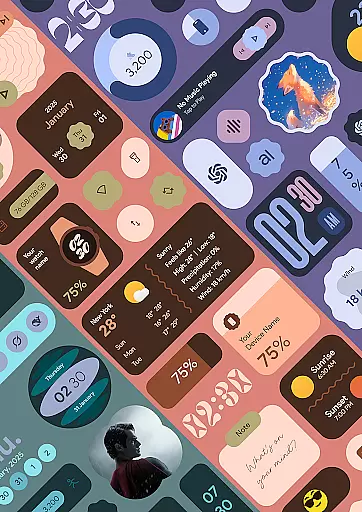
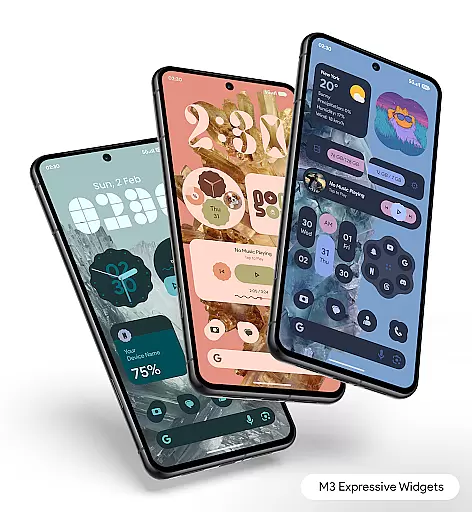
Material You Widgets is a versatile personalization app that brings over 300 beautifully designed widgets to your Android device. These widgets cover a wide range of functionalities including clocks, weather updates, games, quick settings, photos, and more. The app integrates seamlessly with the Material You design language, ensuring that all widgets dynamically adapt to your chosen system theme.
One of the standout features is its ability to function without requiring additional apps like KWGT. This makes it an ideal choice for users who want a clutter-free yet feature-rich home screen experience. With regular updates and new widgets being added, this app ensures your device remains both functional and stylish.
The app offers a rich selection of widgets that cater to various user needs. From dynamic shapes for app icons and photos to functional widgets like battery indicators and pedometers, Material You Widgets provides tools that are as practical as they are visually appealing. Each widget is optimized for performance, ensuring smooth operation without draining your device's battery.
Customization is at the heart of this app. Users can easily match their widgets with over 300 available wallpapers, creating a cohesive and personalized look. The intuitive interface allows for quick adjustments, while features like exact alarms ensure timely updates for time-sensitive widgets such as weather and calendar events. This attention to detail makes the app both smart and reliable.
Customization is at the heart of Material You Widgets, offering users an extensive range of options to personalize their home screens. With over 300 beautifully designed widgets, this application supports a seamless and visually appealing experience. These widgets cover various functionalities including clocks, weather updates, games, quick settings, photos, and more, ensuring that every user finds something that resonates with their personal style.
The app leverages the Material You design philosophy, which means that all widgets can instantly match the user's chosen system theme. This feature not only enhances aesthetic appeal but also provides a cohesive look across the device. Users have the freedom to changeable shapes for apps, quick settings, and photos, allowing for a dynamic and personalized interface that stands out.
Material You Widgets eliminates the need for additional applications like KWGT, as it operates independently right after installation. This simplicity in functionality ensures that users can easily access and utilize the widgets without any extra steps. The adaptability of these widgets extends to their ability to blend seamlessly with 300+ theme-matching wallpapers, providing an all-encompassing customization experience.
Ultimately, the true value of such diverse customization options lies in enhancing user satisfaction. By integrating functional and stylish widgets, Material You Widgets empowers users to craft a home screen that is uniquely theirs. This level of personalization not only makes daily interactions more enjoyable but also significantly boosts productivity by placing essential tools and information right at the useru2019s fingertips.
Theme compatibility is a standout feature of Material You Widgets, ensuring that all widgets are perfectly in sync with the user's selected system theme. This harmonious integration is achieved through the appu2019s adherence to the Material You design principles, which prioritize aesthetic consistency and visual coherence. As a result, users enjoy a home screen that feels both modern and unified, regardless of their chosen color scheme or design preferences.
The app offers over 300 stunning widgets that automatically adjust to match the system theme, providing an instant transformation that aligns with individual tastes. This automatic adaptation simplifies the customization process, as users no longer need to manually adjust each widget to fit their theme. Instead, they can focus on selecting widgets that best suit their functional needs, knowing that the visual aspect will be effortlessly handled by the app.
In addition to theme matching, Material You Widgets includes a wide range of wallpapers designed to complement the widgets. This dual approach ensures that both the interactive elements and the background work together to create a visually pleasing environment. The availability of 300+ theme-matching wallpapers allows users to experiment with different combinations, finding the perfect balance between form and function.
By prioritizing theme compatibility, Material You Widgets delivers a superior user experience that combines beauty with practicality. Users benefit from a streamlined customization process that enhances both the appearance and usability of their devices. This thoughtful design consideration not only elevates the visual appeal of the home screen but also reinforces the appu2019s commitment to providing a personalized and engaging user experience.
User-friendly interface
Extensive widget variety
Regular feature updates
Optimized performance
Dynamic theming options
Limited iOS compatibility
Advanced features need updates
Occasional update delays
Some widgets are basic
Design inconsistencies

Stunningly Different look with Line Icons and Neon Colors
 4.60
4.60
Classic analogue watch face. For wear os devices.
4.60
A light in the dark, a unique style and an andless cutomization!
4.30
Ultra realistic high quality analog watch face for Wear OS.
4.60
Turn your lock screen into fun with smile live wallpapers & animated wallpapers!
2.50
Nothing Icon pack with more than 3750+ highly crafted icons.
4.70
Yandex Browser — stylish and secure, with voice search and data compression
4.40
set a new experience for the Android mobile phone
4.20
Customize phone with anime themes, 3D icons, aesthetic widgets & wallpapers
4.80
Sparkle your screen with Glitter Wallpapers For Girls and Cute Backgrounds!
4.80
400+ Beautifully crafted widgets inspired by NOTHING.
4.70
Glass style colourful icons with a One UI look and feel
4.60
Zip lock screen with magic wallpaper to decorate your phone with fun zipper lock
4.60
Icons made of colorful linear lines
4.60
Stylish Pink Cute Hippo keyboard with 10000+ customized keyboard themes!
4.60
Handcrafted pixel art icons, widgets & wallpapers
4.60 4.50
4.50
Adaptive Dot Style IconPack with Light & Dark Theme.
3.70
HappyLighting is a Bluetooth lamp control software.
3.40


User Reviews