
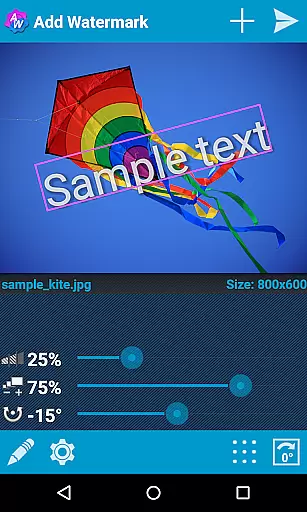
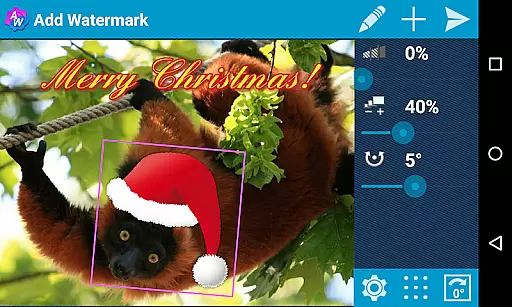
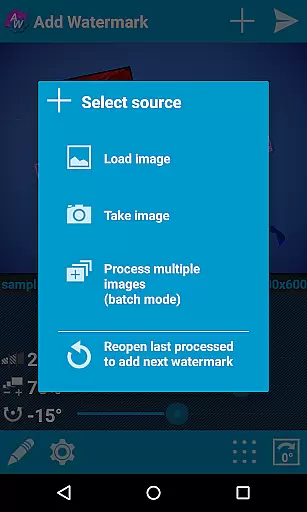
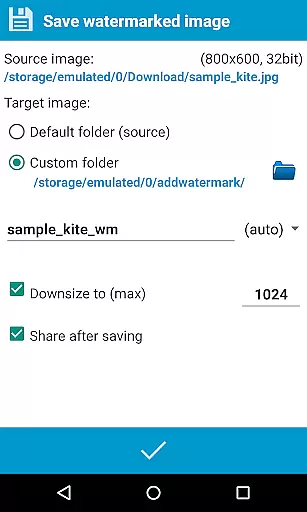
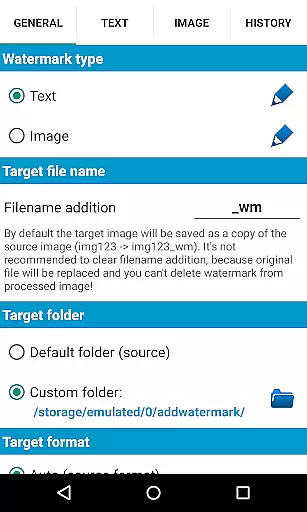
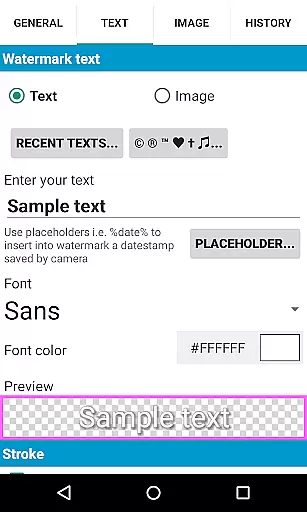
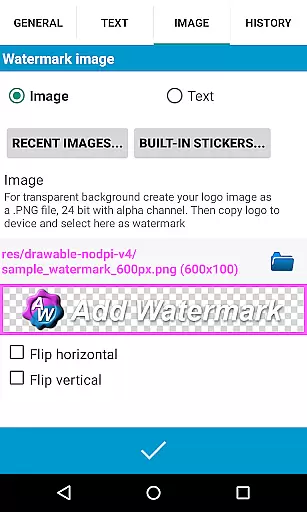
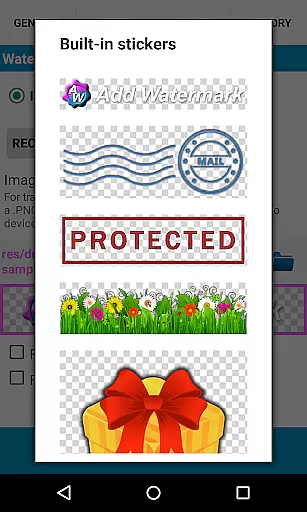
Add Watermark is a powerful photography tool designed to help users protect their digital content by adding customizable watermarks to images. The app offers extensive features for watermark customization, including text and logo options that can be adjusted in size, transparency, rotation, and alignment.
With support for batch processing, automatic image handling, and advanced settings like EXIF metadata support, this app caters to professional photographers and bloggers who need efficient workflows. Whether you're looking to brand your photos or protect them from unauthorized use, Add Watermark provides the tools necessary to secure your visual assets effectively.
The app boasts an array of professional-grade features. Users can process multiple images simultaneously using the batch mode, while auto-processing allows seamless integration with other apps through sharing functionalities. The Full version includes 72 built-in fonts and supports up to 20 custom fonts, offering diverse text watermarking options.
Additional capabilities include transparent PNG support for image watermarks, quick sharing to social media platforms, and cloud backup for settings. Advanced features such as timestamp insertion, filename tagging, and GPS data embedding provide versatile watermarking options tailored to both amateur and professional needs.
Real-time capture and preview functionality is essential for ensuring that the watermark you add to your images appears exactly as intended before finalizing the process. Add Watermark offers a seamless experience in this regard, allowing users to see immediate results of their edits.
The application provides live adjustments for size, transparency, rotation, and alignment of both text and image watermarks. This real-time feedback enables users to fine-tune their watermarks with precision, ensuring that the final output meets their expectations without any surprises.
For professional photographers and bloggers who rely on quick yet accurate watermarking processes, this feature significantly enhances workflow efficiency. The ability to visualize changes instantly reduces editing time and increases productivity.
Ultimately, the real-time capture and preview feature in Add Watermark ensures that users can confidently apply watermarks knowing precisely how they will look, thus protecting their content's integrity while maintaining a professional appearance.
While primarily focused on watermarking, Add Watermark also incorporates elements of AI beauty and enhancement to ensure that added watermarks blend naturally into images. This attention to detail helps maintain the original quality and aesthetic appeal of photographs.
The app allows for transparency adjustments and supports various effects in text mode, which contribute to the natural integration of watermarks. Users can customize fonts, colors, and other properties, ensuring that the watermark complements the image rather than detracting from it.
With support for transparent PNG images as watermarks, Add Watermark ensures that logos or graphics do not obscure important parts of the photo. This capability is crucial for maintaining the visual balance and overall composition of the image.
By prioritizing natural enhancement techniques, Add Watermark provides users with tools that not only protect their digital assets but also preserve the artistic integrity of their work, making it an invaluable tool for professionals seeking both security and aesthetic quality in their imagery.
User-friendly interface
Extensive customization options
Batch processing efficiency
Professional-grade features
Cloud backup functionality
Free version has limitations
Advanced features require payment
Complexity may overwhelm beginners
Occasional bugs reported
Limited free font options

A collection of tools and reference tables for DPs, ACs, DITs and Operators.
 4.70
4.70
Trendy TikTok time warp scan funny filter app brings you unique photos & videos.
4.40
HD Photo gallery and photo manager to edit, hide private photos, videos & albums
4.4
Transform photos into videos! Create realistic or anime-style images easily!
4.50
HD Camera Pro with HD Video shooting, Panorama, Photo editor , Beauty Camera.
4.50
Amazing Photo Effects - The most fun you can have with your photos!
4.70
See your baby AI baby face generator AI baby maker Face generator babymaker fun!
4.70
AI-powered video creator by MiniMax - Where ideas meet cinema
4.20
Photo & Video Gallery app to manage albums and save WA Status easily.
4.70
Create funny photos and videos with the popular Time Warp Scan filter.
4.90
Photo prints, cards, & gifts at Walgreens. Easy ordering & fast local pickup !
4.80
Android Native system HD camera app. Never been so simple and faster.
4.70
Cartoon and artistic effects for your photos and videos
4.70
Create AI photos & videos with Enhancer; restore, fix, beautify, enhance photos
4.50
AI photo enhancer with Sora 2! Enhance, descratch, and colorize your old photos.
4.50
Natural Beauty, Selfie Retouch
4.30
Create AI Photos, Improve and restore quality of blurry, old or damaged pics.
4.20
All-in-One Editor & AI Photo Enhancer, Collage, Cartoonify, Funny Stickers & BGS
4.10
The #1 app for B&W film developing featuring an advanced darkroom timer.
4.10


User Reviews