





PicsLeap is an advanced AI-powered photo editing application that offers a comprehensive suite of tools for enhancing, transforming, and personalizing your images. With features like One-Tap Enhance, Magic Eraser, AI Face Swap, and AI Cartoon Filters, it caters to both amateur photographers and professionals seeking effortless editing solutions.
The app stands out with its ability to remove backgrounds, apply double exposure effects, and offer 100+ filters and effects. PicsLeap also includes precise color adjustment tools such as HSL, Curve, and Split Tone, enabling users to fine-tune their photos with remarkable ease. Whether you're looking to restore old photos or create stunning collages, PicsLeap provides the tools to turn your creative vision into reality.
Perfect for social media enthusiasts, PicsLeap allows you to share your edited, watermark-free creations directly on platforms like Instagram and Facebook. Its intuitive interface and powerful AI make professional-level photo editing accessible to everyone, helping users embrace their signature style effortlessly.
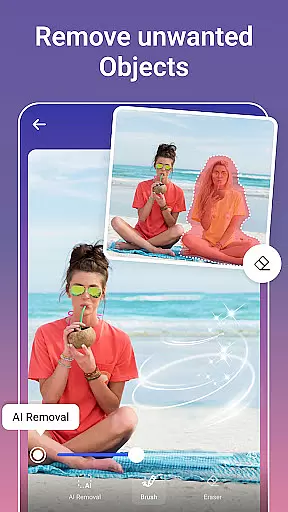
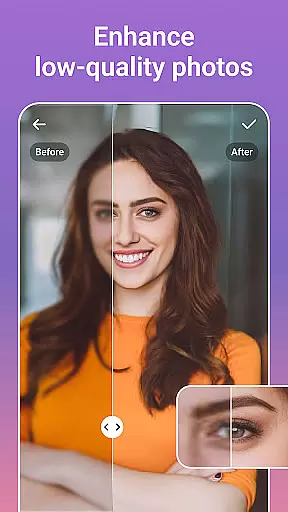
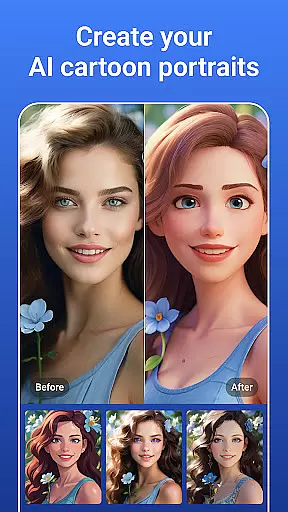
PicsLeap distinguishes itself through its innovative AI-driven features that simplify complex photo editing tasks. The One-Tap Enhance tool instantly improves image quality, while the Magic Eraser allows users to remove unwanted objects seamlessly. AI Face Swap and AI Cartoon Filters provide fun and creative ways to experiment with your photos, offering everything from whimsical cartoon transformations to realistic face swaps.
For users seeking artistic expression, PicsLeap offers 70+ light effects and Double Exposure options, along with advanced tools like HSL, Curve, and Highlight adjustments. These features ensure precise control over colors and lighting, making it easy to create visually striking images. Additionally, the app's background removal and sticker creation tools empower users to personalize their photos with unique designs and textures.
PicsLeap also excels in practical applications such as photo restoration and collage creation. Its AI-powered enhancement tools can boost resolution and revive old photos, while customizable layouts and grids allow for storytelling through stunning visual arrangements. Whether you're editing for professional purposes or personal enjoyment, PicsLeap delivers a seamless and enjoyable experience.
Real-time capture and preview functionality is essential for any photography app as it allows users to see exactly what they are capturing before taking the shot. This feature ensures that users can make necessary adjustments on the fly, resulting in higher quality photos.
PicsLeap offers a seamless real-time capture experience by utilizing advanced AI technology. The app processes images instantly, providing users with a live preview that accurately represents the final output. This includes real-time application of filters, effects, and enhancements, allowing users to visualize their creative decisions immediately.
With PicsLeap's real-time capabilities, photographers can experiment with different styles and settings without any lag or delay. Whether adjusting lighting, applying double exposure effects, or trying out various color adjustments, users can be confident that what they see in the preview is what they will get in the final image.
This immediate feedback loop not only saves time but also enhances the overall user experience by making photo editing more intuitive and engaging. By delivering a responsive and accurate real-time capture and preview feature, PicsLeap empowers users to produce professional-grade photos effortlessly.
AI beauty and enhancement features have become a staple in modern photo editing applications, offering users the ability to refine and perfect their images with minimal effort. The naturalness of these enhancements is crucial, as overly processed photos can appear artificial and lose their authenticity.
PicsLeap stands out by providing AI-powered beauty and enhancement tools that maintain the natural essence of the original photo. Through sophisticated algorithms, the app intelligently applies enhancements such as skin smoothing, blemish removal, and facial feature refinement without compromising the photo's genuine appearance.
The app's one-tap enhance feature exemplifies this balance between enhancement and naturalness. Users can achieve polished results while retaining the unique characteristics and details of their subjects. Additionally, PicsLeap's AI-driven background removal and replacement tools ensure that edits blend seamlessly, preserving the photo's realism.
By prioritizing natural-looking enhancements, PicsLeap caters to both amateur and professional photographers who seek to elevate their images while keeping them grounded in reality. This approach not only boosts user satisfaction but also encourages creative exploration within the realm of authentic photo editing.
User-friendly interface
Advanced AI tools
Variety of filters
Fast processing
Free to download
Limited free features
Ads in free version
Subscription required
Occasional bugs
Learning curve

Trendy TikTok time warp scan funny filter app brings you unique photos & videos.
 4.40
4.40
Perfect body tune & face app - photo retouch, makeup, slim body & beautify face.
4.80
Create Business Headshots, Polaroid Filter, Retake Photos,Profile Pics,AI Photos
4.50
The #1 app for B&W film developing featuring an advanced darkroom timer.
4.10
USB Storage Access for Photos, Videos, Music and Documents
3.80
Collage your moments in one tap: 1000+ layouts, filters, stickers, and texts.
4.90
Hair color changer, AI haircut app, fun hair editor and buzz cut filter for all!
3.80
live datamoshing
4.00
Enhance, upscale, and transform your images — on your device, without limits
4.70
Pro version: AR sun/moon tracker for any date. Tool for photographers & planners
4.90
Android Native system HD camera app. Never been so simple and faster.
4.70
Easily view, share, delete photos with Gallery.
4.70
1M influencer's special filter
4.60
Viewfinder, Light meter, Reciprocity failure time, DOF & Bellows Extension
4.60
Photo editor: face & body editor, beauty cam, filters and quality enhancer.
4.00
Professional quality photo edits with the new Snapseed.
4.00
Turn photos into cartoons & avatars! - Photo Editor, Cartoon Face!
3.90
An interval timer to automate photo taking process for timelapse
2.90
Over 800 film simulation recipes for Fujifilm. Black Friday Offer!
4.1


User Reviews