
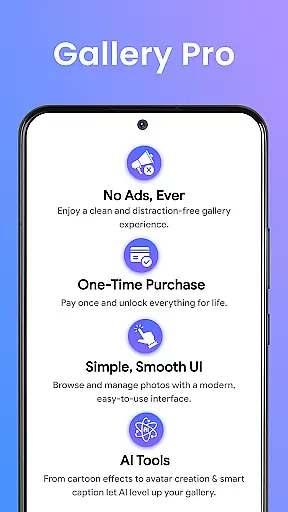
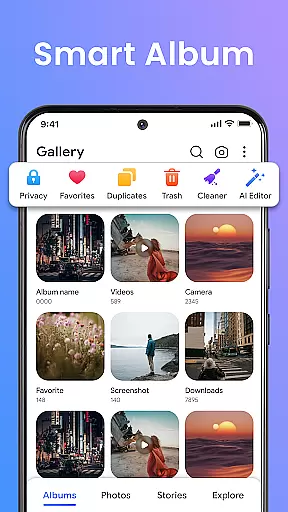
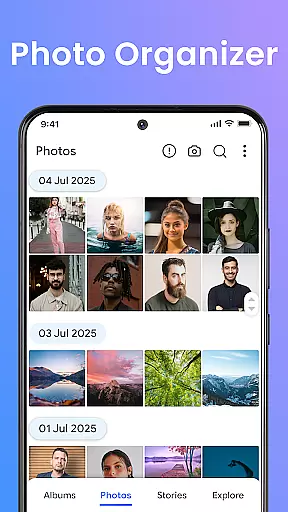
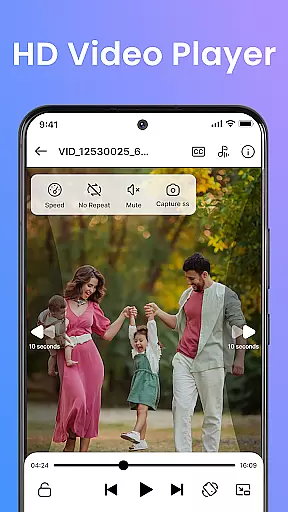
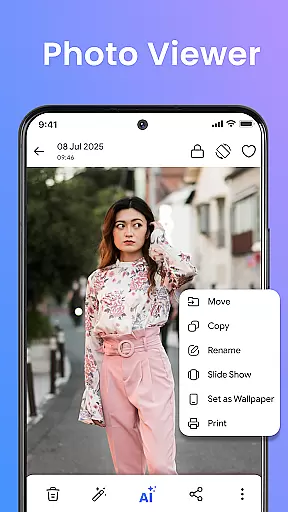
Gallery Pro is a comprehensive HD photo gallery app designed to help users organize, manage, and secure their photos and videos. With its clean and intuitive interface, the app offers effortless media management through features like a gallery vault, intelligent photo organizer, and seamless slideshow creator. Whether you need to sort your albums, view high-quality images, or protect private content, Gallery Pro provides all the necessary tools in one reliable package.
The app stands out with its advanced security features, including an encrypted vault for sensitive media and AI-powered editing tools. Users can relive memories with the 'Story Status' feature, create stylish slideshows, and even enhance images using built-in editing functions. Its compatibility with Android devices ensures smooth performance while maintaining privacy and accessibility.
Gallery Pro is ideal for photo enthusiasts who want to display their favorite moments, privacy-focused individuals seeking secure storage, and everyday users aiming to keep their collections organized. By combining smart organization tools, premium security, and creative features, this app delivers a complete solution for managing your digital memories effectively.
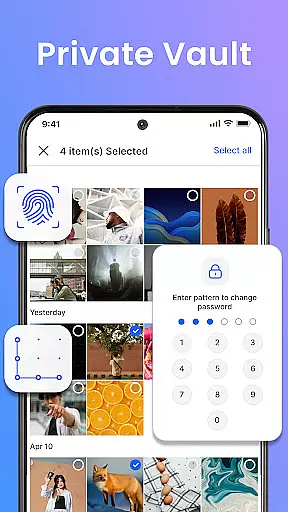
Gallery Pro boasts an impressive array of features that cater to various user needs. One of its standout capabilities is the gallery vault, which allows users to securely hide and store sensitive photos and videos in an encrypted folder. This ensures that private media remains protected from unauthorized access, even after reinstalling the app. The inclusion of MANAGE_EXTERNAL_STORAGE permission further enhances this security by safeguarding files stored within the vault.
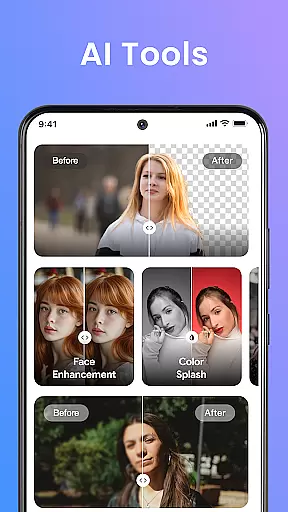
In addition to security, Gallery Pro offers powerful organizational tools. The smart photo organizer lets users create albums, add tags, and utilize advanced search functions to quickly locate specific memories. Meanwhile, the built-in editor provides essential enhancement options such as cropping, rotating, and AI-driven features like object removal or background blur. These tools empower users to refine their images effortlessly.
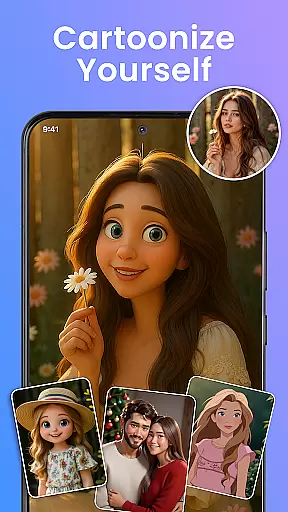
For those looking to relive past experiences, the 'Story Memories' feature highlights what happened on this day in previous years. Users can also transform their favorite moments into visually appealing slideshows, perfect for sharing with friends and family. With additional AI tools for avatar creation and photo enhancements, Gallery Pro positions itself as not just a storage solution but a creative hub for all your media needs.
Real-time capture and preview functionality is essential for any photography app as it allows users to see exactly what the camera is capturing before taking a shot. Gallery Pro offers an intuitive interface that ensures every photo taken is precisely what the user intends.
The app provides a high-definition preview mode, enabling users to adjust settings such as exposure, focus, and white balance in real time. This feature empowers photographers to fine-tune their shots according to different lighting conditions and subjects.
Additionally, the instant feedback from the preview helps users make quick adjustments, ensuring they never miss a perfect moment. The clarity and responsiveness of the preview are designed to enhance the overall photography experience.
With this real-time functionality, users can confidently capture high-quality images, knowing that the final result will match their creative vision. This makes Gallery Pro a reliable tool for both amateur and professional photographers alike.
AI-powered beauty and enhancement features have become a staple in modern photo editing apps, offering users the ability to refine and beautify their images with minimal effort. Gallery Pro stands out by providing natural-looking enhancements that preserve the authenticity of the original photo.
The app's AI algorithms intelligently detect facial features and apply subtle adjustments to skin tone, texture, and blemishes. This ensures that edited photos maintain a realistic appearance, avoiding the over-processed look that can occur with less sophisticated tools.
Gallery Pro also includes options for enhancing other aspects of photos, such as brightness, contrast, and color saturation. These enhancements work harmoniously to elevate the overall quality of the image without compromising its natural essence.
By focusing on delivering natural and authentic results, Gallery Pro caters to users who value genuine beauty in their photographs. This approach not only enhances the visual appeal but also respects the integrity of the captured moment.
User-friendly interface
Advanced security features
Versatile editing tools
Efficient organization options
Creative slideshow capabilities
Requires storage permissions
Limited free features
Occasional ads in free version
May be overwhelming for beginners
Some AI tools need improvement

An interval timer to automate photo taking process for timelapse
 2.90
2.90
Photo editor: AI filters, photo enhancer, pic collage maker, AI art generator.
4.80
The #1 app for B&W film developing featuring an advanced darkroom timer.
4.10
A must-have app for landscape photographers
4.60
Gallery Slideshow is slideshow maker app for slideshow from your gallery photos.
3.90
See your baby AI baby face generator AI baby maker Face generator babymaker fun!
4.70
live datamoshing
4.00
The original Rarevision VHS look seen everywhere!
4.70
Enhance, upscale, and transform your images — on your device, without limits
4.70
A collection of tools and reference tables for DPs, ACs, DITs and Operators.
4.70
PhotoSync Bundle Add-On License. Enables all features and services in PhotoSync.
4.60
Effortlessly organize, view and share your photos & videos with Gallery app!
4.40
Easily stitch panoramas from multiple photos or video.
4.40
AI portrait generator and polaroid AI selfie, fun AI generated AI photo creator!
4.30
[3DSteroid Pro] is a stereoscopic application for Android.
4.30
All-in-One Editor & AI Photo Enhancer, Beautify & Retouch, Collage, Cartoonify
4.20
What celebrity do you look like? Celebs will find your celebrity match!
4.10
How old age camera Gender Swap App Face Shape Hairstyle App Hair Styler App fun!
4.00
USB Storage Access for Photos, Videos, Music and Documents
3.80


User Reviews