

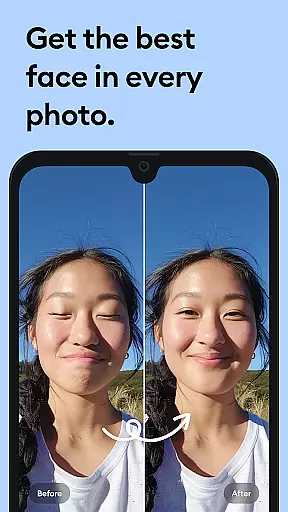
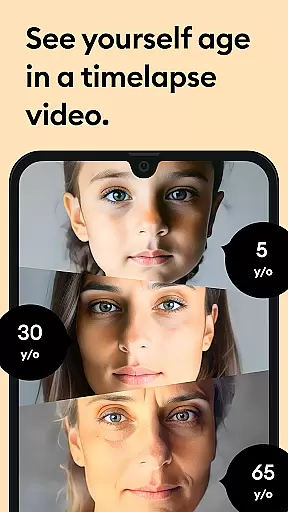



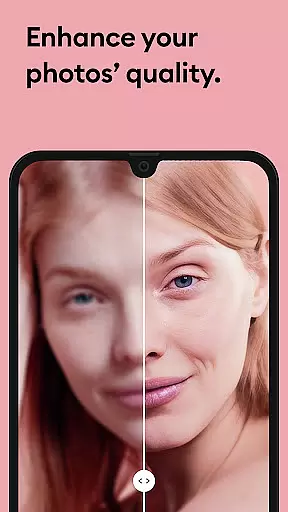


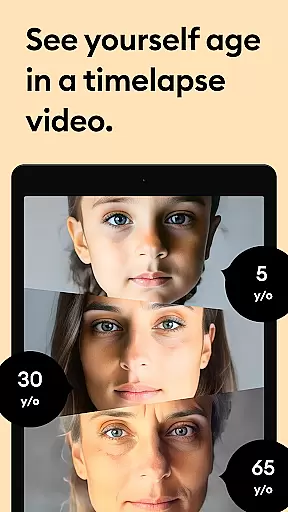



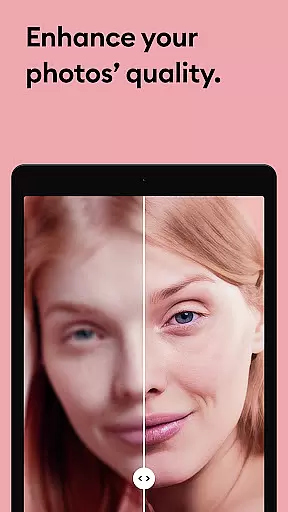


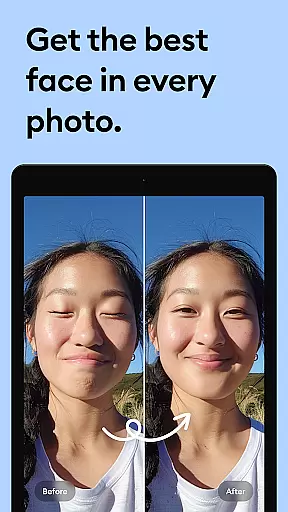



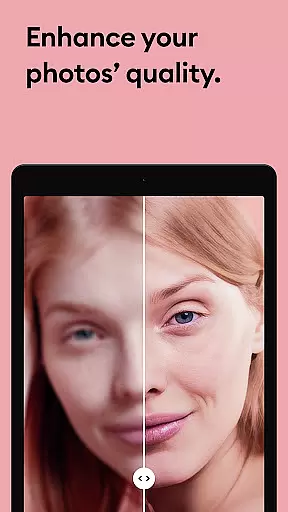

Remini is a powerful photography app that uses advanced Artificial Intelligence to enhance and restore images. The core functionality revolves around transforming low-quality, blurry, or damaged photos into high-definition images with just one tap. This makes it an ideal tool for revitalizing old memories, family portraits, and even modern selfies.
The app's AI technology specializes in facial detail enhancement, making it exceptional for portrait and group pictures. It also supports photo repair, clearing vintage images, sharpening out-of-focus shots, and increasing pixel quality. With over 100 million photos revitalized, Remini stands as one of the most popular photo enhancers globally, available in multiple languages including English, Spanish, Chinese, and more.
Whether you're looking to restore cherished family photos or enhance your social media presence with professional-looking images, Remini delivers both utility and innovation in image processing.
Remini offers a comprehensive suite of features designed to cater to various photo enhancement needs. Its standout capability lies in its state-of-the-art AI model, which continuously improves through regular updates. Users can unblur, restore, and enhance any image, giving old memories a new lease on life in stunning HD quality.
The app provides specialized tools such as portrait enhancement, which brings incredible clarity to facial details in selfies and group photos. Additionally, it can repair old, scratched, or blurry photos, clear vintage images, and sharpen out-of-focus pictures. Another notable feature is its ability to increase pixel count in low-quality photos while offering retouching options.
With support for multiple languages and subscription plans for unlimited access to premium features, Remini ensures accessibility and flexibility for users worldwide. Whether you're enhancing personal photos or professional projects, Remini's innovative features make it a versatile choice in the photography category.
Real-time capture and preview functionality is essential for photography apps as it allows users to see exactly what the camera sees before taking a shot. This ensures that users can make necessary adjustments to achieve the desired outcome.
Remini excels in this area by providing an intuitive interface where users can preview their images instantly after capturing them. The app uses advanced AI technology to process photos quickly, giving users immediate feedback on their photo quality.
With Remini's real-time capture feature, users benefit from being able to enhance their photos right away, ensuring they never miss a moment due to lengthy processing times. This immediacy enhances user satisfaction and engagement with the app.
The value of real-time capture and preview lies in its ability to streamline the photo-taking process, making it more efficient and enjoyable. Users can trust that their captured moments will be preserved in high definition without delay.
AI beauty and enhancement features are crucial for modern photography apps, offering users the ability to improve their photos naturally without over-processing. These tools help maintain authenticity while enhancing key aspects of an image.
Remini leverages cutting-edge artificial intelligence to provide natural-looking enhancements. Its AI algorithms focus on preserving original details while smoothing out imperfections, resulting in photos that look professionally retouched yet remain true to life.
Users gain significant advantages with Remini's AI enhancements, including improved skin tones, reduced noise, and enhanced clarity. These features ensure that every photo looks its best without appearing overly edited or artificial.
The true value of Remini's AI beauty and enhancement capabilities is in delivering professional-grade results effortlessly. By maintaining naturalness, the app ensures that memories are preserved authentically, enhancing user confidence in sharing their enhanced photos.
User-friendly interface
Advanced AI technology
Multi-language support
Regular feature updates
Wide range of editing tools
Premium features require subscription
Limited free trial options
High system requirements
Occasional processing delays
In-app purchases can add up

[3DSteroid Pro] is a stereoscopic application for Android.
 4.30
4.30
Easily stitch panoramas from multiple photos or video.
4.40
How old age camera Gender Swap App Face Shape Hairstyle App Hair Styler App fun!
4.00
Perfect body tune & face app - photo retouch, makeup, slim body & beautify face.
4.80
Take videos and pictures with the popular TikTok TIME WARP SCAN filter.
4.60
Over 800 film simulation recipes for Fujifilm. Black Friday Offer!
4.0
Professional quality photo edits with the new Snapseed.
4.00
AI-powered video creator by MiniMax - Where ideas meet cinema
4.20
Hair color changer, AI haircut app, fun hair editor and buzz cut filter for all!
3.80
Find time and duration of different sunlight phases at any location
4.90
Light-weight Media Gallery app for Android made with Jetpack Compose
4.60
Cut and paste photo editor & eraser to customize photos easy and swap faces fun
4.50
HD Camera Pro with HD Video shooting, Panorama, Photo editor , Beauty Camera.
4.50
Fit multiple photos on one post. Create carousels & scroll layouts for Instagram
4.50
Trendy TikTok time warp scan funny filter app brings you unique photos & videos.
4.40
Edit like a pro with Hypic. Apply filters, AI effects, & magic touch.
4.40
A reflected light meter with spot metering and incident light metering.
4.40
The #1 app for B&W film developing featuring an advanced darkroom timer.
4.10
GCamera allows all GCam features on all phone models! Better photos with GCamera
3.30


User Reviews