


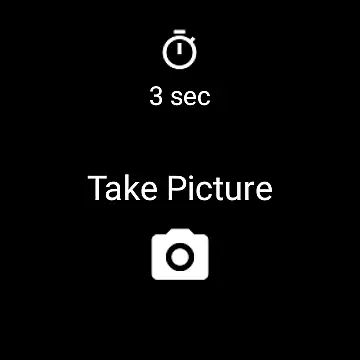
Camera Remote Watch is a smart photography tool that allows users to remotely control their phone's camera shutter directly from a smartwatch. This app eliminates the need to physically touch the phone to capture photos, making it ideal for situations where stability and convenience are crucial. By simply tapping the Camera button on the watch app, users can trigger the phone's camera, store images in the phone gallery, and even view a copy of the photo on the watch itself.
The app supports both Android and Wear OS smartwatches, offering flexibility across devices. It also provides additional guidance through an FAQ section and video tutorials available on its official website. Whether you're taking selfies, group photos, or long-exposure shots, Camera Remote Watch ensures precision and ease of use, all while maintaining synchronization between your phone and watch.
Camera Remote Watch offers several standout features that enhance the photography experience. First, it enables real-time remote control of the phone's camera, allowing users to adjust settings and capture photos without touching the phone. This minimizes the risk of shaky shots and ensures better photo quality. Additionally, the app displays a preview of the captured image directly on the smartwatch, enabling instant review and retakes if necessary.
Another key feature is its compatibility with both Android and Wear OS devices, broadening its usability. The app also includes access to comprehensive support resources such as FAQs and tutorial videos, ensuring users can troubleshoot issues and optimize their experience. With its seamless integration between phone and watch, Camera Remote Watch delivers a reliable and innovative solution for hands-free photography.
Real-time capture and preview functionality is essential for ensuring that users can take photos with precision and confidence. Camera Remote Watch offers this by allowing users to control their phone's camera directly from their smartwatch. This feature provides immediate feedback on the framing and composition of a shot without needing to touch the phone.
The app enables you to open the Camera Remote Watch application on your phone to adjust the camera view according to your preference. Once set, the watch app lets you trigger the camera shutter remotely. This seamless interaction ensures that the photo-taking process is smooth and efficient, minimizing disruptions that could affect the perfect shot.
After capturing an image, the photo is stored in the phone's gallery, and a copy is sent to the watch. This allows users to quickly review the image on their wrist, confirming if the picture meets their expectations or if another attempt is needed. Such instant validation enhances the photography experience, especially in scenarios where the photographer wants to remain hands-free or out of frame.
While Camera Remote Watch does not focus heavily on AI beauty and enhancement features, it still delivers value through its practical approach to photography. The app emphasizes naturalness and authenticity, allowing users to capture genuine moments without excessive digital alterations. This straightforward method appeals to those who prefer unaltered, realistic images over heavily processed ones.
Users should note that the app works best when both the smartwatch and phone are connected and functioning optimally. Patience is key during the photo download process, as smartwatches inherently have slower processing speeds. If the watch display turns off during the download, a simple tap can reactivate it, ensuring continuity in viewing the captured image.
For devices running on Wear OS, Camera Remote Watch extends its compatibility, providing a versatile solution for various smartwatch users. Although the app may not support all Android phones, particularly those not officially recognized, it remains a reliable tool for remote photography. By focusing on real-time capture and maintaining the integrity of the original image, the app caters to photographers seeking simplicity and authenticity in their work.
User-friendly interface
Real-time photo previews
Wide device compatibility
Convenient remote control
Comprehensive support resources
Requires stable connection
Slow photo downloads
Limited unsupported phones
Watch display issues
Dependent on phone hardware

AI portrait generator and polaroid AI selfie, fun AI generated AI photo creator!
 4.30
4.30
1M influencer's special filter
4.60
HD Photo gallery and photo manager to edit, hide private photos, videos & albums
4.2
Natural Beauty, Selfie Retouch
4.30
Create Business Headshots, Polaroid Filter, Retake Photos,Profile Pics,AI Photos
4.50
Transform Photos: Edit, Beautify and Craft Memories & Make Collages!
4.10
Catch sunlight, sunrise sunset times and sun phases with the AR sun tracker.
4.10
The original Rarevision VHS look seen everywhere!
4.70
Try an anime version, cartoon yourself, and generate AI hug or aging videos!
3.70
Pro version: AR sun/moon tracker for any date. Tool for photographers & planners
4.90
Cartoon and artistic effects for your photos and videos
4.70
Viewfinder, Light meter, Reciprocity failure time, DOF & Bellows Extension
4.60
Unblur, enhance & restore photos with powerful AI photo enhancer tools.
4.60
AI photo editor with hair editor, retouch tools, hair color changer & filters!
4.50
Photo Exif Editor allows to view, add and modify EXIF data of multiple photos
4.50
Photo editor & gallery. Crop pictures & edit photos offline, no wifi!
4.50
Trendy TikTok time warp scan funny filter app brings you unique photos & videos.
4.40
Shooting photos and records video easily and efficient with professional Camera
4.30
Create AI Photos, Improve and restore quality of blurry, old or damaged pics.
4.20


User Reviews