
Photo Exif Editor Pro is a powerful tool for photographers and enthusiasts who need to manage the metadata of their images. This application allows users to view, add, and modify Exif data in photos, providing detailed information about camera settings, location, and other important parameters.
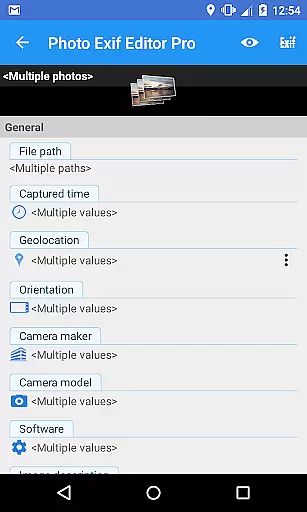
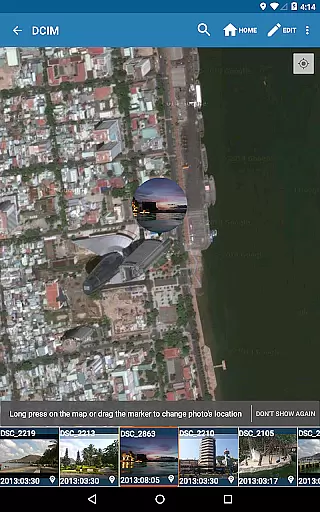
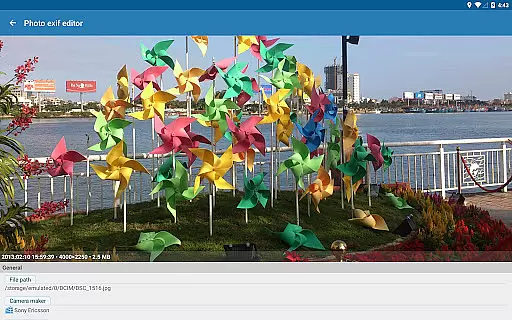
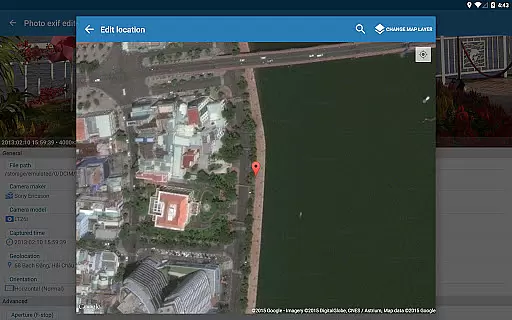
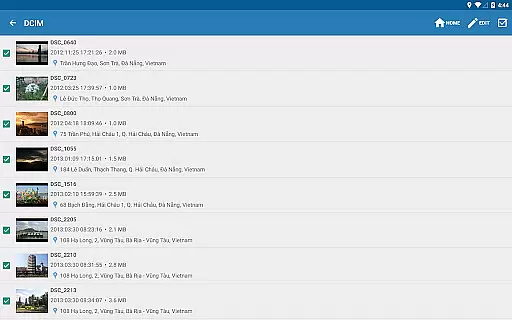
The app features an intuitive interface that makes it easy to browse Exif information from Android Gallery or its integrated photo browser. With advanced editing capabilities, users can batch process multiple photos, correct missing details, and even adjust GPS tags using Google Maps. The Pro version offers additional benefits like ad-free usage and the ability to display full raw data of images.
Ideal for professionals who require precise control over their photo metadata, Photo Exif Editor Pro ensures that all necessary information is accurately recorded and easily accessible. Whether you're organizing a photo library or preparing images for publication, this app provides the essential tools to manage your digital assets effectively.
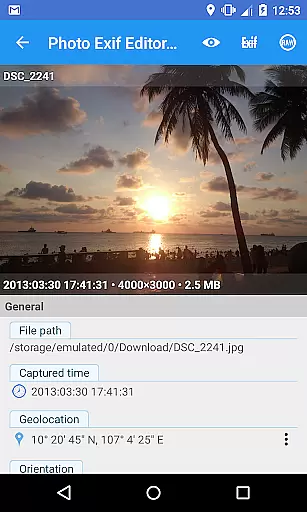
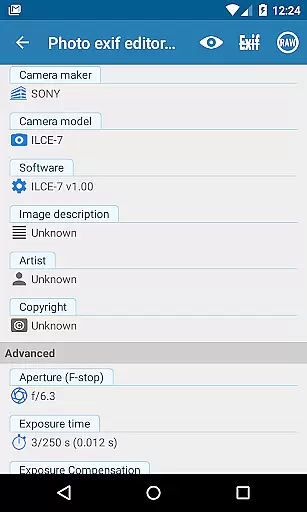
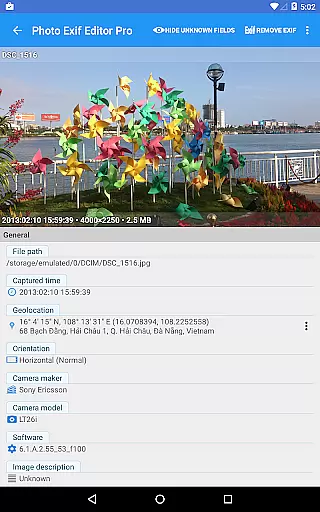
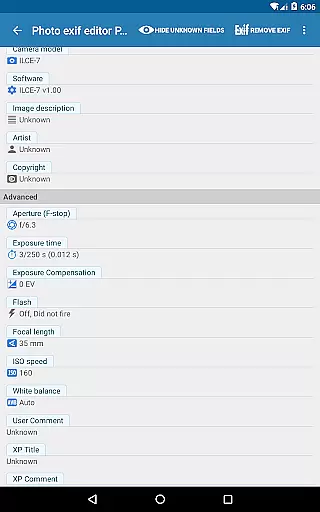
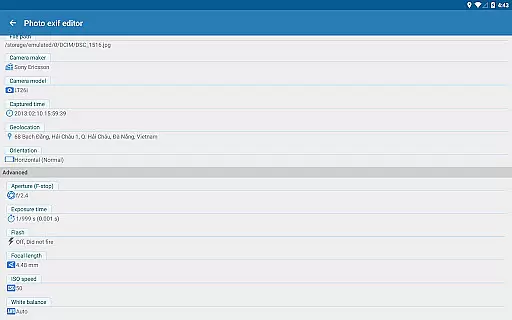
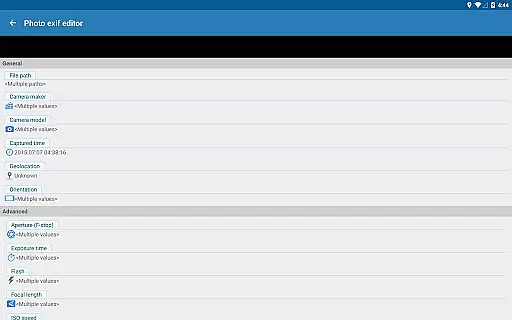
Photo Exif Editor Pro stands out with its comprehensive feature set designed for efficient metadata management. The app allows users to edit a wide range of Exif tags including camera model, maker, capture time, orientation, aperture, shutter speed, focal length, ISO speed, and white balance. These capabilities ensure that every technical detail of your photographs can be documented and adjusted as needed.
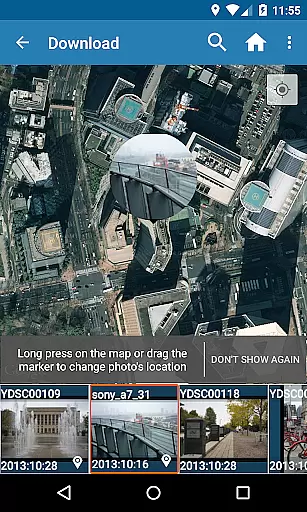
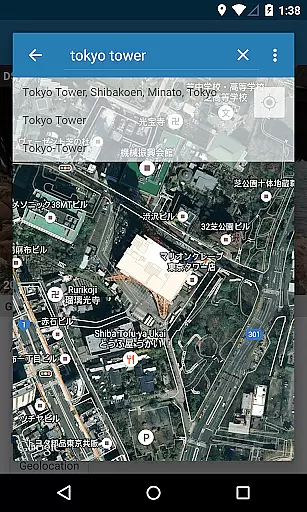
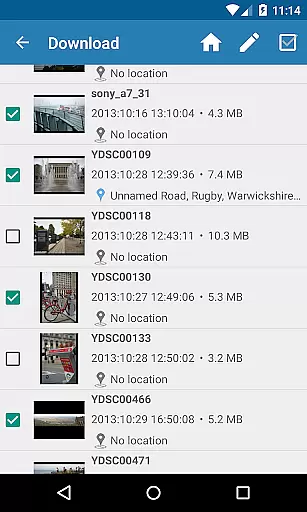
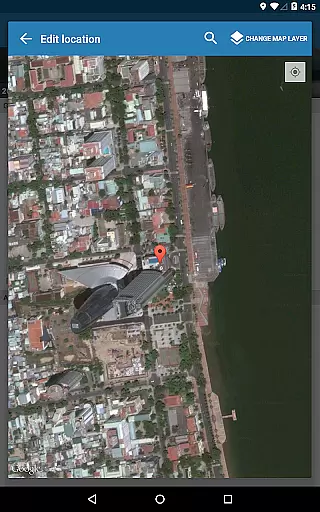
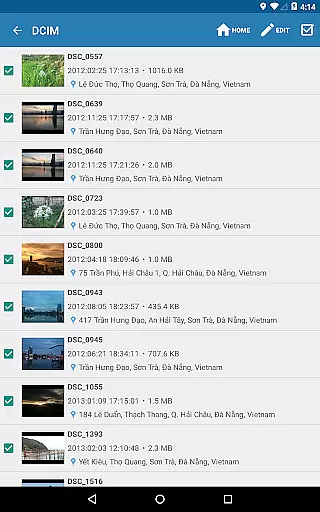
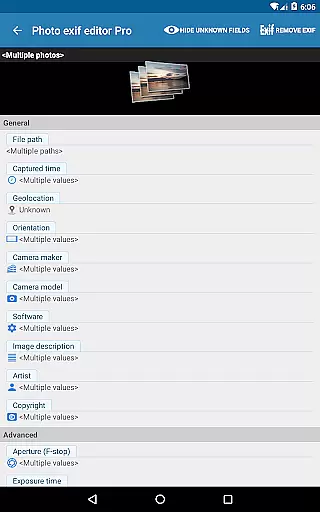
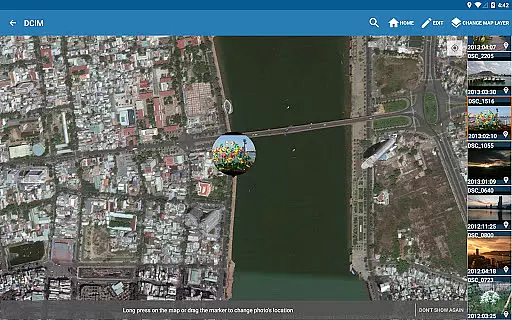
One of the key strengths of this application is its batch editing functionality. Users can modify multiple photos simultaneously, saving valuable time when working with large collections. The built-in Google Maps integration enables precise geotagging, allowing photographers to accurately document where each photo was taken. Additionally, the Pro version provides access to complete raw data viewing and guarantees an uninterrupted workflow through its ad-free environment.
The app maintains compatibility with various file formats including JPG, PNG, and RAW, making it versatile for different types of photography work. Its user-friendly interface streamlines the metadata editing process while maintaining professional-grade functionality. These features collectively make Photo Exif Editor Pro an indispensable tool for anyone serious about managing their photo library's technical information.
Real-time capture and preview functionality is essential for ensuring that photographers can accurately assess their images while shooting. Photo Exif Editor Pro provides users with the ability to view Exif data instantly, allowing them to make informed decisions about necessary adjustments.
This application offers a clear user interface that makes it easy to correct missing information in your favorite photos. With real-time access to critical camera settings such as orientation, aperture, shutter speed, focal length, and ISO speed, users can ensure their images are captured with precision.
By integrating Google Maps, Photo Exif Editor Pro also allows users to add or correct location data immediately after taking a photo. This feature ensures that each image's GPS tag accurately reflects where it was taken, enhancing the overall value of the metadata for future reference.
The app's capability to display full raw data of pictures adds another layer of depth to its real-time functionality. Users can trust that they have comprehensive information at their fingertips, empowering them to produce high-quality photographs consistently.
AI beauty and enhancement features have become increasingly popular among photography enthusiasts looking to elevate their images naturally. Photo Exif Editor Pro stands out by offering tools that enhance photos without compromising their authenticity.
With batch editing capabilities, users can apply enhancements across multiple photos efficiently. The AI-driven enhancements focus on natural improvements, ensuring that edits like white balance adjustments and exposure corrections blend seamlessly with the original image.
The application supports various file formats including JPG, PNG, and RAW, providing flexibility for different types of projects. Whether you're working with professional-grade photographs or casual snapshots, Photo Exif Editor Pro delivers consistent results that maintain the integrity of your work.
Additionally, the upcoming merge with EXIF Pro - ExifTool for Android promises even more advanced editing options. Users can look forward to expanded abilities to edit not only images but also audio and video files, further solidifying this app's position as an indispensable tool for modern photographers.
User-friendly interface
Batch editing capability
Comprehensive Exif tag support
Google Maps integration
Ad-free experience
Limited to Android platform
No iOS version available
Requires network connection
Some features need permissions
Kitkat storage restrictions

A collection of tools and reference tables for DPs, ACs, DITs and Operators.
 4.70
4.70
Long exposure camera with computational photography
2.60
Professional video recording application with manual controls for filmmakers!
2.80
Gallery Slideshow is slideshow maker app for slideshow from your gallery photos.
3.90
AI-powered video creator by MiniMax - Where ideas meet cinema
4.20
RAW video capture with advanced controls
4.40
Snap photos remotely using your Garmin watch as the camera trigger
4.5
Your personal guide to the sun and moon. Plan ahead, visualize and predict!
4.70
Discover How to Plan any Sun, Moon and Milky Way Photo You Imagine in Seconds
4.70
AI photo editor with hair editor, retouch tools, hair color changer & filters!
4.50
Create collages easily! Nice pic collage maker & background eraser for Instagram
4.50
Edit like a pro with Hypic. Apply filters, AI effects, & magic touch.
4.40
AI portrait generator and polaroid AI selfie, fun AI generated AI photo creator!
4.30
How would you look like with a differently shaped nose, chin or lips?
3.90
USB Storage Access for Photos, Videos, Music and Documents
3.80
Hair color changer, AI haircut app, fun hair editor and buzz cut filter for all!
3.80
Remote control of the phone camera from your Wear OS smartwatch
3.70
Create amazing frames with up to five photos. Rounded corners, effects and more!
3.60
HD Photo gallery and photo manager to edit, hide private photos, videos & albums
4.0


User Reviews