
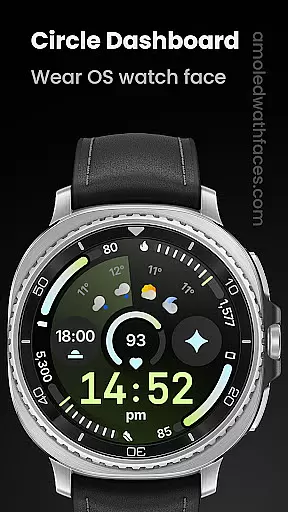
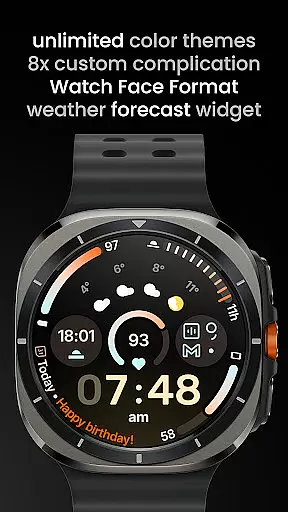
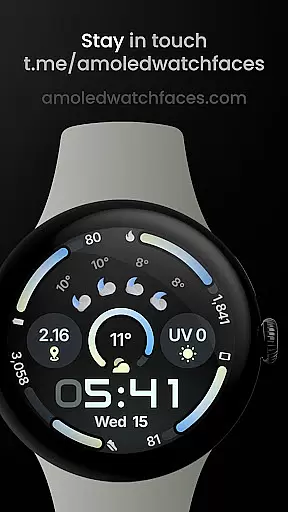
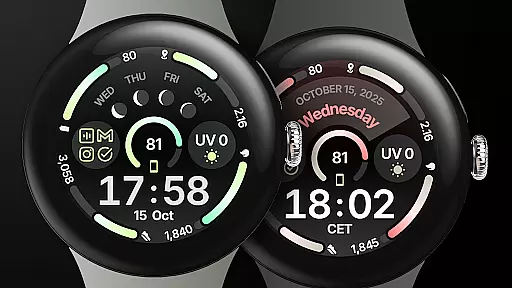
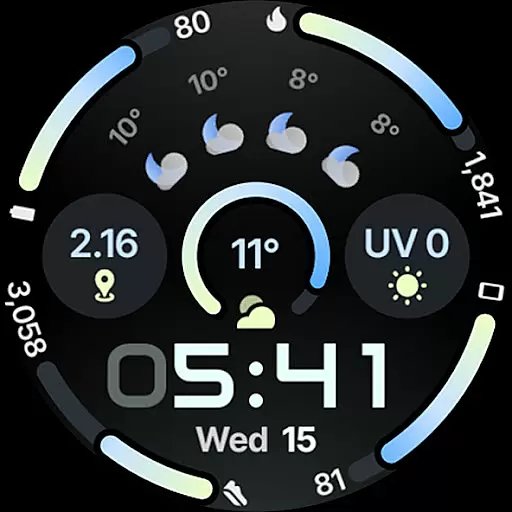
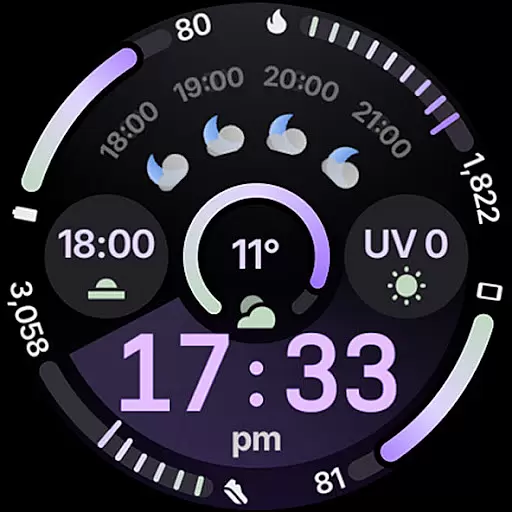
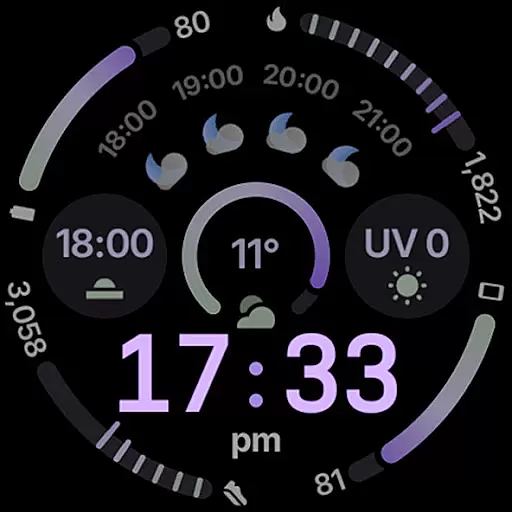
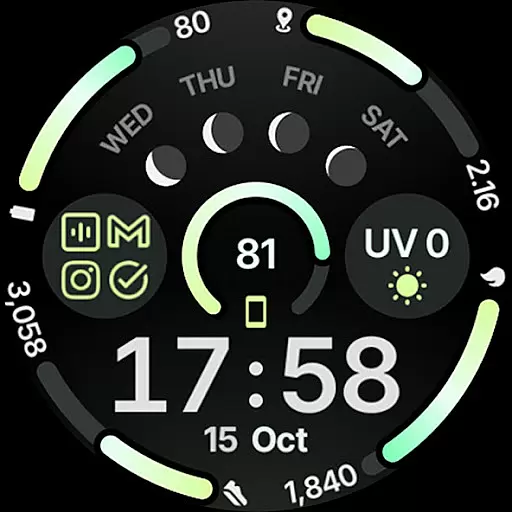
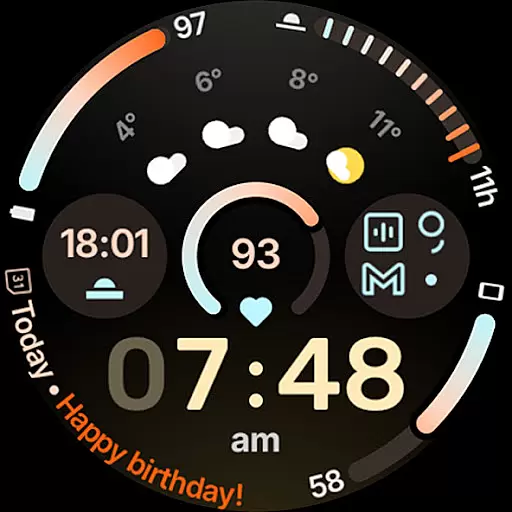
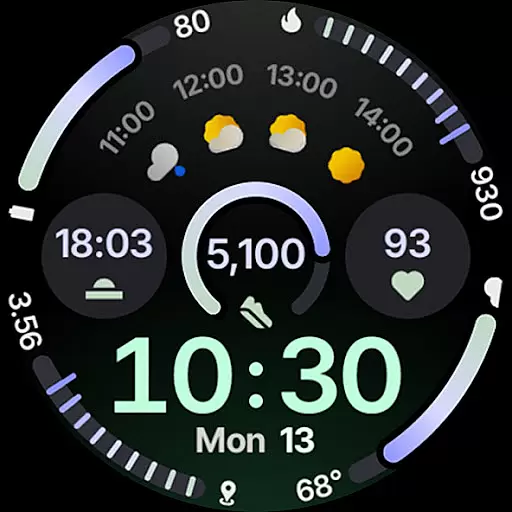
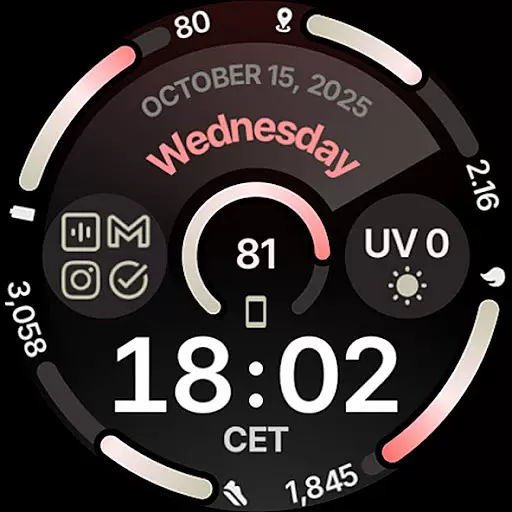
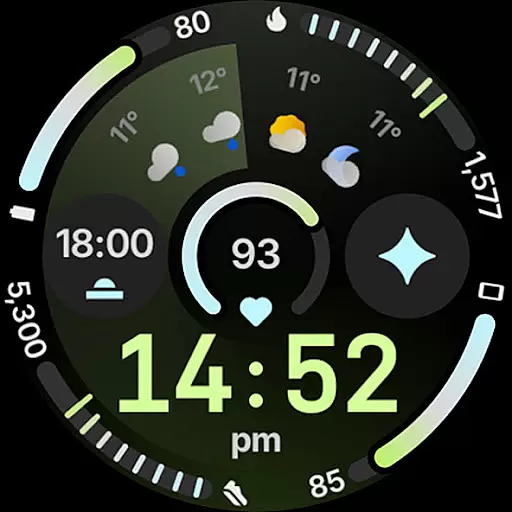
Circle Dashboard Watch Face is a feature-rich watch face designed exclusively for Wear OS 4+ devices. Inspired by the Galaxy Watch 8 series, it offers advanced customization options and supports multiple complications. The watch face provides users with an interactive and visually appealing interface that enhances their smartwatch experience.
Key features include support for 8 custom complication slots, adaptive complication text size, and three always-on display styles. With true black background and unlimited color theme combinations, this watch face ensures both aesthetic appeal and battery efficiency. It also includes practical widgets like weather forecast and moon phases.
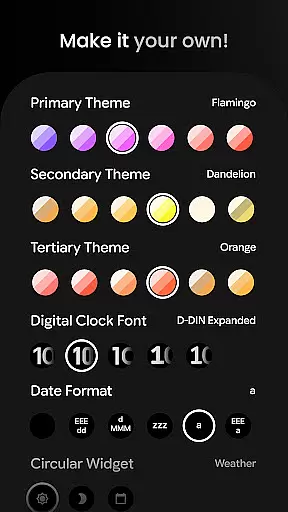
The Circle Dashboard Watch Face stands out with its comprehensive set of features tailored for power users. Built using Watch Face Format 4, it supports wearers in customizing every aspect of their watch face through various user configurations such as Primary Theme (60+), Secondary Theme (60+), Tertiary Theme (60+), and more.
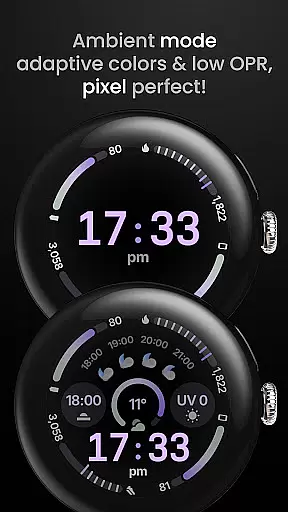
Notable functionalities include animated AOD entering on Wear OS 6+, digital clock fonts with blinking colon effect, optional seconds indicator, multilanguage support, and material 3 expressive progress bars. Additionally, it integrates seamlessly with custom complication apps to provide phone notifications directly on your wrist.
Companion app integration is essential for wearable devices as it ensures seamless synchronization between the watch face and its mobile counterpart. Circle Dashboard Watch Face offers a robust companion app that allows users to customize their watch face with ease. Through the companion app, users can access over 60 theme combinations, choose from multiple digital clock fonts, and configure date formats according to their preference.
The Android Wear application provides an intuitive interface where users can set up custom complications, toggle features like seconds indicators or vivid digital clock effects, and select from various always-on display styles. This level of customization ensures that each user's watch face is personalized to their liking while maintaining optimal functionality across both Wear OS 4+ and newer versions.
By integrating advanced features such as animated AOD entering on Wear OS 6+, adaptive complication text size, and support for phone notifications through additional apps like Phone Battery Complication, this watch face delivers a comprehensive user experience. These capabilities not only enhance visual appeal but also improve usability by providing relevant information at a glance.
Ensuring broad device compatibility is crucial for any Wear OS application. Circle Dashboard Watch Face supports all Wear OS 4+ devices, offering an optimized experience tailored specifically for these platforms. By leveraging Watch Face Format 4, it guarantees high performance and stability across different hardware configurations.
This compatibility extends beyond mere operational functionality; it encompasses design aspects as well. With true black backgrounds, battery-friendly operations, and multilanguage support, Circle Dashboard caters to diverse user needs without compromising aesthetics or efficiency. Additionally, its weather forecast widgets and moon phase displays are designed exclusively for Wear OS 5+, ensuring cutting-edge features remain accessible.
For troubleshooting or further customization guidance, users have access to extensive resources including installation guides and live support via Telegram groups. Such comprehensive support infrastructure underscores the commitment towards delivering a reliable product compatible with a wide array of devices within the Wear OS ecosystem.
Highly customizable
Battery friendly
True black background
Unlimited color themes
Advanced complications
Wear OS 4+ only
Some features need Wear OS 5+
Complication app required
Complex setup process
Premium pricing

Gym Log & Workout Tracker | Fitness Journal, Training & Weight Lifting Planner
 4.90
4.90
WTW M17 is a premium and luxurious hybrid watch face
4.70
Christmas watch face. For Wear OS devices.
4.30
A Wintery Snow Globe on Your Wrist; now celebrating Christmas!
4.3
Let's celebrate Thanksgiving - Wear Os watch face
4.20
Gym & home workout plans with strength training, exercise tracking, HIIT & more.
4.60
The Chevron App allows you to pay for fuel from the comfort of your car!
4.80
Hybrid Vibrant Health Watch Face for Wear OS
4.0
From periods to pregnancy & perimenopause, Flo helps you track it all. Try now.
4.70
Christmas Theme Watch Face for Wear Os
5.00
A modern hybrid informative watch face for Wear OS designed by BALLOZI
4.80
Be an elegant and classy secret agent, with this carefully detailed watch face
4.70
Simple, helpful messaging by Google
4.60
MyNISSAN® lets you remotely control your car from your phone.*
4.50
Reliable phone calls with spam protection, caller ID and more helpful features
4.40
Animated video-game inspired “secret agent” simulation, right on your wrist!
4.20
Authentic military-tactical design with ZULU time! Realistic and functional!
3.80
Stay in touch with your friends and family using LINE!
3.40
Fitness interactive virtual pet super fighter boy watch face
4.4


User Reviews