
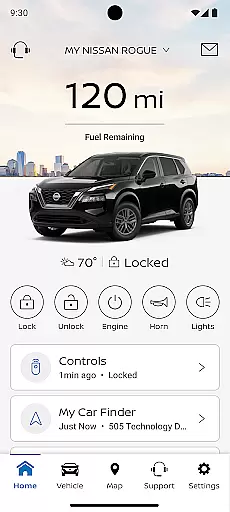
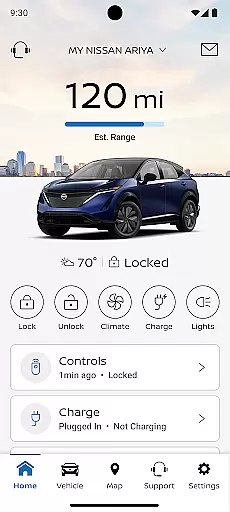
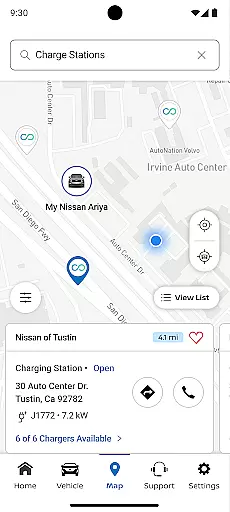
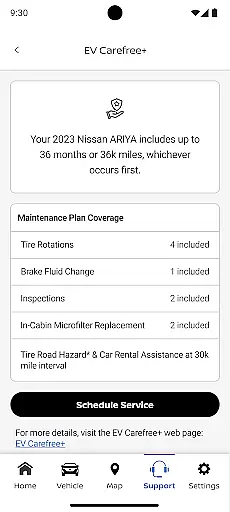
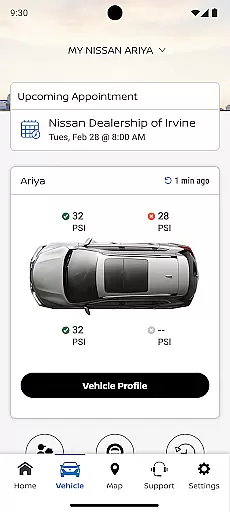
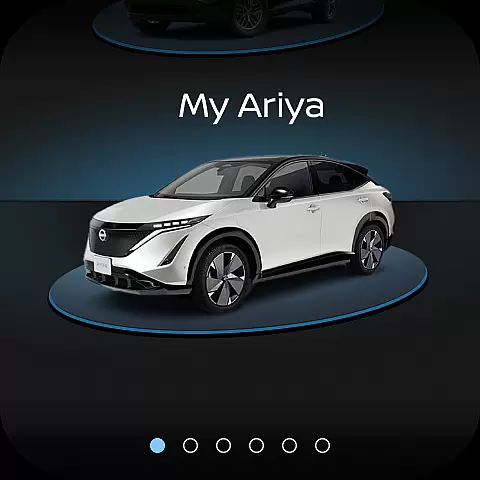
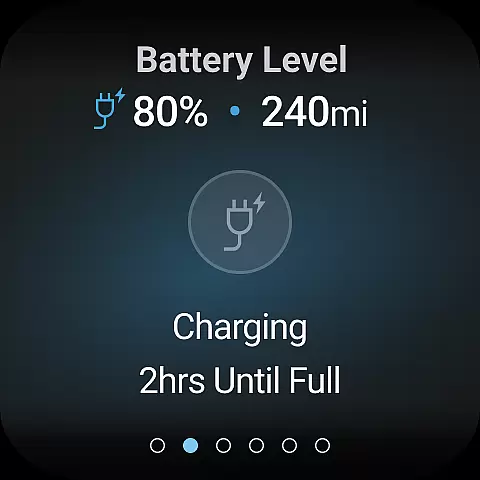
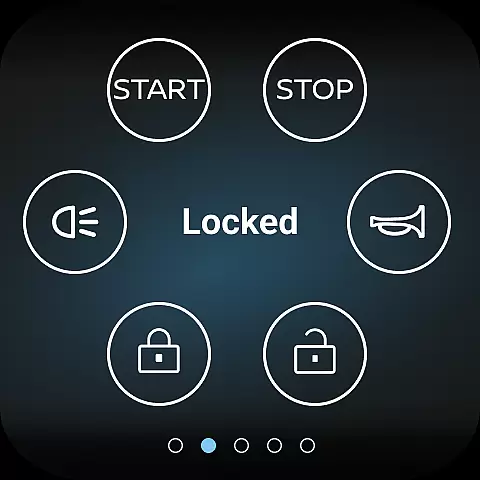
The MyNISSAN App is a comprehensive vehicle management solution designed to enhance the ownership experience for Nissan drivers. This innovative application brings essential vehicle controls and information directly to compatible Android devices, providing unprecedented convenience and peace of mind.
Core functionalities include remote vehicle access, security monitoring, maintenance tracking, and personalized settings management. Whether you're controlling your vehicle's climate remotely or receiving important service notifications, the app ensures you stay connected to your Nissan at all times. The complete feature set is optimized for vehicles from 2014 onwards, with premium capabilities available for select models from 2018.
This application proves particularly valuable during road trips or daily commutes, where real-time vehicle status updates and location services can significantly enhance both safety and convenience. The ability to manage multiple aspects of vehicle ownership through a single interface represents a substantial improvement in automotive digital management.
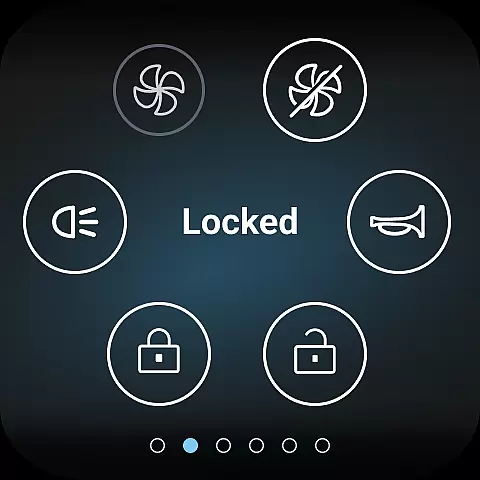
The MyNISSAN App distinguishes itself through an impressive array of features that cater to various aspects of vehicle ownership. One of its most notable capabilities is the comprehensive remote vehicle management system, which allows users to start their engine, lock doors, and activate vehicle alerts directly from their mobile device.
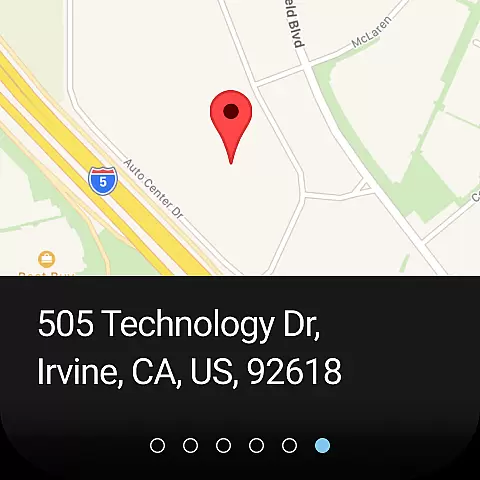
For maintenance and service needs, the app provides detailed vehicle diagnostics including mileage tracking, fuel range estimation, and tire pressure monitoring. Users can schedule service appointments, review maintenance history, and receive recall notifications - all within the app interface. The integration with Google services in select vehicle models adds another layer of functionality, enabling features like data-driven route planning and real-time repair shop communication.
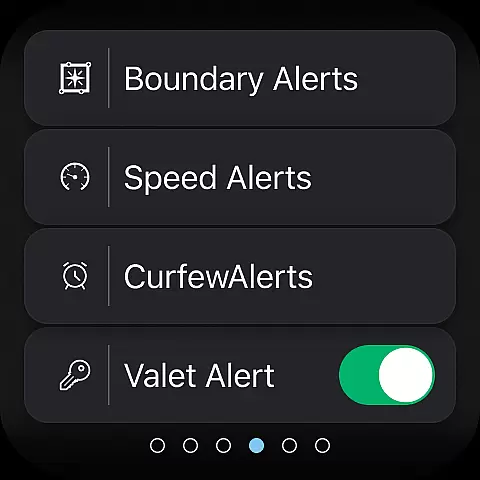
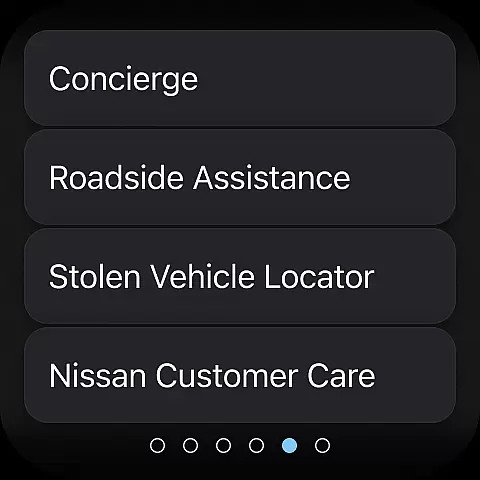
Security features are equally robust, with customizable boundary alerts, speed monitoring, and curfew notifications that help protect both vehicle and driver. The app's ability to connect multiple drivers under a single Nissan ID account makes it particularly useful for families or shared vehicle scenarios, while the roadside assistance connection provides additional peace of mind.
Companion app integration is essential for wearable devices to function seamlessly with their primary applications. The MyNISSAN App excels in this area by providing a robust connection between your Nissan vehicle and compatible Android phone or Wear OS device.
This integration allows users to access key vehicle features directly from their wearable device. Whether it's remotely starting the engine, locking or unlocking doors, or receiving important notifications, the companion app ensures that all functionalities are synchronized in real-time.
By maintaining constant communication with the main app, users benefit from enhanced convenience and security. They can receive alerts about vehicle status, such as fuel levels and maintenance needs, directly on their wrist, ensuring they are always informed about their car's condition without needing to take out their phone.
The value of this seamless integration is evident in daily use, where quick access to critical functions enhances the overall ownership experience. This makes managing your vehicle more efficient and provides peace of mind knowing you're always connected.
Ensuring compatibility with Wear OS and other devices is crucial for maximizing the utility of mobile applications. The MyNISSAN App supports a wide range of devices, making it versatile and accessible to many users.
For Nissan owners with vehicles equipped with Google built-in features, additional functionalities become available. These include remote climate adjustment, engine start, and notifications for unlocked doors or cracked windows. Such features enhance user interaction with their vehicles through wearable technology.
Device compatibility extends beyond just connecting to wearables; it also involves integrating with various automotive systems. Users can connect with repair shops for real-time updates, plan trips using data-based route planning, and receive maintenance alerts, all contributing to a comprehensive vehicle management solution.
This broad compatibility ensures that regardless of the specific device or vehicle model, users can enjoy a consistent and reliable experience. By supporting multiple platforms and devices, the MyNISSAN App demonstrates its commitment to providing flexible and innovative solutions for modern vehicle owners.
User-friendly interface
Comprehensive vehicle control
Real-time maintenance alerts
Remote security features
Multi-driver support
Limited older model support
Subscription fees apply
Network dependency issues
Feature availability varies
Device compatibility required

Beautiful, colorful and practical watch face. For Wear OS devices.
 5.00
5.00
Let's celebrate Thanksgiving - Wear Os watch face
4.20
The most customizable minimal watch face. For Wear OS 5.0, API 34+ and later
4.70
Digital watch face. For Wear OS devices.
4.40
Structured watch face with seven complications and modular UI elements
3.90
Kia Access makes getting your vehicle information easier than ever
4.60
Control your Samsung Smart TVs, appliances, and SmartThings-compatible devices
4.60
Track airplanes and follow flights with our real-time flight tracker
4.50
Download full tracks, listen to music offline, make unlimited playlists.
4.80
A modern hybrid informative watch face for Wear OS designed by BALLOZI
4.80
A modern premium sporty hybrid watch face for Wear OS by Ballozi
4.70
Nutrition, Macro tracker: Food, fitness & healthy diet tracking for weight loss
4.60
Retro digital watch face with customizable colors and a unique lighting effect
4.60
Fast and smart typing with Emojis, GIFs, and more
4.50
Elegant animated Christmas tree with multiple customization options
4.20
Daily Weather forecast with 15 weather images for Day & Night plus Big Bold time
4.10
Watch the sharpness of the sky on your wrist..
3.70
Artistic Digital Watchface
4.4
Minimalistic design modern digital watch face.
4.4


User Reviews