
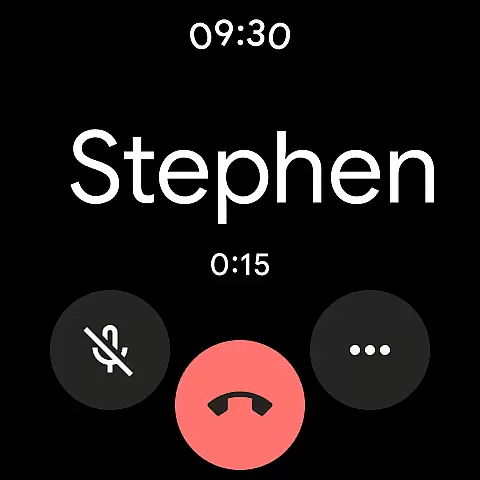
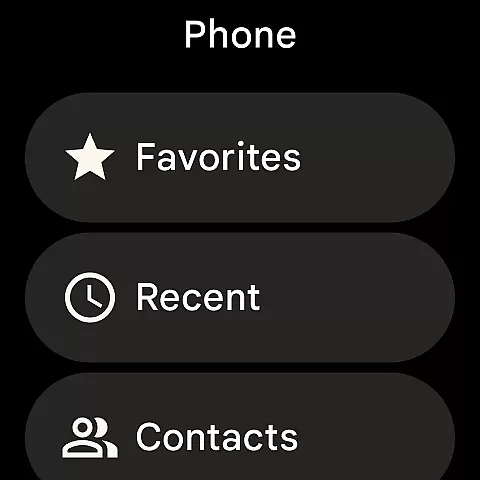
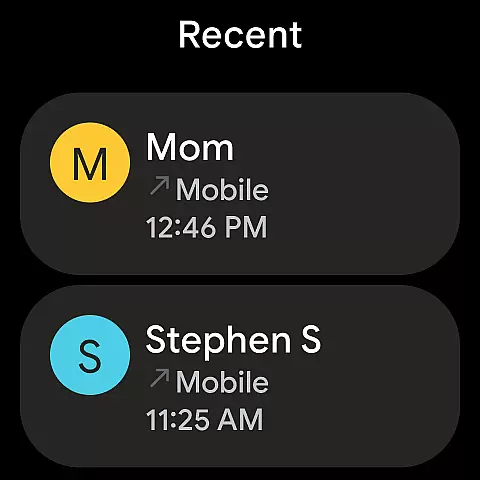
Phone by Google is the official calling app designed to simplify communication while offering advanced features for Android users. With its intuitive interface, the app allows you to connect with contacts effortlessly, block unwanted spam callers, and identify incoming calls before answering. It's an essential tool for anyone seeking a smarter way to manage their phone calls.
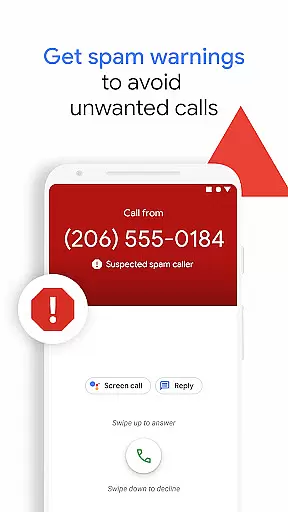
The app provides powerful spam protection, warning you about suspicious numbers and enabling you to block them permanently. Additionally, it offers visual voicemail, call recording, and Hold for Me functionality, which lets Google Assistant wait on hold for you. These features make Phone by Google a versatile solution for both personal and professional use.
Available on most Android devices running Android 9.0 and above, as well as Wear OS, this app enhances your calling experience with tools like Call Screen and emergency support. Whether you're avoiding telemarketers or transcribing voicemails, Phone by Google ensures you stay connected safely and efficiently.
Phone by Google stands out with its robust feature set tailored to streamline call management. One of its key highlights is the spam protection system, which identifies potential spammers and scammers, ensuring your phone remains free from unwanted interruptions. The app also supports blocking specific numbers, giving users greater control over their privacy.
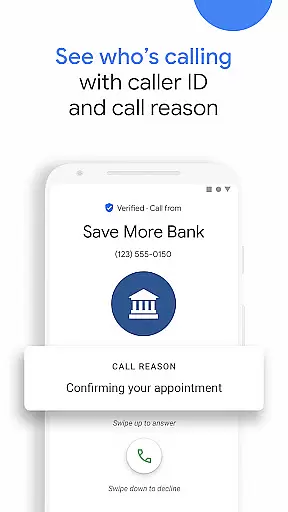
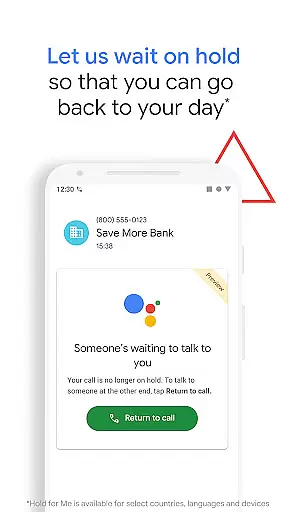
Another standout feature is the extensive caller ID service, which helps you recognize unknown business calls, reducing uncertainty when answering. For those tired of waiting on hold, the Hold for Me function leverages Google Assistant to monitor calls and notify you when someone is ready to assist. This saves time and improves productivity.
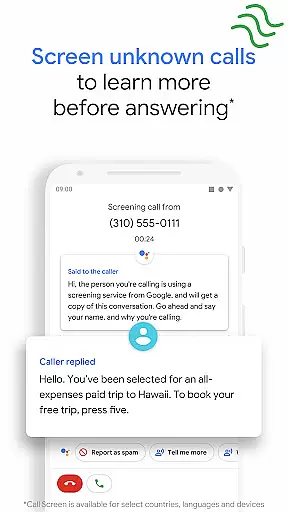
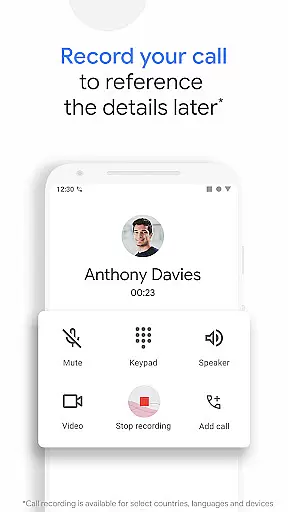
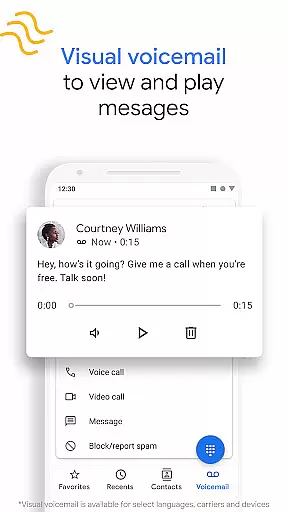
Additional functionalities include visual voicemail with transcription, call recording for future reference, and Call Screen to filter unknown callers. Emergency support further enhances safety by sharing your location during critical situations. Together, these features create a comprehensive calling solution that prioritizes user convenience and security.
Google's Phone app offers seamless companion app integration, ensuring that users can enjoy a cohesive experience across multiple devices. This means you can sync your call history, contacts, and settings between your smartphone and Wear OS devices effortlessly.
The synchronization extends to features like spam protection and caller ID, which are crucial for maintaining security and awareness. Whether you're using your phone or smartwatch, the same level of protection and information is available, providing peace of mind and convenience.
Additionally, the app supports cross-device functionalities such as Call Screen and Hold for Me, which are designed to make your life easier. These features ensure that you never miss an important call and can manage your communications efficiently, regardless of the device you're using.
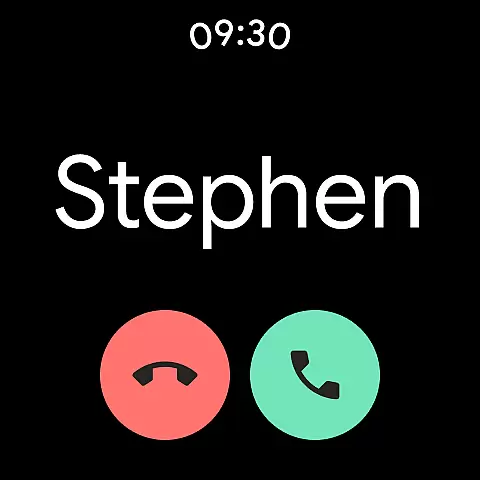
By integrating with Wear OS, Google's Phone app enhances the overall utility of your smart devices, allowing for a more connected and streamlined user experience. This integration exemplifies how companion apps can significantly boost productivity and ease of use in everyday scenarios.
The compatibility of Google's Phone app with Wear OS and various devices ensures that users can take full advantage of its features on a wide range of platforms. Designed to work seamlessly with most Android devices running Android 9.0 and above, it provides extensive support for different hardware configurations.
This broad compatibility means that whether you're using a smartphone or a smartwatch, you can rely on the Phone app to deliver consistent performance and access to essential features like spam protection and visual voicemail. The app's design takes into account the varying screen sizes and input methods of different devices, ensuring an intuitive user experience.
Moreover, specific functionalities such as Call Screen and Hold for Me are optimized for use on Pixel 2+ devices, offering enhanced capabilities for users with these models. While some advanced features are only available on certain devices, the core functionalities remain accessible to all compatible devices, promoting inclusivity and widespread usability.
By prioritizing Wear OS and device compatibility, Google's Phone app ensures that users can enjoy a versatile and reliable communication tool, regardless of their chosen device. This commitment to compatibility highlights the app's dedication to providing a comprehensive and adaptable solution for modern communication needs.
Advanced spam protection
Intuitive user interface
Comprehensive caller ID
Google Assistant integration
Visual voicemail
Limited device compatibility
Region-restricted features
Language limitations
No desktop version
Dependent on Google services

Gym Log & Workout Tracker | Fitness Journal, Training & Weight Lifting Planner
 4.90
4.90
Watch the sharpness of the sky on your wrist..
3.70
A modern premium sporty hybrid watch face for Wear OS by Ballozi
4.70
sleep, alarm, snoring, stress, healing, focus, sound therapy, circadian rhythm
4.10
Locate your family members by GPS phone location tracker everywhere and anytime
4.30
The ultimate destination for kids ages 3-8 to explore the Marvel Universe!
4.30
Gym & home workout plans with strength training, exercise tracking, HIIT & more.
4.60
Hyper-Realistic Airplane Dashboard Watch Face With 10 Skins and Custom AOD
4.00
Fitbit is dedicated to helping people lead healthier, more active lives.
4.10
Hybrid watch face for Wear OS with customizable complications by Matteo Dini MD
4.70
Be an elegant and classy secret agent, with this carefully detailed watch face
4.70
Retro digital watch face with customizable colors and a unique lighting effect
4.60
Find EV charging stations
4.30
Watch face for Wear OS.
4.20
Your local weather forecast, storm tracker, radar maps & live weather news
3.40
Christmas and New Year - Themed Watchface
4.3
Analog watch face with 8 complications and expedition styling
4.1
Stylish digital watch face for Wear OS devices with customizable features
4.5
Hybrid Vibrant Health Watch Face for Wear OS
4.0


User Reviews