
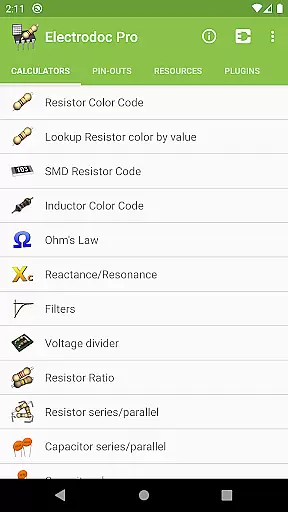
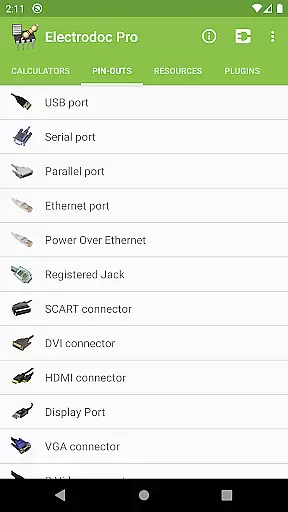
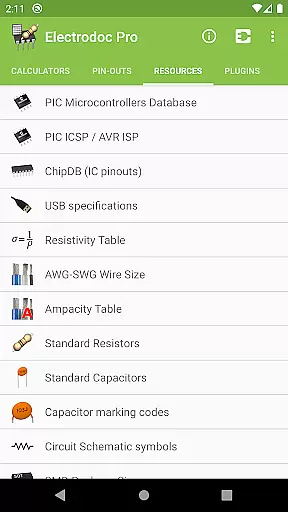
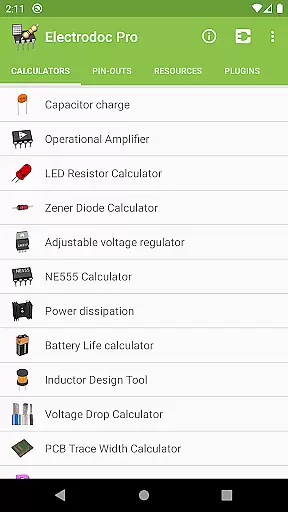
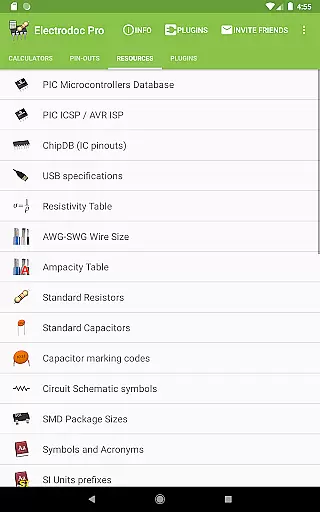
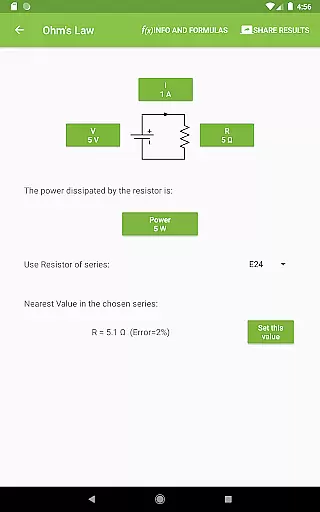
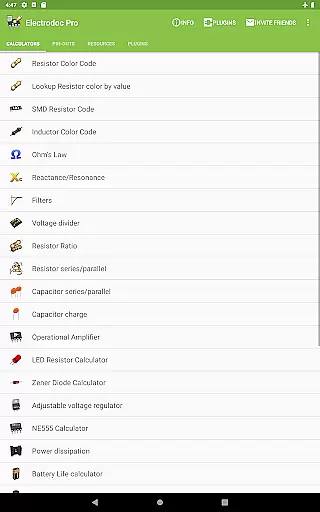
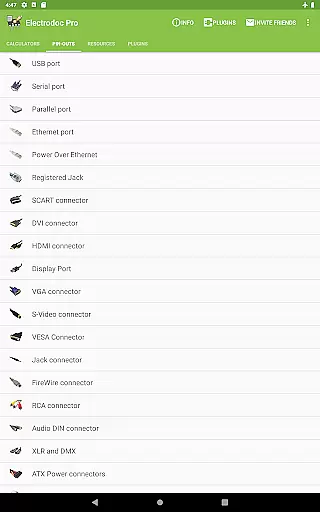
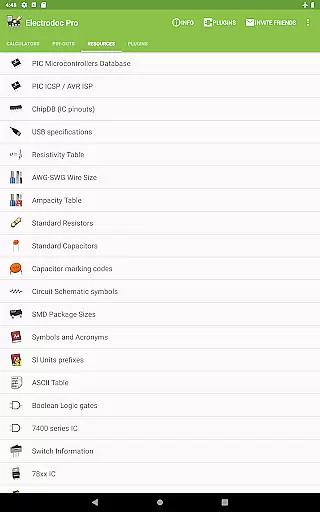
Electrodoc Pro is a comprehensive electronics toolkit designed for professionals, hobbyists, and students alike. This application provides an extensive collection of calculators, reference tables, and tools essential for electronic circuit design and troubleshooting.
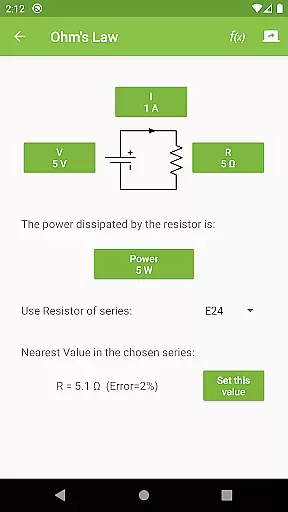
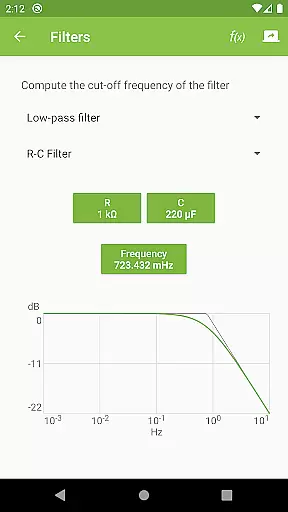
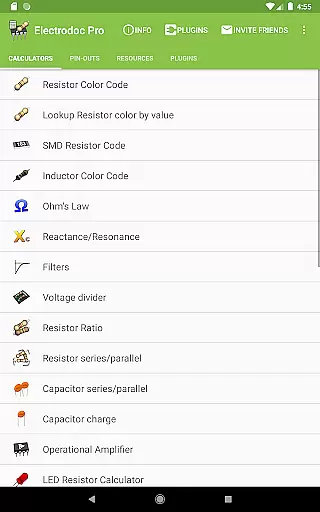
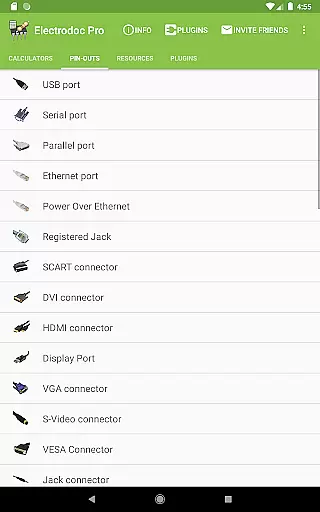
The app features specialized tools such as Resistor Color Code, Ohm's Law calculator, Reactance/Resonance calculator, and more. It also includes pin-out diagrams for various connectors and ports, making it an indispensable resource for anyone working with electronics. Whether you're designing circuits or debugging hardware, Electrodoc Pro offers the necessary resources to streamline your workflow.
Available on Android devices, this PRO version is ad-free and packed with additional features compared to the free version. Its intuitive interface and robust functionality make it a valuable companion for electronics projects both simple and complex.
Electrodoc Pro stands out with its wide array of features tailored for electronics enthusiasts. The app includes over 50 specialized tools ranging from resistor color code decoding to complex circuit calculations like Reactance/Resonance and operational amplifier configurations.
One of the key highlights is its detailed port pin-out section, covering everything from USB and HDMI to Raspberry Pi and Arduino boards. Additionally, the app supports EIA resistor series across all relevant calculators, ensuring precision in every computation. With added functionalities through plugins, users can expand the app's capabilities to include microcontroller databases and component search features.
All tools are designed with accuracy and ease of use in mind, providing quick access to critical information. The app's offline functionality ensures that these powerful tools are available anytime, anywhere, without needing an internet connection.
Electrodoc Pro stands out as a comprehensive electronics toolkit, offering precise calculations and references essential for both hobbyists and professionals. The app's core functions, such as Resistor Color Code, Ohm's Law, and Reactance/Resonance calculators, are designed with meticulous attention to detail, ensuring accurate results every time.
The application provides specialized tools like the NE555 Calculator, LED Resistor Calculator, and PCB Trace Width Calculator, each delivering reliable outputs crucial for circuit design and troubleshooting. These features undergo rigorous testing to maintain high standards of precision, making complex computations straightforward and error-free.
Users benefit from Electrodoc Pro's extensive functionality, which covers a wide array of electronics tasks without compromising on accuracy. Whether calculating power dissipation or determining voltage drop, this app equips users with dependable tools that enhance productivity and efficiency in their projects.
By prioritizing core function accuracy and effectiveness, Electrodoc Pro ensures that its users can rely on consistent performance across all its features, empowering them to tackle intricate electronics challenges with confidence.
Electrodoc Pro excels in providing an intuitive and user-friendly interface that simplifies complex electronics calculations. The app's layout is thoughtfully designed, grouping related tools and references into easily navigable categories, allowing users to quickly find and utilize the features they need.
Each tool within Electrodoc Pro follows a logical flow, guiding users through necessary inputs with clear labels and straightforward controls. This approach minimizes the learning curve, enabling even those new to electronics to perform advanced calculations effortlessly.
The simplicity of the interface does not detract from its power; instead, it enhances user engagement by presenting sophisticated functionalities in an accessible manner. Users can seamlessly switch between different tools, maintaining focus on their work without being hindered by cumbersome navigation.
Overall, Electrodoc Pro's commitment to interface simplicity and intuitiveness ensures that users of all skill levels can harness the full potential of its robust electronics toolkit efficiently and effectively.
Comprehensive toolset
User-friendly interface
Offline functionality
Regular updates
Ad-free experience
Paid version only
Steep learning curve
Heavy on storage
Limited iOS support
No voice command

pdf merge, word to pdf, jpg to pdf, edit pdf, convert to pdf and much more!
 4.20
4.20
Just swipe the edge to do something!
4.40
Keep track of your Palia friendships, tasks, and inventory with Palia Notebook
4.60
Navigate with Ease and Style
4.90
Fast Video Downloader, Movie Downloader, Torrent Downloader & Adblock Browser
4.70
Screen Mirroring for Roku Sticks, Roku TCL TV and Roku Hisense TV
4.50
A clean app.
4.50
Fast VPN USA for any country. Super secure VPN for calls, streaming, games, TV.
4.40
Enjoy a smooth mobile reading experience!
3.60
Support Fossify apps with a warm thank you!
5.00
Optimize your WiFi network, turn your phone into Wifi Analyzer
4.70
Small and simple app to Verify Root Access and BusyBox Install!
4.70
FV File Manager Pro, Fast and powerful file manager for Android
4.60
Clean up large files and similar photos, fast and easy to use
4.40
Fluid navigation gestures for all of us!
4.30
Screen Mirroring with sound for Samsung TV, LG TV, Sony TV, Smart TV and Browser
4.20
Amateur Radio app for APRS: Track friends, exchange messages, get tactical info.
3.90
Smart and comfortable browsing experience.
3.80
card-reader app
2.20


User Reviews