
Palia Notebook is a comprehensive offline companion app designed for players of the video game Palia. This tool helps users efficiently manage their in-game interactions with villagers including tracking daily chats, gifts, schedules, and locations. The app also allows players to monitor inventory, create tasks, track processing items like preserves and seeds, and check achievements.
One standout feature is the villager management system that automatically updates chat and gift statuses based on game time. Players can organize tasks, search for specific items, and even view villager preferences. The app's detailed item tracking includes processing values for maximum profit optimization. Additionally, the search functionality lets users filter items by various criteria, making it easier to strategize gameplay.
This app proves especially useful for players looking to streamline their gaming experience without relying on in-game interfaces. By providing quick access to essential information, Palia Notebook enhances productivity and organization within the game, ultimately improving overall gameplay efficiency.
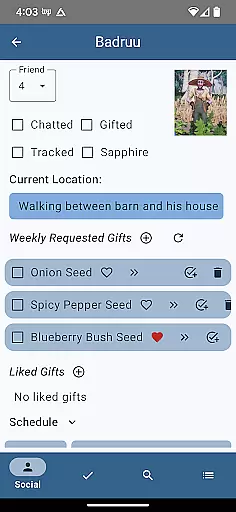
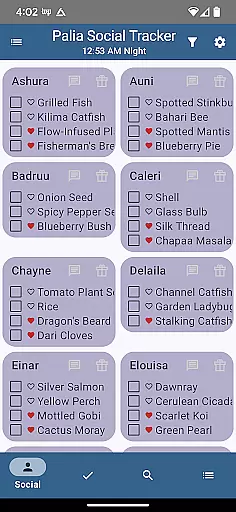
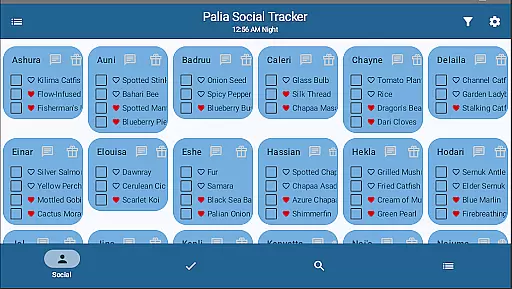
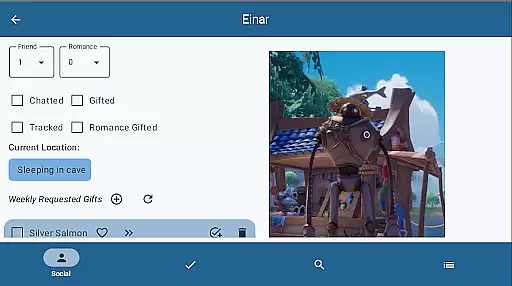
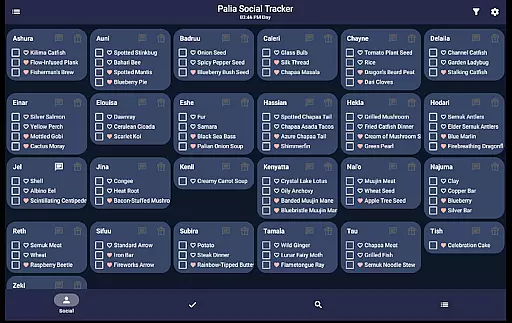
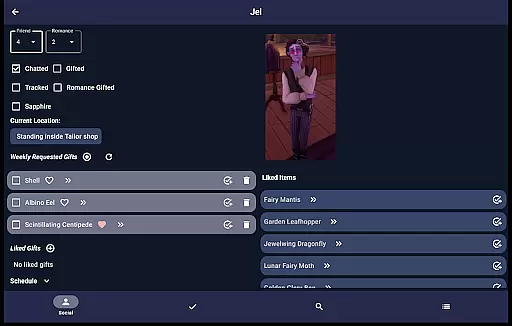
Palia Notebook offers an impressive range of features tailored specifically for Palia gamers. The Villager screen provides detailed tracking of interactions, schedules, and preferences, while automatically syncing with game time. The Social Tracker screen gives a comprehensive overview of all villager interactions, allowing filtering and searching for specific item requests.
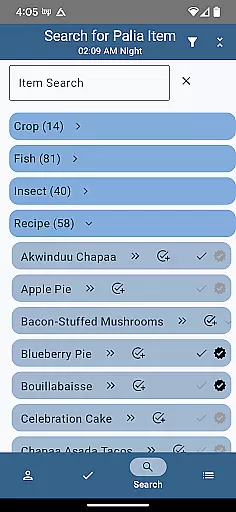
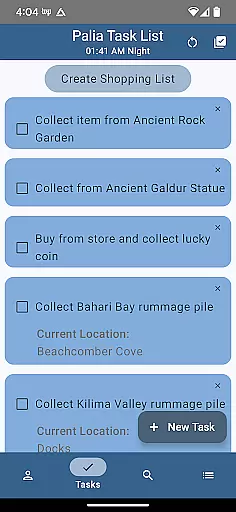
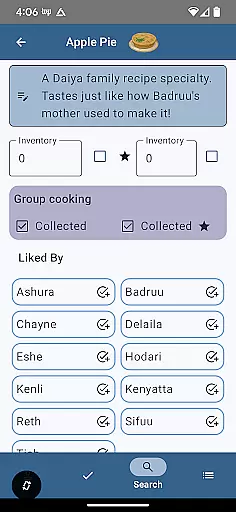
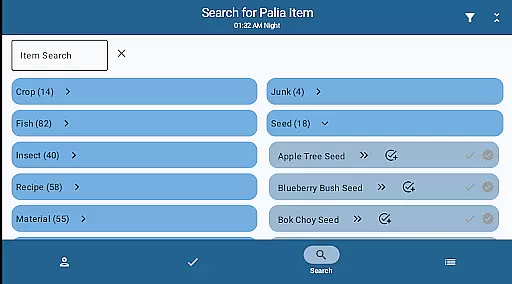
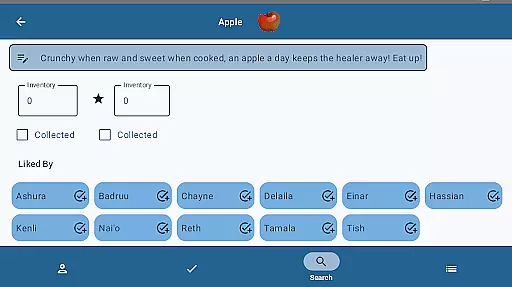
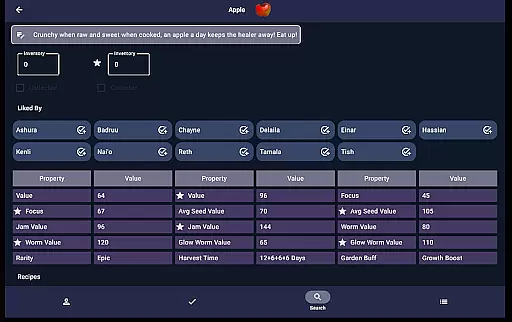
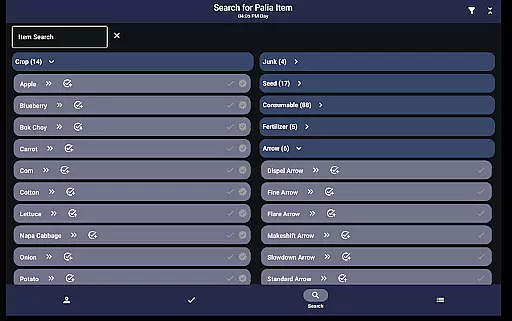
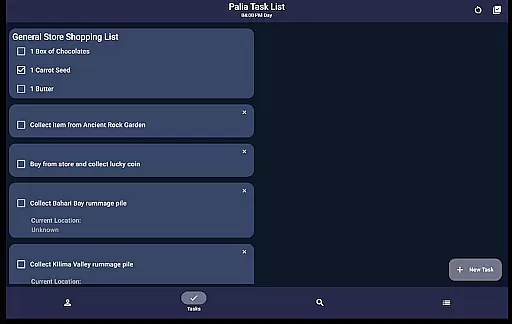
The Task Edit screen enables robust task management, including linking multiple tasks and assigning gifts to villagers. In the Items screen, players can track collected items, input inventory counts, and view villager preferences. Processing values for items are displayed, helping optimize profits from sales. The Search screen offers advanced filtering options by location, biome, and time, aiding strategic planning.
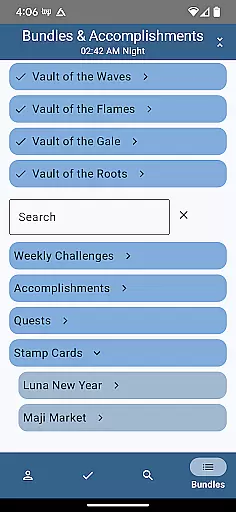
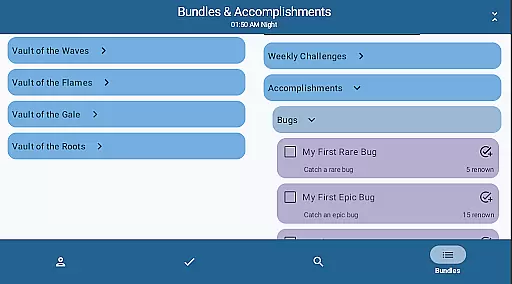
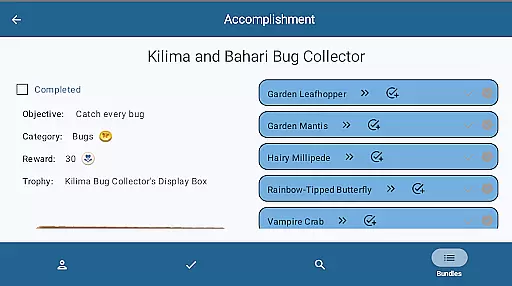
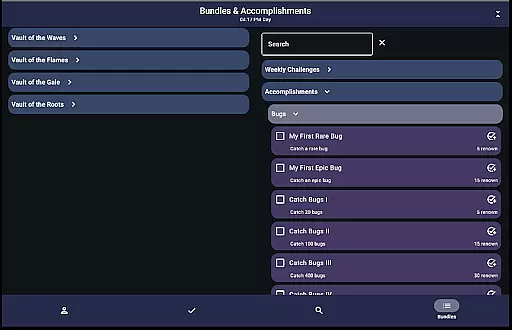
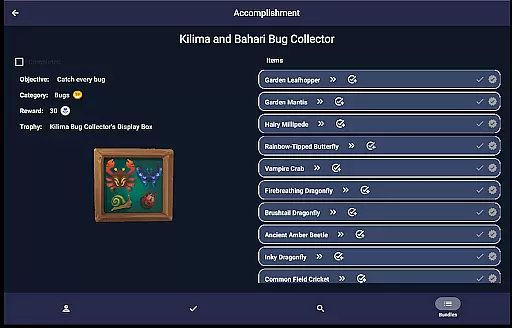
Additional features include bundle and accomplishment tracking, which helps players monitor progress across various in-game objectives. The furniture filtering system assists with home decoration by categorizing items by set and type. These comprehensive tools demonstrate the app's commitment to enhancing every aspect of the Palia gaming experience through organized and accessible information management.
Palia Notebook is designed to provide accurate and effective tools for players of the video game Palia. The app meticulously tracks daily interactions with villagers, including chatting, gifting, and monitoring their schedules and locations. This precision ensures that players can maintain an optimal relationship with each villager without missing any important updates or changes.
The application's inventory management system allows users to keep a detailed record of their items, including preserves, seeds, and worms. By accurately tracking these resources offline, players can strategize their in-game actions more effectively. Additionally, the automatic updating of villager chat and gift statuses according to game time demonstrates the app's commitment to functional accuracy.
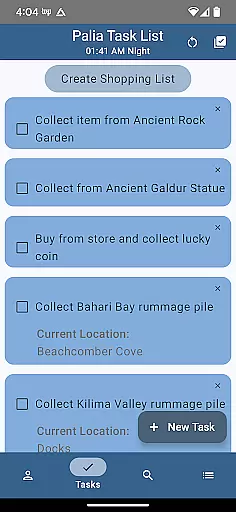
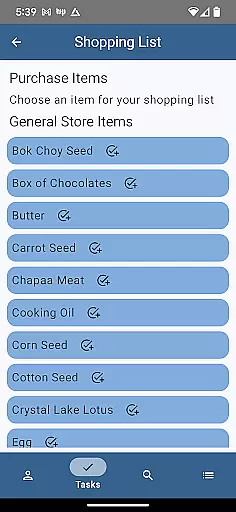
Another key feature is the task management system, which lets users create and link tasks, specify required items, and even designate gifts for particular villagers. This interconnected task structure enhances gameplay efficiency by ensuring that players can organize their activities comprehensively and systematically.
Ultimately, Palia Notebook empowers players to optimize their gaming experience through reliable and precise tracking tools. By providing timely and accurate information, it significantly reduces the need to sift through multiple game screens, thus streamlining the overall gameplay process.
The interface of Palia Notebook is crafted to offer simplicity and intuitiveness, making it accessible for all users. Upon opening the app, players are greeted with clearly labeled sections such as Villager, Social Tracker, Task Edit, Items, and Search screens. This logical organization ensures that users can quickly navigate to the information they need without any confusion or unnecessary complexity.
In the Villager screen, players can easily track chats, gifts, schedules, and likes with straightforward visual indicators. Similarly, the Social Tracker screen provides a comprehensive overview of interactions with all villagers, allowing users to filter and search efficiently. These intuitive design choices enable players to manage their social interactions within the game seamlessly.
The Task Edit screen exemplifies user-friendly functionality by allowing players to create and modify tasks with ease. Users can specify item requirements and link related tasks, all within a simple and clean interface. Likewise, the Items screen displays essential details like item properties and processing values, presented in an easy-to-understand format that facilitates quick decision-making.
Overall, Palia Notebook's interface stands out for its clarity and ease of use. By minimizing learning curves and focusing on intuitive navigation, the app ensures that players can focus on enjoying their gaming experience rather than struggling with complicated tools.
User-friendly interface
Comprehensive villager tracking
Advanced item management
Offline functionality
Regular updates
Limited to Palia game
No iOS version
Requires manual input
Third-party app
Learning curve

 4.50
4.50
Transfer Files, APK from Phone to Watch & Install.
4.4
FV File Manager Pro, Fast and powerful file manager for Android
4.60
This app unlocks the Pro features of the Central for DayZ app
3.60
Save any video in HD - paste the link, download fast and watch offline.
4.3
card-reader app
2.20
VESC Tool can monitor and configure VESC-compatible devices over BLE and Wifi
4.20
Powerful collection of electronics tools and reference.A must for any enthusiast
4.90
Screen recorder with audio to record high-quality videos and take screenshots.
4.40
Unit and currency converter with easy and simple UI.
4.80
Mirror your screen to Chromecast and Android TV - Super fast and simple
4.60
Quickly switch to an encrypted DNS server on Android TV
4.50
App that Recover your pictures, videos or files after you delete them.
4.20
Screen Mirroring with sound for Samsung TV, LG TV, Sony TV, Smart TV and Browser
4.20
A convenient photo, video, and file recovery tool.
4.00
Family Locator, Share location, StayConnect with your family in real time
3.90
Unleash gamepad precision for ultimate mobile gaming dominance.
3.90
Create your own custom widget with endless possibilities
3.90
Undelete and recover your lost or deleted files with DiskDigger!
3.40


User Reviews