
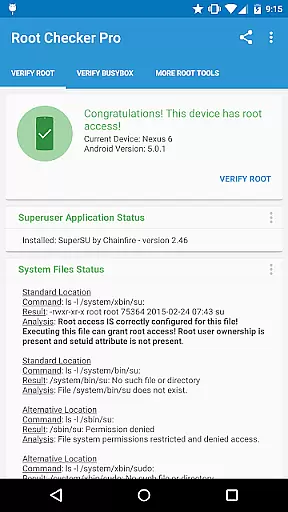
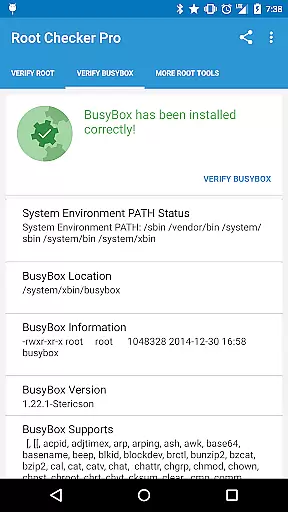
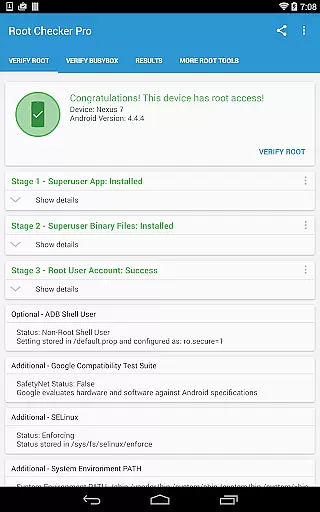
Root Checker Pro is a powerful Android tool designed to verify root access on your device. The app checks for proper root (superuser) permissions and BusyBox installation, providing detailed diagnostic information for troubleshooting.
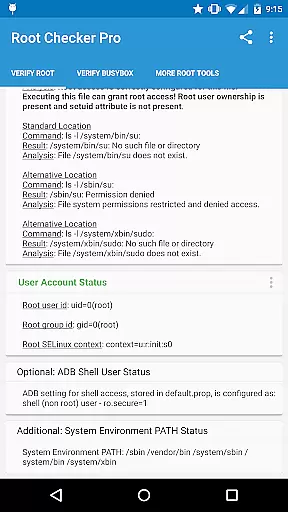
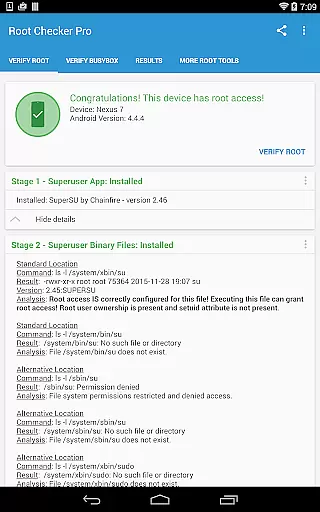
The application examines critical system components including su binary locations, file permissions, SELinux status, and superuser app versions. Its intuitive interface makes it accessible for both novice users and advanced technicians, while the built-in sharing feature allows easy export of technical details for support purposes.
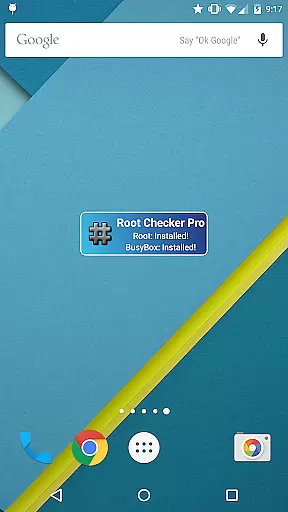
With its accompanying widget, Root Checker Pro enables continuous monitoring of root status and BusyBox functionality, making it an essential utility for rooted devices.
Root Checker Pro offers comprehensive features for root verification and system diagnostics. The app's primary function is to test and confirm root access through multiple verification points including su binary locations, permissions, and system PATH analysis.
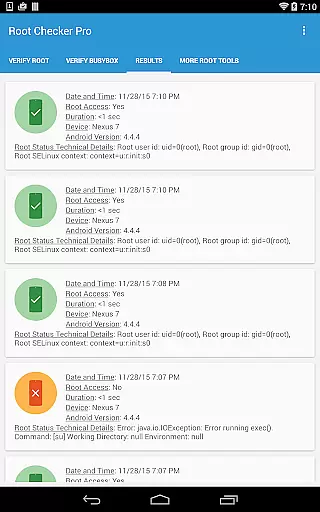
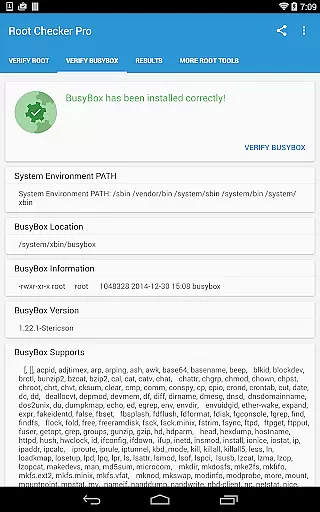
Advanced users benefit from detailed technical information about their root installation, including SELinux context results, Superuser application details, and adb shell user modes. The app provides complete BusyBox installation verification, checking both presence and operational status of the essential toolkit.
Unique capabilities include automated result sharing via email or social media, customizable status widgets with timer intervals, and quick summary reports of root configuration issues, making it invaluable for both individual troubleshooting and collaborative technical support.
Root Checker Pro delivers exceptional accuracy in verifying root access on Android devices. The application meticulously checks the presence and status of the su binary, which is critical for granting root permissions.
The app's effectiveness lies in its comprehensive analysis of various root-related parameters. It examines standard su binary locations, file permissions, root uid/gid results, and SELinux contexts. This multi-layered verification approach ensures reliable detection of root access.
Users benefit from the app's ability to identify potential issues with their root installation. By providing detailed information about Superuser application versions and BusyBox installations, it enables effective troubleshooting of common root access problems.
The application's value extends beyond simple root detection. Its detailed reporting features allow users to export technical data via email or social media, facilitating collaboration with technical support teams or online communities when resolving complex root-related issues.
Root Checker Pro excels in providing a user-friendly interface that simplifies complex technical information. The application presents crucial root access details through an intuitive dashboard, making it accessible even for novice Android users.
The interface organizes information into clear categories, displaying essential data such as su binary locations, permissions, and SELinux status in an easy-to-understand format. This thoughtful arrangement helps users quickly grasp their device's root status without requiring advanced technical knowledge.
A standout feature is the widget functionality, which offers continuous monitoring of root and BusyBox status. Users can configure update intervals and receive instant notifications about any changes in their root configuration through the widget interface.
The application's design emphasizes practicality, offering one-touch sharing capabilities for technical reports. This streamlined approach to information sharing demonstrates the developer's commitment to creating an interface that balances technical depth with operational simplicity.
Comprehensive root verification
User-friendly interface
Detailed system diagnostics
Quick result sharing
Reliable widget monitoring
No actual rooting capability
Requires internet for sharing
Technical jargon heavy
Limited aesthetic customization
Premium version cost

 4.50
4.50 4.50
4.50
Transfer Files, APK from Phone to Watch & Install.
4.3
Just swipe the edge to do something!
4.40
Fluid navigation gestures for all of us!
4.30
Forza Tuning Calculator App for Forza Horizon 5, Motorsport and Earlier Titles
4.40
Monitor car performance in real time and troubleshoot malfunctions.
4.80
The one-and-only remote control for PC, Mac, and Linux
4.70
Pro Emulator is an easy to use game console emulator for a range of consoles.
4.40
Powerful collection of electronics tools and reference.A must for any enthusiast
4.90
Remote Play with FSR upscaling, low latency & full controller support
4.80
Learn the vast amount of system information about device and monitor it's state
4.70
Head tracking for PC sim games such as MSFS 2024 or Elite:Dangerous. No headset!
4.50
Making emulation easy for everyone!
4.30
Quickly check the frequency of the Earth
4.30
pdf merge, word to pdf, jpg to pdf, edit pdf, convert to pdf and much more!
4.20
Screen Mirroring with sound for Samsung TV, LG TV, Sony TV, Smart TV and Browser
4.20
Automate everything from settings to photos, SMS to speech. ADC2 prize winner.
4.10
Introducing Smart Printer, your ultimate destination for printing solutions!
4.00


User Reviews