
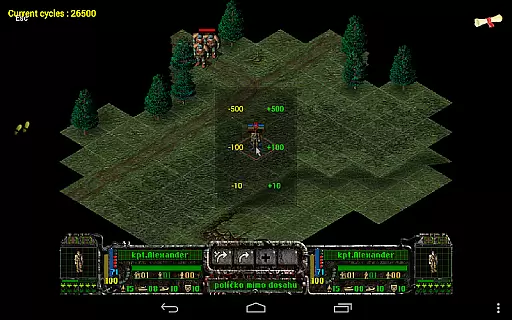
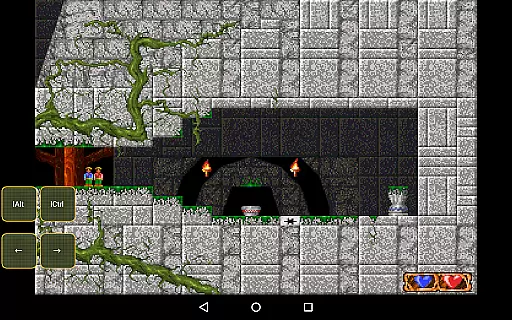
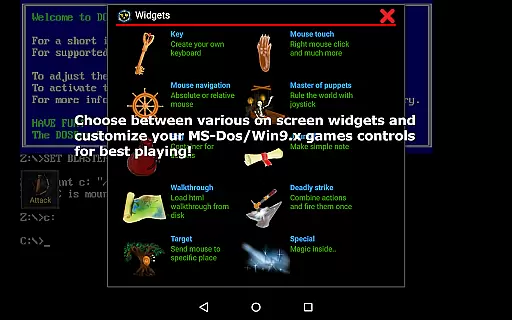
Magic DosBox is a highly optimized and fast DOSBox emulator for Android, designed to bring your favorite DOS and Windows games to your mobile device. With full support for mouse, keyboard, sound, and gamepads, it allows you to play classic games anywhere without the need for external hardware. The app features an innovative control system tailored for touch devices, making gaming on the go seamless and enjoyable.
This donated version offers unlimited game collections and advanced customization options. Users can create shortcuts, export or import game profiles, and design personalized on-screen controls. Magic DosBox supports multiple languages and provides various widgets for enhanced gameplay. Whether you're revisiting nostalgic titles or exploring retro gaming, this emulator delivers a comprehensive and authentic experience.
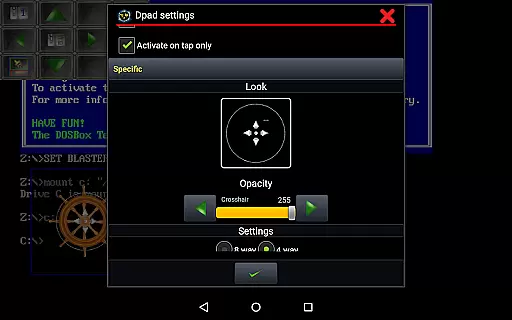
Magic DosBox stands out with its extensive feature set tailored for both casual and hardcore retro gamers. The app supports a game collection where each profile can be customized extensively, allowing users to tailor their gaming experience precisely. It includes ten types of on-screen widgets such as Key, Mouse, Dpad, and more, enabling intuitive control schemes that adapt to different games and play styles.
Advanced functionalities include multi-language support, customizable widgets with unique images and backgrounds, and compatibility with external controllers like the NVIDIA Shield and Xbox 360 gamepads. Magic DosBox also facilitates networked gameplay through IPX and serial modem support, perfect for multiplayer sessions. With optimizations for fast emulation, gesture mapping, and orientation locking, it ensures smooth performance across a wide range of Android devices.
Magic DosBox is a highly optimized and fast DOSBox port for Android, designed to emulate the experience of playing classic DOS and Windows games on mobile devices. The core function of this application lies in its ability to accurately emulate the original DOS environment while providing modern touch controls and network support.
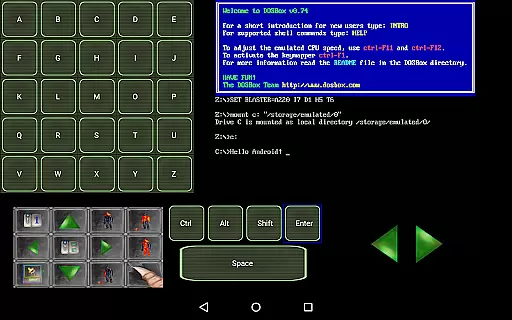
The emulator supports full mouse, keyboard, sound, and gamepad functionalities, ensuring that users can enjoy their favorite games with precision. It also includes advanced features such as IPX network support, which allows multiplayer gaming sessions with friends. This level of compatibility ensures that both single-player and multiplayer games run smoothly and respond accurately to user inputs.
One of the standout aspects of Magic DosBox is its customizable control system. Users can create on-screen buttons or virtual D-pads tailored to specific games, enhancing gameplay accuracy. With support for external hardware like the Samsung stylus, x360 joystick, and NVIDIA Shield controller, the app offers versatile control options that adapt to different gaming preferences.
This combination of precise emulation and flexible control options makes Magic DosBox an effective tool for reliving classic gaming experiences on the go, without the need for external hardware.
Magic DosBox excels in providing an intuitive and user-friendly interface that simplifies the process of setting up and playing DOS games on Android devices. Despite the complexity of its underlying technology, the app manages to maintain a straightforward design that caters to both novice and experienced users.
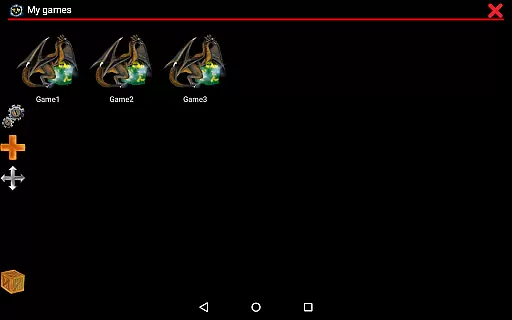
The main interface is divided into two modes: design mode and play mode. In design mode, users can customize game profiles, create shortcuts, and design on-screen widgets with ease. The availability of multi-language support further enhances accessibility, allowing users from different regions to navigate the app comfortably.
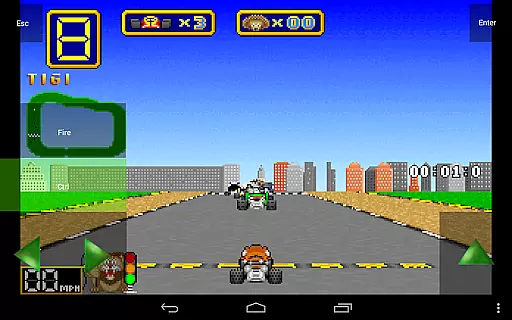
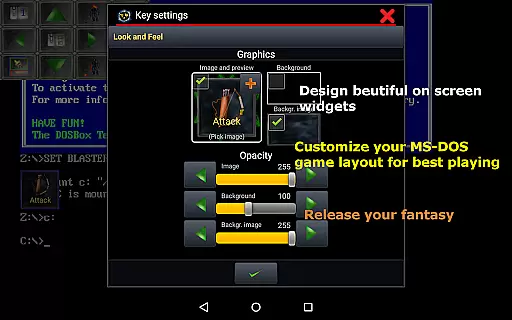
With over ten types of on-screen widgets, users can intuitively map controls, gestures, and other functions according to their preferences. These widgets are highly customizable, featuring options to adjust images, text, and positioning, making it simple to tailor the interface to individual needs.
Overall, Magic DosBox strikes a balance between offering powerful functionality and maintaining an accessible interface, ensuring that users can focus on enjoying their games without being overwhelmed by technical details.
Highly optimized for Android
Extensive customization options
Supports multiple external controllers
Active development and updates
Comprehensive widget system
No included games
Complex setup for beginners
Limited free version features
Requires technical knowledge
Occasional bugs in emulation

HD Camera captures every special moment.
 4.60
4.60
Unit and currency converter with easy and simple UI.
4.80
App that Recover your pictures, videos or files after you delete them.
4.20
Keep track of your Palia friendships, tasks, and inventory with Palia Notebook
4.60
card-reader app
2.20
Fast Video Downloader, Movie Downloader, Torrent Downloader & Adblock Browser
4.70
Screen Mirroring for Roku Sticks, Roku TCL TV and Roku Hisense TV
4.50
Remote Play with FSR upscaling, low latency & full controller support
4.80
fast and easy mp3 music downloader
4.80
Powerful collection of electronics tools and reference.A must for any enthusiast
4.90
Planner and Tracker for Stardew Valley
4.60
HD Video player and downloader for all formats, fast & smooth 4K video playback.
4.60
The Ultimate Bluetooth Keyboard & Mouse. Securely control your PC, Mac, and more
4.50
Remote for Roku, Fire TV, Samsung TV, LG TV, Android TV, Chromecast and VIZIO TV
4.20
Family Locator, Share location, StayConnect with your family in real time
3.90
A powerful, easy-to-use flight computer on your phone or tablet!
3.80
This app unlocks the Pro features of the Central for DayZ app
3.60
A recovery soft,it features photo recovery, video recovery, file recovery.
3.40
Save any video in HD - paste the link, download fast and watch offline.
4.2


User Reviews