
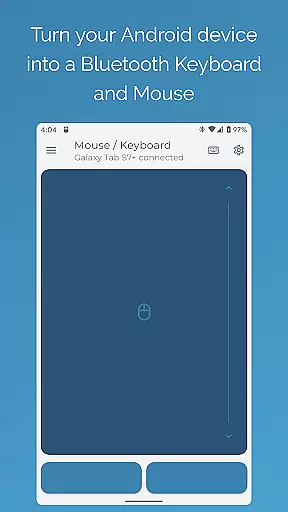
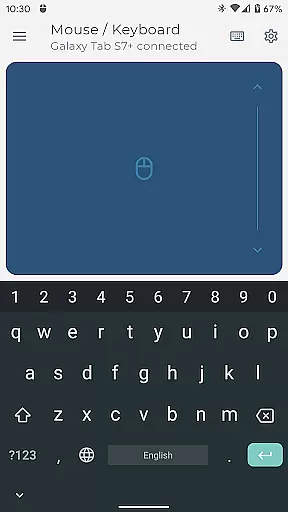
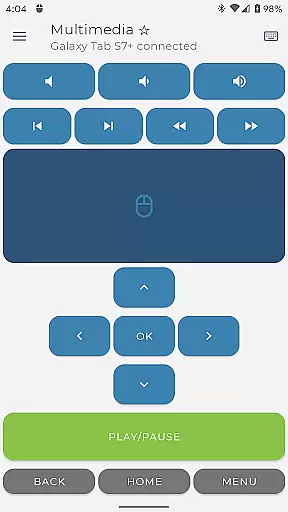
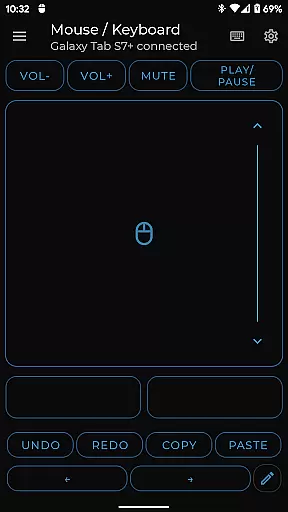

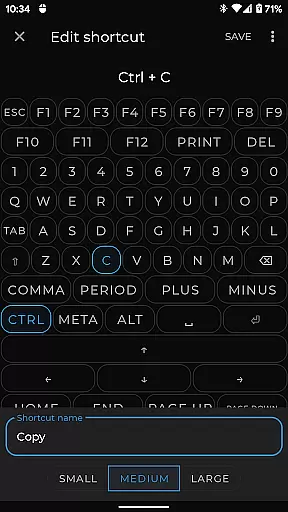
Bluetooth Keyboard & Mouse Pro revolutionizes the way you interact with your devices by turning your Android phone into a versatile remote control tool. This powerful app allows you to seamlessly operate computers, tablets, and media centers without requiring additional server software.
The application offers precision control through its responsive keyboard, mouse, and multi-touch trackpad features. Its keep-alive mode ensures that your computer remains active during long tasks, while the presenter mode empowers you to command presentations with ease. With support for over 100 international language layouts and integrated multimedia controls, this app is designed to elevate productivity across various platforms securely and efficiently.
Bluetooth Keyboard & Mouse Pro stands out with its comprehensive set of features tailored for professionals. The app provides an intuitive interface that includes a full PC keyboard layout, voice-to-text functionality, and clipboard sync between devices.
Advanced capabilities such as custom layouts allow users to create personalized control schemes for specific applications or games. Integrated scanner functionality supports QR codes and barcodes, streamlining tasks like inventory management. These features are backed by universal compatibility with Windows, iOS, Android, Chrome OS, and Steam Deck operating systems, ensuring a wide range of devices can benefit from this robust toolset.
Bluetooth Keyboard & Mouse Pro is designed to deliver precise and effective control over your devices through a direct Bluetooth connection. This application transforms your Android phone into a versatile tool that functions as a keyboard, mouse, and presentation remote without the need for additional software or server connections.
The app ensures instant response times with its highly responsive keyboard, multi-touch trackpad, and intuitive scrolling features. These core functions are engineered to provide users with an experience that closely mirrors using physical peripherals, ensuring efficiency and reliability in both personal and professional settings.
Users benefit from advanced functionalities such as Keep-Alive / Jiggler Mode, which prevents computers from sleeping during long tasks, and support for over 100 international language layouts. Such features enhance productivity by allowing seamless transitions between different tasks and environments while maintaining consistent performance.
This level of functional accuracy not only elevates user workflow but also guarantees privacy and security through its serverless design. By eliminating the need for third-party servers, Bluetooth Keyboard & Mouse Pro keeps all connections private, offering peace of mind alongside top-tier performance.
Achieving simplicity and intuitiveness in its interface, Bluetooth Keyboard & Mouse Pro offers users an effortless way to control their devices. The app's layout is crafted to ensure that even first-time users can navigate and utilize its features without a steep learning curve.
With clear categorization of tools like Precision Control, Presenter Mode, and Multimedia Control, the application provides quick access to essential functions. Users can efficiently manage playback, volume, and navigation for media players or take command of presentations with confidence, thanks to straightforward controls that require minimal explanation.
The inclusion of customizable layouts allows users to tailor the interface according to their specific needs, enhancing the overall user experience. This customization capability ensures that whether you're working on complex software applications or engaging in gaming activities, your remote interface will always be optimized for your task at hand.
Overall, Bluetooth Keyboard & Mouse Pro combines ease-of-use with powerful functionality, making it an ideal choice for anyone looking to streamline their digital interactions without compromising on performance or security.
Highly responsive controls
Wide device compatibility
Secure direct Bluetooth connection
Customizable user interface
Versatile feature set
Premium features require subscription
Complex setup for beginners
Limited free version functionality
Occasional connectivity issues
Interface may feel cluttered

 4.50
4.50
FV File Manager Pro, Fast and powerful file manager for Android
4.60
Smart and comfortable browsing experience.
3.80
MS-DOS in your pocket. Play old DOS games anywhere you are ;)
4.10
Signal Strength, Mobile, Wifi, Speed Test, Bad Signals, Cellular, 5G, LTE, 4G
4.20
Fast Video Downloader, Movie Downloader, Torrent Downloader & Adblock Browser
4.70
Screen Mirroring for Roku Sticks, Roku TCL TV and Roku Hisense TV
4.50
A simple app to back up and restore SMS & MMS messages and call logs.
4.10
Pro Emulator is an easy to use game console emulator for a range of consoles.
4.40
Connect wirelessly to your computer to watch movies, browse the web, play games
5.00
Navigate with Ease and Style
4.90
The Ultimate Flex Drivers Utility App - Convenient Tapping & Block Filters
4.70
NFC Tools can read and write NFC tags.
4.70
Just swipe the edge to do something!
4.40
Universal TV remote control all TVs, Roku, LG, Samsung, Fire, Vizio, Sony, TCL.
4.40
Quickly check the frequency of the Earth
4.30
Just one-tap to easy translate in any language after calls within seconds.
4.20
Introducing Smart Printer, your ultimate destination for printing solutions!
4.00
Fun lie-detection pranks for friends and parties.
3.80


User Reviews