
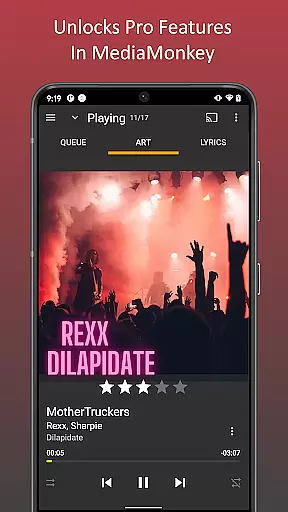
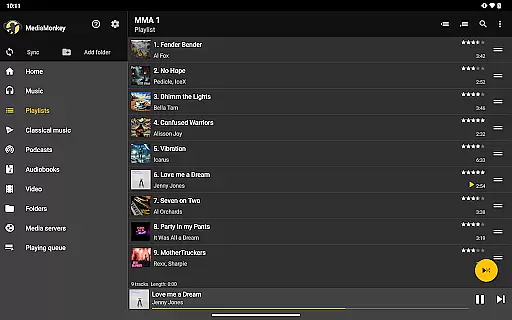
MediaMonkey Pro is a premium music management app designed for serious music collectors who need advanced features to organize and enjoy their extensive libraries. The app offers Wi-Fi Sync functionality, allowing users to seamlessly sync their device's library with a Windows PC, including metadata such as ratings, play history, and volume levels.
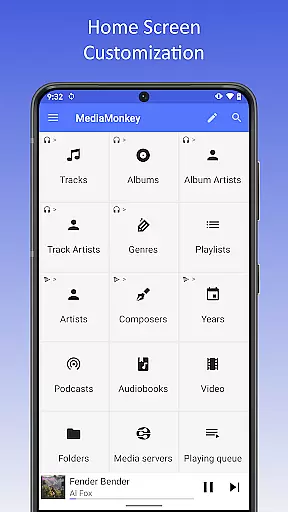
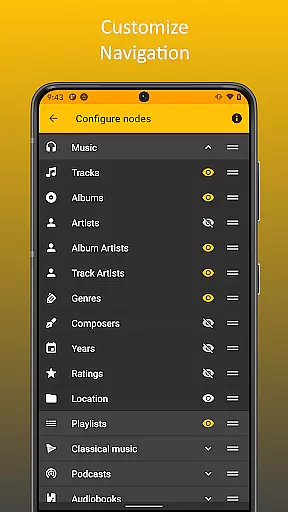
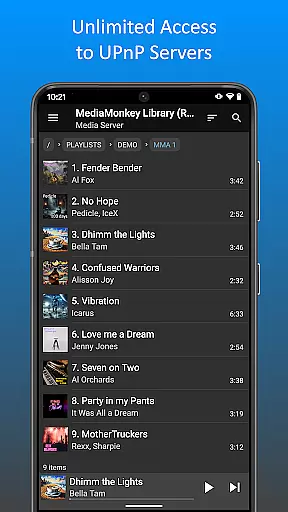
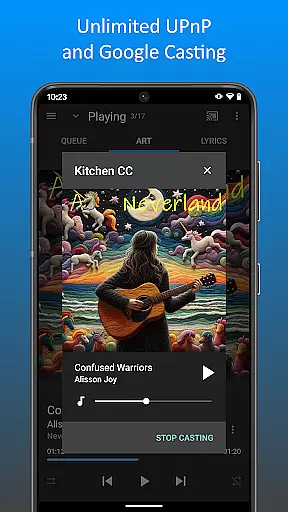
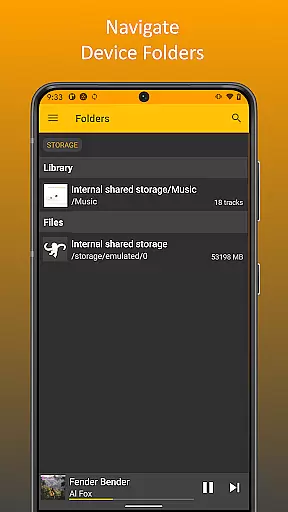
In addition to Wi-Fi Sync, MediaMonkey Pro supports UPnP/DLNA for streaming or downloading content from servers, folder browsing to navigate through physical file hierarchies, and a configurable home screen for personalized access to your media. These features make it an ideal tool for audiophiles who want full control over their music collections while enjoying high-quality playback on the go.
MediaMonkey Pro stands out with its comprehensive feature set tailored for power users. One of its key features is Wi-Fi Sync, which enables wireless synchronization of your entire music library, including all metadata, between your mobile device and a desktop installation of MediaMonkey on a Windows PC.
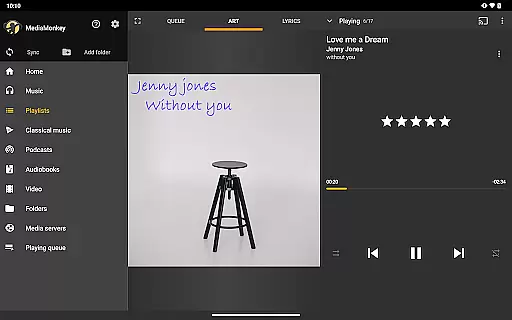
The app also includes UPnP/DLNA support, allowing you to stream or download multimedia content directly from compatible servers on your network. Folder browsing provides another layer of accessibility by letting you explore files using the actual directory structure on your device. Additionally, the configurable home screen lets you customize what content appears when you open the app, ensuring quick access to your most-used features and playlists.
These capabilities ensure that MediaMonkey Pro delivers both flexibility and convenience, making it easier than ever to manage large music libraries without compromising on usability or performance.
MediaMonkey Pro offers an extensive music library that caters to serious music collectors. The application allows users to manage large collections with ease, ensuring that all tracks are well-organized and easily accessible.
The app provides features such as Wi-Fi Sync and UPnP/DLNA support, which facilitate the synchronization of your music library across multiple devices. This ensures that your collection remains up-to-date and consistent, regardless of where you access it from.
Regarding copyright authenticity, MediaMonkey Pro respects intellectual property rights by enabling users to manage legally acquired music files. It supports a wide range of audio formats, allowing for a versatile and lawful music management experience.
By unlocking additional features like folder browsing and configurable home screens, MediaMonkey Pro enhances the user's ability to curate their personal music collection while maintaining copyright integrity.
One of the standout features of MediaMonkey Pro is its superior audio quality options. Designed for audiophiles and serious collectors, the app ensures that your music listening experience is of the highest fidelity possible.
With support for various high-quality audio formats, MediaMonkey Pro allows users to enjoy their music in lossless quality. This feature is crucial for those who appreciate the nuances of sound and wish to experience their music as the artist intended.
In addition to supporting high-quality audio formats, MediaMonkey Pro also includes volume leveling capabilities. This ensures a consistent listening experience, preventing abrupt changes in volume between tracks.
Furthermore, the app's ability to sync with a Windows PC via Wi-Fi means that users can maintain their high standards of audio quality across different devices, providing a seamless and premium auditory experience.
Advanced library management
Seamless Wi-Fi syncing
UPnP/DLNA support
Customizable home screen
Folder navigation
Requires separate PC software
No standalone functionality
Paid upgrade necessary
Limited iOS compatibility
Complex for beginners

Turn your phone into a musical instrument from the future!
 3.90
3.90
Equalizer, Bass Booster and Volume Booster (Eq & Bass) improve sound quality
4.30
Gorgeous UI, Powerful music Search and Equalizer, the great choice for you!
4.70
Permanently backup Now Playing. Maps, filters & listening stats.
4.00
Simple & Intuitive Metronome
4.70
Ultimate Sonos Controller
4.70
PowerAudio is a powerful offline music player.
4.20
Reverse your voice & songs instantly! Fun singing challenge with cool effects.
4.60
Get alarms that fit your lifestyle and wake up to the sounds you love.
4.80
More downloads than any other metronome. Includes drum machine & tempo trainer.
4.80
Most Advanced AI Song Generator and Music Creator. Rap, Pop, Rock, Gospel & more
4.70
Listen to live FM radio stations, sports, music and news on global radios online
4.70
AI Music Maker: Generate And Compose AI Tunes & AI Songs & AI Music & AI Melody!
4.60
Let your Android device with the sound effects you want
4.50
Help you quickly get started with Shokz headphones
4.40
Time Guru will strengthen your internal sense of musical time via random muting.
4.30
Advanced 10-Band Audio Graphic Equalizer Sound Booster Pro
4.30
Network/Cloud Streaming, Visualization, Graphic Equalizer and Sound Effects.
4.20
The Skullcandy App Experience
3.20


User Reviews