
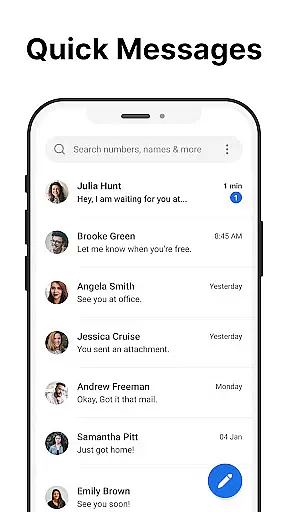
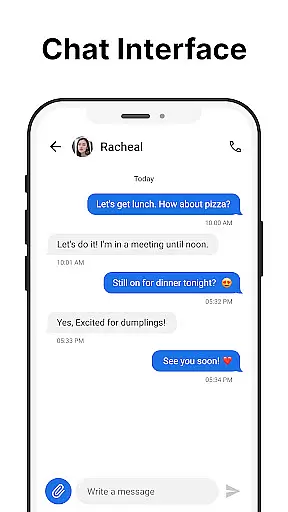
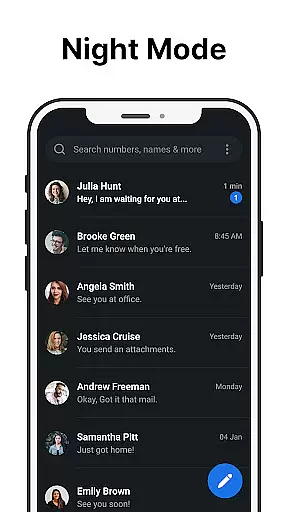
Messages is a robust SMS messaging app designed specifically for Android users who value simplicity and reliability. The app allows you to send and receive text messages without requiring an internet connection, making it ideal for areas with poor connectivity. Its intuitive interface ensures that managing your communications is straightforward and efficient.
One standout feature of Messages is the After Call screen, which provides instant access to your SMS inbox right after each phone call. This functionality streamlines communication by allowing users to respond immediately to calls with a text message if needed. Whether you're scheduling future texts, blocking spam, or backing up important conversations, Messages offers tools that enhance your texting experience while prioritizing privacy and security.
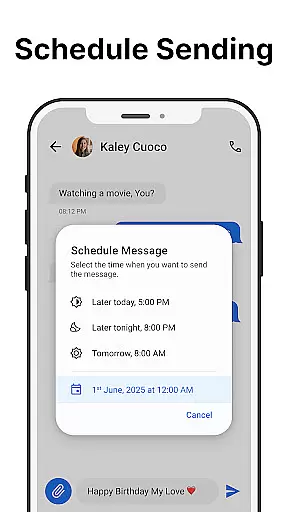
Messages stands out with its comprehensive set of features tailored to meet various user needs. You can schedule messages in advance, ensuring timely communication even when you're busy. Group messaging capabilities allow you to stay connected with multiple contacts simultaneously, enhancing both personal and professional interactions.
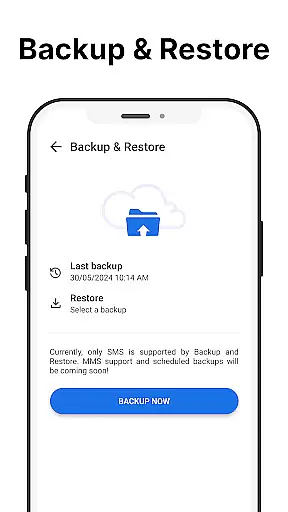
The app also includes essential functionalities like message backup and restore, which safeguard your data against loss. With spam blocking and search options, staying organized has never been easier. Additionally, customization features such as dark mode, personalized notifications, and pinned chats provide a tailored experience that suits individual preferences. These thoughtful additions make Messages not just functional but also highly adaptable to different user lifestyles.
Real-time messaging speed and reliability are crucial for effective communication. The Messages app excels in this area by providing a seamless experience for sending and receiving text messages without requiring an internet connection. This ensures that your messages are delivered instantly, regardless of network conditions.
The app's infrastructure is designed to handle high message volumes efficiently. Whether you're sending individual texts or managing group conversations, the system maintains consistent performance. This reliability extends to its scheduling feature, where messages are queued and sent at the designated time without fail.
For users, this means they can trust the app for both personal and professional communication. Important messages reach their destination promptly, while scheduled texts ensure timely reminders or greetings. The app's stability gives peace of mind, knowing that your communications are always delivered as intended.
Moreover, the Messages app incorporates advanced spam-blocking features that maintain inbox organization without compromising delivery speed. This combination of fast delivery, reliable scheduling, and spam protection creates a robust messaging platform that users can depend on daily.
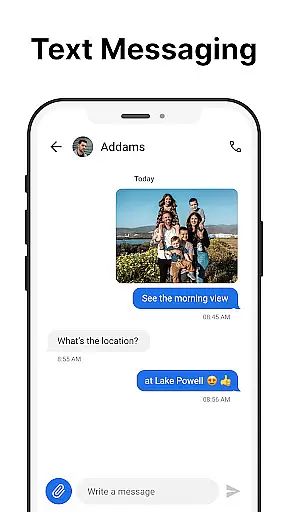
Media sharing support has become an essential feature in modern messaging applications, and the Messages app delivers comprehensive capabilities in this area. While primarily focused on SMS functionality, the app enables users to share various media formats alongside their text messages, enhancing communication possibilities.
The application supports multiple file types, including images, videos, and audio files, allowing users to enrich their conversations with multimedia content. This versatility ensures that users can share memorable moments through photos or videos while maintaining the convenience of traditional text messaging. The app handles these media files efficiently, preserving quality while optimizing file sizes for faster transmission.
What sets Messages apart is its seamless integration of media sharing within the SMS framework. Users can attach files directly from their device's gallery or camera, streamlining the sharing process. The app also maintains proper formatting across different devices, ensuring that recipients view media exactly as intended.
This media support extends to group messaging scenarios, where multiple participants can exchange files without compatibility issues. The combination of reliable SMS delivery and robust media sharing capabilities makes the Messages app a versatile tool for both simple and complex communication needs.
User-friendly interface
Reliable offline messaging
Comprehensive feature set
Strong privacy protections
Free to use with optional ads
Limited multimedia support
No end-to-end encryption
Ads may disrupt experience
Backup only local
Basic UI design

Use this Dialer app alone or as a TREK: Total Interface companion.
 4.70
4.70
Fun, free app that lets kids video call and message family and close friends.
3.80
TeamSpeak - Secure Chat for Gaming & Business
3.10
Call & Text Anywhere With A Canadian Number.
3.60
Bringing the functionality of Winlink to your Android device
4.3
Threema is the messenger with the most consistent focus on security and privacy.
4.00
Measure BHP, Torque & 0-60 Clear car OBD faults View engine data in Google Earth
4.00
BE PRIVATE
Anonymous. No Trace. Fast.
4.20
Fast internet with AI, Adblock & VPN. Browse on a safe, incognito web browser.
4.70
Manage your mobile phone plan, check unlimited 5g data usage and track rewards
4.50
Phone Dialer with Caller ID, Address Book & Contacts Manager.
4.30
Simplify texting with Messages SMS, offline messaging, themes & smart tools!
4.30
Fast and simple walkie talkie app
4.20
Google's fast and secure browser
4.10
Messenger app for faster and simpler SMS text messaging, and personalized themes
4.10
Quickly and easily identify and block unknown callers
3.70
At select facilities, you now have an easy way to video visit your loved ones!
3.30
Comprehensive and powerful scan tool app with enhanced functions
3.00
Chat on the Jabber network (XMPP protocol); support for SMS and other gateways
2.10


User Reviews