
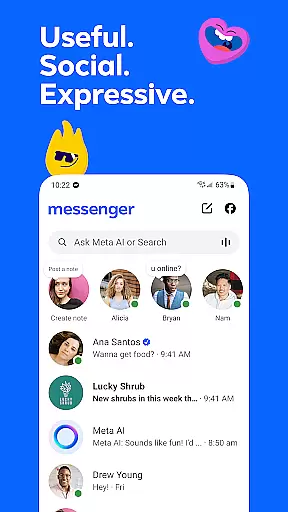
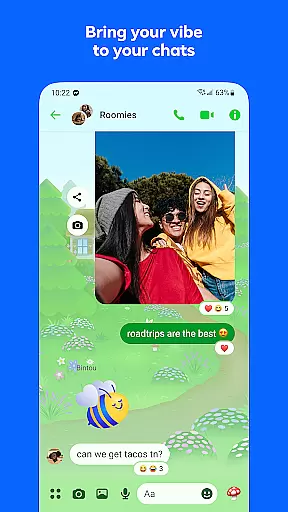


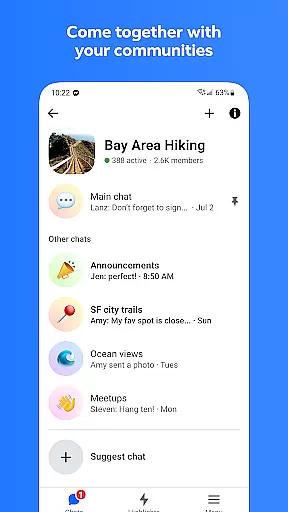

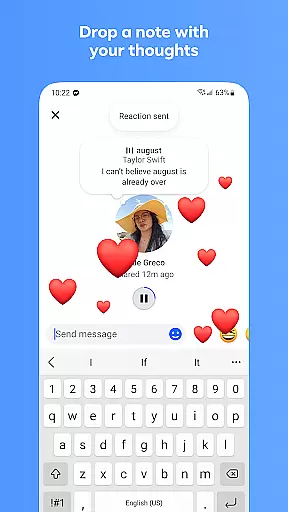

Messenger is a versatile communication app that allows users to connect with friends and family effortlessly. The app supports instant messaging, voice calls, and video calls, making it easy to stay in touch regardless of location. With features like Meta AI assistant, users can get instant answers to questions or receive help with various tasks.
One of Messenger's standout capabilities is its multimedia sharing options. Users can send high-definition photos, create shared albums, and even share large files directly within chats. Additionally, the app offers disappearing messages and customizable chat themes, allowing for both privacy and personalization. These features make Messenger suitable for both casual conversations and building communities around shared interests.
Messenger stands out with its comprehensive feature set tailored for modern communication needs. The app includes an AI assistant that provides instant responses to queries, assists with homework, and more. Multimedia sharing is enhanced through high-definition photo transmission and shared albums, which allow users to organize and reminisce over important moments.
The app also enables users to edit or unsend messages up to 15 minutes after sending, ensuring flexibility in communication. Disappearing messages add a layer of privacy, while broadcast channels let users engage with their favorite creators. Customizable chat themes and animated stickers further enhance user expression, making interactions lively and personalized.
Real-time messaging speed and reliability are crucial for maintaining seamless communication in any messaging app. Messenger ensures that your messages are delivered instantly, allowing you to stay connected with friends and family without delays.
The app employs advanced server infrastructure and optimized data transmission protocols to guarantee message delivery even under varying network conditions. This means whether you're on Wi-Fi or mobile data, your conversations remain smooth and uninterrupted.
For users, this translates into a dependable communication tool where important messages reach their destination promptly. The confidence in message delivery encourages more active and engaging conversations, enhancing personal and professional interactions alike.
Moreover, the reliability of Messenger's real-time messaging fosters a sense of presence and immediacy, making conversations feel more dynamic and lifelike. This feature is indispensable for users who rely on instant communication to coordinate plans, share urgent updates, or simply stay in touch throughout the day.
Media sharing support in Messenger allows users to exchange various types of media seamlessly within their chats. Whether it's photos, videos, or documents, Messenger provides a versatile platform for sharing content without switching to other apps.
The app supports high-definition image sharing, ensuring that your cherished memories are shared in the best possible quality. Additionally, Messenger enables the sharing of large files up to 100MB directly in chat, accommodating documents like Word, PDFs, and Excel sheets, which is particularly beneficial for professional environments.
This functionality enriches user interaction by enabling richer and more expressive conversations. Users can create shared albums for special occasions, send high-quality media, and collaborate on documents, all within the same chat interface.
By integrating comprehensive media sharing capabilities, Messenger not only enhances personal communication but also serves as a practical tool for collaborative projects and remote work scenarios, making it an essential app for diverse communication needs.
Instant AI assistance
High-definition photo sharing
Disappearing messages
Customizable chat themes
Shared album creation
Limited Meta AI availability
Privacy concerns
Occasional bugs
Heavy on storage
Requires Facebook account

Identify unknown numbers, block spam calls, customize calls with cool themes.
 4.60
4.60
Phone Dialer with Caller ID, Address Book & Contacts Manager.
4.30
Official NDI app: turn your phone into a professional live-streaming IP camera.
3.20
Faster version of Messages. Messenger for your contacts.
4.50
Fun, free app that lets kids video call and message family and close friends.
3.80
FolderSync enables easy sync of files between cloud storage and Android devices.
4.60
SMS Messenger is a lightning-fast messaging app.
4.20
A customizable phone number in the cloud
4.20
BE PRIVATE
Anonymous. No Trace. Fast.
4.20
Use this Dialer app alone or as a TREK: Total Interface companion.
4.70
An agentic AI browser for Android, built by Perplexity
4.50
Caller ID App! Add names & photos to unknown calls & Call Recording
4.40
Simple tool for businesses to talk to their customers.
4.40
Manage your data, talk & text - affordable phone plans & data usage made simple
4.30 3.90
3.90
SMS Messenger ensures that communication become effortless and accessible.
3.80
This app enables the phone to receive and send FT8 traffic!
3.80
Enables Plus features of Quick Search.
4.4
Manage Phone Calls, call history, and contacts easily with Phone Pro.
4.0


User Reviews