
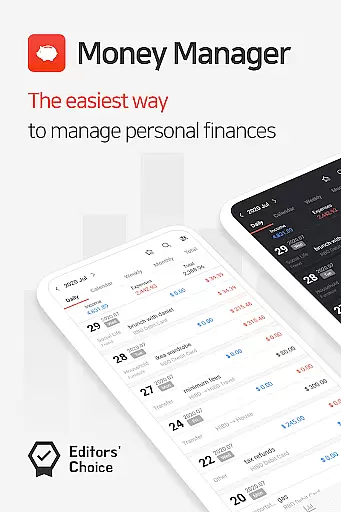
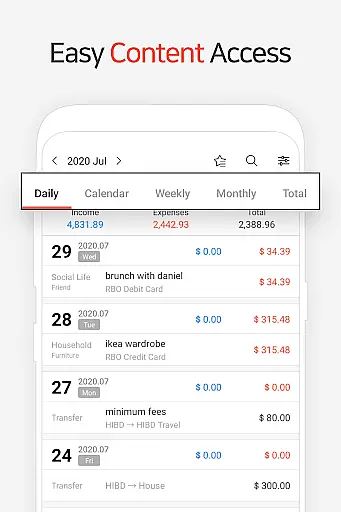
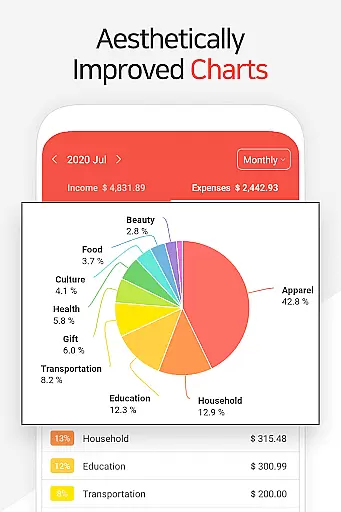
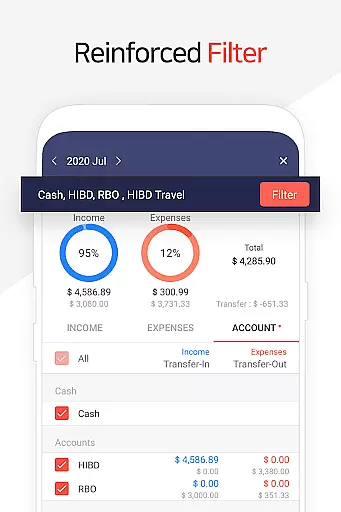
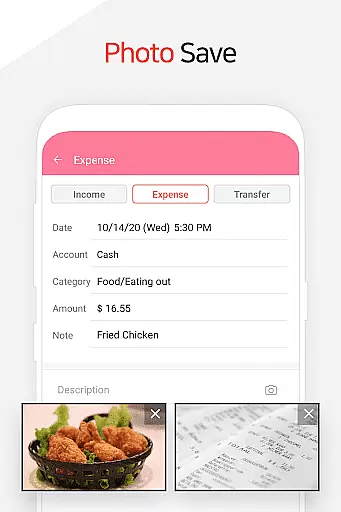
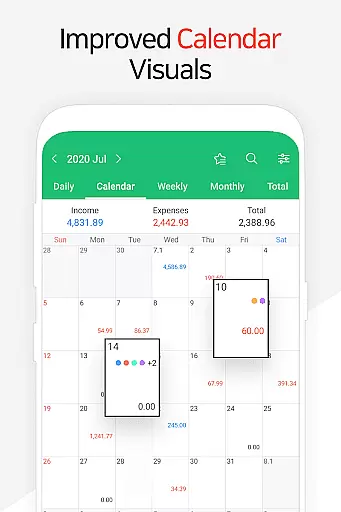
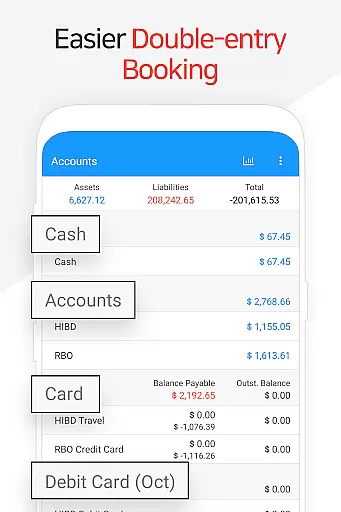
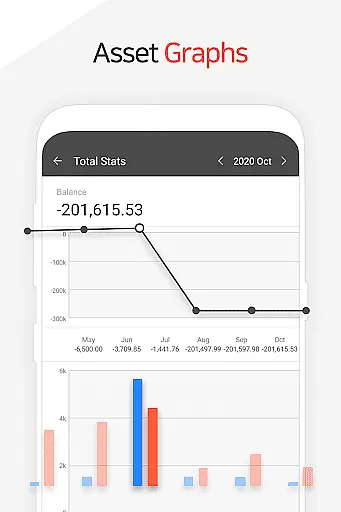
Money Manager is a comprehensive personal finance application designed to help users efficiently manage their assets and track financial activities. The app supports double-entry bookkeeping, ensuring accurate recording of income and expenses while automatically updating account balances. It offers advanced features such as budget tracking, which provides visual graphs to compare spending against set budgets, helping users maintain better control over their finances.
In addition to its core functionality, Money Manager includes specialized tools for managing credit and debit cards, allowing users to monitor payment schedules and outstanding balances directly within the app. The app also supports secure access through passcode protection, ensuring that sensitive financial data remains private. With instant statistics and detailed graphs, users can quickly analyze their spending habits and make informed financial decisions.
Designed for both mobile and PC use, Money Manager enables users to sync data via Wi-Fi, edit entries, and view account fluctuations on larger screens. This cross-platform functionality makes it an ideal solution for individuals seeking a robust, versatile tool to manage their personal finances effectively.
Money Manager stands out with its diverse range of features tailored to simplify personal finance management. One of its key innovations is the implementation of double-entry bookkeeping, which ensures that every transaction updates corresponding accounts in real time, providing a clear and accurate picture of financial health. The app's budget management function allows users to set monthly budgets and visualize their spending patterns through intuitive graphs, empowering them to stay within financial limits.
Another notable feature is the card and debit card management system, which lets users input settlement dates and track upcoming payments or outstanding balances. For recurring transactions, the app offers automation tools for salary deposits, loan repayments, and savings plans, reducing manual input and potential errors. Additionally, the instant statistics dashboard provides users with quick insights into category-based spending trends and month-over-month comparisons, all presented through easy-to-understand charts.
For added convenience, Money Manager supports Excel backups and Google Drive integration, enabling users to safeguard their data effortlessly. Its bookmarking function simplifies frequent expense logging, while the calculator tool assists with precise amount computations. These thoughtful features collectively enhance usability and make Money Manager a top choice for anyone looking to streamline their financial tracking process.
Account and fund security is a critical aspect of any financial management application. Money Manager ensures the safety of user data through multiple layers of protection. The app employs advanced encryption protocols to safeguard sensitive financial information, ensuring that all transactions and account details remain confidential.
In addition to encryption, Money Manager offers a passcode feature that adds an extra layer of security. Users can set up a unique passcode to access the app, preventing unauthorized access even if the device is lost or stolen. This feature provides peace of mind for users who want to ensure their financial data remains private and secure at all times.
Furthermore, the app supports secure cloud backup options such as Google Drive. This allows users to create encrypted backups of their financial data, which can be restored in case of device failure or loss. By providing these comprehensive security measures, Money Manager ensures that users' personal asset management is both reliable and protected against potential threats.
A seamless transaction experience is essential for effective personal asset management. Money Manager excels in this area by offering intuitive features that simplify the process of recording and managing financial transactions. With functionalities like instant statistics, users can quickly view their expenses by category and track monthly changes, making it easier to understand spending patterns.
The app also supports double-entry bookkeeping, which enhances the accuracy of financial records. As soon as income or expenses are input, the corresponding amounts are automatically deposited into or withdrawn from the respective accounts. This efficient system not only saves time but also reduces errors, ensuring that users have a clear and precise overview of their financial status.
Moreover, Money Manager includes budget management tools that display expenses against budgets using graphs. This visual representation helps users monitor their spending relative to their planned budgets, enabling better financial control. By combining these features with easy navigation and real-time updates, Money Manager delivers a superior transaction experience that empowers users to manage their finances effectively.
User-friendly interface
Advanced budget tracking
Secure passcode protection
Cross-platform syncing
Comprehensive reporting tools
Limited free version
Occasional sync issues
No multi-currency support
Ads in basic plan
Complex for beginners

Download the MySynchrony App to manage your accounts securely and conveniently!
 4.60
4.60
Get a cash advance instantly. File taxes & cover unexpected bills in minutes.
4.60
Debt pay off. Build credit history. AI budget tool. Loan offers.
4.60
Retirement plan, IRA, retail and HSA customers serviced by Empower.
3.10
No credit check, no interest, no worries.
4.70
Mine Bitcoin in the cloud! Earn BTC daily with high-speed mining power.
4.30
Amazing Financial Calculator. Based on HP 10bII, but easier to use!
4.40
Access State Farm accounts, policies, ID cards and more
4.60
Make Real Cash by Playing Games! Fetch Playful Rewards, Win & Triumph
4.50
PayMe helps you claim money from settlements on companies that harmed you.
4.80
Simple & secure international money transfers - for personal & business needs.
4.80
Easy budgeting planning on a calendar!
4.80
All expenses at a glance.
4.80
Managing your money just got easier. Get the new Mobile app.
4.70
Your Big Financial Friend
4.70
Real-time tracking: Stocks, Indices, Futures, Commodities, ETF, & Funds prices.
4.60 4.50
4.50
All your crypto & stocks in one secure and trusted app.
4.40
Read and extract public data on NFC Contactless banking card (VISA, MasterCard
4.30


User Reviews