
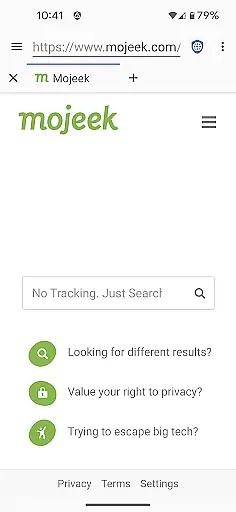
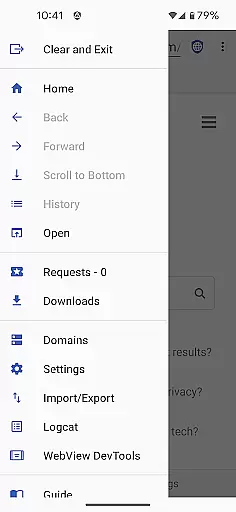
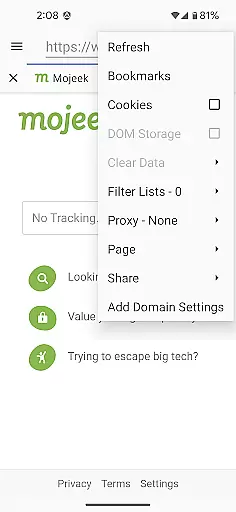

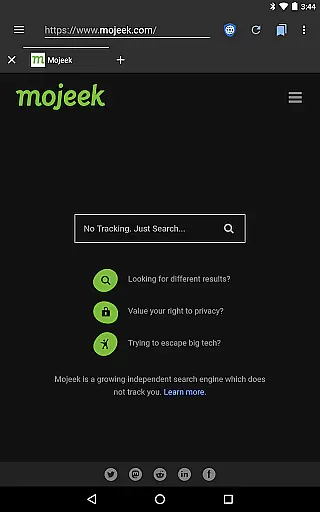
Privacy Browser is a communication-focused app designed to protect user privacy by minimizing data collection both online and locally. Its primary function is to block invasive tracking technologies like JavaScript, cookies, and DOM storage that are commonly used by websites to monitor user activity. By disabling these features by default, the app ensures users retain control over their personal information while browsing.
In addition to its privacy-centric design, the app allows users to enable specific features temporarily for sites that require them, or set domain-specific preferences for automatic toggling. This flexibility makes it ideal for individuals seeking secure browsing without sacrificing usability. Privacy Browser also integrates advanced tools such as SSL certificate pinning and Tor Orbot proxy support, further enhancing security during internet sessions.
The app leverages Android’s built-in WebView but plans to transition to Privacy WebView in future updates, enabling even more robust privacy protections. With integrated EasyList ad blocking and comprehensive import/export capabilities for settings and bookmarks, Privacy Browser offers an all-in-one solution for safeguarding your digital footprint while maintaining seamless communication across the web.
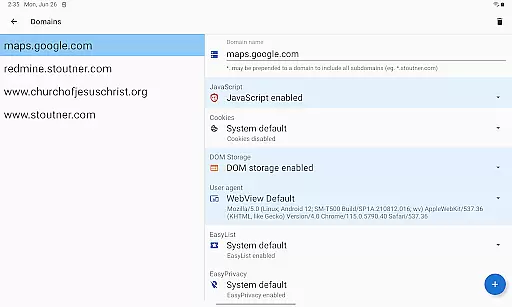
Privacy Browser stands out with its unique approach to privacy protection through customizable controls and advanced security measures. One of its key features is the ability to disable privacy-sensitive functionalities by default, allowing users to selectively enable them only when necessary. For example, if a website requires JavaScript to operate correctly, users can activate it temporarily or configure domain settings to automate this process based on URL patterns.
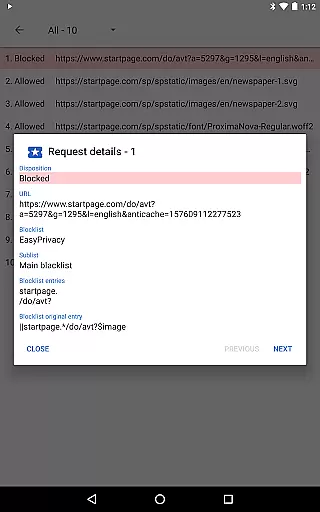
Another notable feature is the integration of EasyList ad blocking, which prevents intrusive advertisements from loading, thereby reducing bandwidth usage and enhancing page load speeds. Additionally, the app supports Tor Orbot proxies, enabling anonymous browsing via the Tor network. SSL certificate pinning adds another layer of defense against man-in-the-middle attacks by ensuring connections remain secure between the client and trusted servers.
For power users, Privacy Browser provides extensive configuration options, including the ability to export and import settings and bookmarks. These features not only enhance convenience but also ensure continuity when switching devices. The upcoming shift to Privacy WebView promises additional improvements, making Privacy Browser a forward-thinking choice for anyone prioritizing online privacy within the realm of communication apps.
Privacy Browser excels in real-time messaging speed and reliability by minimizing the data sent to the internet. This ensures that your communications remain fast and uninterrupted while maintaining a high level of privacy protection.
The browser disables privacy-sensitive features by default, allowing users to enable them only when necessary. This selective enabling of features reduces unnecessary data exchange, which can slow down communication and expose user information.
With Androidu2019s built-in WebView, Privacy Browser ensures optimal performance, especially when the latest version is installed. This guarantees that web pages load quickly and reliably, providing an efficient platform for real-time messaging without compromising security.
Additionally, advanced features like SSL certificate pinning and Tor Orbot proxy support further enhance the reliability of secure communications, making Privacy Browser a robust choice for privacy-conscious users.
Privacy Browser offers comprehensive media sharing support while adhering to its core principle of minimizing data collection. Users can share media files confidently, knowing that their personal information is not being unnecessarily transmitted or stored.
By disabling tracking technologies such as JavaScript, cookies, and DOM storage by default, Privacy Browser prevents websites from collecting excessive data during media sharing. This approach ensures that users retain control over their information while enjoying seamless media sharing capabilities.
The browser's domain settings allow users to automatically enable specific features needed for certain websites, ensuring that media sharing functions correctly without sacrificing privacy. This flexibility makes Privacy Browser a versatile tool for secure media exchanges.
Furthermore, integrated features like EasyList ad blocking and SSL certificate pinning contribute to a safer media sharing experience, protecting users from malicious ads and ensuring secure connections during file transfers.
Enhanced privacy
Customizable settings
Ad-blocking technology
Tor proxy support
Secure SSL handling
Limited compatibility
No iOS version
Advanced setup
Slower performance
Fewer integrations

Messages: Fast, simple SMS app with scheduling and smart features.
 4.00
4.00
SMS & MMS Messaging App to easily send messages or schedule SMS on Chat
4.10
Our Black Friday sale is here. Unlock special discounts on Proton Mail now.
4.30
A Browser with powerful ad blocker to help focus on what really matters.
3.00
Messages is Private SMS Messenger 2023 with text message, instant messaging.
4.00
HD Video Meeting app is a fast & unlimited video conferencing app across world.
4.30
Manage Phone Calls, call history, and contacts easily with Phone Pro.
4.2
A softphone app with seamless SIP calling and an intuitive VoIP dialer
3.50
Read OBD2 data and DTCs Create custom dashboards Enhanced diagnostics available
4.70
فیلتر شکن قوی پرسرعت کلید جدید برای اندرویدسریع ترین وی پی ان برای همه اپراتورها
4.70
Messenger for SMS - texting message app, faster, simpler & safer, for you.
4.70
The ultimate productivity solution for all your email communication needs.
4.40
Smart and simple anti-wiring application - IMSI-catchers catcher
4.40
RemoteHams.com Android RCForb Client Pre-Release
4.30
Fast and simple walkie talkie app
4.20
Fast Dialer & Contact Manager with Caller ID and Spam Protection
4.00
Call Forwarding is easy and simple application to use.
3.80
Quickly and easily identify and block unknown callers
3.70
Call & Text Anywhere With A Canadian Number.
3.60


User Reviews