
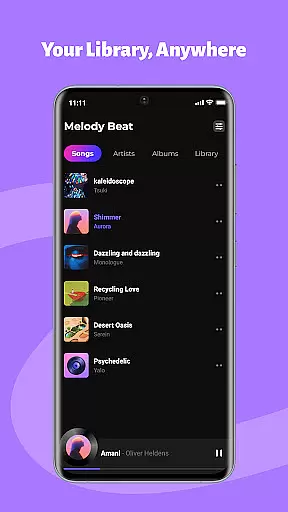
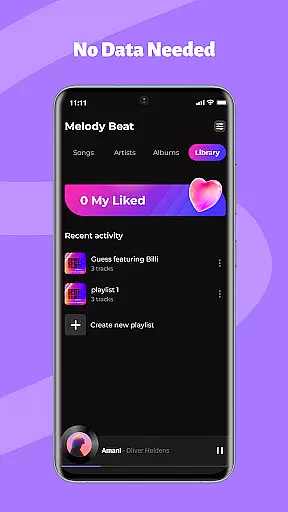
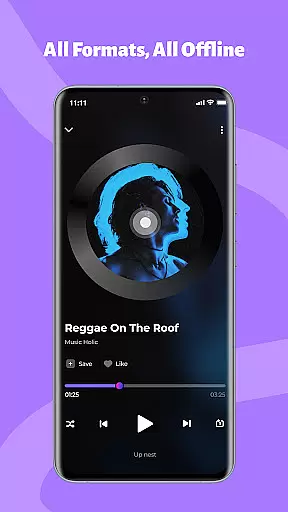
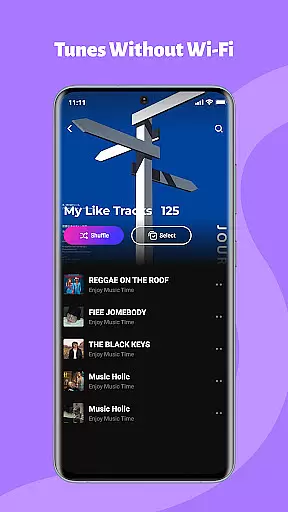
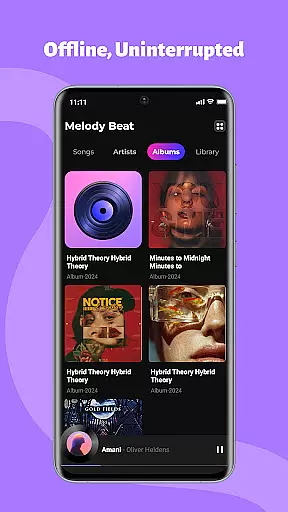
Melody Beat is a premium offline music player tailored for audiophiles who value quality and control. It supports over 30 audio formats including MP3, FLAC, and WAV without requiring file conversion.
Designed with smart library management, the app organizes music by artist, album, or genre while offering advanced playback features like equalizer presets and lockscreen controls.
Ideal for travelers, gym-goers, and commuters, Melody Beat ensures uninterrupted playback in any scenario where internet access is limited or non-existent.
Melody Beat stands out with its universal format support, accommodating more than 30 audio formats without compromising on quality. This eliminates the need for additional conversion tools.
The app's Smart Library Management system automatically categorizes your music collection and provides quick-filter search options. Lyrics are displayed even without an internet connection, enhancing user engagement.
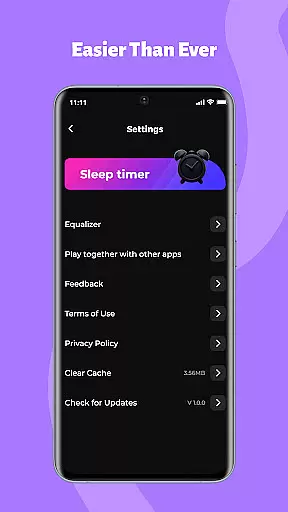
Advanced customization features include a professional-grade equalizer, bass boost, and virtualizer, along with pre-set modes for various music genres. Background and lockscreen playback ensure convenience during multitasking or while the screen is off.
When it comes to music applications, the size and authenticity of the music library are crucial factors. Melody Beat offers an extensive collection of tracks in over 30 formats, including MP3, FLAC, WAV, and AAC, all with lossless quality. This vast array ensures that users have access to a diverse range of music without the need for format conversion.
The application's strength lies in its ability to manage locally stored audio files, providing a seamless experience for users who prefer offline playback. With no reliance on cloud services or data tracking, Melody Beat guarantees that your music remains private and secure, untouched by any external entities.
Moreover, Melody Beat is committed to delivering a pure music experience without hidden costs. The absence of subscription models means users can enjoy their personal music collections without worrying about ongoing fees. This user-centric approach extends to regular updates, ensuring new features and improved performance, making Melody Beat a reliable choice for discerning music lovers.
Audio quality is paramount for any music enthusiast, and Melody Beat excels in offering superior sound customization options. The app includes a professional equalizer, allowing users to fine-tune their listening experience with settings tailored for different genres such as Pop, Rock, Jazz, and Classical.
In addition to the equalizer, Melody Beat provides bass boost and virtualizer features, enhancing the depth and clarity of each track. These tools enable listeners to immerse themselves fully in their music, whether they're at home or on the go.
Melody Beat also supports lyrics display, even without an internet connection, adding another layer of engagement to the listening experience. By combining high-quality audio playback with intuitive controls and privacy-focused design, Melody Beat stands out as a top-tier music player for those who demand the best in audio fidelity and user experience.
Wide format compatibility
Smart library organization
Advanced equalizer settings
Offline playback capability
User-friendly interface
No cloud integration
Limited social features
Requires manual updates
No streaming service
Basic UI design

Equalizer, Bass Booster and Volume Booster (Eq & Bass) improve sound quality
 4.30
4.30
Over 100 million tracks available for high quality streaming and download
4.60
Full-featured, High-Quality Groovebox Workstation, perfect for Live Performance!
4.80
Time Trainer: accurate metronome w tools to help you develop your internal time!
4.20
Your song collections with lyrics and chords on Android smartphones and tablets.
4.80
The ultimate media player for Android devices
3.90
Ultimate Sonos Controller
4.70
Versatile MP3 recorder with auto-backup to Dropbox and Google Drive
4.10
The iconic iOS metronome app is now on Android.
3.70
Voice recorder - Audio recorder. Best recorder for recording
4.90 4.70
4.70
DJ Music Mixer Pro is a real DJ controllers and DJ Music Studio to remix DJ.
4.40
Help you quickly get started with Shokz headphones
4.40
Play KORG’s revolutionary touch-based instrument on a variety of devices.
4.40
Powerful 10-Band equalizer pro with sound booster improves Android audio quality
4.30
A sleek, no-frills player designed for true music lovers.
4.20
Turn your phone into a musical instrument from the future!
3.90
The Cubase remote control app
3.60
The Minimalistic Premium Music Player. Handmade with passion for music
2.20


User Reviews