
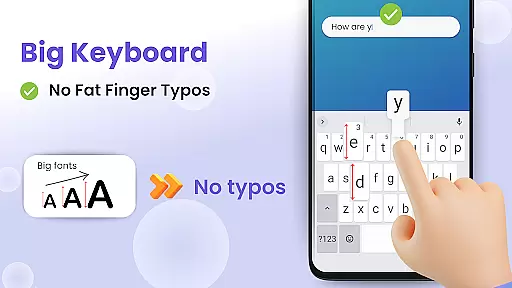
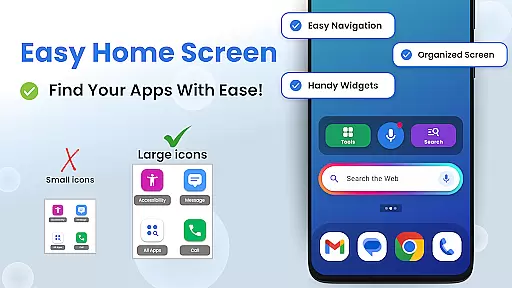
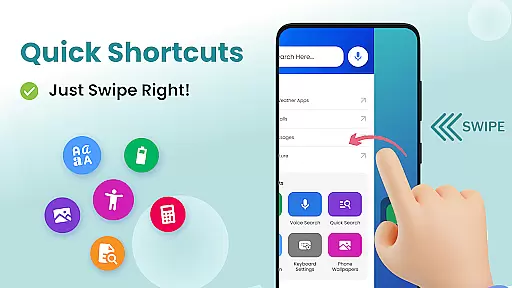

Big Keyboard: Easy Homescreen is a personalization app designed to simplify smartphone usage through an intuitive home screen layout and essential tools. The app features a new home screen experience with quick-swipe shortcuts, offering users easy access to their most-used functions. Its standout feature is the big keyboard, which can be up to 70% larger than the default keyboard, significantly reducing typos and improving typing efficiency.
In addition to its core functionality, the app includes practical utilities such as a magnifier and flashlight for reading small text in dim environments, hands-free voice search powered by Yahoo, and customizable wallpapers. These features collectively enhance user convenience, accessibility, and personalization, making it ideal for those seeking a more comfortable and tailored smartphone experience.
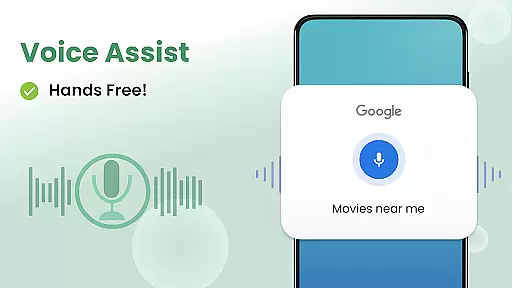
The Big Keyboard: Easy Homescreen app stands out with its comprehensive suite of features designed to improve accessibility and usability. One of its key innovations is the big keyboard, which allows users to customize the size up to 70% larger than standard keyboards. This feature eliminates squinting and minimizes typos, ensuring a smoother typing experience. Additionally, the app's hands-free voice assistant enables users to perform searches effortlessly by simply tapping and talking.
Beyond its typing enhancements, the app offers practical tools like a magnifier and flashlight, perfect for reading menus or small print in low-light conditions. It also provides an intuitive home screen layout with swipe shortcuts, streamlining access to frequently used apps and functions. With built-in wallpapers and integration with display settings, the app ensures both aesthetic personalization and functional ease, catering to users who value simplicity and customization.
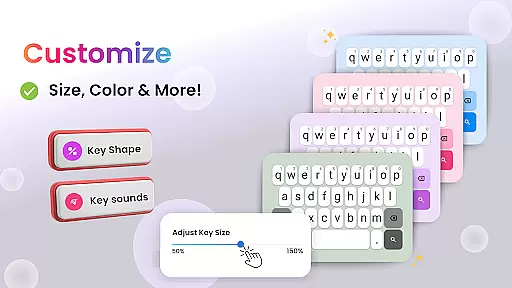
Customization is at the heart of personalizing your smartphone experience, and Big Keyboard offers a plethora of options to tailor your device to your liking. With features ranging from an intuitive home screen layout to easy shortcuts and tools, this app ensures that you can access your favorite functions effortlessly. The ability to customize your keyboard size up to 70% larger than the default setting allows for more comfortable typing, reducing typos and enhancing speed.
Beyond the functional aspects, Big Keyboard also provides aesthetic customization through fun wallpapers, enabling users to express their personality via unique phone backgrounds. This level of personalization extends to accessibility settings, ensuring that individuals with different needs can adjust their devices accordingly. Whether it's magnifying text or lighting up a dark space, these tools are designed to make your phone not only more usable but also more reflective of who you are.
The inclusion of hands-free voice assistance powered by Yahoo adds another layer of customization, catering to those who prefer verbal commands over manual inputs. By integrating search functionalities directly into the home screen experience, users enjoy seamless interaction with their devices without unnecessary navigation steps. Such comprehensive customization empowers users to create an environment where technology adapts to human behavior rather than the other way around.
Theme compatibility is crucial for users seeking a cohesive look and feel across their digital experiences, and Big Keyboard excels in this area. By offering built-in free wallpaper options alongside its customizable keyboard, the app ensures that visual elements align with user preferences while maintaining optimal performance. These themes do not just serve as static images; they represent an extension of oneu2019s identity on their deviceu2014a blend of form and function.
In addition to aesthetic enhancements, Big Keyboard supports practical theme adjustments such as display settings tailored for better readability under various lighting conditions. For instance, the magnifier feature helps decipher small text found anywhereu2014from dimly lit restaurant menus to fine prints on documentsu2014ensuring clarity regardless of context. Coupled with flashlight functionality, these utilities demonstrate how thoughtful design integrates seamlessly into daily life scenarios.
Moreover, the app promotes consistency between software interfaces by allowing changes in keyboard dimensions without compromising usability or style. Users can switch between different sizes based on situational demands or personal comfort levels, knowing that each variation maintains high standards of responsiveness and accuracy. Ultimately, Big Keyboard stands out by delivering both flexibility and reliability when it comes to adapting themes according to individual tastes and requirements.
User-friendly interface
Customizable keyboard size
Hands-free voice search
Practical magnifier tool
Variety of wallpapers
Limited advanced features
Potential performance issues
Ads may disrupt experience
Occasional bugs reported
Design lacks modern flair

Bring adorable pets to life on your screen. Playful, interactive and full of fun
 4.60
4.60
Turn your lock screen into fun with smile live wallpapers & animated wallpapers!
2.50
Shimeji adds cute animated characters to your screen, lively and fun.
4.70
Ultimate widget creator. Design custom widgets for a truly unique home screen!
3.90
The definitive Icon pack maker and editor
4.30
Ultimate Gallery Lock App - Hide Pictures, Videos and Lock Apps Instantly!
4.60
Zip lock screen with magic wallpaper to decorate your phone with fun zipper lock
4.60
Struggling to find apps? Use this app to locate and open any app on your phone!
2.20
A minimalist productivity launcher. One-hand-friendly. Zero ads.
4.70
Winter's Journey: digital watch face for Galaxy Watch & Wear OS
4.80
Sparkle your screen with Glitter Wallpapers For Girls and Cute Backgrounds!
4.80
Dark icon pack based on One 8
4.80
Vertically oriented rectangular icons
4.70
400+ Beautifully crafted widgets inspired by NOTHING.
4.70
Beautiful realistic hybrid watch face with numerous customization options.
4.50
Themes - Widget & Wallpaper: Customize home screen, icon changer w unique themes
4.30
Launcher OS™ Pro without ads help make your phone simple and pretty
4.30
HappyLighting is a Bluetooth lamp control software.
3.40
Interactive Miniature Painting Catalogue
3.30


User Reviews