
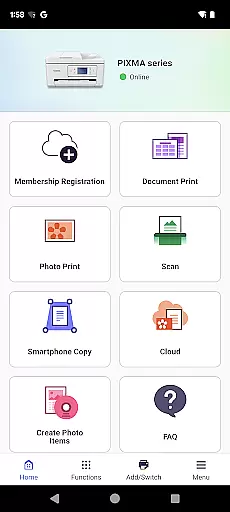
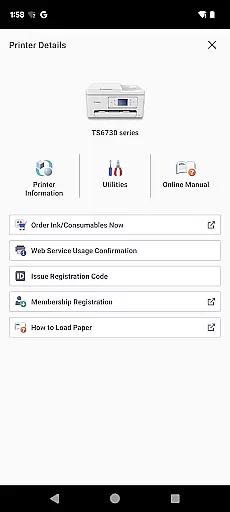
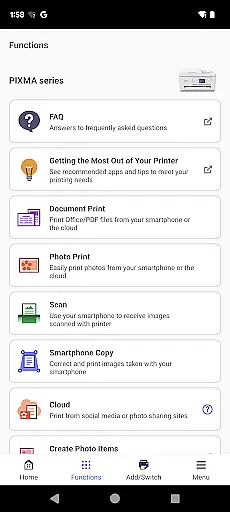
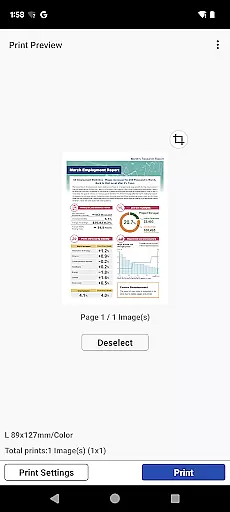
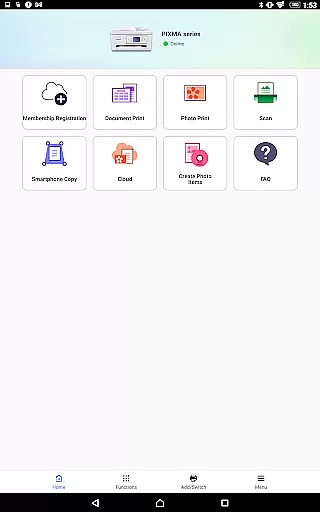
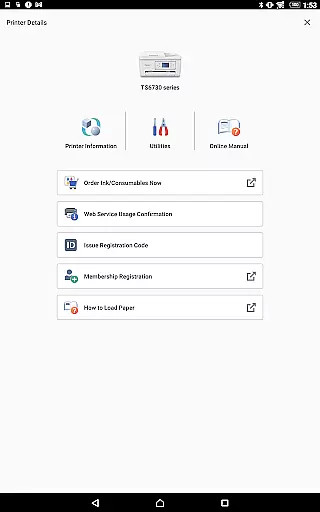
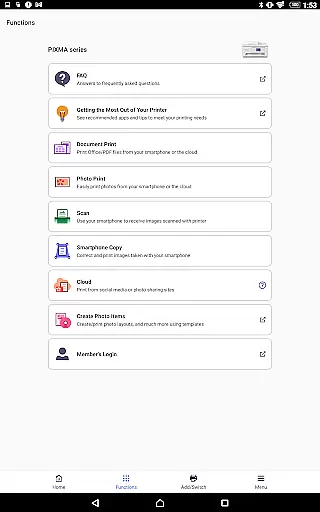
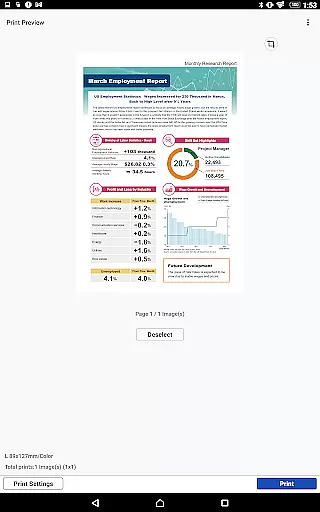
Canon PRINT is a versatile mobile application designed to enhance your printing experience with Canon printers. This app allows users to easily set up their printers, initiate print jobs, and perform scanning tasks directly from their mobile devices. It supports a wide range of Canon printer models including PIXMA, MAXIFY, imagePROGRAF, imageFORCE, imagePRESS, imageRUNNER ADVANCE, Color imageRUNNER, imageRUNNER, Satera, imageCLASS, i-SENSYS series, and SELPHY compact photo printers.
In addition to basic printing and scanning functions, Canon PRINT offers convenient features such as checking consumable levels and cloud printing capabilities. Whether you need to print documents, photos, or scan images, this app provides an intuitive interface that simplifies the entire process. The app's compatibility with various printer models makes it an essential tool for both home and office use, ensuring efficient and high-quality print jobs every time.
Canon PRINT stands out with its comprehensive feature set tailored for seamless printer management. One of its key features is the ability to set up and configure your Canon printer effortlessly through a mobile device. Users can initiate print jobs from anywhere, thanks to its cloud printing functionality, which allows access to files stored in cloud services like Google Drive and Dropbox. Additionally, the app enables scanning directly to your mobile device, making document digitization quick and easy.
The app also includes practical tools such as real-time monitoring of ink or toner levels, ensuring you are always aware of your printer's status. For added convenience, Canon PRINT supports wireless connectivity options, including Wi-Fi and Bluetooth, allowing for flexible printer placement without the constraints of cables. These features collectively contribute to a streamlined printing experience, enhancing productivity and reducing downtime associated with printer maintenance.
Canon PRINT is designed to ensure the highest level of functionality for managing your printing and scanning tasks. The app provides accurate setup processes, ensuring that your Canon printer is ready for use quickly and efficiently.
The application supports a wide range of Canon printer models, including PIXMA, MAXIFY, imagePROGRAF, imageFORCE, imagePRESS, imageRUNNER ADVANCE, Color imageRUNNER, imageRUNNER, Satera, imageCLASS, i-SENSYS series, and SELPHY compact photo printers. This extensive compatibility ensures that users can effectively manage their print jobs across different devices.
With features like cloud printing, consumable level checks, and seamless integration with various printer series, Canon PRINT delivers an effective solution for both home and office environments. These capabilities allow users to maintain optimal printer performance while minimizing downtime.
By focusing on core functionalities such as accurate print job execution and efficient scanning operations, Canon PRINT enhances productivity. Users benefit from reliable performance, making it easier to handle everyday printing and scanning needs with confidence.
The user interface of Canon PRINT is crafted to provide a straightforward and intuitive experience. Upon launching the app, users are greeted with a clean layout that simplifies navigation through various printer management tasks.
Setting up a new printer is made easy with step-by-step instructions that guide users through the process. This approach reduces complexity, allowing even those who are not tech-savvy to configure their devices without hassle.
In addition to setup assistance, the app offers intuitive controls for managing print jobs and checking consumable levels. These features are presented in a manner that requires minimal learning, enabling users to perform necessary tasks with ease.
Overall, Canon PRINT's commitment to simplicity and intuitiveness ensures that users can focus on their printing needs rather than struggling with complicated software interfaces. This design philosophy enhances user satisfaction and promotes efficient printer usage.
User-friendly interface
Wide printer compatibility
Cloud printing support
Wireless connectivity options
Real-time consumable monitoring
Limited to Canon printers
Some features model-specific
Occasional connectivity issues
No advanced editing tools
Regional service limitations

 4.50
4.50 4.50
4.50
Change your GPS location instantly. Simulate routes anywhere in the world.
4.90
Carry a FTP server in your pocket and avoid USB cables for file transfer
4.20
Effortlessly run ADB commands directly on your device without a PC.
4.20
Powerful collection of electronics tools and reference.A must for any enthusiast
4.90
Fast Video Downloader, Movie Downloader, Torrent Downloader & Adblock Browser
4.70
Screen Mirroring with sound for Samsung TV, LG TV, Sony TV, Smart TV and Browser
4.20
Your personal health butler
3.60
Navigate with Ease and Style
4.90
Extremely fast, secure, and protects your privacy
4.80
Remote Play with FSR upscaling, low latency & full controller support
4.80
Learn the vast amount of system information about device and monitor it's state
4.70
eXtended Permission Manager - a small app to manage permissions and AppOps
4.50
Just one-tap to easy translate in any language after calls within seconds.
4.20
Remote for Roku, Fire TV, Samsung TV, LG TV, Android TV, Chromecast and VIZIO TV
4.20 4.10
4.10
Introducing Smart Printer, your ultimate destination for printing solutions!
4.00
Smart and comfortable browsing experience.
3.80


User Reviews