
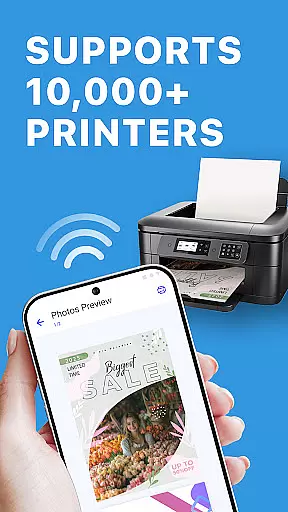
Smart Printer is a versatile mobile printing solution that allows Android users to print a wide range of content types directly from their smartphones. The app supports universal printing capabilities, working seamlessly with major printer brands like HP, Canon, and Epson.
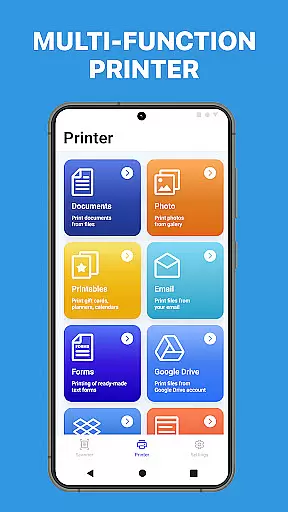
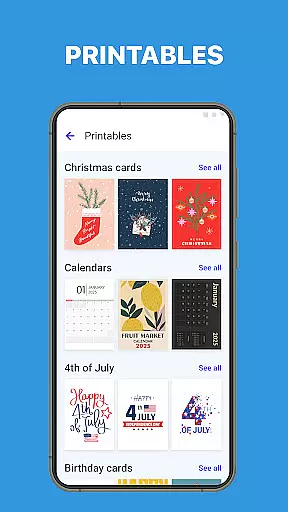
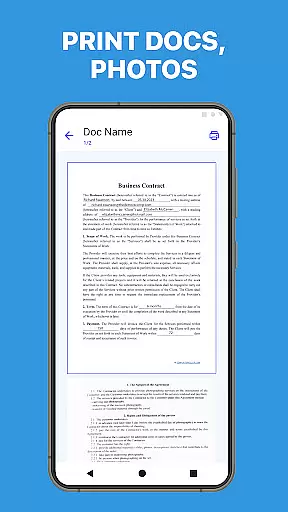
With its comprehensive feature set, Smart Printer enables users to print photos, documents, web pages, and email attachments with ease. The app's advanced printing options include preview functionality and multi-image printing, while its template library provides over 100 free monthly updated designs for various printing projects.
This printing tool proves especially valuable in both personal and professional settings, allowing users to quickly generate hard copies of important documents or create customized printed materials without requiring a computer.
Smart Printer distinguishes itself through its extensive feature set designed to enhance mobile printing. The app's universal printing capability supports various printer types including inkjet, laser, and thermal models across multiple brands.
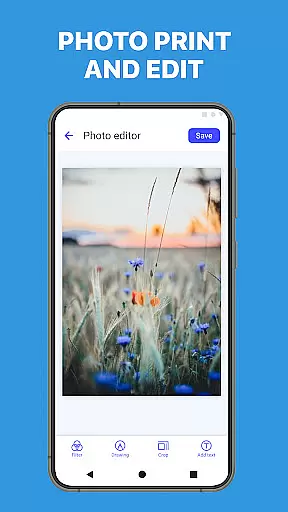
The application offers specialized tools for different printing needs. Users can print high-quality photos in various formats, handle Microsoft Office documents and PDFs, and even print web pages directly from their browser. Its multi-image printing feature helps optimize paper usage while maintaining print quality.
Additional features include advanced document preview options, support for multiple file formats, and a comprehensive template library. These capabilities ensure users can handle both basic printing tasks and more complex projects with equal ease and efficiency.
When it comes to printing applications, the accuracy and effectiveness of core functions are paramount. Smart Printer excels in this area by offering universal printing capabilities that support a wide array of printers, from inkjet to laser models. The app ensures that whether you're printing photos, PDFs, or Microsoft Office documents, the output is consistently precise and meets your expectations.
The app's advanced printing options further enhance its core functionality. Users can preview their documents before printing, which significantly reduces the likelihood of errors. This feature is particularly useful when dealing with important files where precision is non-negotiable. Additionally, the multi-image printing option allows for efficient use of paper, accommodating several images on one sheet without compromising quality.
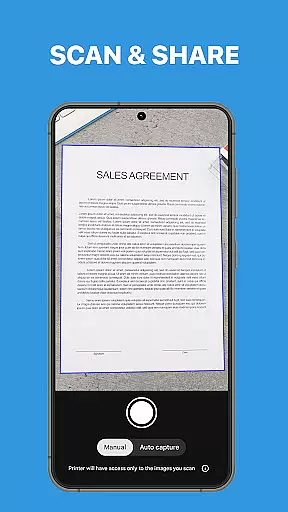
Smart Printer also supports an extensive range of file types, including but not limited to PDFs, DOCs, XLSX, PPTX, TXT, and CSV files. This versatility means users can print virtually any document type they encounter, streamlining workflows and ensuring that no file format will be an obstacle to getting a hard copy. By covering all these bases, Smart Printer delivers on its promise of convenience and efficiency.
Ultimately, the value proposition for users lies in the peace of mind that comes with knowing their printing needs are covered comprehensively. With features like email attachment printing and web page printing directly from the phone's browser, Smart Printer positions itself as an indispensable tool for both personal and professional use. Its ability to handle various tasks with ease makes it a reliable choice for anyone looking to simplify their printing process while maintaining high standards of print quality.
A user-friendly interface is crucial for productivity tools, and Smart Printer shines in providing an intuitive experience. Upon launching the app, users are greeted with a clean layout that organizes its robust features into easily navigable sections. This design choice ensures that even those who may not be tech-savvy can quickly understand how to operate the application without a steep learning curve.
The simplicity of the interface does not come at the expense of functionality; rather, it enhances it. For instance, when selecting files to print, users can do so directly from their deviceu2019s storage or cloud services seamlessly integrated within the app. This straightforward approach eliminates unnecessary steps and potential confusion, allowing users to focus on their primary tasku2014printing.
Moreover, Smart Printer offers over 100 free templates updated monthly, which include cards, invitations, calendars, photo frames, and more. These templates are readily accessible through an intuitive selection process that guides users through customization options until they achieve their desired outcome. Such thoughtful design elements contribute significantly to the overall ease-of-use of the application.
In practice, this means that individuals using Smart Printer can expect a hassle-free experience every time they need to print something out. From students needing quick access to study materials to professionals requiring immediate hard copies of reports or presentations, the app caters to diverse needs without complicating the interaction between human and machine. It stands as a testament to how powerful yet simple modern mobile applications can be when designed with true consideration for end-user interaction patterns.
User-friendly interface
Wide printer compatibility
Comprehensive file support
Advanced preview options
Regular template updates
Premium features locked
Occasional connection issues
Limited free templates
Ads in free version
Large app size

1-Click close all background apps on Android TV
 3.90
3.90
Safely recover deleted photos, videos, and files with a single easy tap.
3.70
VESC Tool can monitor and configure VESC-compatible devices over BLE and Wifi
4.20
Unleash gamepad precision for ultimate mobile gaming dominance.
3.90
Excellent scientific calculator with symbolic algebra, integrals, derivatives
4.80
Signal Strength, Mobile, Wifi, Speed Test, Bad Signals, Cellular, 5G, LTE, 4G
4.20
Making emulation easy for everyone!
4.30
The ultimate tool for network analysis, wifi scanning and problem detection.
4.90
Creation, Learning, Entertainment & More — The All-in-One AI Search Engine
4.70
Extremely fast, secure, and protects your privacy
4.80
NFC Tools can read and write NFC tags.
4.70
HD Camera captures every special moment.
4.60
Keep track of your Palia friendships, tasks, and inventory with Palia Notebook
4.60
Head tracking for PC sim games such as MSFS 2024 or Elite:Dangerous. No headset!
4.50
eXtended Permission Manager - a small app to manage permissions and AppOps
4.50
Quickly check the frequency of the Earth
4.30
Screen Mirroring with sound for Samsung TV, LG TV, Sony TV, Smart TV and Browser
4.20
MS-DOS in your pocket. Play old DOS games anywhere you are ;)
4.10
Smart and comfortable browsing experience.
3.80


User Reviews