
WiFi Pro FTP Server transforms your Android device into a fully functional FTP server, enabling seamless file transfers between your phone or tablet and other devices. With support for FTP over TLS/SSL (FTPS), this app ensures secure data exchanges while offering advanced configuration options such as anonymous access, home folder settings, and user authentication.
This tool is particularly useful for users who want to avoid cumbersome USB cables and prefer wireless file management. Whether you're transferring photos, movies, songs, or documents, the app works efficiently over Wi-Fi and even in tethering mode (hotspot). Its flexibility makes it ideal for both personal use and professional environments where quick backups and remote file access are essential.
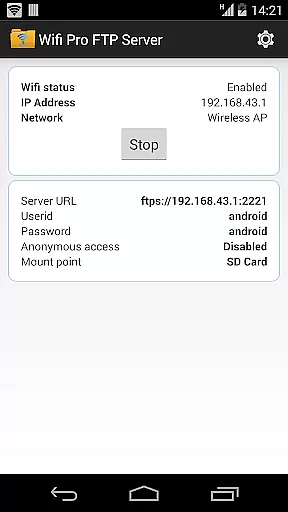
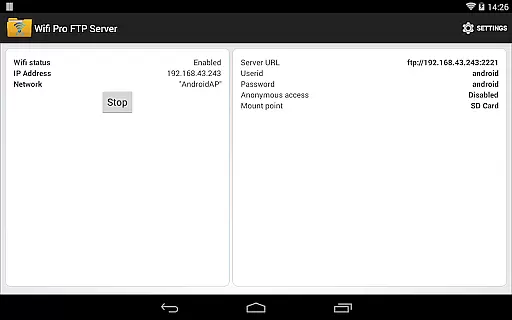
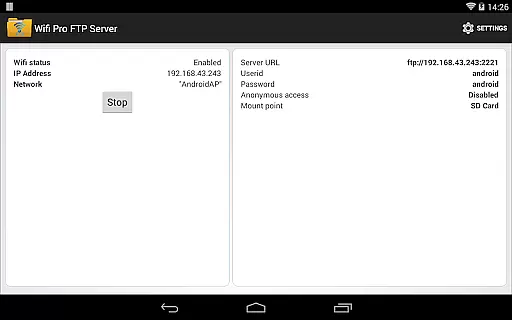
WiFi Pro FTP Server stands out with its comprehensive feature set tailored for power users. The app allows full control over the FTP server environment, including customizable port numbers, which must be greater than 1024 due to system restrictions on non-rooted devices. By default, the port is set to 2221 but can be adjusted via the settings screen.
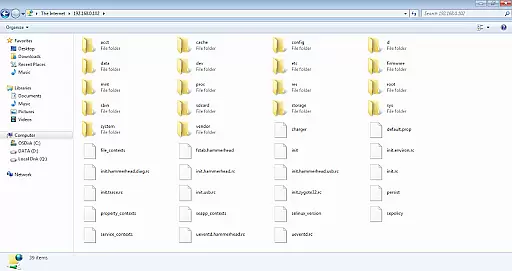
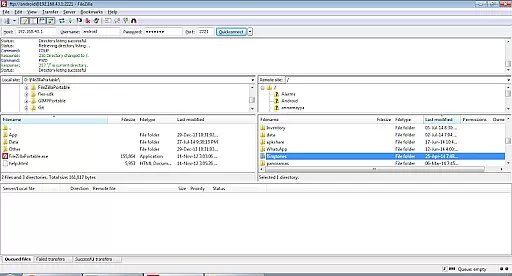
Security is a priority, and the app does not enable anonymous access by default. Users can configure usernames, passwords, and mount points to further enhance protection. Additionally, the app supports FTPS (FTP over TLS/SSL), ensuring encrypted connections during file transfers. For convenience, files can also be accessed through Windows File Explorer or third-party clients like FileZilla, making it versatile for various workflows.
WiFi Pro FTP Server transforms your Android device into a fully functional FTP server, enabling seamless file transfers between your device and other systems. The core functionality of this app lies in its ability to host an FTP server with precision and reliability.
The app supports FTP over TLS/SSL (FTPS), ensuring secure data transmission while maintaining high performance. With configurable port numbers and user credentials, the app allows users to set up a personalized FTP environment tailored to their specific needs. This level of customization enhances both security and usability.
Users benefit from the app's support for various connectivity modes, including standard WiFi and WiFi tethering (hotspot mode). This flexibility ensures that file transfers can be conducted in diverse network environments without requiring physical USB cables, thus streamlining the process of backing up or sharing files.
Overall, the app's robust implementation of FTP standards, combined with its advanced security features and adaptability to different network conditions, makes it a reliable tool for managing file transfers efficiently and securely.
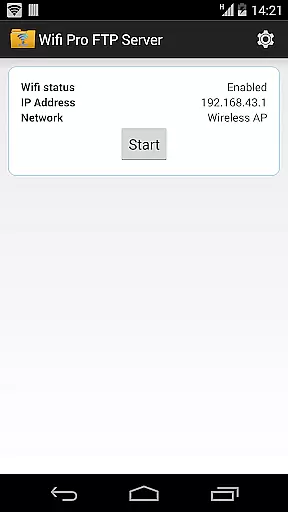
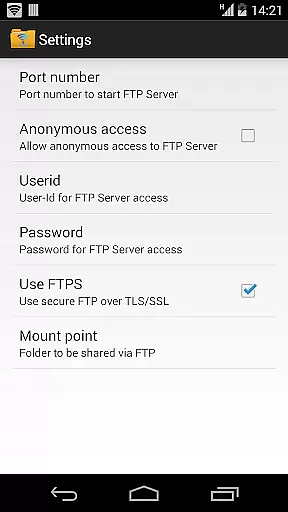
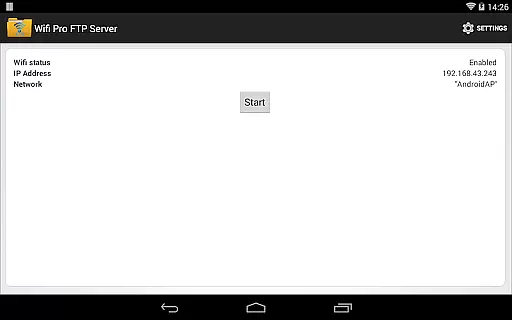
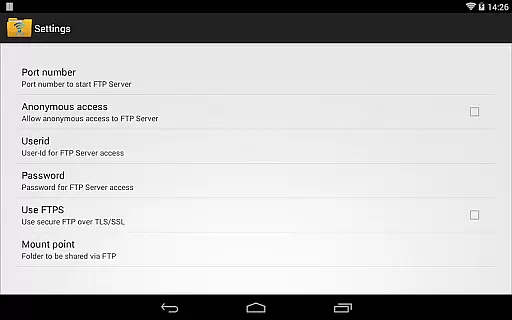
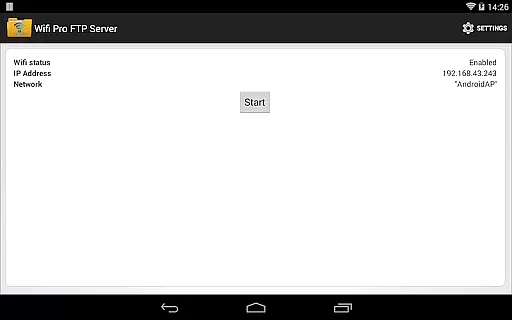
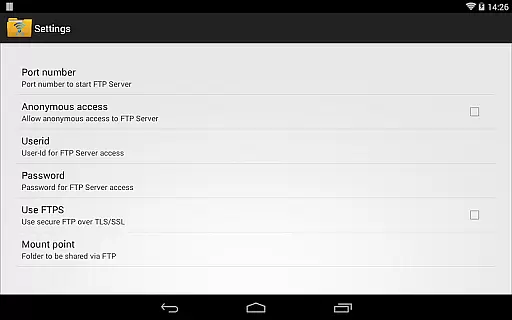
Achieving simplicity and intuitiveness in interface design is crucial for any application, and WiFi Pro FTP Server excels in this area by providing a straightforward setup process. Upon launching the app, users are greeted with a clean layout that highlights essential settings such as port configuration, username, password, and home folder selection.
The app avoids overwhelming users with unnecessary complexity by focusing on key functionalities. For instance, enabling FTPS or adjusting anonymous access permissions can be done through a few simple taps within the settings menu. Such thoughtful design choices ensure that even those new to FTP servers can navigate and configure the app with ease.
Additionally, the app provides clear instructions and tips throughout the interface, guiding users through each step of the setup process. These contextual hints help prevent common mistakes and enhance the overall user experience by making the app more approachable and less intimidating.
By prioritizing clarity and ease-of-use, WiFi Pro FTP Server ensures that users can quickly get their FTP server up and running without needing extensive technical knowledge, thereby maximizing productivity and minimizing frustration.
User-friendly interface
Secure FTPS support
Customizable configurations
Works over Wi-Fi
No ads in pro version
Limited to FTP, no SFTP yet
Default port above 1024
Requires manual setup
Anonymous access disabled
Needs stable Wi-Fi

A convenient photo, video, and file recovery tool.
 4.00
4.00
Extremely fast, secure, and protects your privacy
4.80
Unit and currency converter with easy and simple UI.
4.80
Remote for Roku, Fire TV, Samsung TV, LG TV, Android TV, Chromecast and VIZIO TV
4.20
Small and simple app to Verify Root Access and BusyBox Install!
4.70
MS-DOS in your pocket. Play old DOS games anywhere you are ;)
4.10
With videos, electrical calculators, and built-in ebook, Ugly’s has your answer.
4.50
Fun lie-detection pranks for friends and parties.
3.80
Clean up your phone, find files, play media, and share files offline
4.50
WiFi Signal Strength Meter help you detect WiFi Signal Strength in real time.
4.80
Canon PRINT is a companion app for your Canon printer.
4.60
Planner and Tracker for Stardew Valley
4.60
Clean up large files and similar photos, fast and easy to use
4.40
Making emulation easy for everyone!
4.30
Quickly check the frequency of the Earth
4.30
VESC Tool can monitor and configure VESC-compatible devices over BLE and Wifi
4.20
An open-source APK explorer for Android!
4.10
A recovery soft,it features photo recovery, video recovery, file recovery.
3.40
card-reader app
2.20


User Reviews