
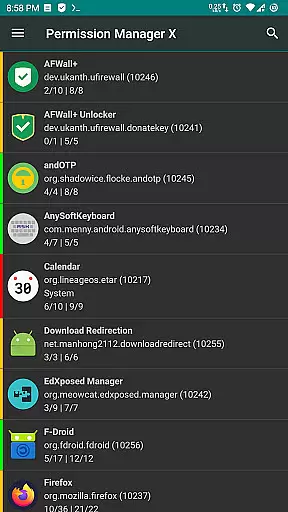
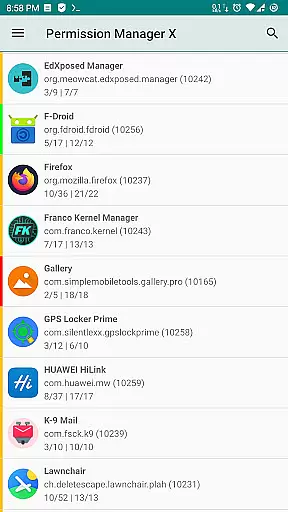
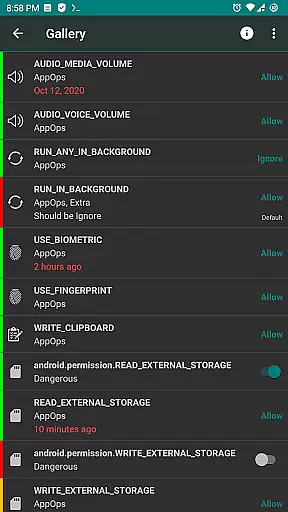
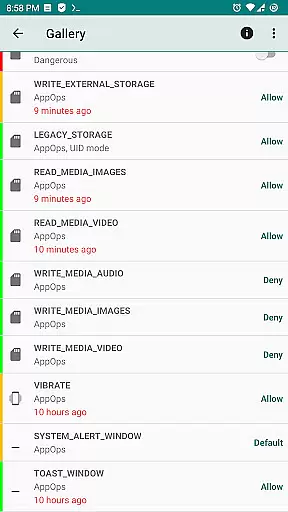
Permission Manager X is a comprehensive tool designed to manage app permissions on Android devices. It allows users to view, grant, or revoke both manifest and AppOps permissions from a single interface. The app provides fine-grained control over permissions like storage, camera, background execution, and more, ensuring optimal privacy protection.
A standout feature of PMX is the ability to set reference states for permissions, which can be backed up and restored across devices or after reinstalling apps. This makes it an invaluable tool for maintaining consistent privacy settings. Additionally, its colored bars offer quick visual cues for easy review of permission statuses.
This app is particularly useful for power users who frequently change ROMs or reinstall apps, as it saves time in reconfiguring permission settings. With support for multi-user profiles and work environments, Permission Manager X offers advanced capabilities while respecting user privacy through its open-source, tracker-free design.
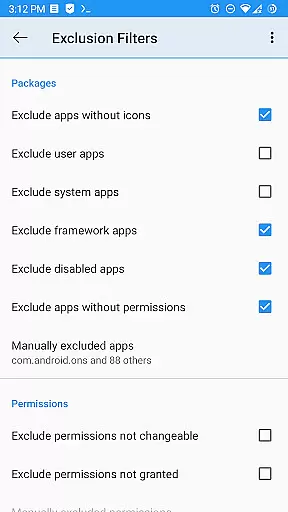
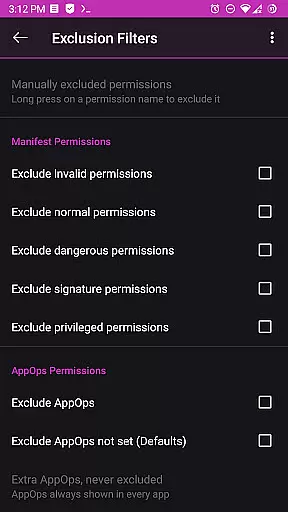
Permission Manager X stands out with its extensive feature set tailored for advanced permission management. The app allows simultaneous control of both manifest permissions and AppOps, providing deeper insights into how these two permission types interact. Users can sort apps and permissions by various parameters, making it easier to organize and review settings.
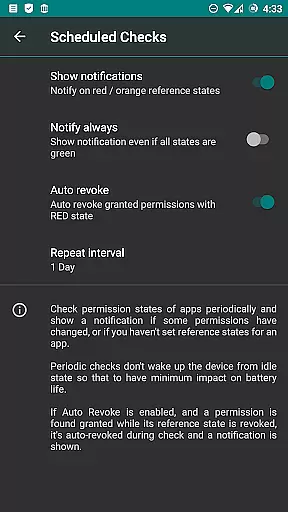
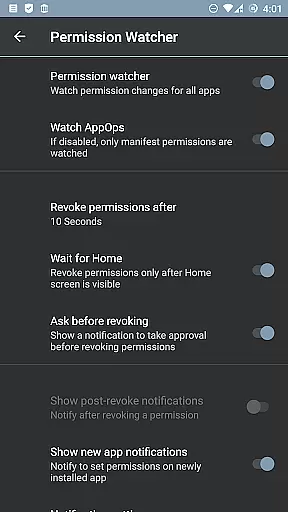
The app includes powerful paid features such as Scheduled Checks that notify users of undesirable permission states, and Auto Revoke functionality that removes granted permissions with RED states. The Permission Watcher tool automatically removes unwanted permissions when apps are not in use, enhancing both privacy and device performance.
Additional functionalities include batch operations, theming options, search suggestions, and detailed permission descriptions. These features collectively provide users with complete control over their device's security posture while offering convenience through automation and customization options.
Permission Manager X offers a comprehensive suite of tools designed to manage app permissions with precision and efficiency. The core functionality allows users to view, grant, or revoke both manifest permissions and AppOps permissions from a single interface. This ensures that every permission change is accurately reflected in the system, providing users with complete control over their privacy settings.
The application's robust framework leverages Android's backend access control mechanisms, offering fine-grained adjustments for each installed app. Users can set reference values for permissions, which can be backed up and restored, ensuring consistency across reinstalls or device changes. This meticulous approach guarantees that all permission states are managed effectively, preventing any unauthorized access while maintaining optimal app performance.
With features like Permission Watcher and scheduled checks, the app actively monitors and manages permissions in real-time. These proactive measures ensure that unwanted permissions are swiftly removed, enhancing both security and device responsiveness. Such diligent management provides peace of mind, knowing that your privacy is safeguarded without compromising on usability.
Despite its powerful capabilities, Permission Manager X maintains an intuitive and user-friendly interface. The design emphasizes ease of use, allowing even novice users to navigate through complex permission settings effortlessly. Each feature is logically organized, ensuring that users can locate and adjust settings without unnecessary complexity.
Visual aids such as colored bars provide quick insights into permission statuses, making it easy to review and manage multiple apps simultaneously. This visual feedback enhances the overall user experience by simplifying the identification of potential privacy risks. Additionally, detailed guides and FAQs are available to assist users in understanding the intricacies of manifest permissions and AppOps.
For advanced users, the app offers theming options and batch operations, further customizing the interaction based on individual preferences. These thoughtful design choices ensure that whether you're managing basic permissions or exploring more sophisticated controls, Permission Manager X remains accessible and straightforward, enhancing productivity without overwhelming the user.
Comprehensive permission control
Efficient backup and restore
Privacy-focused design
Advanced AppOps management
Open-source and ad-free
Requires root access
Limited without ADB
Complex for beginners
Paid features needed
Device compatibility issues

 4.10
4.10
Just swipe the edge to do something!
4.40
Use your phone as a webcam on your computer over WiFi or USB.
4.40
Unlock your Essential Key. Create custom shortcuts to your favorite apps!
4.3
App that Recover your pictures, videos or files after you delete them.
4.20
Making emulation easy for everyone!
4.30
The Ultimate Bluetooth Keyboard & Mouse. Securely control your PC, Mac, and more
4.50
Screen Mirroring for Roku Sticks, Roku TCL TV and Roku Hisense TV
4.50
Enhance your Beats
3.70
Remote Play with FSR upscaling, low latency & full controller support
4.80
WiFi Signal Strength Meter help you detect WiFi Signal Strength in real time.
4.80
Small and simple app to Verify Root Access and BusyBox Install!
4.70 4.50
4.50
Head tracking for PC sim games such as MSFS 2024 or Elite:Dangerous. No headset!
4.50
Clean up large files and similar photos, fast and easy to use
4.40
Quickly check the frequency of the Earth
4.30
VESC Tool can monitor and configure VESC-compatible devices over BLE and Wifi
4.20
Smart and comfortable browsing experience.
3.80
This app unlocks the Pro features of the Central for DayZ app
3.60


User Reviews