
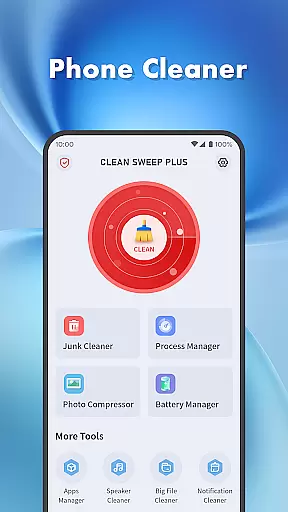
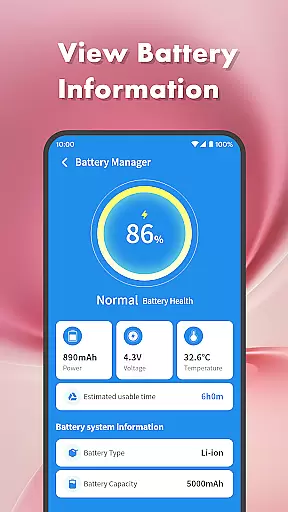
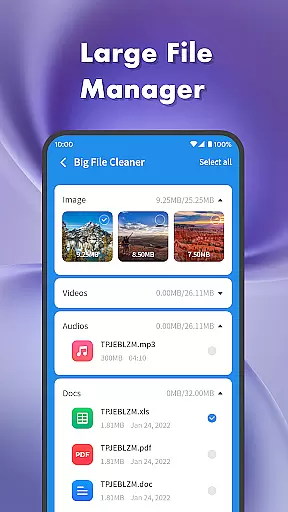
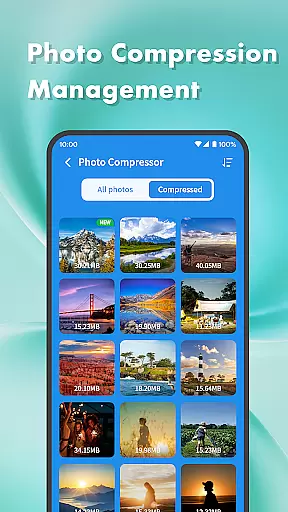
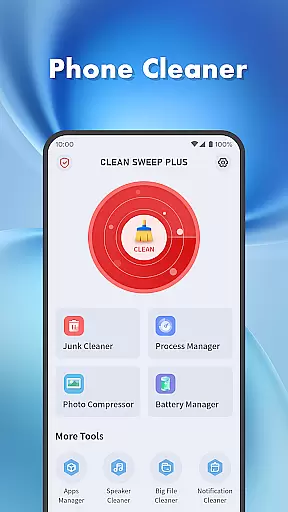
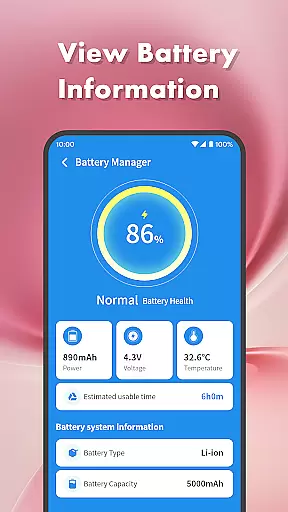
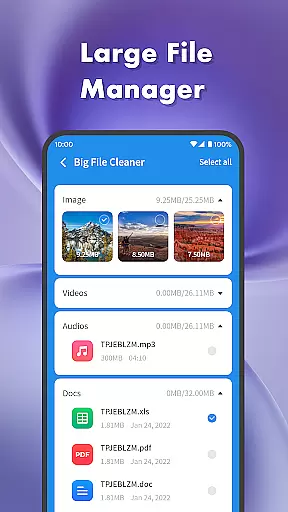
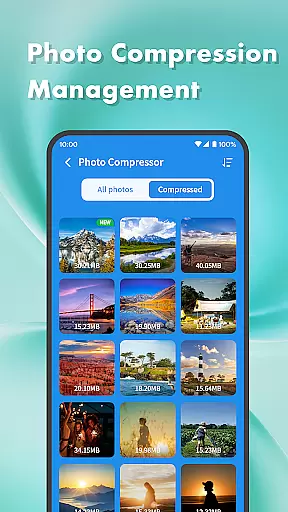
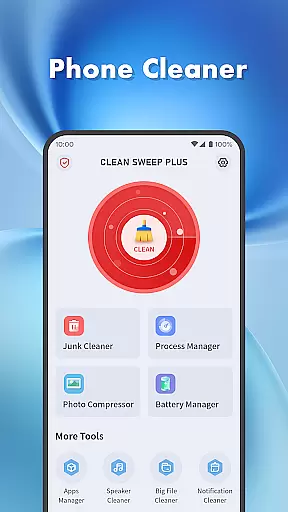
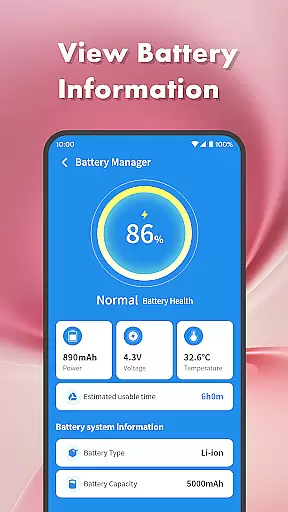
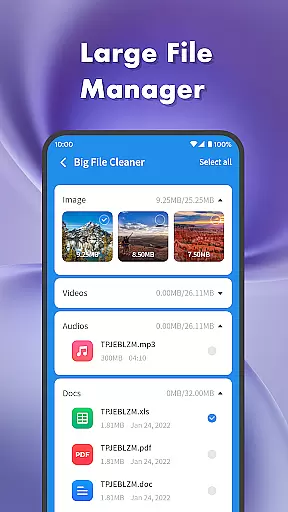
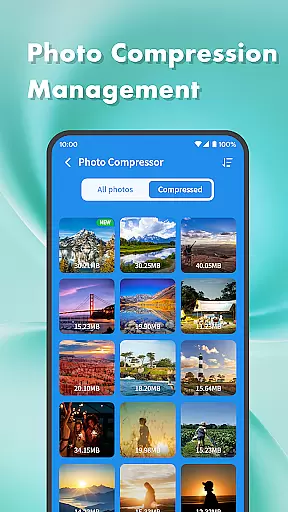
Clean Sweep Plus is a comprehensive phone management tool designed to help users optimize their mobile devices. The app offers a range of features including junk file cleaning, large file management, and photo compression to save storage space. It also provides essential battery information and management tools to monitor power usage.
With its intuitive interface and practical functions, Clean Sweep Plus makes daily phone management tasks easy and efficient. Users can uninstall infrequently used apps, clear notifications, and even clean their phone's speaker with vibration. Whether you need to free up space or check your battery status, this app delivers a refreshing user experience.
Clean Sweep Plus stands out with its diverse set of tools tailored for mobile device optimization. The Junk Cleaner helps identify and remove unnecessary files, while the Large File Manager assists in locating big files such as images and videos. The Photo Compression feature reduces file sizes without compromising quality.
The app also includes an App Manager for easy uninstallation of apps and a Process Manager to view background processes. Its Battery Management Center provides detailed insights into battery life, and the Speaker Cleaner uses vibration technology to clean the speaker. These features collectively ensure that users have a smooth and efficient phone management experience.
When it comes to mobile device management tools, the accuracy and effectiveness of core functions are paramount. Clean Sweep Plus excels in this area by offering a comprehensive suite of features designed to optimize your phone's performance.
The app's Junk Cleaner precisely identifies unnecessary files, ensuring that only genuine junk is removed without affecting important data. Its Large File Manager provides detailed insights into storage usage, allowing users to locate and manage sizable files like images, videos, and audio with ease.
Clean Sweep Plus also includes a Battery Management Center that accurately displays battery power levels and estimated usage time. This feature helps users make informed decisions about their device usage. Additionally, the App Manager and Process Manager work together to ensure smooth operation by identifying rarely used apps and background processes that may be consuming valuable resources.
A tool's value is significantly enhanced by an intuitive and user-friendly interface, and Clean Sweep Plus delivers on this front. The app's design emphasizes simplicity and ease of navigation, making daily phone management tasks accessible to users of all technical backgrounds.
Upon opening the app, users are greeted with a clear layout where each function is easy to locate. The main page categorizes features into distinct sections such as 'Basic Device Management' and 'App and Process Management,' streamlining the user experience.
Moreover, Clean Sweep Plus maintains consistency across its various tools, ensuring that once users learn to use one feature, they can easily navigate others. This uniformity, combined with straightforward controls and clear labels, reduces the learning curve and enhances overall usability.
User-friendly interface
Comprehensive toolset
Effective junk cleaning
Intuitive design
Practical battery info
Limited advanced tools
No cloud backup
Basic photo editing
Few customization options
Occasional bugs

 4.50
4.50
Amateur Radio app for APRS: Track friends, exchange messages, get tactical info.
3.90
Forza Tuning Calculator App for Forza Horizon 5, Motorsport and Earlier Titles
4.40
Smart and comfortable browsing experience.
3.80
Detect hidden spy camera with advanced scanning {{ Premium version }}
4.00
View detailed information about your Nissan Leaf the dealer never shows you.
4.10
The Ultimate Bluetooth Keyboard & Mouse. Securely control your PC, Mac, and more
4.50
Support Fossify apps with a warm thank you!
5.00
Screen Mirroring with sound for Samsung TV, LG TV, Sony TV, Smart TV and Browser
4.20
Bedrock Together: Join any bedrock server on Xbox/PS
4.80
Easily install aab(Android App Bundle) files on your Android device with our app
4.80
Remote Play with FSR upscaling, low latency & full controller support
4.80
The Ultimate Flex Drivers Utility App - Convenient Tapping & Block Filters
4.70
With videos, electrical calculators, and built-in ebook, Ugly’s has your answer.
4.50
An easy-to-use calculator designed to save time calculating and bending conduit
4.30
MS-DOS in your pocket. Play old DOS games anywhere you are ;)
4.10
Create your own live wallpaper or check out thousands already made presets
3.90
Unleash gamepad precision for ultimate mobile gaming dominance.
3.90
Clean the junk files on your device
3.40


User Reviews