
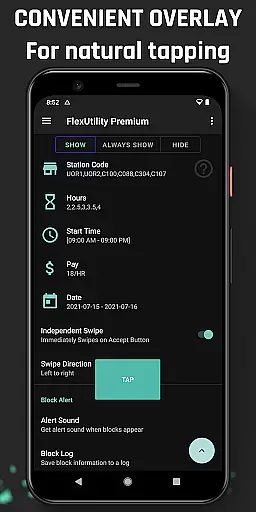
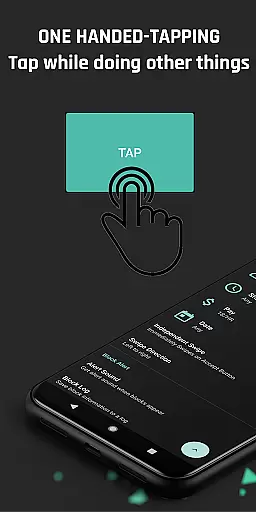
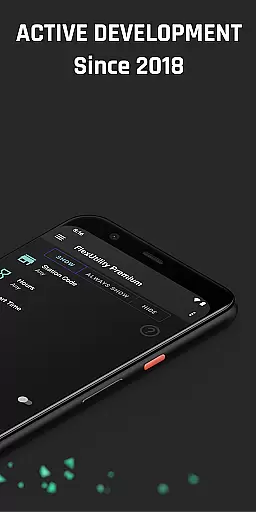
Flex Utility Premium is a powerful tool designed specifically for Flex drivers, offering an enhanced and efficient work experience. The app provides a single-tap overlay button that simplifies the process of accepting work blocks, allowing drivers to multitask without constant screen attention.
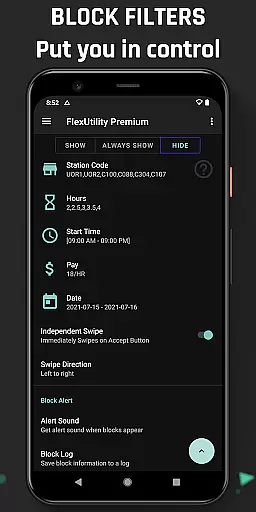
With advanced filtering options, drivers can customize their work preferences including pay rate, station codes, work days, start times, and job durations. This ensures maximum convenience and optimal work selection based on individual needs. Additionally, features like Block Alert and Block Log help streamline the workflow by notifying users of suitable blocks and maintaining a detailed log for pattern analysis.
Flex Utility Premium offers several innovative features tailored for Flex drivers. The one-tap overlay button eliminates the need for continuous tapping, making it easier to accept blocks while performing other tasks. This feature is particularly beneficial for drivers who require accessibility assistance.
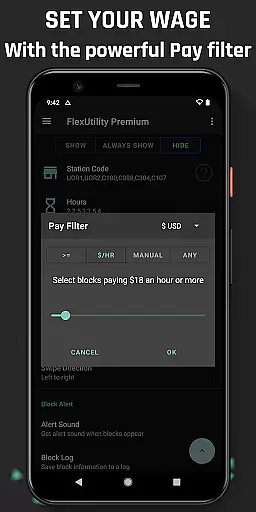
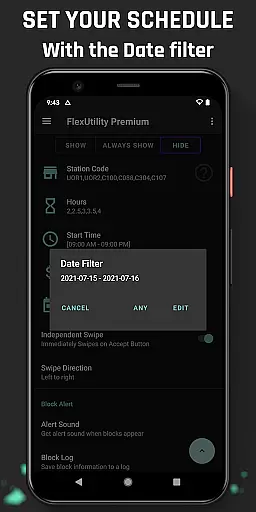
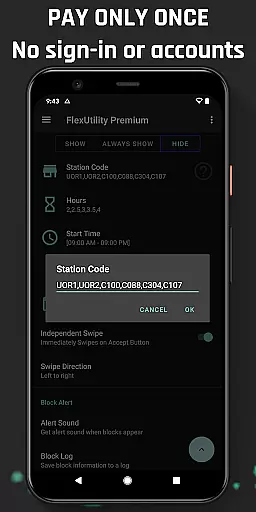
The app's robust filtering system allows drivers to set specific criteria for accepting work blocks. Users can define minimum pay rates, preferred station codes, desired work days, ideal start times, and preferred job lengths. These filters ensure that drivers only receive offers that match their preferences, enhancing both efficiency and satisfaction.
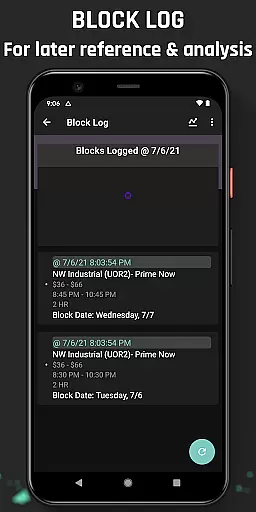
Additional features include Block Alert, which notifies drivers when a suitable block becomes available, and Block Log, which keeps a comprehensive record of all block activities. Drivers can export this log to CSV for further analysis, helping them identify trends and optimize their work schedules accordingly.
Flex Utility Premium is designed to enhance the experience of Flex drivers through its core functions, which are both accurate and effective. The app provides an overlay button that simplifies the process of accepting work blocks, eliminating the need for constant attention to the screen and allowing multitasking while searching for jobs. This one-tap solution ensures that drivers can secure better blocks with minimal effort, showcasing the app's commitment to precision in its primary function.
The app's powerful filtering system exemplifies its functional effectiveness. Drivers can set specific criteria such as desired pay rate, preferred station codes, workdays, start times, and job duration. These filters ensure that only the most relevant work opportunities are presented, streamlining the selection process and aligning perfectly with individual preferences and schedules. This level of customization demonstrates Flex Utility's dedication to providing a tool that genuinely serves the needs of its users.
For Flex drivers, the benefits of using Flex Utility Premium translate into tangible advantages. By automating the search and acceptance of work blocks that meet pre-set conditions, the app not only saves time but also increases earning potential by focusing on higher-paying jobs. Moreover, features like Block Alert and Block Log contribute to a stress-free experience by notifying users of suitable blocks and enabling them to analyze drop patterns, respectively. Such capabilities underscore the app's value proposition in terms of enhancing productivity and convenience.
A standout feature of Flex Utility Premium is the simplicity and intuitiveness of its user interface. Designed with the end-user in mind, the app offers an uncluttered and straightforward layout that makes navigation effortless. With just a single overlay button to manage block acceptance, the app reduces complexity, allowing drivers to focus on their work without being distracted by complicated controls or settings.
The filtering options within the app further illustrate its intuitive design. Users can easily input their preferences for pay rate, station codes, workdays, start times, and job lengths without navigating through complex menus or options. This ease of setting personal parameters ensures that even those who may not be tech-savvy can utilize the app effectively, making it accessible to a broad range of Flex drivers seeking convenience and efficiency in their workflow.
By prioritizing an intuitive user experience, Flex Utility Premium delivers significant benefits to its users. The reduced need for constant screen interaction means drivers can engage in other activities while waiting for suitable work blocks. Additionally, clear feedback mechanisms like audible alerts for block availability and detailed logs for pattern analysis enhance overall usability. These aspects collectively contribute to a seamless and efficient user journey, reinforcing the app's position as a valuable tool in the Tools category.
Enhanced Efficiency
Customizable Filters
User-Friendly Interface
Accessibility Support
Regular Updates
Premium Price
Not Auto-Tapper
Limited to Flex
Requires Setup
No iOS Version

Just swipe the edge to do something!
 4.40
4.40
HD Video player and downloader for all formats, fast & smooth 4K video playback.
4.60
Safely recover deleted photos, videos, and files with a single easy tap.
3.70
Create your own live wallpaper or check out thousands already made presets
3.90
Smart and comfortable browsing experience.
3.80
Undelete and recover your lost or deleted files with DiskDigger!
3.40
Planner and Tracker for Stardew Valley
4.60
Mirror your screen to Fire TV - Super fast and simple
4.40
The ultimate tool for network analysis, wifi scanning and problem detection.
4.90
Enjoy smooth gameplay with Game Booster
4.90
Monitor car performance in real time and troubleshoot malfunctions.
4.80
Game Booster, GFX Tool is now compatible with newer game update
4.50
Complete kernel toolbox with features to manage and tweak your rooted device
4.30
Remote for Roku, Fire TV, Samsung TV, LG TV, Android TV, Chromecast and VIZIO TV
4.20
Effortlessly run ADB commands directly on your device without a PC.
4.20
Detect hidden spy camera with advanced scanning {{ Premium version }}
4.00
Create your own custom widget with endless possibilities
3.90
A recovery soft,it features photo recovery, video recovery, file recovery.
3.40
PDF Reader - Document Viewer: Read, Manage & Organize Your Documents
3.10


User Reviews