
Speedtest by Ookla is a leading internet speed testing tool that provides accurate measurements of your connection's performance. With millions of users worldwide, it has become the go-to solution for testing download speed, upload speed, and network latency.
The app offers an intuitive interface that allows users to start a test with just one tap. It also includes advanced features like detailed reporting, result sharing, and historical tracking, making it invaluable for both casual users and network professionals.
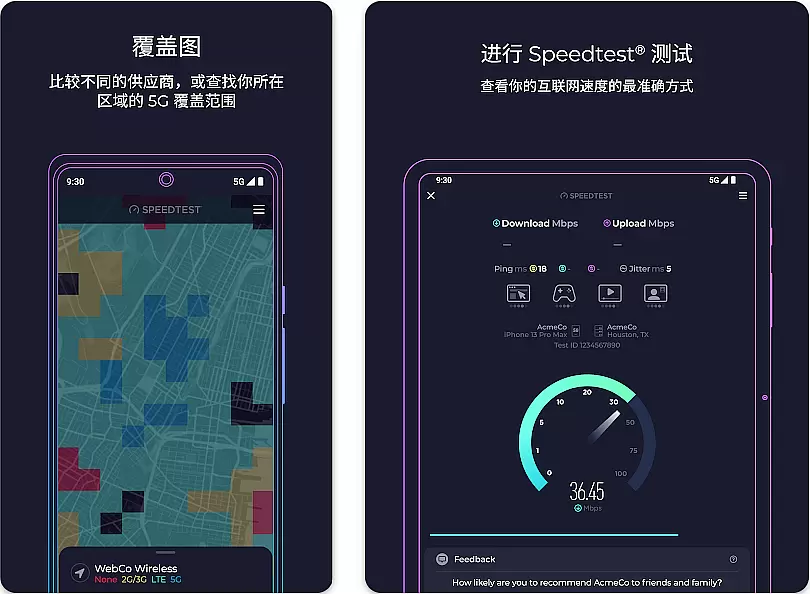
Speedtest stands out with its comprehensive feature set designed to give users complete insights into their internet performance. The app uses globally distributed servers to ensure the most accurate results regardless of user location.
Key features include real-time graphing of connection consistency, background testing options, and customizable test intervals. Users can also access premium features through subscription plans, such as no ads, detailed analytics, and priority customer support.
For network administrators and professionals, Speedtest offers advanced tools including command-line interface support and integration capabilities with other network monitoring solutions.
Speedtest by Ookla is a premier tool designed to measure the performance of your internet connection with precision. The core functionality revolves around providing accurate readings of download and upload speeds, as well as latency or ping rates. This ensures that users can reliably assess their network's capabilities whether they are at home or on a mobile data network.
The app employs advanced testing methodologies to deliver consistent and trustworthy results. By using multiple concurrent connections to test internet speed, it simulates real-world usage scenarios such as streaming videos or downloading large files. This approach allows for an effective evaluation of how different types of online activities may be impacted by the quality of one's internet service.
For users, this means gaining valuable insights into their connectivity issues or confirming the high-speed performance promised by Internet Service Providers. With Speedtest, you can troubleshoot network problems, verify if you're getting what you pay for, and compare different times of day to see how peak usage affects your connection quality.
Ultimately, the accuracy and effectiveness of Speedtest empower consumers to make informed decisions about their internet plans. Whether optimizing your current setup or shopping around for better options, having precise data at hand is crucial in today's digital age where reliable connectivity is not just a luxury but a necessity.
A standout feature of Speedtest by Ookla is its commitment to interface simplicity and intuitiveness, ensuring that users of all technical backgrounds can easily navigate and utilize its features. Upon launching the app, users are greeted with a clean, uncluttered design centered around a single, prominent 'Go' button. This streamlined approach eliminates any potential confusion, making it clear exactly how to initiate a speed test.
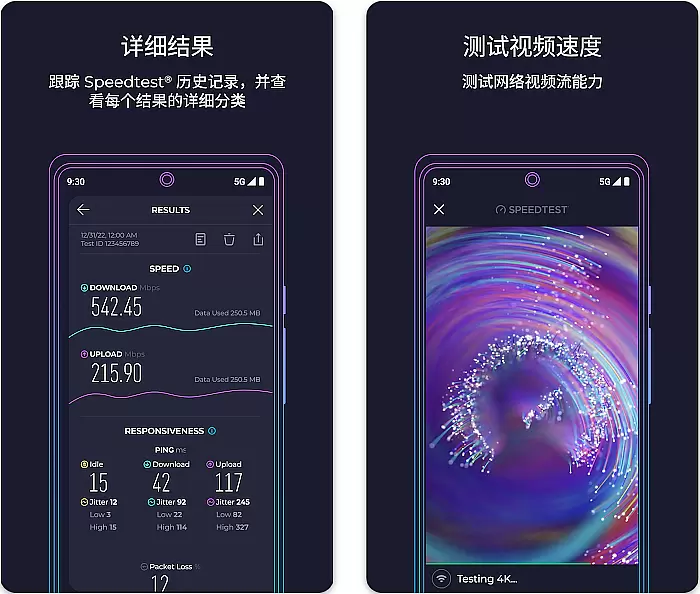
The thoughtful layout extends beyond just aesthetics; it enhances user interaction through smart design choices. For instance, after completing a test, results are displayed in an easy-to-understand format, highlighting key metrics like download speed, upload speed, and ping time without overwhelming the user with unnecessary details. Such clarity helps demystify complex network diagnostics for everyday users.
Moreover, additional functionalities such as result history tracking and detailed reporting are tucked away neatly within menus, maintaining focus on primary tasks while still offering advanced options for those interested. These secondary features do not detract from the main experience but rather complement it by being accessible yet non-intrusive.
In essence, Speedtestu2019s dedication to maintaining an intuitive interface significantly boosts overall usability. It bridges the gap between sophisticated technology and end-user accessibility, proving that powerful tools need not compromise on ease-of-use. This balance ensures that whether youu2019re troubleshooting connectivity issues or simply curious about your internet performance, doing so is straightforward and stress-free.
Highly accurate speed measurements
User-friendly interface design
Extensive server network coverage
Detailed performance reporting
Regular feature updates
Premium features require subscription
Basic ads in free version
Occasional server connectivity issues
Advanced tools need technical knowledge
Limited offline functionality

 4.50
4.50 4.50
4.50
Easily install aab(Android App Bundle) files on your Android device with our app
4.80
Transfer Files, APK from Phone to Watch & Install.
4.4
PDF Reader - Document Viewer: Read, Manage & Organize Your Documents
3.10
HD Video player and downloader for all formats, fast & smooth 4K video playback.
4.60
Create your own live wallpaper or check out thousands already made presets
3.90
Pro Emulator is an easy to use game console emulator for a range of consoles.
4.40
Clean up large files and similar photos, fast and easy to use
4.40
Extremely fast, secure, and protects your privacy
4.80
Bedrock Together: Join any bedrock server on Xbox/PS
4.80
The Ultimate Flex Drivers Utility App - Convenient Tapping & Block Filters
4.70
Just swipe the edge to do something!
4.40
Complete kernel toolbox with features to manage and tweak your rooted device
4.30
An easy-to-use calculator designed to save time calculating and bending conduit
4.30
Effortlessly run ADB commands directly on your device without a PC.
4.20
An open-source APK explorer for Android!
4.10
Introducing Smart Printer, your ultimate destination for printing solutions!
4.00
A non-root local ADB shell client. READ BELOW!
3.40


User Reviews