
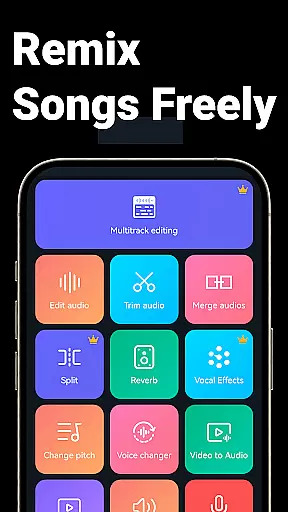
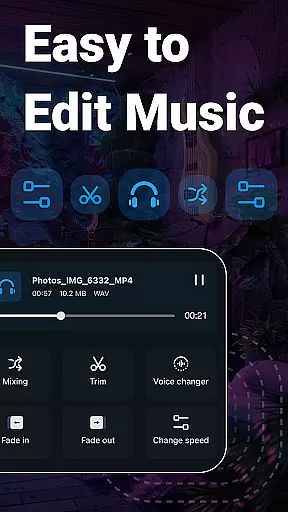
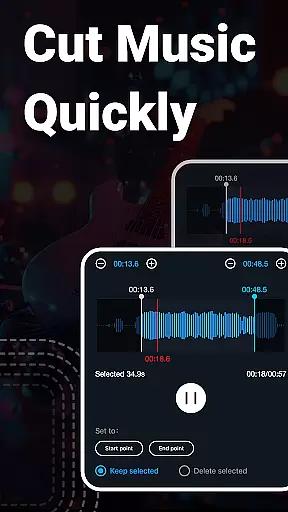
Music Audio Editor, MP3 Cutter is a comprehensive audio editing tool designed for both casual users and professionals. This app allows you to cut, splice, mix, and convert audio files with precision and ease. Whether you're looking to create custom ringtones, adjust sound levels, or even remove vocals from songs, this app provides the necessary tools.
The application supports a wide range of audio formats including MP3, AAC, WAV, FLAC, M4A, and AMR. It also offers advanced features such as changing pitch, tempo, and adding fade-in/fade-out effects. With its intuitive interface, users can quickly get started on their audio projects right away.
Ideal for musicians, podcasters, and content creators, Music Audio Editor, MP3 Cutter enhances productivity by combining multiple functions into one powerful platform. From basic trimming tasks to complex multitrack editing, it meets most audio editing needs efficiently.
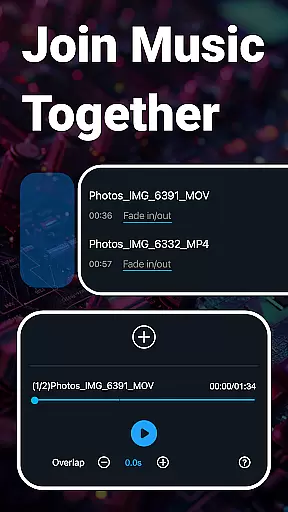
One of the standout features of Music Audio Editor, MP3 Cutter is its ability to handle various audio editing tasks seamlessly. Users can cut audio files accurately down to milliseconds, ensuring precise edits every time. Additionally, the app allows for splicing multiple audio tracks together, making it easy to create mashups or longer compositions.
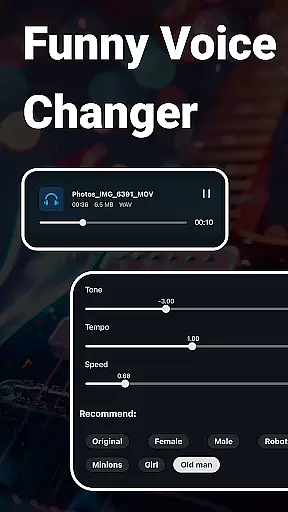
Beyond basic cutting and splicing, the app includes robust tools like a voice changer, vocal remover, and equalizer settings. These features enable users to transform their audio creatively—whether that means altering the pitch for a unique effect or fine-tuning the sound balance. The inclusion of batch processing capabilities further streamlines workflow, allowing for efficient handling of multiple files simultaneously.
Another notable feature is the video-to-audio conversion tool, which lets users extract soundtracks from videos effortlessly. Coupled with the ability to record voice memos and generate blank audio files, Music Audio Editor, MP3 Cutter becomes an all-in-one solution for diverse audio needs. Its rich set of functionalities ensures that users have everything they require at their fingertips.
When it comes to music editing applications, the size and authenticity of the music library are crucial factors. Music Audio Editor, MP3 Cutter offers an extensive library that includes over 2000 royalty-free tracks, ensuring users have a wide variety of options for their projects. This vast selection allows creators to find the perfect audio to match their vision without worrying about copyright infringement.
The app's commitment to copyright authenticity means that all the music available for download and use is properly licensed. Users can confidently incorporate these tracks into their work, whether for personal or commercial purposes, knowing they are respecting intellectual property rights. This feature is particularly beneficial for content creators who monetize their videos or music and need assurance that they are using legal audio resources.
Moreover, the integration of such a comprehensive music library within the app streamlines the creative process. Users can seamlessly browse, preview, and select tracks without needing to exit the application or search for external sources. This convenience saves time and enhances productivity, allowing users to focus on the artistic aspects of their projects rather than spending hours sourcing appropriate music.
Audio quality is paramount when editing and producing music, and Music Audio Editor, MP3 Cutter excels in providing diverse audio quality options. The app supports multiple high-quality audio formats including MP3, AAC, WAV, FLAC, M4A, and AMR. This versatility ensures that users can choose the best format for their specific needs, whether they prioritize file size, compatibility, or audio fidelity.
In addition to supporting various formats, the app also allows users to adjust critical audio parameters such as sample rate, bit rate, and output sound channels. These options give users precise control over the final audio output, enabling them to optimize files for different platforms and devices. Whether preparing audio for streaming services, video production, or personal listening, users can tailor the settings to achieve the desired balance between quality and file size.
Furthermore, the app's ability to convert mono audio to stereo and vice versa adds another layer of flexibility. This feature is especially useful for creating immersive soundscapes or optimizing audio for playback on specific systems. By offering such comprehensive audio quality options, Music Audio Editor, MP3 Cutter empowers users to produce professional-grade audio that meets industry standards and satisfies discerning listeners.
User-friendly interface
Wide format support
Advanced editing tools
Vocal removal option
Batch processing capability
Limited free features
Occasional bugs
Ads in free version
Complex for beginners
High system requirements

Tune in to the greatest hits on UK Radio | The home of Capital, Smooth & Heart.
 4.90
4.90
Powerful beat maker & DJ mixer to remix tracks, make music, & perform DJ mix
3.70
Walkout Song DJ is the most intuitive app to manage your sports music.
4.70
Your song collections with lyrics and chords on Android smartphones and tablets.
4.80
The ultimate media player for Android devices
3.90
Learn to play the piano using falling notes!
3.80
Make songs with AI! Any genre, custom lyric, song generator for music creation!
4.80
Help you quickly get started with Shokz headphones
4.40
Ringtone Maker is free app create ringtone from music files or your recording.
4.40
Play your hearts out on TouchTunes jukeboxes & connect with fellow music lovers.
4.80
Record, Mix & Master with all n-Track effects, 64-bit audio and Stem Separation.
4.70
Gorgeous UI, Powerful music Search and Equalizer, the great choice for you!
4.70
Taal player that lets you sing any Indian & Western song with Tabla & Tanpura
4.60
The best music and audio player, with beautiful UI, music search and equalizer.
4.60
Offline Music Player&MP3 Player with themes, equalizer, lyrics, music play mode
4.60
Guzheng Master supports many playing techniques as an acoustic Guzheng
4.50
Play KORG’s revolutionary touch-based instrument on a variety of devices.
4.40
The only true audiophile music player with Hi-Fi audio rendering and DSP engine
3.90
Simply convert wav to mp3. Clear. Reliable. Safe.
4.5


User Reviews