
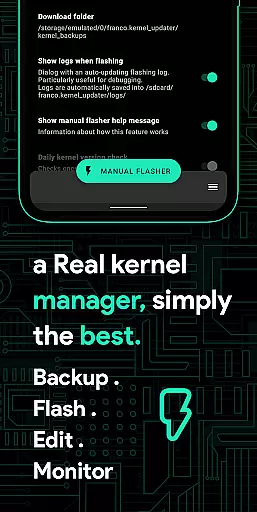
Franco Kernel Manager is a comprehensive toolbox designed for Android users who want to supercharge their device's kernel. It offers an extensive feature set that caters to both beginners and expert users, providing everything needed to manage, tweak, and optimize your device. Whether you're looking to boost performance, extend battery life, or flash mods without using a custom recovery, this app has got you covered.
The app stands out with its user-friendly interface and tailored features, making kernel management accessible to all. From detailed battery monitoring to advanced CPU controls, Franco Kernel Manager combines powerful tools with ease of use. The app works on all devices and kernels but requires root access for most features, except for the Battery Monitor which functions without root.
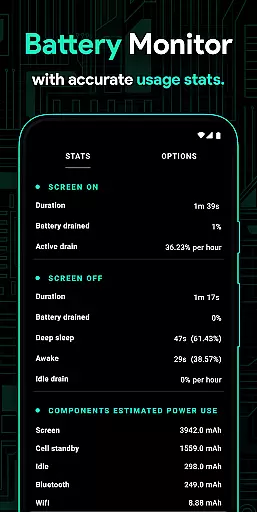
Franco Kernel Manager boasts an impressive array of features designed to give users complete control over their device's performance. One standout feature is the Battery Monitor notification, offering detailed insights into power consumption, charging time estimates, and more. This allows users to optimize their usage patterns for better battery life.
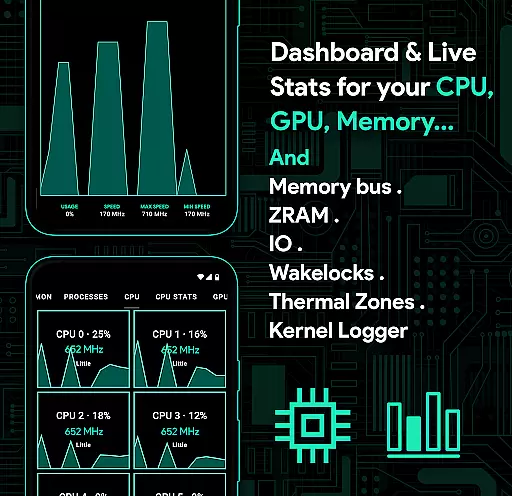
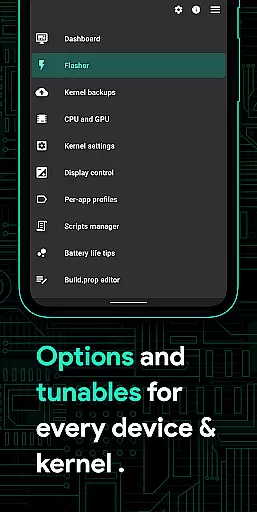
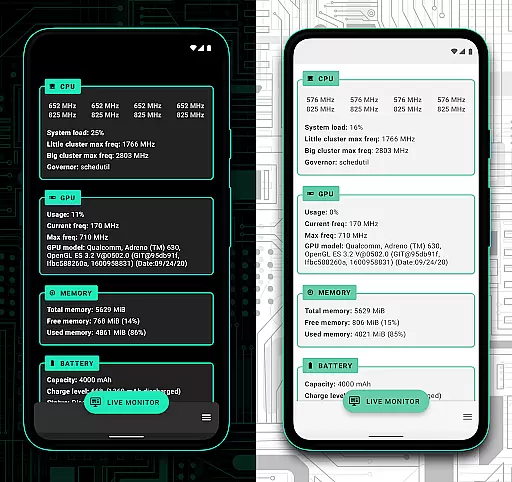
The app also includes advanced tools like a build.prop editor, auto-flash functionality for kernels and Magisk modules, and per-app profiles for customized settings. Users can adjust CPU frequencies, governor settings, GPU controls, and even create shell scripts within the app. Additionally, the System Health section provides real-time monitoring of CPU, GPU, RAM, and other crucial system components, helping users maintain optimal device performance.
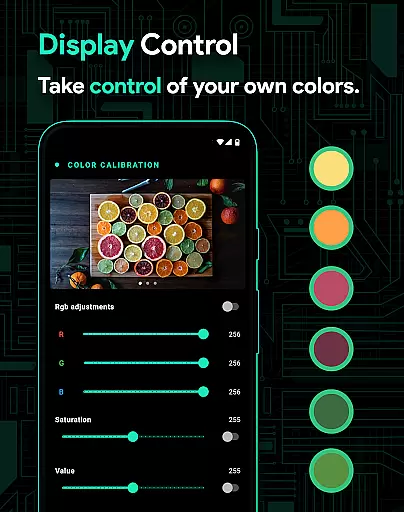
Other notable features include display color temperature presets, automatic Night Shift mode, and comprehensive backup/restore options for both kernels and application settings. The app supports various device-specific features like High Brightness Mode for supported devices and implements accessibility services to automatically apply settings based on the active app, enhancing the overall user experience while maintaining privacy.
Franco Kernel Manager is designed to provide a comprehensive set of tools for managing and optimizing your device's kernel with precision. The app offers detailed control over CPU frequencies, GPU settings, and system health monitoring, ensuring that every tweak you make is accurately applied. This level of accuracy ensures that whether you're looking to boost performance or extend battery life, the changes are implemented effectively.
The app includes features such as an advanced build.prop editor, support for flashing mods without a custom recovery, and detailed battery stats. These tools allow users to modify their devices with confidence, knowing that each change will have the intended effect. For example, adjusting the CPU governor or applying a specific thermal profile can be done with assurance that the modifications will perform as expected.
Furthermore, Franco Kernel Manager provides specialized tools like per-app profiles, which let users customize settings based on individual applications. Whether it's maximizing CPU power for gaming or reducing frequencies for reading, these tailored adjustments ensure optimal device performance. With its precise controls and reliable implementation, users can trust that their configurations will deliver the desired outcomes.
A key aspect of Franco Kernel Manager is its focus on providing an intuitive and user-friendly interface despite the complexity of the tasks it handles. The app is structured to cater to both novice and expert users, offering straightforward navigation through its rich feature set. From the main dashboard, users can easily access essential functions like battery monitoring, system health stats, and display controls without feeling overwhelmed.
The design emphasizes ease of use with clear categories and simple toggles for various settings. For instance, enabling high brightness mode or creating shell scripts can be done with just a few taps. Additionally, the app supports light and dark themes, adapting to user preferences and ensuring a comfortable experience regardless of the time of day.
Moreover, the app integrates accessibility services to enhance usability further. By detecting the active app and applying predefined profiles automatically, it simplifies the process of managing device settings dynamically. This seamless interaction between the user and the app's features highlights its commitment to maintaining an intuitive and efficient user experience.
User-friendly interface
Extensive feature set
Works on all devices
Real-time system monitoring
Automatic profile application
Requires root access
Complex for beginners
Some features device-specific
No iOS support
Advanced knowledge needed

Quickly & easily calculate the spacing of handrail balusters
 4.20
4.20
Optimize your WiFi network, turn your phone into Wifi Analyzer
4.70
Detect hidden spy camera with advanced scanning {{ Premium version }}
4.00
A non-root local ADB shell client. READ BELOW!
3.40
Unleash gamepad precision for ultimate mobile gaming dominance.
3.90
Monitor car performance in real time and troubleshoot malfunctions.
4.80
Making emulation easy for everyone!
4.30
Mirror your screen to Fire TV - Super fast and simple
4.40
Creation, Learning, Entertainment & More — The All-in-One AI Search Engine
4.70
Extremely fast, secure, and protects your privacy
4.80
The one-and-only remote control for PC, Mac, and Linux
4.70
Keep track of your Palia friendships, tasks, and inventory with Palia Notebook
4.60
Head tracking for PC sim games such as MSFS 2024 or Elite:Dangerous. No headset!
4.50
Universal TV remote control all TVs, Roku, LG, Samsung, Fire, Vizio, Sony, TCL.
4.40
Forza Tuning Calculator App for Forza Horizon 5, Motorsport and Earlier Titles
4.40
Clean up large files and similar photos, fast and easy to use
4.40
An easy-to-use calculator designed to save time calculating and bending conduit
4.30
Smart and comfortable browsing experience.
3.80
This app unlocks the Pro features of the Central for DayZ app
3.60


User Reviews